
10 Scaling Strategies for Seasonal Ad Sets
10 practical tactics to scale seasonal ad sets: gradual budgets, multi-placements, lookalike and custom audiences, Advantage+ automation, Conversions API, and daily optimization.
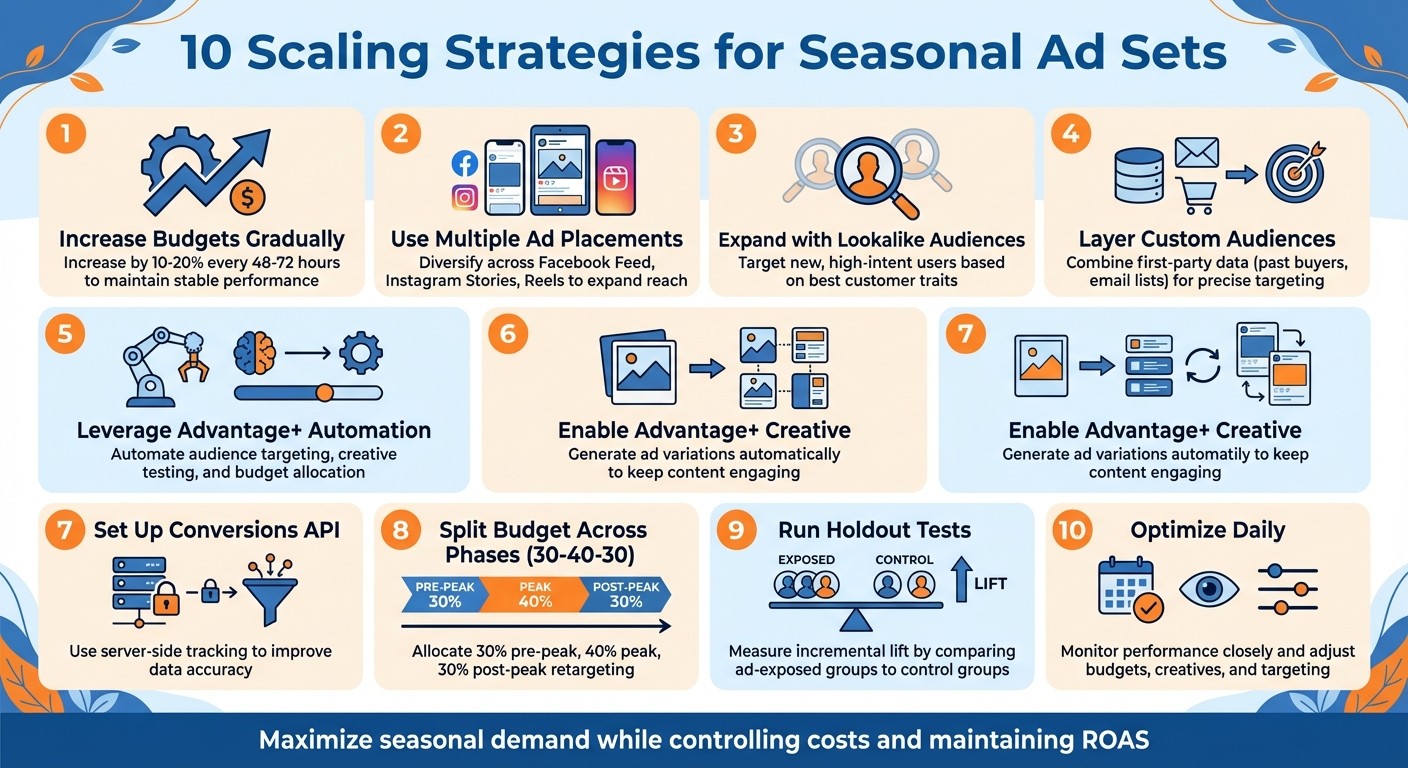
Running seasonal ad campaigns is challenging due to short timeframes, high competition, and rapidly changing performance metrics. To maximize results, you need a clear plan to scale effectively while controlling costs. Here are 10 proven strategies to help you scale seasonal ad sets without compromising your return on ad spend (ROAS):
Increase Budgets Gradually: Avoid sudden budget spikes; increase by 10–20% every 48–72 hours to maintain stable performance.
Use Multiple Ad Placements: Diversify placements (e.g., Facebook Feed, Instagram Stories) to expand reach and avoid audience saturation.
Expand with Lookalike Audiences: Target new, high-intent users based on traits of your best customers.
Layer Custom Audiences: Combine first-party data (e.g., past buyers, email lists) for precise targeting.
Leverage Advantage+ Automation: Automate audience targeting, creative testing, and budget allocation for faster adjustments.
Enable Advantage+ Creative: Generate ad variations automatically to keep content engaging during peak periods.
Set Up Conversions API: Use server-side tracking to improve data accuracy and capture missed conversions.
Split Budget Across Phases (30–40–30): Allocate 30% to pre-peak, 40% to peak, and 30% to post-peak retargeting for better timing.
Run Holdout Tests: Measure incremental lift by comparing ad-exposed groups to control groups.
Optimize Daily: Monitor performance closely and adjust budgets, creatives, and targeting to stay competitive.
These strategies ensure you can scale effectively, manage costs, and maximize seasonal demand. Tools like AdAmigo.ai can further simplify campaign management by automating optimizations and performance monitoring.
10 Proven Strategies to Scale Seasonal Ad Campaigns
Tips Scaling Iklan Facebook Saat High Season
Untuk hasil maksimal, pastikan Anda mengikuti Meta Ads scaling checklist agar setiap tahapan optimasi berjalan terstruktur dan Anda siap mengatasi masalah scaling Meta Ads yang mungkin muncul.
1. Increase Budgets Gradually (10–20% at a Time)
Scaling a seasonal ad set requires a measured approach. Doubling your budget overnight can throw Meta's algorithm off balance, leading to higher costs and disrupted performance. Instead, aim for a gradual budget increase - about 10–20% every 48–72 hours. This gives the algorithm the time it needs to adjust, avoiding a performance reset during the learning phase. During seasonal peaks, when competition heats up and costs rise, this strategy helps maintain a stable CPA and prevents sudden ROAS drops. Slow and steady wins the race here.
How Well It Works for Seasonal Campaigns
Seasonal peaks are when this method truly shines. Gradual increases help maintain momentum without derailing your campaign's performance. For instance, if an ad set is performing well at $500/day, bumping it up to $600/day is far less disruptive than doubling it to $1,000. Sudden spikes can force Meta to stretch your ads to less-qualified audiences or unstable placements, which can hurt results.
If you notice rising frequency or a declining CTR, pause additional increases and focus on refreshing your creatives.
Effects on ROAS, CPA, and CTR
This method generally keeps performance metrics stable during seasonal scaling. While you might see a slight dip in ROAS during the initial scale-up, it should level out if your ad set is performing well. On the other hand, large, abrupt budget jumps often result in a higher CPA, with no guarantee of recovery.
"The difference between profitable and unprofitable accounts often comes down to one thing: how fast you kill losers and scale winners." - AdBid
Keep a close eye on your CTR. If it stays steady or improves as you scale, you're on track. But if CTR starts dropping, it could mean your creative is losing its appeal or you're reaching less-engaged users. That’s your cue to slow down, optimize, and regroup before increasing the budget further.
How Easy It Is to Set Up
This approach is simple to implement - no fancy tools or setups required. Just adjust your Ads Manager budget every few days while keeping a close watch on performance metrics. Discipline is key. Before increasing your budget, ensure your ROAS, CPA, and conversion rates are holding steady or improving. If they’re not, stick to your current budget and troubleshoot - test new creatives, refine your targeting, or tweak your bids to get back on track.
2. Use Multiple Ad Placements Across Meta
During busy seasonal periods, spreading your ads across multiple Meta placements is key to keeping your campaigns effective without overloading a single channel. By diversifying placements - like Facebook Feed, Instagram Stories, Reels, and the Audience Network - you can reach more potential customers at different times and in different ways. Relying on just one placement can lead to audience saturation, especially when competition is at its peak. A broader approach ensures your ads appear where people are most engaged, whether they’re casually scrolling their feed at lunch or watching Stories in the evening.
Why It Works for Seasonal Campaigns
This strategy is particularly effective during high-traffic seasons because it targets buyers at various stages of the decision-making process. Implementing full-funnel AI optimization can further refine how these placements interact across the customer journey. Social media placements handle the "See" phase, building awareness, while retargeting placements focus on the "Think" and "Do" phases, driving consideration and conversions. By layering your approach, you can keep your brand visible without bombarding any single audience group.
"People don't like ads, but they despise irrelevant ones. So the key is finding placements where your brand feels the least intrusive." - Tommy Albrecht, Head of Performance Marketing, Funnel
Impact on ROAS, CPA, and CTR
Using multiple placements often leads to better reach and improved frequency management, which can help maintain a solid click-through rate (CTR). Diversifying your ad placements also boosts engagement across platforms. However, it’s essential to monitor each placement individually to figure out which ones are driving the best results for your campaign.
Setting It Up
Meta Ads Manager makes it relatively simple to manage multiple placements. You can compare dynamic and manual placements to decide between Advantage+ Placements (formerly known as Automatic Placements) or manually choosing specific spots if you have detailed performance insights. Keep in mind that different placements require tailored creative formats - vertical for Stories and square or horizontal for Feed. If you’re running campaigns with several variations, tools like Bulk Ad Launch can save time by deploying placement-specific creatives at scale. This approach not only simplifies campaign management but also ensures your ads stay fresh and engaging.
Preventing Creative Fatigue and Audience Saturation
A diverse placement strategy also helps combat creative fatigue and audience saturation. By replicating your top-performing ad sets across different placements - like moving a successful Facebook Feed ad to Instagram Stories - you can refresh your audience’s experience without starting from scratch. Pay attention to your frequency metric; if people see the same ad more than 3–4 times, it might be time to update your creatives or pause underperforming placements. Rotating your formats - such as adding user-generated content, testimonials, or quick videos under 15 seconds - can keep your ads engaging and relevant. This multi-placement approach is a critical part of scaling campaigns effectively during unpredictable seasonal demand.
3. Expand Reach with Lookalike Audiences
Lookalike audiences allow you to go beyond your current customer base by targeting new users who share similar traits with your top converters. Instead of pouring more budget into an audience that's already saturated, you can focus on lookalike segments to connect with fresh, high-intent users - especially during busy shopping seasons like Black Friday or the holidays. To further refine your reach, consider interest layering best practices to combine these lookalikes with specific behaviors. This strategy works well because it targets people who are already in a buying mindset, much like your previous seasonal shoppers. This method not only broadens your reach but also lays the groundwork for scaling effectively.
Why Lookalike Audiences Shine During Seasonal Campaigns
Building lookalike audiences from last year’s holiday buyers gives you a major advantage. These groups are modeled after customers who converted during the previous season’s shopping frenzy, meaning they’re more likely to respond to your current offers. By using a "lookalike ladder" approach, you can start with highly targeted audiences and gradually test broader ones, ensuring stable performance as you scale.
Impact on ROAS, CPA, and CTR
When it comes to return on ad spend (ROAS), 1% lookalike audiences typically deliver the strongest results because they closely resemble your best customers. As you expand to larger percentages (like 2-5%), you can increase your reach, especially when your core audience starts experiencing high ad frequency. To maintain or even improve click-through rates (CTR) without inflating your cost per acquisition (CPA), spread your budget across multiple lookalike tiers. Monitor performance daily - if your 1% audience is excelling, allocate more budget there while experimenting with broader tiers (2-3%) to grow further.
Setting Up Lookalike Audiences Made Simple
Once you understand the benefits, creating lookalike tiers is both easy and effective. In Meta Ads Manager, you can set up a lookalike audience by selecting a Custom Audience as your source (e.g., past buyers or high-value customers), choosing a similarity range (1-10%), and letting Meta generate your audience. For seasonal campaigns, start with a 1% lookalike for precision, then bulk launch ad sets into 2-3% and 4-5% tiers as you scale. This method of horizontal expansion allows you to grow your reach without resetting Meta’s learning phase.
Fighting Creative Fatigue and Audience Saturation
During intense seasonal campaigns, scaling your ad creatives is essential. Lookalike audiences help combat audience fatigue. When your original audience starts seeing the same ad multiple times (3-4 impressions), shifting your budget to new lookalike tiers ensures your campaigns stay effective. This approach spreads impressions across fresh users, avoiding the high frequency that can hurt CTR. Pair these audiences with updated creatives - like user-generated content or testimonials - to keep engagement high throughout the busiest shopping days of the year.
4. Layer Custom Audiences for Targeted Scaling
Layering custom audiences is a smart way to fine-tune your targeting with AI audience profiling, especially for seasonal campaigns. By combining multiple first-party data sources - like email lists, website visitors, or past purchasers - you can zero in on people already familiar with your brand. This approach works particularly well during peak seasons when targeting warm prospects can lead to quicker conversions.
How Well It Works for Seasonal Campaigns
Custom audience layering can be a game-changer during busy periods like holiday sales or flash promotions. For example, you can upload lists of customers who made purchases during last year’s Black Friday or holiday season. These lists are perfect for retargeting or as seed audiences for lookalike campaigns. To get the most out of this strategy, start engaging these audiences well before your peak season. Use lead generation or engagement ads to warm them up, so they’re primed to convert when your main campaign goes live.
Effects on ROAS, CPA, and CTR
Layering custom audiences often leads to lower cost per acquisition (CPA) because you’re focusing on people who’ve already shown interest in your brand. These warm audiences tend to convert faster than cold traffic, which naturally improves your return on ad spend (ROAS). Plus, click-through rates (CTR) usually increase since your ads are being shown to people who already recognize your brand and are actively shopping during the season. By using audience data for growth from your CRM, email platform, and past campaigns, you can keep your targeting precise. Platforms like Performance Max or Advantage+ even let you refine audience signals further by incorporating competitors’ seasonal landing pages.
How Easy It Is to Set Up
choosing between AI vs manual audience creation for layered custom audiences in Meta Ads Manager is relatively simple. Start by uploading your customer lists, such as emails, phone numbers, or user IDs. Then, combine these lists with data from website visitors or past ad engagements. For instance, you might create a segment like “website visitors in the last 30 days” combined with “email subscribers who opened holiday campaigns.” These layered audiences can be used for retargeting or to build lookalike audiences. Once created, you can easily reuse them across multiple seasonal campaigns. Don’t forget to align your ad creatives with each audience segment to keep engagement high.
How It Helps Avoid Creative Fatigue and Audience Saturation
Layered audiences help minimize repetitive impressions, keeping your campaign fresh and effective. By rotating between different audience layers - such as recent site visitors, past purchasers, and active email subscribers - you can ensure that no single group becomes oversaturated. Pair this strategy with updated ad creatives tailored to each segment, and you’ll maintain strong performance throughout your campaign. This approach not only keeps engagement high but also prevents your messaging from feeling stale.
5. Use Advantage+ Automation Tools
Advantage+ automation tools take your seasonal campaigns to the next level by simplifying creative testing, audience targeting, and Advantage+ vs manual placements. With these tools, you can let the algorithm handle the technical details while you focus on refining your strategy.
How Well It Works for Seasonal Campaigns
Advantage+ Shopping Campaigns (ASC) excel during periods of high demand because they adjust quickly to changing conditions. They test various creative options, audience groups, and placements in real time to identify what delivers the best results. To maximize their potential during busy seasons, consider tweaking your targets. For example, lower your ROAS goals or increase CPA targets to enhance visibility and avoid restricting reach during peak times. Structuring campaigns into distinct phases - pre-peak, peak, and cool-off - can also help you stay organized and responsive.
Effects on ROAS, CPA, and CTR
These tools are designed to optimize performance across Meta's entire ecosystem, often leading to better ROAS and reduced CPA over time. They automatically allocate budgets to the highest-performing creatives and audiences, which can significantly boost your CTR. For short, high-intensity seasonal campaigns lasting just a few days, where conversion rates might fluctuate by 25% or more, you can use Meta's "Seasonality Adjustments" feature or automated time-based rules to help the algorithm adapt to these unique patterns.
How Easy It Is to Set Up
Getting started with Advantage+ campaigns is simple. In Meta Ads Manager, select the Advantage+ Shopping Campaign option when creating a new campaign. Upload your product catalog, set your budget and key performance indicators (KPIs), and let the system take over. While you can provide audience signals like past purchasers or website visitors to guide the algorithm, it’s not mandatory. The platform will test various combinations and optimize based on what works best. Don’t forget to tailor your creatives for seasonal holiday themes - 61% of holiday shoppers are drawn to personalized promotions.
How It Helps Avoid Creative Fatigue and Audience Saturation
Advantage+ tools help combat ad fatigue by automatically rotating creatives and reallocating budgets to fresher assets as performance declines. This ensures your campaigns stay effective throughout the season, seamlessly working alongside earlier strategies like incremental budget increases and audience layering.
6. Apply Advantage+ Creative for Automatic Variations
Advantage+ Creative builds on the capabilities of Advantage+ Automation Tools by simplifying the process of testing and optimizing creative assets. This Meta tool takes a single uploaded element - whether it's an image, video, or text - and automatically creates multiple variations by combining and remixing different components like headlines, visuals, and body copy. This feature is especially useful during busy seasons when quick, visually relevant updates are crucial.
How Well It Works for Seasonal Campaigns
Seasonal campaigns often require fast adjustments to align with themes like holiday imagery or messages of urgency. Advantage+ Creative shines here by instantly generating festive versions of your ads without the need for custom designs. For instance, during Q4, e-commerce brands have seen their reach grow by 20–30%, even as CPMs rose by 6% due to increased competition [14–16]. In one example, a brand running Black Friday promotions scaled its daily ad spend from $500 to $2,000. Using Advantage+ Creative, the brand reduced CPA by 20% over three days while hitting a 3× ROAS target [14,15].
Effects on ROAS, CPA, and CTR
Advantage+ Creative isn’t just about convenience - it also delivers results. By automatically optimizing creative variations, the tool helps improve CTR by 15–25%, lowers CPA by 10–20% by reallocating budgets to high-performing combinations, and often sustains or boosts ROAS, frequently maintaining targets above 3×, aligning with Meta Ads ROAS benchmarks. This is achieved by minimizing creative fatigue, even during periods of scaling [11,14]. Machine learning for Meta Ads identifies the best-performing variations and prioritizes ad set spending accordingly, ensuring your ad sets outperform the originals.
How Easy It Is to Set Up
Getting started with Advantage+ Creative is quick and straightforward. In Ads Manager, you can activate it in under five minutes. Just toggle on "Advantage+ Creative" while creating or editing an ad set, upload 1–5 core assets (like a primary image and text), choose your optimization goal (e.g., conversions), and launch. Meta will then generate over 30 creative variations automatically. For best results, aim for 25–50 weekly conversions per ad set and keep your frequency below 3.0 to prevent audience fatigue. This easy setup ensures that your campaigns stay aligned with your scaling goals as budgets and audiences shift.
How It Helps Avoid Creative Fatigue and Audience Saturation
Advantage+ Creative is designed to keep your campaigns fresh and effective, even as you gradually increase budgets - say, by 20% every 48–72 hours. By automatically refreshing creative assets, the tool helps prevent creative fatigue and audience saturation [11,14]. It works seamlessly with your scaling strategies, ensuring strong performance throughout high-demand periods.
7. Set Up Conversions API for Better Data and Lead Quality
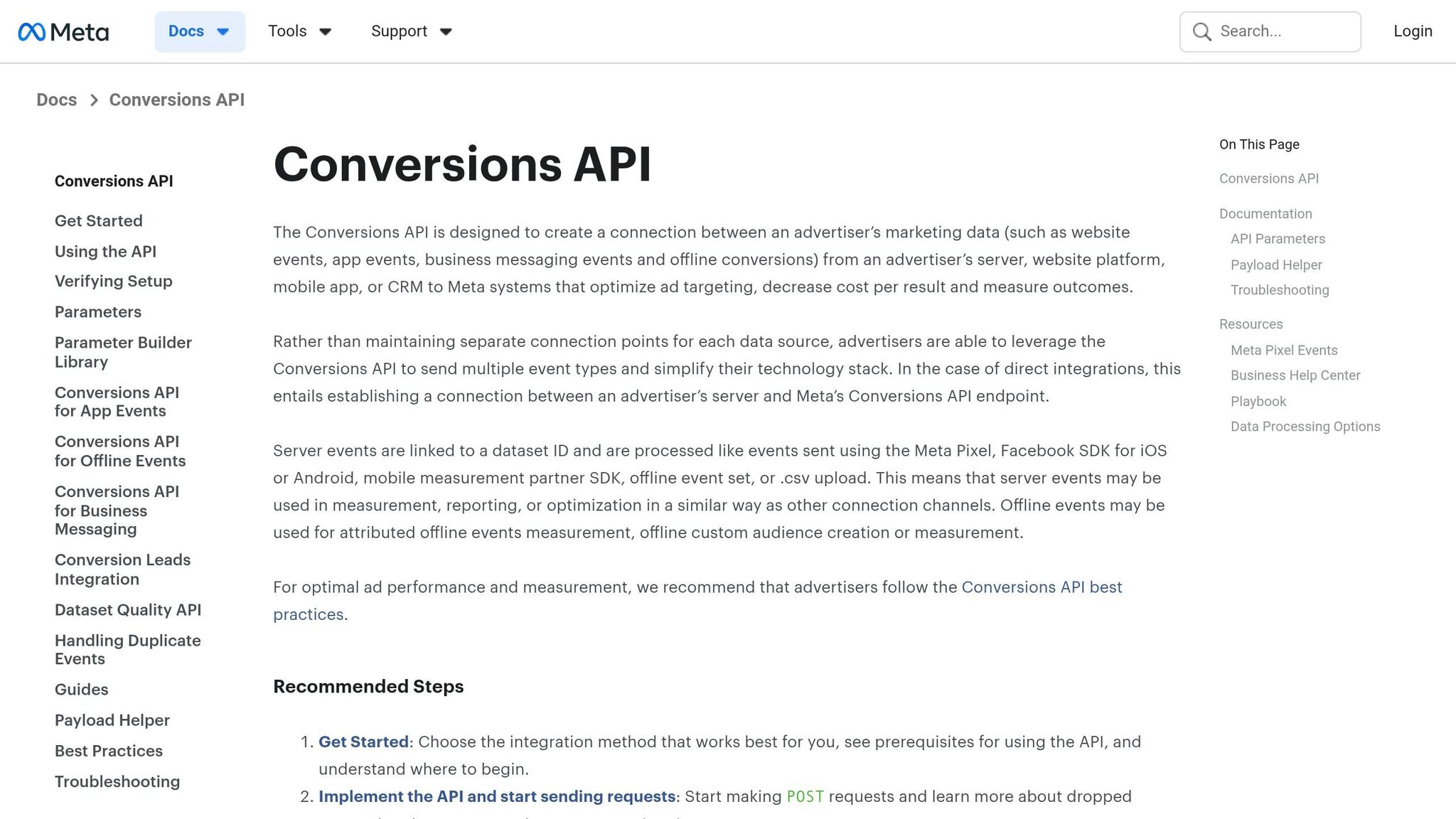
The Conversions API (CAPI) creates a direct link between your server data and Meta, bypassing the limitations of browser-based tracking. This becomes especially important during seasonal surges when conversions spike, and traditional tracking methods like third-party cookies often fall short. Unlike the Meta Pixel vs. Conversions API comparison shows, the Pixel can miss key conversions due to ad blockers or iOS privacy restrictions, CAPI sends data straight from your server to Meta. This ensures a more reliable connection for tracking, particularly during high-demand periods.
Why It’s Effective for Seasonal Campaigns
Seasonal campaigns often bring intense traffic in short bursts, making real-time conversion tracking essential. CAPI helps capture conversions that the Pixel might miss, giving Meta a complete dataset to work with. This accuracy is crucial for scaling ad sets during busy times. For example, during Black Friday or back-to-school shopping, better signal quality allows Meta’s platform to quickly identify your top-performing audiences and allocate your budget more effectively.
Impact on ROAS, CPA, and CTR
When your data improves, so does your campaign’s performance. With better data feeding into Meta’s algorithm, targeting and bidding become more accurate. This leads to lower CPA, higher ROAS, and better CTR as your ads reach users who are genuinely interested in your products or services.
How to Get Started
Setting up CAPI is relatively straightforward, though it does require some technical steps. Many e-commerce platforms like Shopify, WooCommerce, and BigCommerce simplify the process with one-click CAPI integrations available in their Meta app settings. If you’re working with a custom platform, you’ll need a developer to configure the server-side connection. Once everything is live, keep an eye on the Events Manager to ensure CAPI is functioning properly by testing your conversion events. Regular monitoring helps avoid issues like double-counting conversions, ensuring your metrics stay accurate.
8. Split Budget Across Seasonal Phases (30–40–30)
Splitting your budget into seasonal phases is a smart way to match shopper behavior and keep your campaigns running effectively. By combining this method with strategies like gradual budget increases and audience layering, you can maintain momentum throughout the season and avoid the common mistake of spending too much during a single high-competition period.
The 30–40–30 split divides your budget into three phases: 30% for the build-up, 40% for the peak, and 30% for post-peak retargeting. This structure ensures your spending aligns with how customers shop during the season, spreading your investment more effectively instead of concentrating it all in one go.
How It Works for Seasonal Campaigns
This approach works because it mirrors a full-funnel customer journey.
Phase 1 (30%): About 30 days before your peak sales period, focus on top-of-funnel awareness campaigns. This phase builds brand recognition, giving you a head start before competitors flood the market.
Phase 2 (40%): During the peak sales window, allocate the largest share of your budget to bottom-of-funnel conversion campaigns. This is when high-intent shoppers are ready to make purchases, so it’s the best time to maximize conversions.
Phase 3 (30%): After the peak, re-engage users who showed interest but didn’t convert. This phase also nurtures new customers, encouraging repeat purchases.
Timing is everything here. Using AI to improve ad timing can further refine these phases. If you skip the build-up phase, you risk missing early seasonal shoppers. And with 67% of consumers basing their purchasing decisions on seasonal offers, aligning your budget with these key decision points is essential for success.
How to Set It Up
Implementing the 30–40–30 split requires some preparation - plan at least 90 days ahead of the season. Start by determining your total budget and dividing it according to the framework. Then, schedule your campaigns to launch in phases.
Meta's algorithm needs 7 to 14 days to optimize, so it’s crucial to give it time to learn before the peak sales period begins. If you launch everything at once during peak week, you’ll likely waste budget while the algorithm tries to adjust. Fortunately, setting up phased campaigns in Ads Manager is straightforward, especially when using automated bid rules to manage transitions.
Impact on ROAS, CPA, and CTR
This phased approach not only aligns with shopper behavior but also improves your performance metrics. By warming up your audience in Phase 1, you’ll reduce wasted spending during peak periods in Phase 2, which helps boost your ROAS benchmarks. Lowering CPA becomes easier because Phase 1 builds brand awareness, making Phase 2 conversion campaigns more effective.
Personalization also plays a big role - 61% of holiday shoppers are more likely to buy from brands offering personalized seasonal promotions. The data collected in Phase 1 allows for more targeted and tailored campaigns during Phase 2. To maintain a high CTR and avoid ad fatigue, rotate your creatives weekly during the peak phase when your ads are running at full capacity.
9. Run Holdout Tests to Measure Paid Ad Impact
Holdout tests, also known as conversion lift studies, help you figure out if your seasonal ads are driving extra sales or just capturing purchases that would have happened anyway. During busy seasons, organic traffic and buyer intent naturally rise, making it tricky to pinpoint what’s actually driving results. A holdout test addresses this by withholding ads from a small control group and comparing their behavior to those exposed to your campaigns.
How Well It Works for Seasonal Campaigns
Holdout tests are a great way to assess the real impact of your seasonal campaigns. During peak periods, high click-through rates (CTR) and clicks can give the illusion of success, even if the ads aren’t driving additional sales. These tests cut through the noise by showing the incremental lift - sales that wouldn’t have occurred without your paid ads.
When competition heats up and cost-per-thousand impressions (CPMs) climb, understanding your incremental lift can save you from overspending on people who were already planning to make a purchase. This insight is especially critical when deciding whether to ramp up your budget or scale back.
How Easy It Is to Set Up
Platforms like Meta make it simple to run holdout tests. Their built-in Brand Lift and Conversion Lift tools in Ads Manager automatically segment a 5–10% control group to provide statistically reliable results. You can also A/B test conversion rules to further refine your automation logic. To get started, you’ll need a campaign with enough scale - generally a few thousand impressions per day. It’s a good idea to launch your test 7–14 days before peak sales, so you can gather baseline data before your biggest spending days.
Effects on ROAS, CPA, and CTR
Holdout tests allow you to see if your return on ad spend (ROAS) is genuine or inflated. By isolating the incremental lift, you can identify whether your ads are driving real conversions or simply capturing sales that would’ve happened anyway. If the test reveals low incremental lift, it means your CPA (cost per acquisition) is higher than it should be, and your ROAS isn’t as strong as it looks.
Armed with these insights, you can shift your budget toward audiences and campaigns that show real lift, boosting efficiency by optimizing Meta Ads ROI across ROAS, CPA, and CTR. Pair these findings with tools like AdAmigo.ai (https://adamigo.ai) to fine-tune and scale your seasonal ad sets for maximum impact.
10. Optimize and Analyze Performance Daily
Seasonal campaigns move quickly - what worked yesterday might not work today. Daily optimization is essential to keep up with changes in audience behavior, rising CPMs, and creative fatigue. Even a delay of just 48 hours in adjusting budgets or pausing underperforming ads can drain your budget. To handle these rapid changes more efficiently, automating routine optimizations is worth considering.
Why It Works for Seasonal Campaigns
Daily analysis allows you to catch problems before they escalate. For example, if CPMs spike in the middle of your campaign, you can reallocate budgets to placements with lower costs or audiences that are more engaged. Similarly, if a creative starts losing its impact, you'll notice a drop in CTR early enough to replace it with fresh variations. This constant monitoring ensures your campaigns stay efficient and minimizes wasted spending.
Manual optimization, however, can be a major time sink. Checking metrics, comparing ad sets, adjusting bids, and rolling out new creatives can take hours every day. This is where automation tools like AdAmigo.ai come in handy. These tools continuously monitor your account, identify opportunities for improvement, and make adjustments automatically —or use an ad performance analyzer to spot trends manually— - saving you valuable time and effort.
Impact on ROAS, CPA, and CTR
Daily adjustments can significantly improve your campaign metrics over time. For example, pausing ad sets with rising CPAs before they burn through your budget helps maintain your ROAS. Similarly, reallocating funds from saturated audiences to fresher ones keeps your CTR strong. Incrementally increasing budgets on high-performing ad sets by 10–15% daily can lead to substantial gains during a two-week campaign push.
That said, managing automation effectively is just as important. One common pitfall is rule conflicts - like when one rule increases a budget while another pauses the same ad set due to a temporary performance dip. Advanced platforms can identify and resolve these conflicts automatically. As AdBid.me puts it:
"Human strategy remains essential for creative development and major decisions. Automation executes - humans strategize."
To make automation work seamlessly, set clear automation rules for scaling with clear priorities. Budget protection guardrails should come first, followed by performance kill rules, alerts, and finally scaling rules. This hierarchy ensures your campaigns remain both effective and efficient.
Automation Tools for Scaling
When it comes to scaling seasonal campaigns, real-time adjustments are non-negotiable. That’s where AI-powered automation platforms like AdAmigo.ai shine. These tools work around the clock, monitoring performance, reallocating budgets, refreshing creatives, and making immediate adjustments. By setting your campaign goals upfront, you can let the system handle the heavy lifting while you focus on strategy - no more tedious manual oversight.
To understand the difference automation makes, check out this comparison between AI audience segmentation and manual targeting:
Feature | AI Media Buyer (e.g., AdAmigo.ai) | Manual Oversight |
|---|---|---|
Monitoring | 24/7 continuous analysis | Periodic human reviews |
Scaling Speed | Instant, multi-campaign adjustments | Limited by human capacity and hours |
Creative Refresh | Automated, brand-aware generation | Manual design and upload cycles |
Budget Logic | Proactive, real-time reallocation | Reactive, based on past reports |
Learning Curve | Beginner-friendly with expert results | Requires deep technical expertise |
This table shows how automation doesn’t just save time - it also enhances performance. Automated systems can handle creative updates, audience targeting, and budget management as one cohesive process. For example, if an ad starts losing its effectiveness, the platform can generate a fresh version based on your top-performing ads and competitor data. It then deploys the new creative to the best audience segments - all without you lifting a finger.
For agencies juggling multiple client accounts during busy periods like Q4, automation is a game-changer. AI-driven optimizations allow a single media buyer to manage 3–5× more accounts compared to manual oversight. This frees up strategists to focus on creative direction and long-term growth planning. In-house teams benefit too, as they can rely on these platforms instead of hiring extra staff to handle seasonal spikes. Whether you’re part of an agency or an in-house team, automation simplifies scaling while keeping your attention on the bigger picture.
Conclusion
Scaling seasonal ad sets requires a careful, data-driven approach that balances growth opportunities with potential risks. The strategies discussed - ranging from gradual budget increases to monitoring daily performance - offer a solid framework for maximizing returns during peak periods while avoiding overspending on ads that underperform.
Think of scaling as a process of continuous fine-tuning. Small adjustments, like scaling small Meta ad budgets through incremental changes, refreshing ad creatives, and layering audiences more precisely, can add up over time to make a big difference. During high-pressure seasonal campaigns, these steady refinements can be the deciding factor between meeting your revenue goals or falling short.
A practical tip to protect your budget is setting a safeguard to automatically pause any ad set that spends twice your target CPA without generating a conversion. This "kill rule" helps control costs during competitive periods when inefficiencies can quickly escalate. It works well alongside manual and automated tools that adapt to performance in real time.
As AdBid.me puts it, "Human strategy remains essential for creative development and major decisions. Automation executes - humans strategize". Automation enhances strategic decision-making by handling real-time execution, allowing marketers to focus on creativity and overarching goals. This often involves AI-driven resource prioritization to ensure budgets are allocated to the highest-performing segments automatically. This partnership between human insight and automation ensures campaigns perform consistently at a high level.
Whether you're managing campaigns manually or leveraging tools like AdAmigo.ai (https://adamigo.ai), the core principles remain the same: test early, scale what works, and safeguard against inefficiencies. By sticking to these strategies, you can turn seasonal spikes into steady, predictable growth.
FAQs
When should I stop increasing my budget?
When you notice key performance metrics like ROAS, CPA, or conversion rates starting to drop or fluctuate, it’s time to hit pause on increasing your ad budget. Rapid increases can lead to ad fatigue or audience saturation, which hurts performance. Instead, take a gradual approach - bump your budget by 10–25% every few days and keep a close eye on the results. This steady adjustment helps maintain stability while giving you the chance to spot and address any issues early.
How do I prevent creative fatigue during a seasonal spike?
To prevent burnout in your ad campaigns during a seasonal rush, it's crucial to keep your visuals and messaging fresh. Regular updates help maintain your audience's interest and ensure your ads stay relevant. Using tools like AdAmigo.ai can make this easier by quickly producing and testing new creative ideas. Keep a close eye on your campaign performance and adjust in real-time to sustain engagement throughout the busy season.
Do I need Conversions API if I already use the Meta Pixel?
Combining the Conversions API with the Meta Pixel is a smart move for improving both tracking accuracy and data privacy. This is especially important in light of iOS privacy updates, which have made traditional tracking methods less reliable. Together, these tools provide better campaign optimization and deliver more dependable performance insights.