
Meta Pixel vs. Conversions API for Event Mapping
Compare browser-based Meta Pixel and server-side Conversions API, their pros, cons, and best practices for hybrid event mapping and deduplication.
Meta Pixel and Conversions API (CAPI) are Meta's two main tools for tracking user events like purchases, page views, and add-to-carts. Pixel uses browser-based tracking, while CAPI sends data directly from your server to Meta. Here are the key differences between Meta Pixel and Conversions API: Pixel is easy to set up but can miss data due to ad blockers, privacy restrictions, or browser limitations. CAPI, though more technical to implement, provides reliable tracking by bypassing browser issues and sending enriched data like hashed emails or offline conversions. You can also track Meta ads with Google Analytics to cross-reference your server-side data.
Key Points:
Meta Pixel: Tracks events in real time from the browser. Vulnerable to blockers and privacy settings but easy to set up.
CAPI: Tracks events server-to-server, ensuring higher accuracy and match quality. Ideal for advanced tracking needs like offline conversions.
Best Approach: Combining Pixel and CAPI fills tracking gaps, improves accuracy, and enables real-time conversion tracking for better ad optimization.
Quick Comparison:
Feature | Meta Pixel | Conversions API (CAPI) |
|---|---|---|
Tracking Method | Browser-based | Server-to-server |
Setup Complexity | Simple (JavaScript snippet) | Requires backend development |
Reliability | Affected by blockers and cookies | Consistent, bypasses browser limits |
Data Depth | Limited to browser data | Includes backend and offline data |
Best Use Case | Small businesses, quick setup | High-value transactions, offline tracking |
For businesses with a larger ad budget or advanced tracking needs, the hybrid Pixel + CAPI setup is the most effective solution.
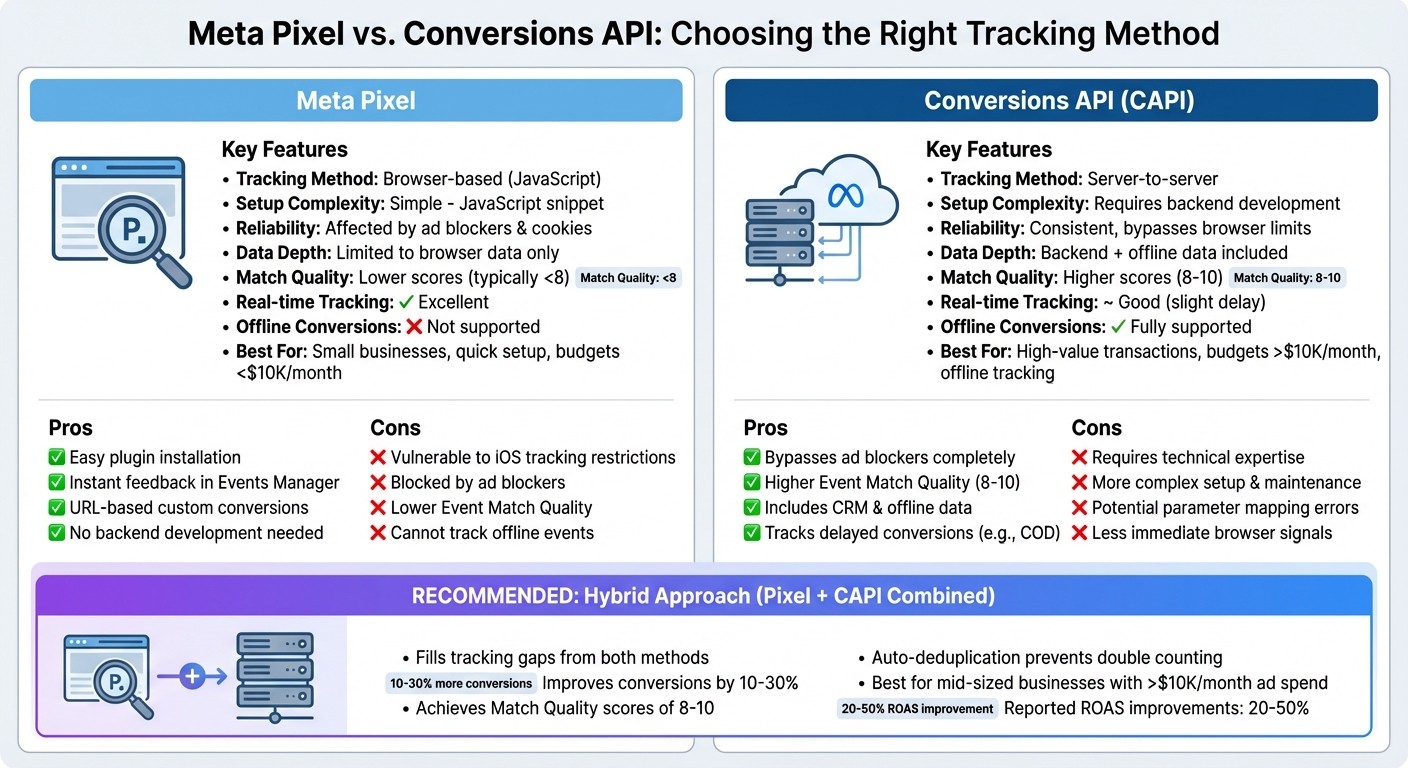
Meta Pixel vs Conversions API: Feature Comparison for Event Tracking
Meta Pixel for Event Mapping
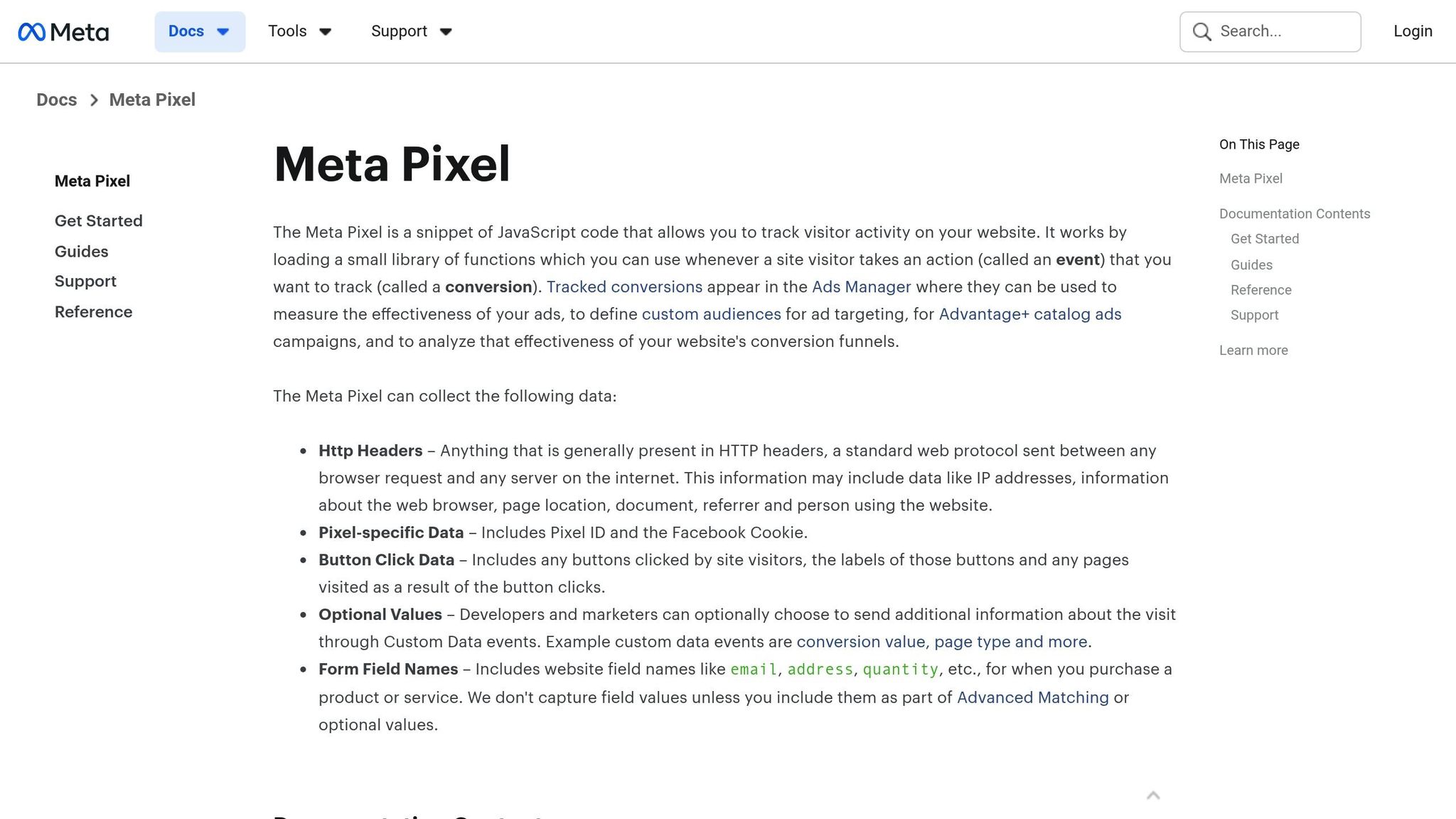
How Meta Pixel Maps Event Parameters
Meta Pixel is a small JavaScript snippet that runs in the browser, loaded from Meta's CDN. It sets up the fbq() function to track user actions. For instance, you can track a purchase using fbq('track', 'Purchase', {value: 49.99, currency: 'USD'}). This sends data like event names, timestamps, parameters, and browser identifiers back to Meta's systems.
Meta provides standard events like PageView, AddToCart, InitiateCheckout, and Purchase. These come with preset parameters that Meta uses to optimize ad performance. If you need to track something specific to your business - like scheduling a demo or applying a discount - you can create custom events or add custom parameters such as plan_tier or discount_code. You can add the Pixel code manually or use tools like Google Tag Manager to map your site's data layer to Pixel parameters.
To make sure your Pixel setup is working, head to Meta Events Manager, select your Pixel, and use the "Test events" tab to monitor events in real time as users interact with your site. Alternatively, you can install the Meta Pixel Helper browser extension to see event requests and payloads directly in your browser. This will show event names, parameters, and any errors - like missing currency or invalid content_ids - so you can troubleshoot and fix common errors. This client-side tracking method is straightforward and makes real-time monitoring easier.
Benefits of Meta Pixel for Event Mapping
Meta Pixel's user-friendly setup offers some clear advantages. One standout feature is how simple it is to get started. Many U.S.-based advertisers using platforms like Shopify, WooCommerce, or WordPress can enable Meta Pixel through plugins. These plugins automatically map key events and parameters, eliminating the need for custom coding.
Another benefit is the instant feedback you get. Since events are sent directly from the browser, you can see them in real time using Meta's Events Manager or the Pixel Helper extension. This makes troubleshooting quick and efficient. Pixel also supports URL-based custom conversions, allowing you to define actions like a Purchase event triggered by a URL containing /thank-you, all without needing complex server-side logic. For smaller businesses or those just starting with online advertising, this ease of use and immediate visibility make Meta Pixel an accessible option for tracking conversions.
Drawbacks of Meta Pixel
Despite its benefits, Meta Pixel has some limitations. Since it relies on browser cookies and client-side tracking, it's vulnerable to modern privacy measures. Features like iOS App Tracking Transparency, third-party cookie restrictions, and browser privacy settings can block or limit its ability to track users, which may result in lost events and weaker attribution. Additionally, ad blockers or tracking protection tools can prevent Pixel requests entirely, meaning some user actions won't be recorded.
Other issues arise from its client-side nature. If a browser crashes, a user loses internet connection, or they close the tab before the Pixel runs, those events won’t be captured. Compared to server-side tracking, which can include richer data like hashed emails or customer IDs, Pixel often delivers lower Event Match Quality. Moreover, it cannot track offline or off-site conversions, such as CRM updates, phone orders, or payments made through Cash on Delivery. This limits its ability to provide a full view of the customer journey.
Conversions API for Event Mapping
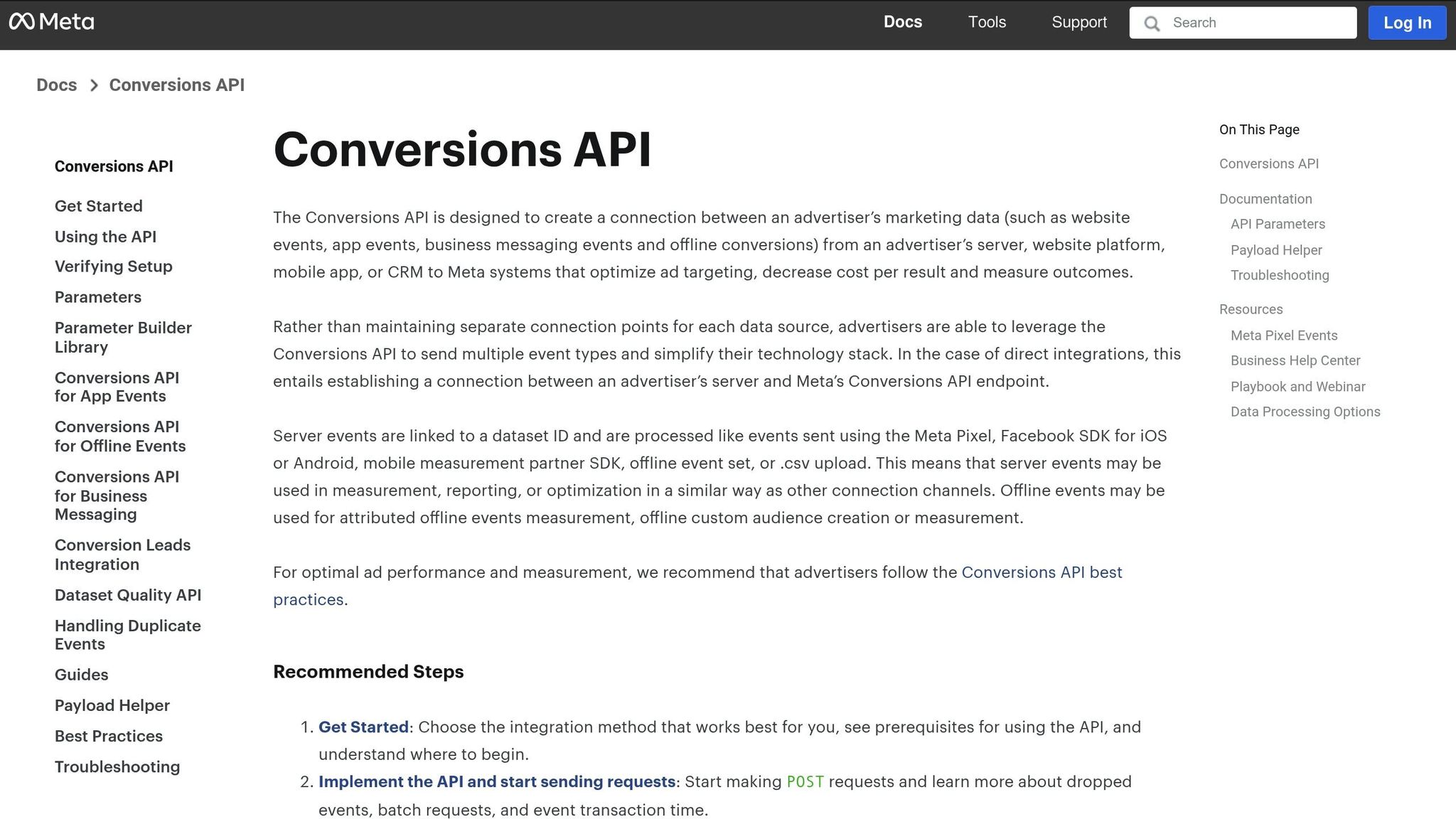
How Conversions API Maps Event Parameters
The Conversions API (CAPI) takes a server-side approach to tracking events by sending data directly from your server, bypassing browser-based limitations.
Here’s how it works: your backend system records events like purchases or lead submissions. You then create a JSON payload containing key fields such as user_data and custom_data. The user_data field includes identifiers - like hashed email addresses, phone numbers, or IP addresses - that help Meta match the event to the correct user. Meanwhile, the custom_data field holds event-specific details like purchase value, currency, order ID, or product SKUs. For instance, if someone makes a $99.99 purchase, the data might look like this:
This payload is sent to Meta’s Graph API endpoint via a POST request. CAPI also supports batching or delaying event submissions, which can be useful for scenarios like logging a Cash on Delivery payment three days after an order. While this method offers better data reliability, it does add complexity to the process.
Benefits of Conversions API for Event Mapping
Unlike Meta Pixel, which relies on browser-based tracking, CAPI provides more robust event tracking by capturing data directly from your backend systems. This server-side approach improves tracking accuracy and ensures higher-quality event matching.
One of the standout advantages of CAPI is its ability to protect against data loss. Because it bypasses the browser, events are not affected by ad blockers or cookie restrictions. This is particularly important as a significant amount of browser-side conversions often go untracked.
Another key benefit is the ability to send richer, more detailed data. While Pixel is limited to browser-based information, CAPI can include data from internal systems, such as customer lifetime value (LTV), offline conversions, or CRM updates. Additionally, CAPI often achieves higher Event Match Quality scores - frequently in the range of 8–10 - compared to lower scores with Pixel. This leads to more accurate attribution and better ad optimization. For example, a purchase made on Safari that might go unnoticed by Pixel can still be captured through backend order data, ensuring precise attribution.
Drawbacks of Conversions API
Despite its advantages, CAPI isn’t without challenges. Following a Meta Conversions API setup guide is recommended, as implementation requires technical expertise. Unlike Pixel, which involves adding a simple snippet of code, CAPI needs server configuration, backend development, and integration with the Graph API. This can be time-consuming and may necessitate hiring a developer if you don’t have the required in-house skills.
Another challenge is the potential for errors in parameter mapping. If parameters are incorrectly configured, events might not be tracked accurately. These issues often only come to light when reviewing data in Events Manager. Additionally, CAPI doesn’t capture real-time browser signals as effectively as Pixel, making it less suitable as a standalone solution for tracking immediate user interactions. For many advertisers, the ideal approach is to use CAPI alongside Pixel, combining the real-time data from browser signals with the reliability of server-side tracking to enhance retargeting and attribution.
Meta Pixel vs. Conversions API: Direct Comparison
Feature Comparison Table
When deciding between Meta Pixel and Conversions API for event tracking, it’s important to weigh their differences to determine the best fit for your advertising strategy.
Feature | Meta Pixel | Conversions API (CAPI) |
|---|---|---|
Implementation | Browser-based JavaScript snippet (quick setup) | Server-to-server via Graph API (requires developer expertise) |
Reliability | Vulnerable to ad blockers, cookie restrictions, and iOS privacy rules | Avoids browser limitations, offering more consistent tracking |
Data Depth | Limited to browser-collected, real-time data | Access to backend data like lifetime value (LTV), order IDs, CRM updates, and offline conversions |
Complex Conversions | Focused on on-site, immediate events | Handles delayed, multi-touch, and offline conversions (e.g., phone sales or cash-on-delivery confirmations) |
Event Match Quality | Lower due to fewer identifiers | Enhanced match quality with hashed identifiers like email, phone, and external IDs |
Setup Complexity | Simple - implemented via script or tag manager | More complex - requires server configuration and API integration |
The main takeaway? Meta Pixel is quick and straightforward to set up but can miss valuable data due to third-party data restrictions and browser limitations. On the other hand, Conversions API demands more technical effort but captures interactions that the Pixel might miss, ensuring a more comprehensive dataset.
Next, let’s explore how each method handles custom parameter mapping to further highlight their capabilities.
Mapping Custom Parameters and Custom Conversions
The distinction between Meta Pixel and Conversions API also extends into how they manage custom configurations.
Both solutions support custom parameter mapping, but the processes differ. With Meta Pixel, you define custom events and parameters in your client-side code or tag manager. For instance:
In contrast, Conversions API requires building a JSON payload on the server. This payload includes a custom_data object with identifiers like plan_tier, order_value, coupon_code, or subscription_cycle to provide additional context. It’s crucial to maintain consistent naming and formatting between client-side and server-side events. For example, if your Pixel event uses order_value in USD as a decimal, the server-side event must match exactly. Any discrepancies can disrupt deduplication and fragment reporting, so it is vital to standardize conversion data across all channels.
Custom conversions, regardless of the method, are configured in Meta Events Manager. A Pixel-only setup might trigger conversions based on URL rules (e.g., "URL contains /thank-you") or parameters from a Purchase event (e.g., value exceeding a specific threshold). With Conversions API, you can define more complex rules, such as "Purchase with payment_status = 'Captured' and revenue > $200." Always review and adjust your conversion settings when updating event names or parameter formats.
Once custom events are configured, ensuring accurate attribution through deduplication becomes essential.
Deduplication and Event Match Quality
Using both Meta Pixel and Conversions API together activates Meta’s deduplication process, which ensures that each conversion is counted only once. Deduplication works by matching shared attributes between events, such as the event_name (e.g., "Purchase") and a unique event_id (like an order ID or UUID). When matching events are detected, Meta combines them into one conversion, leveraging data from both sources to enhance attribution accuracy. If the event_name or event_id doesn’t align, deduplication may fail.
Conversions API typically delivers higher Event Match Quality (EMQ). Pixel-only setups often struggle with lower EMQ due to reliance on browser-captured identifiers, which are increasingly restricted - especially on Safari and iOS devices. Conversions API, however, boosts EMQ by sending multiple hashed identifiers (like email, phone, or external IDs) directly from the backend. Following best practices for Meta Pixel data sync by using a combined Pixel + CAPI approach is often the most effective. Pixel provides real-time page and click data, while CAPI adds durable backend identifiers. Together, this synergy can improve attribution accuracy, shorten the learning phase, and reduce cost per result - particularly for ecommerce or lead-generation campaigns in the U.S. market.
How to Set Up Event Mapping
3 Common Setup Approaches
How you implement event mapping depends on your technical capabilities, data requirements, and how much tracking accuracy matters to you.
In a Pixel-only setup, you integrate Meta's JavaScript snippet into your site. This can be done by hard-coding it, using your CMS, or through Google Tag Manager. You then map standard events like ViewContent, AddToCart, InitiateCheckout, and Purchase to specific user actions. These events include key parameters such as value, currency (e.g., "USD"), and content_ids. While this approach is simple and works well for smaller advertisers or basic lead-generation processes, its reliance on browsers can lead to missed conversions, which is one reason why use Meta Pixel alongside other methods.
A CAPI-only setup, on the other hand, sends events server-to-server using Meta's Conversions API Gateway, direct Graph API integration, or a server-side tag manager. Each event must be mapped to Meta's required schema, including fields like event_name, event_time, event_id, and hashed user identifiers (e.g., email, phone number, or ZIP code). This method provides more control over data and can track delayed or offline conversions, like recording a Purchase event days later for a cash-on-delivery order. However, it demands more engineering effort and ongoing maintenance.
The hybrid Pixel + CAPI approach is often the best option. Here, both tracking methods are implemented, and a shared event_id - usually a UUID or a hash of the order ID and timestamp - is used to deduplicate events. The Pixel captures real-time browser actions like clicks and page views, while CAPI sends backend data enriched with CRM identifiers and offline signals. Together, these methods can boost reported conversions by 10–30% or more compared to Pixel-only setups. Many advertisers streamline this process by using specialized integration tools.
Using Integration Tools to Simplify Mapping
Creating custom integrations from scratch can be a complex and error-prone task, which is why many advertisers turn to pre-built solutions. For instance, Shopify merchants can use Meta's Facebook & Instagram app or other dedicated connectors that automatically configure both Pixel and CAPI mappings. These tools handle events like product views, cart actions, checkout starts, and purchases, complete with product IDs, order values in USD, and deduplication logic. Advanced connectors can also manage multi-item orders, subscriptions, and custom parameters like lifetime value (LTV) or discount codes, while providing diagnostic insights.
Another option is server-side Google Tag Manager (sGTM). With sGTM, you set up a server container - usually on a custom subdomain - that gathers events from your website and mobile apps before forwarding them to Meta via a CAPI tag. For example, both your website and iOS app can send a generic checkout_started event to sGTM. The system then translates it into InitiateCheckout, normalizes the currency to USD, enriches the event with CRM identifiers, and sends the CAPI request. This centralized approach reduces code duplication, ensures consistent naming, and simplifies future updates to your event schema, making your data cleaner and more reliable across platforms.
Improving Performance with AI Optimization
Once your event mapping is in place, advanced tools can take your campaign performance to the next level. Platforms like AdAmigo.ai use mapped events to optimize creatives, targeting, and budgets automatically. For instance, AdAmigo's AI Ads Agent analyzes which ads and audiences generate the highest purchase values or return on ad spend (ROAS) in USD. It then creates new ad variants based on the top performers and pauses the underperforming ones. The platform also offers an AI Actions feed, which provides a daily, prioritized list of high-impact recommendations - like reallocating budgets from low-performing ad sets to better ones or launching new lookalike audiences based on recent high-value customers. You can either approve these changes manually or let the system handle them automatically.
Because AdAmigo.ai pulls event data directly from Meta, it quickly identifies trends and opportunities. Users have reported ROAS improvements of up to 83% and performance gains of 30% within the first month. Sherwin S., a user on G2, described the platform as a "total game-changer", highlighting its ability to make rapid adjustments and deliver improved KPIs. By combining precise Pixel and CAPI event mapping with AI-driven optimization, you create a cycle of continuous improvement - allowing you to focus on strategy while the system handles execution seamlessly.
Meta Pixel vs Conversions API - which do you need?
Which Approach to Choose
While using both tracking methods together is often recommended, the best choice depends on your resources, accuracy requirements, and budget. Your specific circumstances might call for one method over the other - or a combination of both. Let’s break down when each option works best.
When to Use Meta Pixel
Meta Pixel is a great fit for small businesses or straightforward setups that need a quick and easy tracking solution. If you don’t have a complex backend system, Pixel allows you to track essential events like page views, add-to-cart actions, and purchases without much hassle. All you need to do is add a JavaScript snippet through tools like Events Manager, Google Tag Manager, or your CMS.
However, keep in mind that Pixel’s simplicity comes at the cost of accuracy. It faces limitations due to browser restrictions. If your monthly ad budget is under $10,000 and you’re okay with some tracking gaps, Pixel can still deliver acceptable results for your return on ad spend (ROAS).
When to Use Conversions API
If you need more precise tracking and control over your data, Conversions API (CAPI) is the better option. It’s particularly useful for businesses that:
Have server access and technical resources
Handle high-value transactions
Operate in privacy-sensitive regions (like those governed by GDPR or CCPA)
Need to track offline conversions, such as cash-on-delivery payments confirmed after the browser session ends
CAPI sends hashed user data - like email addresses, phone numbers, or ZIP codes - directly from your server to Meta. This results in higher match quality scores, typically between 8 and 10, compared to the lower scores seen with browser-based tracking alone. This is especially critical when browser-based tracking drops below 70% due to blockers. While CAPI requires some development effort, many businesses report a 20–50% improvement in ROAS after implementation. If your match quality scores are below 6 or you’re losing more than 20% of events compared to backend data, it’s time to consider CAPI.
When to Use Both Pixel and CAPI
Using both methods together combines the strengths of each and minimizes their individual weaknesses. A hybrid approach integrates Pixel’s real-time browser data (like clicks and form submissions) with CAPI’s reliable backend insights by aligning Meta Pixel and GA4 through a shared data layer. Meta ensures that events are deduplicated to prevent double-counting, while capturing conversions that either method alone might miss.
This combination can improve match quality scores to 8–10 and recover conversions that Pixel might overlook. For mid-sized businesses with ad budgets exceeding $10,000 per month, the hybrid approach is often worth the investment. Tools like Meta’s Conversions API Gateway or third-party platforms like Segment (starting around $100 per month) make the process easier by testing and managing deduplication and balancing costs against improved accuracy.
FAQs
What are the advantages of using Meta Pixel and Conversions API together?
Pairing Meta Pixel with the Conversions API creates a stronger, more reliable system for tracking events. By leveraging both tools, you maintain a steady flow of data - even if one method experiences disruptions. This means your ad targeting stays sharp, and your campaigns perform more effectively.
On top of that, this combination allows you to monitor customer actions across multiple devices and platforms. The result? A clearer understanding of user behavior, which helps you fine-tune your ad strategy for better results.
What makes the Conversions API better than Meta Pixel for improving event match quality?
The Conversions API improves event tracking by sending data straight from your server to Meta, avoiding the restrictions of browser-based methods like cookies. This direct server-to-server setup ensures more precise and comprehensive user data, resulting in higher match rates and improved ad performance.
Unlike the Meta Pixel, which depends on browser activity, the Conversions API records events even when users block cookies or use privacy-focused browsers. This makes it a more dependable option for tracking and refining campaigns in today’s changing digital environment.
When should a business use the Conversions API instead of the Meta Pixel?
When precise and dependable data tracking is essential, a business should opt for the Conversions API over the Meta Pixel. This server-to-server integration enhances data accuracy, avoids browser limitations, and aligns with privacy regulations.
The Conversions API proves particularly valuable for tracking offline conversions, managing situations where browser-based tracking falls short, and collecting more comprehensive event data. It’s an ideal solution for businesses looking to boost campaign performance with stronger and more consistent analytics.