
How to Optimize Meta Ad Placements
Test and refine Meta ad placements across Facebook, Instagram, Messenger and Audience Network—use Advantage+ vs manual choices, match creatives to placements, and apply AI to improve ROAS.
Meta ad placements directly impact how your ads perform across Facebook, Instagram, Messenger, and Audience Network. Optimizing these placements ensures your budget is spent effectively, improving engagement and conversions. Here's what you need to know:
Meta offers 19 placement options like Instagram Feed, Facebook Stories, and Audience Network.
Automatic placements (Advantage+) use AI to distribute your ads for the best results, while manual placements let you take control.
Testing is key: Start with automatic placements, analyze performance, and refine with manual adjustments.
Match placements to your campaign goals:
Awareness: Feeds, Stories, In-Stream Video
Traffic: Feeds, Messenger Inbox
Conversions: Advantage+ Placements
Tools like AdAmigo.ai can automate placement optimization, saving time and improving ROAS.
Key takeaway: Use data to identify high-performing placements, cut underperformers, and align them with your objectives for better results.
Controlling Meta Ads Placements
What Are Meta Ad Placements?
Meta ad placements refer to the specific spots where your ads can appear across Facebook, Instagram, Messenger, and the Audience Network. Each placement offers its own set of features, user interactions, and measurable outcomes.
When you launch a campaign, Meta automatically distributes your ads across these placements, which might show up in feeds, videos, search results, or even third-party apps. Understanding these placements allows you to tailor the ad experience for your audience using a Meta ads conversion optimization checklist. Let’s take a closer look at the main options and how they can impact your campaign.
Main Meta Ad Placement Options
Feed placements include areas like the Facebook News Feed (both mobile and desktop), Instagram Feed, Instagram Profile Feed, Facebook Marketplace, Facebook Video Feeds, Instagram Explore, and Messenger Inbox. These are high-traffic zones where user engagement is typically strong, although competition is fierce.
Stories and Reels are vertical, full-screen formats (9:16 aspect ratio) that show up in Instagram Stories, Facebook Stories, Messenger Stories, Instagram Reels, and Facebook Reels. These placements are designed for immersive content that grabs attention quickly.
In-Stream ads are video ads that play within or over existing video content, such as those in Facebook In-Stream videos or as overlays in Reels. These placements are highly effective for video campaigns, with over 70% of Facebook In-Stream video ads being watched to completion. They also provide 10% more incremental reach compared to the mobile News Feed alone.
Search Results ads target users searching for specific terms on Facebook or Instagram. This placement is ideal for capturing users with clear intent, similar to how search ads work on other platforms.
Audience Network expands your ads to third-party mobile apps and websites outside of Meta’s platforms. This includes native, banner, and interstitial ad formats. While it offers the lowest CPM and CPC rates, which often vary by CPM and CPC benchmarks by country, which can be further evaluated through AI CPA analysis, it’s worth noting that it may attract lower-quality traffic, such as accidental clicks or bot activity.
Right Column is a desktop-only placement located on the right side of the Facebook interface. These smaller ads don’t include call-to-action buttons and are best suited for retargeting campaigns rather than introducing your brand to new audiences.
How Placements Affect Your Results
The placement you choose significantly impacts your campaign performance, often reflected in benchmarks by objective and placement. For example, Instagram tends to deliver engagement rates 10 times higher than Facebook. Feed placements, while more expensive due to competition, often yield better engagement because they integrate seamlessly into the user experience.
Demographics also play a role. Facebook Feed and In-Stream Video tend to attract older users, while younger audiences are more active on Instagram and Reels. The Right Column, though offering cheaper clicks, typically results in lower conversion rates for new users, making it a cost-effective option for retargeting.
Automatic vs. Manual Placement Selection
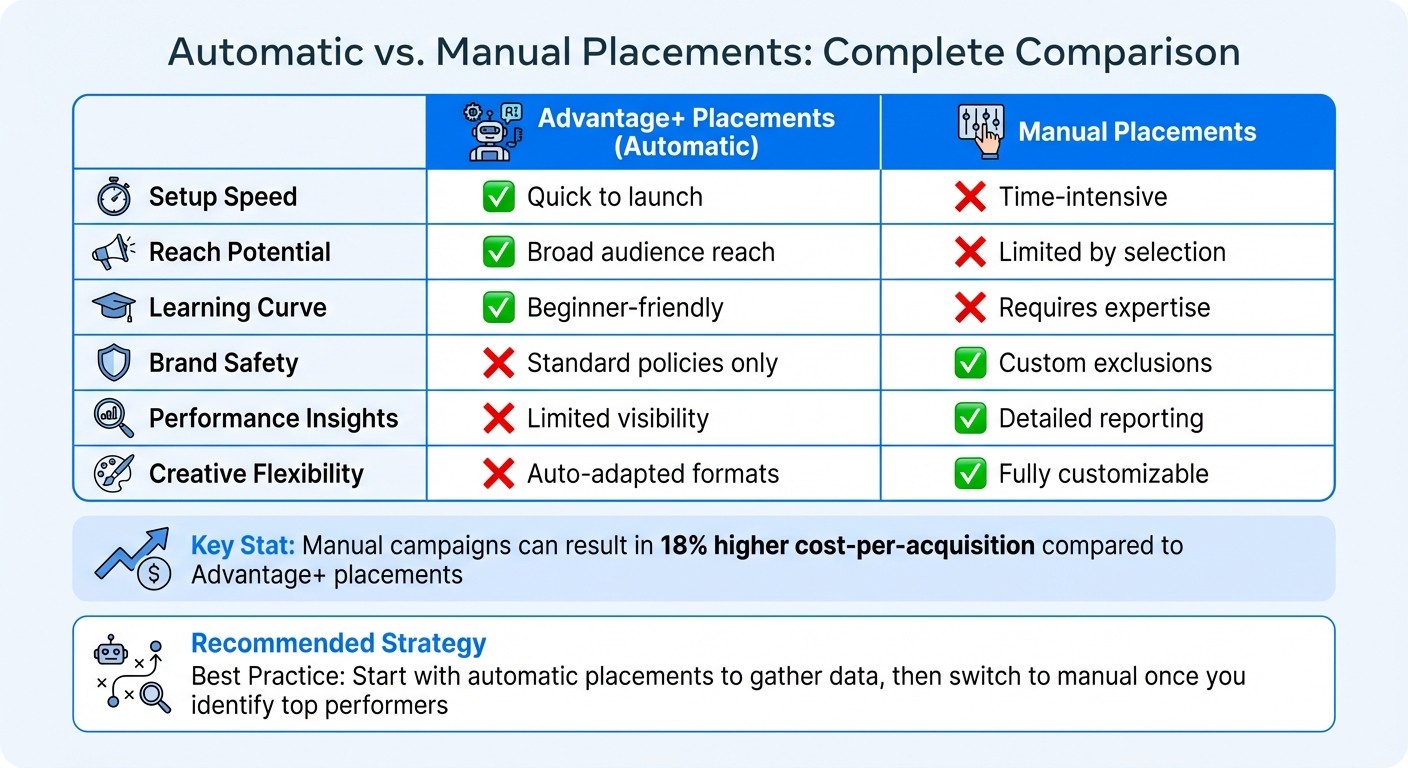
Automatic vs Manual Meta Ad Placements Comparison Guide
When running ads on Meta platforms, you can either let Meta's algorithm handle placement selection or compare AI vs. manual control yourself. Automatic placements (also known as Advantage+ placements) rely on Meta's AI to allocate your budget across placements that are most likely to deliver results. On the other hand, manual placements allow you to decide exactly where your ads appear.
Your choice depends on your campaign goals, budget, and how much testing you're prepared to do. If you already know which placements convert best for your business, manual selection allows you to focus your spending there. Let's break down the pros and cons of Advantage+ vs. manual placements to help you decide which one aligns with your strategy.
Automatic Placements: Pros and Cons
Automatic placements are perfect for scaling quickly or testing new audiences, often leveraging the best AI tools for Facebook and Instagram ads to maximize efficiency. Meta's algorithm dynamically adjusts your budget, prioritizing placements that deliver the best outcomes. This can uncover opportunities you might not have considered. However, it is important to understand the differences between Advantage+ and third-party AI placements to ensure you maintain the right level of control.
But there’s a tradeoff: less control. While Meta enforces standard brand safety policies, you can’t exclude certain placements - like Audience Network - if you’re worried about traffic quality. Additionally, the reporting is less transparent, making it harder to identify which placements are driving the best performance.
Aspect | Advantage+ Placements | Manual Placements |
|---|---|---|
Setup Speed | ✅ Quick to launch | ❌ Time-intensive |
Reach Potential | ✅ Broad audience reach | ❌ Limited by selection |
Learning Curve | ✅ Beginner-friendly | ❌ Requires expertise |
Brand Safety | ❌ Standard policies only | ✅ Custom exclusions |
Performance Insights | ❌ Limited visibility | ✅ Detailed reporting |
Creative Flexibility | ❌ Auto-adapted formats | ✅ Fully customizable |
Manual Placements: Pros and Cons
Manual placements, in contrast, offer precision and control. This approach is ideal if you want to avoid specific placements for brand safety reasons or if you've identified high-performing spots. You can tailor your creatives to fit each placement and gain detailed insights into how your budget is being spent. For example, you can focus on mobile-friendly formats like Reels and Stories to align with user behavior.
However, manual placement takes time and expertise. testing each option individually can be labor-intensive, and poorly configured campaigns may cost you more. In fact, manual campaigns can result in an 18% higher cost-per-acquisition compared to Advantage+ placements.
A smart strategy? Start with automatic placements to gather data, then switch to manual once you know which placements deliver the best results. This transition often helps you exit the Meta Ads learning phase more efficiently by stabilizing performance before narrowing your focus. This hybrid approach combines the strengths of both methods, giving you the flexibility to optimize your campaigns effectively.
How to Test and Improve Your Placements
Once you've chosen your placement strategy, the next step is testing and refining it to get the best results. Whether you're comparing dynamic and manual placements, testing helps identify what works and what doesn’t.
To get started, follow a simple process: begin with broad automatic placements, analyze the data, and then fine-tune your approach with targeted changes.
Setting Up Placement Tests
Kick off your testing by running a campaign with automatic placements. Let it run for at least a week to gather enough data for analysis. Afterward, head over to Meta Ads Manager, use the Breakdown tool, and navigate to Breakdown > By Delivery > Placement. This will give you a detailed view of key metrics like impressions, clicks, conversions, and cost per result for each placement, or use automated placement insights to speed up your review.
Pay close attention to metrics like cost per acquisition (CPA) and click-through rate (CTR) benchmarks. For example, if Instagram Stories consistently deliver conversions at a lower cost than other placements, you might want to shift more of your budget toward that option.
Once you’ve reviewed the data, decide which placements to keep and which to remove. Focus on eliminating placements that consistently underperform to streamline your campaign.
Turning Off Low-Performing Placements
Not all placements will deliver results. The trick is to rely on solid performance data when deciding what to cut. If a placement repeatedly shows poor conversion rates or high costs, it might be time to exclude it.
However, don’t rush this process. As Jon Loomer advises, "If you're going to remove a placement, make sure that you have a very good reason for doing so. Otherwise, you'll likely only increase your costs". Before making changes, ensure you have enough data to confirm underperformance. Then, test a manual vs. autopilot placement strategy by excluding the weaker options and monitor the results over the next week. This will help you confirm whether the adjustments are improving your campaign.
Matching Placements to Your Campaign Goals
Your campaign objective should guide your placement choices. What works for grabbing attention might not be ideal for driving conversions, and misaligned choices can drain your budget.
Director Alannah Kolarcik Liem emphasizes this point: "Most Meta ads fail not because the creative sucks, but because the advertiser picked the wrong objective". In other words, aligning placements with your campaign goals is just as important as selecting the right objective.
Best Placements for Each Campaign Objective
Each campaign objective calls for specific placements. For awareness campaigns, the goal is broad reach. Ideal placements include Facebook and Instagram Feeds, Stories, In-Stream Video, and Instagram Explore. These options maximize visibility, helping your brand connect with a large audience through Meta's vast reach. Avoid Messenger Inbox and Right Column placements - they lack the reach you need for awareness.
If you're aiming to drive traffic, focus on Facebook News Feeds, Instagram Feeds, and Messenger Inbox. Steer clear of the Audience Network. While it might offer low-cost clicks, it often brings low-quality traffic, bots, or accidental clicks. For conversions, let Meta's algorithm do the heavy lifting. Switching to Advantage+ Placements can reduce your cost per click (CPC) by 15% and increase conversions by 20%. This shift is a cornerstone of Meta ads ROI optimization. As Jon Loomer advises, "When your performance goal is a purchase... always use Advantage+ Placements".
Here’s a quick reference for aligning placements with objectives:
Campaign Objective | Recommended Placements | Placements to Exclude |
|---|---|---|
Awareness | Facebook/Instagram Feeds, Stories, In-Stream Video, Instagram Explore | Messenger Inbox, Right Column |
Traffic | Facebook/Instagram News Feeds, Messenger Inbox, Instagram Feed | Audience Network, In-Stream Video |
Engagement | Instagram Feed, Reels, Stories, Video Feeds | Right Column, Search Results |
Sales/Conversions | Advantage+ (All Placements), News Feeds, Marketplace, Instagram Shop | None (let AI optimize) |
Once you’ve chosen placements based on your objective, make sure your creative format aligns with those placements.
Placement Strategy for Video vs. Image Ads
Video ads shine in full-screen placements like Stories and Reels, while image ads perform better in Feeds using square or vertical formats. Instagram Feed, in particular, generates up to 10x more engagement than Facebook Feed, making it a strong choice for static images.
Aspect ratios also matter. A 9:16 vertical video feels natural in Stories and Reels but can look awkward in Feed placements. Likewise, square images work well in Feeds but don’t fully utilize the space in Stories. To address this, use Placement Asset Customization (PAC) to tailor your creatives for each placement or implement dynamic creative optimization to automate the process using a creative format converter.
Using AI to Automate Placement Optimization
Once you've tackled manual vs AI budget testing and fine-tuned your placements, automating the process can save countless hours while driving even better results. AI takes the foundation built through manual efforts and refines placements in real time. What typically takes hours of manual work - like monitoring dashboards, adjusting budgets, and spotting trends - can now be handled in minutes. Even better, AI doesn’t clock out; it operates 24/7, making adjustments that human analysts might miss or take hours to act on.
How AdAmigo.ai Optimizes Placements
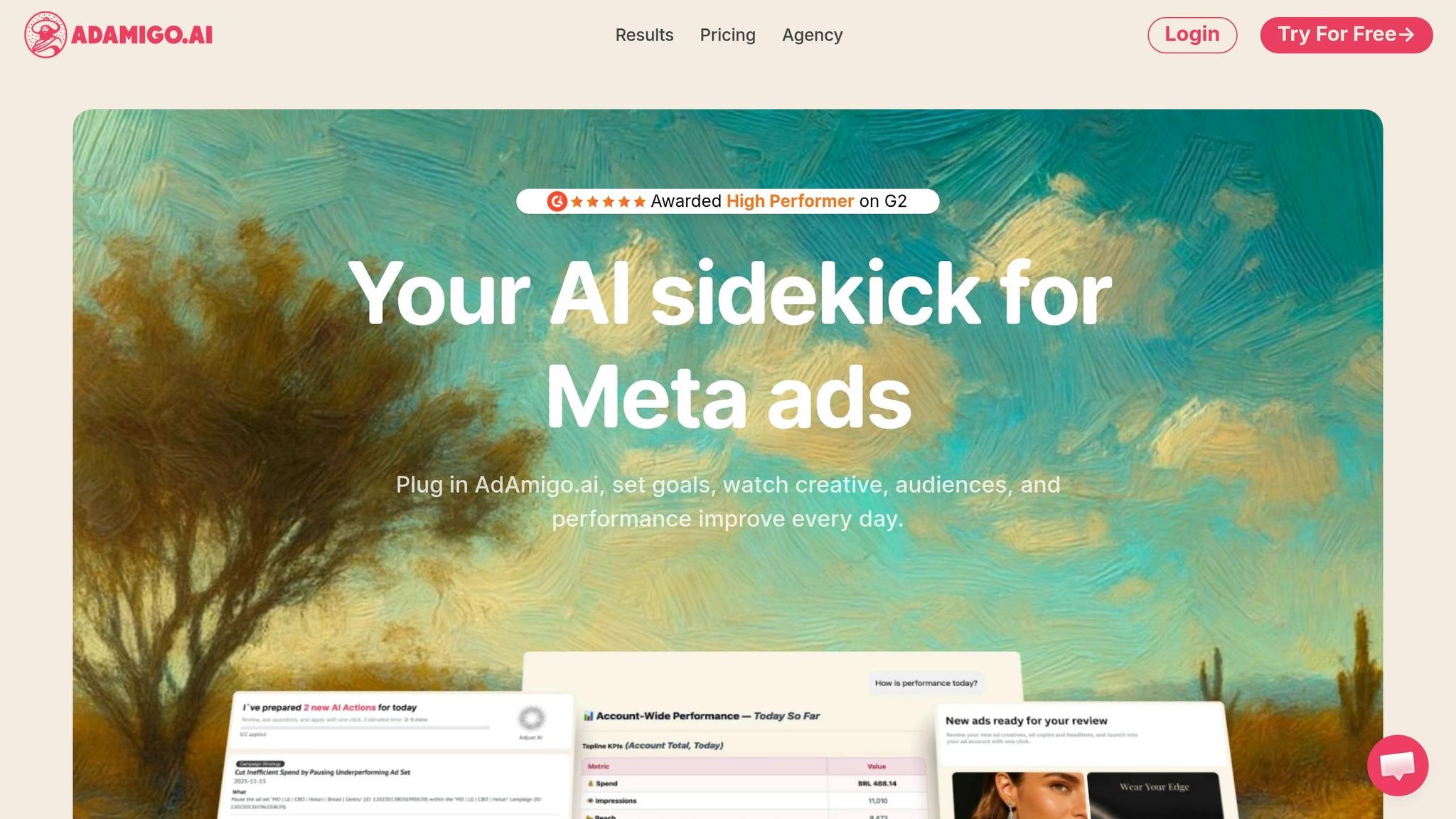
AdAmigo.ai approaches placements as part of a larger, interconnected system rather than a standalone factor. Its AI Actions feature delivers a daily list of prioritized recommendations, covering placements, budgets, creatives, and audience targeting. These suggestions are backed by data, showing you exactly where to reallocate spend to maximize your return on ad spend (ROAS).
The AI Ads Agent takes it a step further by automatically testing creatives across various placements. It evaluates your brand identity, studies competitor strategies, and generates optimized ads that are launched across Meta's ad platforms. This process quickly identifies what works best. You can choose Full Autopilot mode for a completely hands-off experience or Semi-Autonomous mode, where you set specific rules - like pausing placements if your cost per acquisition (CPA) crosses a set limit.
If you’re new to AI tools for Meta Ads, starting with manual review or Semi-Autonomous mode is a smart way to get comfortable with how the AI makes decisions. Once you’ve built trust in the system, switching to Full Autopilot lets the platform handle tasks like bulk ad launches and real-time budget adjustments. This frees you up to focus on strategy and big-picture goals, while the AI ensures consistent performance improvements.
Why AI Tools Improve Meta Ad Performance
The biggest advantage of AI? It eliminates the delay between identifying an issue and taking action. While you might check campaign performance once or twice a day, AI continuously monitors placements and reallocates budgets the moment performance drops. This real-time optimization ensures your budget is always directed toward the most effective placements, cutting down on wasted spend and boosting overall ROAS.
With AI handling the heavy lifting, daily oversight drops to just 15–30 minutes. This efficiency allows a single media buyer to manage up to 4–8 times more accounts, all while maintaining - or even improving - performance across the board.
Conclusion
To get the most out of Meta ad placements and improve ROAS, it’s crucial to use a data-driven strategy. Begin by testing various placement options through controlled experiments, such as A/B testing conversion rules, then routinely analyze breakdown reports to pinpoint which placements are driving meaningful results. As Jon Loomer explains, "Meta will constantly learn from your results and make adjustments to get you the most purchases within your budget". Speed up your progress by cutting out underperforming placements, like the Audience Network for link clicks. This method naturally aligns ad placements with your campaign goals, ensuring your ads show up where they’ll have the most impact.
The insights gained from manual vs. AI-driven adjustments feed into campaign optimization, including CBO best practices, keeping your campaigns optimized over time. Platforms like AdAmigo.ai provide 24/7 campaign monitoring and real-time adjustments, reducing the lag between identifying and fixing problems. This means your budget is consistently allocated to the best-performing placements, cutting down waste and boosting ROAS.
FAQs
How long should I run Advantage+ placements before changing anything?
Running Advantage+ placements for at least 7 days is a smart move. Why? It gives the algorithm enough time to collect meaningful data and fine-tune its performance. A full week provides a reliable baseline to assess how well your placements are working before you consider making any tweaks.
How do I know when to exclude Audience Network or Right Column?
When certain placements like Audience Network or Right Column aren't delivering the desired results, it’s smart to exclude them. These placements often struggle to drive strong outcomes for metrics like link clicks or landing page views.
If you notice that a placement’s cost per qualified event is significantly higher - say, 40% or more - it might be time to take action. One effective approach is to create a separate ad set that excludes the underperforming placement. This allows you to focus your budget on the placements that are performing better, maximizing your campaign's overall efficiency.
What’s the best way to customize creatives for each placement fast?
Meta's Ads Manager offers tools that make it simple to adjust your ad creatives for various placements. You can quickly modify aspect ratios, crop images or videos, or even swap out media to suit specific formats like Feeds, Stories, or Reels. These adjustments help ensure your visuals are optimized for each placement, so your ads look polished and professional wherever they appear.