Meta Ads Data Sync: Online and Offline Sources
Compare Pixel, CAPI, CDP, native connectors and CSV uploads to sync web and offline conversions and improve ad attribution.
If you only send website conversions to Meta, you’re missing part of the picture. Many buyers move across 3 to 5 channels before they purchase, and brands that connect online plus offline data often see 15% lower median cost per result and 34% higher ROI than web-only setups.
Here’s the short version: I’d use Pixel for browser activity, CAPI for server-side and offline events, native connectors when most data sits in one platform, CDP sync when data is split across systems, and manual CSV uploads only as a fallback.
What matters most in this comparison:
Coverage: can Meta see web, CRM, POS, phone, and store sales?
Match rate: can Meta match the event to the right person?
Timing: does the data arrive fast enough to help ad delivery?
Scale: can the setup keep working as event volume grows?
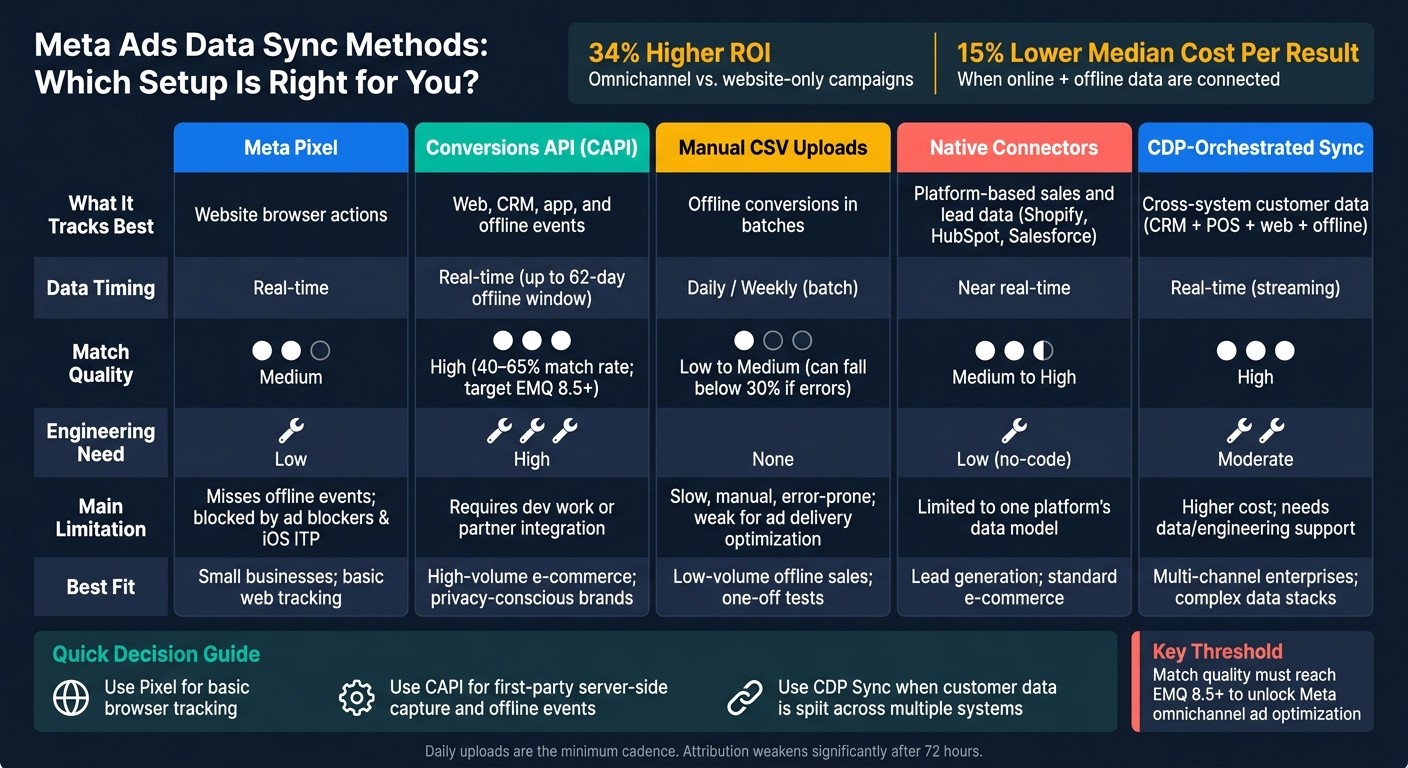
Meta Ads Data Sync Methods: Full Comparison Guide
Report offline sales to Meta Ads: a step-by-step configuration workshop | Webinar Recording
Quick Comparison
Method | What it tracks best | Timing | Match quality | Main limit | Best fit |
|---|---|---|---|---|---|
Meta Pixel | Website actions | Real-time | Medium | Misses offline events and some browser data | Basic web tracking |
CAPI | Web, CRM, app, and offline events | Real-time | High | Setup takes dev work or a partner | High-volume advertisers |
Manual CSV uploads | Daily/weekly | Low to medium | Slow, manual, error-prone | Low-volume offline sales | |
Native connectors | Platform-based sales and lead data | Near real-time | Medium to high | Limited by one platform’s setup | Shopify, HubSpot, Salesforce users |
CDP sync | Cross-system customer data | Real-time | High | Higher cost and setup work | Complex omnichannel stacks |
A few points stand out right away:
Pixel alone is not enough for stores, call centers, or long sales cycles.
CAPI is the main sync path if you need a steady flow of offline events into Meta.
Manual uploads can report results, but they are weak for ad delivery because the data comes in late.
Match quality matters a lot. Clean email, phone,
fbclid,fbc, andfbpdata can push match rates into the 40%–65% range.For offline sync, daily uploads are the minimum. After about 72 hours, attribution gets much weaker.
So if I had to sum up the whole article in one line: the right Meta setup depends on where your data lives, how fast you can send it, and whether your sales happen only online or both online and offline.
1. Meta Pixel
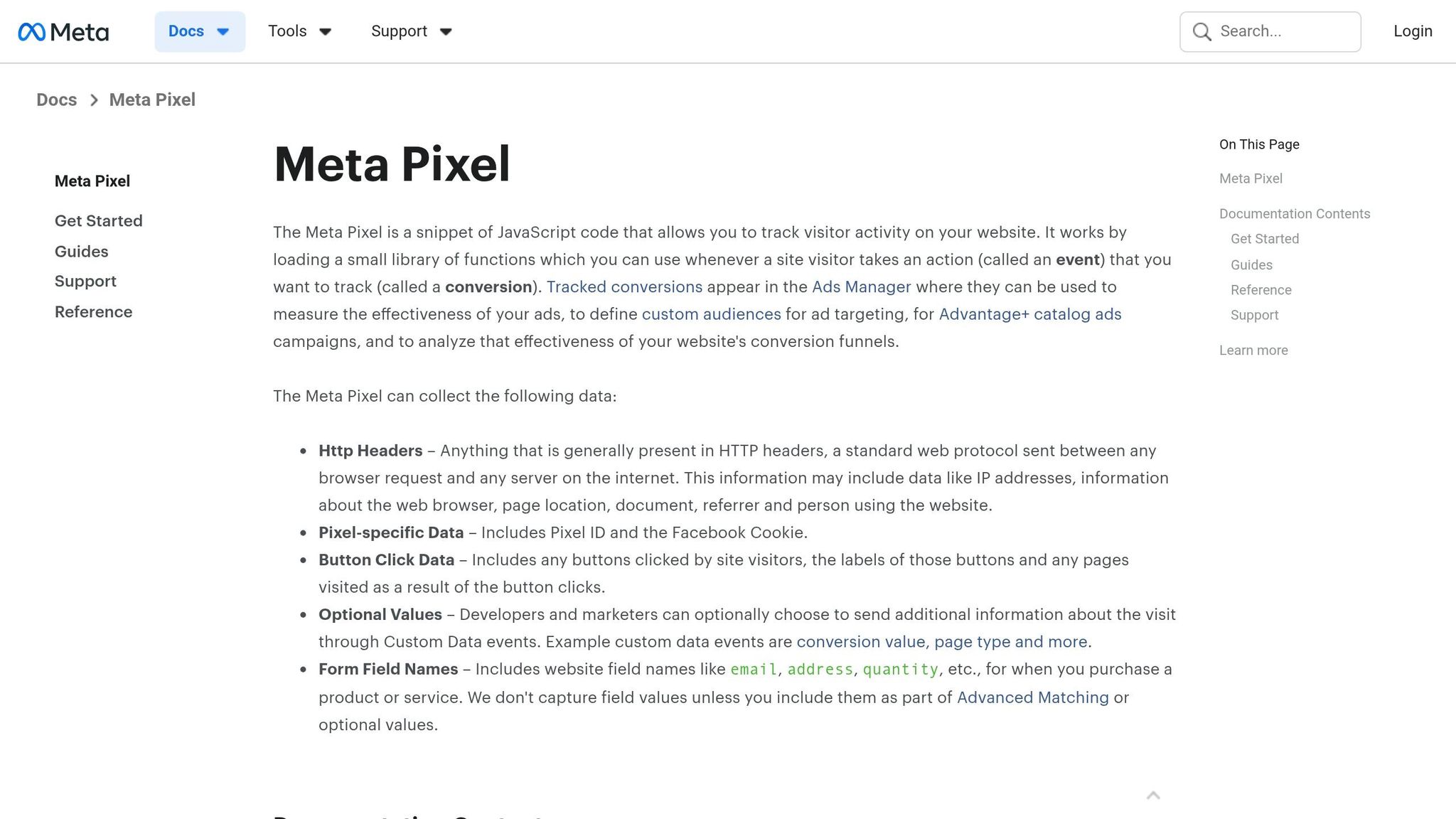
Meta Pixel is the starting point for browser-based tracking. It sends user behavior data straight from the browser to Meta.
Data freshness
Pixel data comes in right away, allowing for immediate feedback on campaign performance. But browser-side issues can delay events or cause some of them to drop.
Attribution depth
This is where Pixel-only tracking runs into a wall. Pixel tracks browser events, but it doesn’t see offline conversions. That includes phone orders, in-store sales, appointments, and closed-won CRM deals, which often never show up in reporting.
That’s why Pixel works as a baseline, not a full omnichannel sync layer.
Identity matching
Capture and store fbclid from landing-page URLs to improve click-to-conversion matching.
Scale limits
Pixel is the first layer in a multi-source measurement setup, not the whole system. If a business has long sales cycles or offline channels, it needs server-side and offline sync too. A lot of conversions happen days after the first browser session, or outside the browser altogether.
Pixel gives you browser activity. Server-side tracking fills in what the browser misses.
When browser events stop short, the next layer is server-side tracking with Meta Conversions API.
2. Meta Conversions API
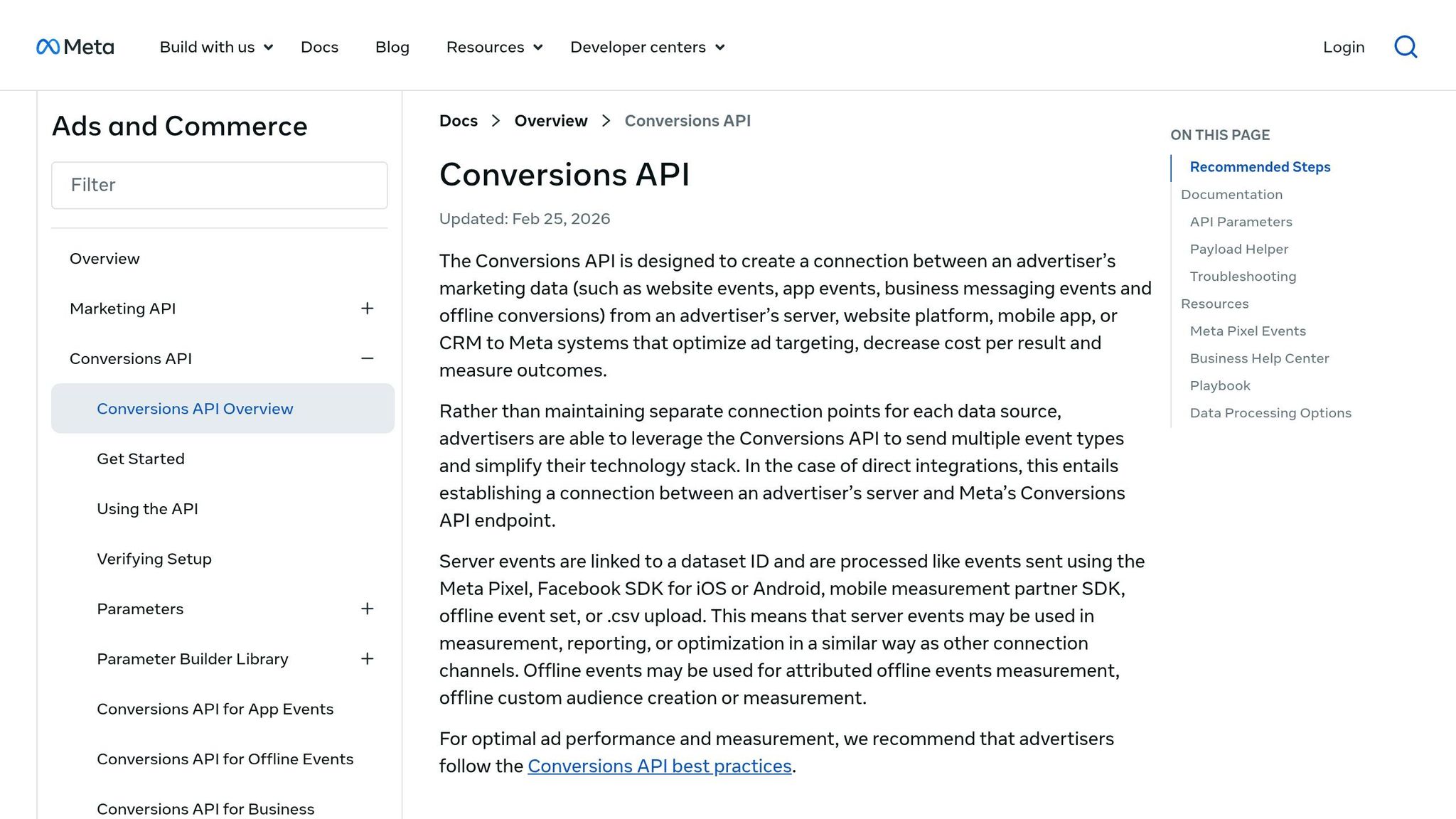
If Pixel and CAPI handle the browser and server sides respectively, they work together to capture more data. It picks up conversion events the browser can miss. Meta Conversions API (CAPI) sends events from your server instead of the browser, which helps cut losses from ad blockers, privacy settings, and cookie limits.
Data freshness
CAPI sends events in real time, straight from your server. It can also take offline events up to 62 days after they happen when physical_store is used as the action source.
Attribution depth
CAPI supports web, app, and offline conversion events through one server-side pipeline, including CRM and POS data. That matters if your customer journey doesn’t stay in one place.
Meta reports that omnichannel campaigns using CAPI for offline events see a 15% lower median cost per result and 34% higher ROI on average. If your team deals with offline sales at any real scale, CAPI usually becomes the main sync layer.
There’s another catch here. Meta now requires a steady flow of offline events through CAPI, not manual CSV uploads, if you want access to automated omnichannel campaign optimization.
Identity matching
CAPI matches events using hashed identifiers, especially email (em), phone (ph), fbc, and fbp - along with event_name, event_time, action_source, and a unique event_id.
That event_id does a lot of heavy lifting. When Pixel and CAPI run side by side, it lets Meta deduplicate events within a 48-hour window for web events.
Before hashing, all PII needs to be normalized:
Lowercase text
Trimmed whitespace
Phone numbers in E.164 format, such as
+12025551234
After that, the data should be hashed with SHA-256. Well-set-up CAPI implementations often reach 40%–65% match rates. For omnichannel use, aim for an Event Match Quality (EMQ) score of 8.5+.
Operational scalability
CAPI is built to handle volume. Once it’s in place, it runs all the time without manual work. A custom implementation usually takes about 20 to 40 hours.
It also keeps both offline and online events moving into Meta without manual uploads, which is why CAPI is the better fit for continuous sync.
If automation isn’t available, the fallback is manual offline upload in Events Manager.
3. Manual CSV Offline Uploads in Events Manager
When CAPI isn’t available, the backup option is a manual CSV upload in Events Manager. Meta Events Manager lets you upload offline conversions with a CSV file, so you can get data in without any engineering work.
Data freshness
CSV uploads happen in batches, not in real time. That delay matters. Meta does most of its optimization using the last 3.5 days of signal, so if your uploads come in late, it has less recent behavior to work with.
Attribution depth
Manual uploads can handle basic offline event reporting. That’s useful if you just need to see what happened after the fact.
But they don’t give Meta what it needs for omnichannel campaign optimization. For that, Meta needs a steady, continuous event stream. Batch uploads just can’t provide that in a dependable way.
Identity matching
This is where most manual setups run into trouble. Roughly 60% of offline setups fail, usually because hashing is broken, normalization is skipped, or key identifiers are missing. When that happens, match rates can fall below 30%.
To cut down on duplicate uploads, use a unique order_id or external_id. If your file is cleaned up well and hashed the right way, match rates can still land in the 40–65% range.
Operational scalability
Manual CSV uploads make sense for small teams and low event volume. They’re simple, and they can do the job for a while.
At higher volume, though, manual handling gets slow and messy. More files, more checks, more room for mistakes. That’s the big gap between CSV uploads and the continuous automated flow you get from CAPI and CDP sync. For technical implementation, follow a Meta Conversions API setup guide. When speed or volume starts to matter, the next move is a synced system, not batch uploads.
4. CDP-Orchestrated Sync to Meta Ads
A CDP pulls CRM, POS, e-commerce, and website data into one automated pipeline that sends events to Meta. The big difference from stand-alone tools is simple: a CDP connects those source systems before anything gets sent. That matters when one customer bounces between devices, channels, and store locations.
Data freshness
Unlike CSV uploads, a CDP sync can push events to Meta in real time through streaming pipelines. So purchase signals, completed leads, and in-store transactions can reach Meta right when they happen.
Identity matching
CDPs clean up and standardize identifiers on their own, which cuts formatting mistakes and helps match people across channels. So if someone clicks an ad on their phone and later buys in-store, that activity can be tied back to the same person across CRM, POS, and web records. Pixel and manual CSV uploads, on their own, usually can't do that with the same level of consistency.
Attribution depth
CDPs add more depth to attribution by connecting web, CRM, POS, and offline records before Meta receives them. The result is a single customer history that gives Meta a richer cross-channel signal than any one source can send by itself.
Operational scalability
Once the pipeline is set up, it keeps running at high volume without manual uploads or file prep. That lets CDPs handle scale without the hands-on work that CSV batches and one-off integrations usually need.
For teams that want less infrastructure, native CRM, POS, and commerce connectors are the next simplest option.
5. Native CRM, POS, and Commerce Connectors
If most of your data already lives in one platform, native connectors are the simplest option short of using a CDP. Tools like Shopify, HubSpot, and Salesforce usually give you the lowest-friction setup because the data is already there.
That said, there’s a trade-off. You save time on setup, but you also stay inside that platform’s data model. So it’s easy to get started, but not always easy to go beyond what that system supports.
Identity Matching
Native connectors usually handle SHA-256 hashing and normalization for email and phone data on their own.
Attribution Depth
Native CRM connectors can sync conversion events like Closed-Won in Salesforce, which means Meta can receive revenue signals instead of only seeing lead form submissions. That matters because revenue data gives Meta a much better read on what’s turning into actual business.
For phone and in-store sales, action_source=physical_store supports a 62-day upload window.
Operational Scalability
Native connectors work best for single-platform stacks that need a steady sync without custom engineering. They’re less helpful when customer data is spread across a bunch of systems.
A simple way to think about it:
Use native connectors when one system holds most of the data
Use a CDP for real-time targeting when the customer journey spans several systems
How These Approaches Work in Practice
The five methods above tend to fall into two working patterns: real-time sync and post-click reconciliation.
Real-time sync - Meta Pixel and Conversions API - records events as people use your site. Post-click sync pipelines - manual CSV uploads, native CRM/POS connectors, and CDP-centric orchestration - fill in what happens after the click, like a deal marked Closed-Won in your CRM or an in-store purchase.
Speed matters here. If offline data shows up late, attribution starts to lose accuracy. In practice, that drop-off gets much worse when delays go past 72 hours, which is why daily uploads are the minimum workable cadence.
Use the comparison below to pick based on latency, control, and scale.
The table below shows which setup fits each operating model.
Pattern | Latency | Data Control | Engineering Need | Maintenance | Recommended Use Case |
|---|---|---|---|---|---|
Direct (Pixel + CAPI) | Real-time (seconds) | High | High | Moderate | E-commerce and high-volume web actions |
Manual CSV Upload | Batch (daily/weekly) | Low | None | High (manual) | Small businesses with low transaction volume |
Native CRM/POS Sync | Near real-time | Moderate | Low (no-code) | Low | Lead gen and standard retail operations |
CDP-Centric Orchestration | Real-time | Very High | Moderate | Low | Enterprise omnichannel with complex data stacks |
The main decision comes down to where your data sits. If most of it lives in one place, a direct setup is usually the fastest path. If your data is split across several tools, a CDP tends to make more sense.
Once one of these pipelines is live and your match quality hits 8.5+ - the threshold Meta requires to use omnichannel ads with confidence - that stronger signal can start feeding optimization.
Pros and Cons of Each Sync Method
After the method-by-method breakdown above, this table turns the tradeoffs into a simple decision guide.
Method | Pros | Cons | Best For |
|---|---|---|---|
Meta Pixel | Real-time; easy setup | Blocked by ad blockers and iOS ITP; high data loss | Small businesses; basic web tracking |
Conversions API (CAPI) | Bypasses browser limits; improves match quality | Requires technical setup or a partner integration | High-volume e-commerce; privacy-conscious brands |
Manual CSV Uploads | No engineering required; simple to start | Manual effort; lag; formatting errors | Low-volume offline sales; one-off tests |
Native Connectors | Automated; low maintenance | Limited to the platforms it supports | Lead generation; standard e-commerce |
CDP-orchestrated sync | Centralized governance; handles multi-source data | Higher cost; needs data or engineering support | Multi-channel enterprises; large-scale data stacks |
Here’s the plain-English version: your choice depends on where the friction is.
If browser-based tracking keeps dropping events, Meta Pixel alone probably won’t cut it. If the issue is hands-on work and messy file uploads, native connectors or CAPI can take a lot off your plate. And if customer data lives in five different tools and never quite lines up, CDP-orchestrated sync is usually the better fit.
A simple way to think about it:
Use CDP sync when data is split across systems
Of course, none of those gains mean much if the signal itself is messy. Clean input comes first.
Conclusion
After looking at the five sync methods, the choice comes down to three things: where your data lives, how fast you need it, and how much volume you handle. In plain English, the right setup should fit your current data stack instead of forcing you to rebuild everything.
Omnichannel campaigns have shown a 34% higher ROI and a 15% lower median cost per result compared with website-only optimization. But those gains depend on one thing: match quality needs to stay high. This prevents broken Pixel/CAPI tracking that often undermines data integrity.
That’s why it helps to store fbclid in your CRM and keep match quality at 8.5+.
When your sync setup is better, scattered online and offline activity turns into cleaner attribution and stronger Meta optimization signals.
FAQs
Do I need both Meta Pixel and CAPI?
Yes - using both Meta Pixel and Conversions API (CAPI) is the best setup if you want cleaner tracking.
The Meta Pixel tracks what happens in the browser. That works well, but it can get blocked by ad blockers, browser limits, and privacy settings. CAPI sends data from your server instead, so it’s less likely to miss events.
When you use both together, Meta can fill in gaps and recover conversions the Pixel may not catch.
One thing matters here: send the same event_id with both the Pixel event and the CAPI event. That lets Meta deduplicate the events, so you don’t end up double counting the same conversion.
When should I use a CDP over native connectors?
Use a CDP or an advanced data warehouse integration when native connectors aren’t enough. That usually happens when you need to pull messy data from different sources into one place, build more detailed audience segments, or handle large data pipelines without things falling apart.
Native connectors are fine for standard setups. But a CDP makes more sense when you need custom data transformation, tighter governance, or a way to sync offline and online signals across several ad platforms while keeping data consistent and attribution accurate.
What data improves Meta match rates the most?
Prioritize passing the fbclid parameter. It can improve attribution accuracy in a big way.
You should also send as many hashed first-party identifiers as you can, such as:
Email
Phone number
City
ZIP code
Make sure all data is SHA-256 hashed and formatted the same way every time. And use a stable, unique event_id across both Pixel and Conversions API. That’s what helps with proper deduplication and matching.