
Meta API Integration with Make.com: No-Code Bridge Setup & Best Practices
Connect Meta Marketing API & Conversions API to your stack with Make.com. Step-by-step bridge setup, token configuration, EMQ optimization & real-time event monitoring.
Meta API integration is essential for advertisers looking to optimize campaigns and improve data accuracy. By connecting your systems with Meta's tools like the Marketing API and Conversions API (CAPI), you can automate ad management, enhance event tracking, improve retargeting accuracy, and overcome browser limitations by scaling Meta ads with real-time API updates like cookie restrictions or ad blockers. This ensures your campaigns are powered by reliable, standardized data.
Key Takeaways:
Marketing API: Automates ad management (e.g., audience targeting, creative updates).
Conversions API: Enables server-to-server data sharing, bypassing browser issues.
Event Match Quality (EMQ): A higher score (8+) improves ad targeting and conversion tracking.
Dual Tracking: Use both Pixel and CAPI for redundancy and better data capture.
Automation: System User tokens and batching save time and streamline processes.
Monitoring: Regularly check EMQ scores and update API versions to avoid data loss.
By combining proper setup, real-time tracking, and automation tools like AdAmigo.ai, you can improve ad performance and save hours of manual work. Keep your integration up-to-date to stay aligned with Meta's evolving standards.
Install Facebook (Meta Ads) Conversion API with server-side GTM
ads conversion api with server side gtm setting
conversion api with server side gtm setting up
api with server side gtm setting up meta
Setting Up Meta API Integration
Meta API Access Token Types Comparison Guide
Prerequisites for Integration
To get started, you'll need a Meta Developer account and a Business-type app with the Marketing API enabled. This app allows you to manage ads programmatically or use AI prompts for Meta ads to automate reporting and insights.
Next, connect an active Facebook Ad Account via Meta Business Suite. Make sure the account has a valid payment method and complies with Business Verification requirements.
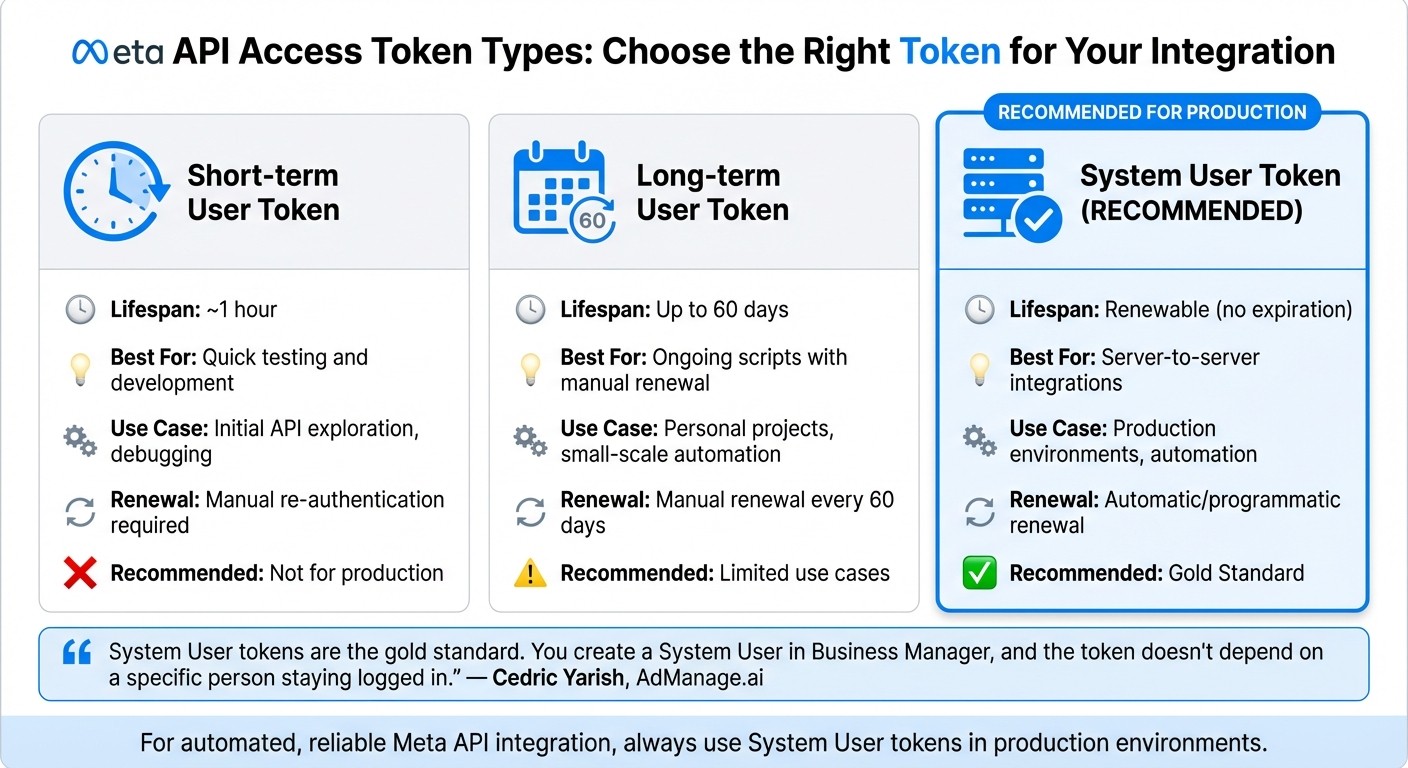
You'll also need to generate an access token. For automation, it's best to use renewable System User tokens instead of short-term or long-term tokens. As Cedric Yarish from AdManage.ai points out:
System User tokens are the gold standard. You create a System User in Business Manager, and the token doesn't depend on a specific person staying logged in.
Here's a quick breakdown of token types:
Token Type | Lifespan | Best For |
|---|---|---|
Short-term User Token | ~1 hour | Quick testing and development |
Long-term User Token | Up to 60 days | Ongoing scripts with manual renewal |
System User Token | Renewable | Server-to-server integrations (Recommended) |
Once your tokens are ready, ensure you set the correct permission scopes to control API actions effectively.
Authentication and Permissions
Meta's API uses OAuth access tokens, and you'll need scopes like ads_read, ads_management, and business_management. For initial testing with your own ad account, Standard Access is sufficient. However, if you're working in a production environment or managing client accounts, you'll need Advanced Access, which requires an app review process.
To keep your credentials safe, store them in environment variables or a secrets management service. Before rolling out the integration, test your API calls in Sandbox mode or with a test ad account using a minimal budget. This ensures everything works without impacting live campaigns.
Dual Tracking with Conversions API and Pixel
For reliable data capture, use both browser-based Pixel tracking and server-side Conversions API (CAPI). This dual approach helps you capture events that the Pixel might miss due to factors like ad blockers, connectivity issues, or page crashes. As Meta for Developers explains:
The Conversions API is designed to be less susceptible to issues like a browser crash or connectivity problems.
To avoid double-counting, ensure the browser and server versions of the same event use the same event_id and event_name. Meta's deduplication system handles duplicates within a 48-hour window for web events. According to Meta:
If we find the same server key combination (event_id, event_name) and browser key combination (eventID, event) sent to the same Pixel ID within 48 hours, we discard the later sent duplicate events.
Enhance event matching by including customer parameters like external_id, fbp, and fbc in both requests. For accurate attribution, send server events as close to real-time as possible - ideally within an hour. Delays longer than 24 hours can significantly impact attribution accuracy. Use the Test Events tool in Meta Events Manager to confirm that both data sources are functioning correctly and deduplication is working as intended.
Best Practices for Optimizing API Performance
Event Match Quality and Data Accuracy
Meta evaluates the quality of customer data you send using an Event Match Quality (EMQ) score, which ranges from 0 to 10. This score measures how effectively the data aligns with Meta accounts and is calculated based on the last 48 hours of activity. A higher EMQ score directly improves Meta's ability to optimize ad delivery and track conversions accurately.
To achieve better matches, prioritize sending email addresses and click IDs (fbc). You can further enhance the quality by including phone numbers, external IDs from your CRM, and browser IDs (fbp). As Meta's Business Help Center explains:
Event match quality indicates how effective the customer information parameters sent with your server event may be at matching events to Meta accounts.
For critical actions like purchases, aim for an EMQ score of at least 8.5, while for mid-funnel events like "Add to Cart", a score of 6.5 or higher is recommended. To meet these benchmarks, hash all personally identifiable information (PII) using SHA-256 before transmitting it - Meta's Business SDKs can handle this automatically. Submitting events in real-time also improves EMQ scores and tracking accuracy. Additionally, ensure that 75% of your events are covered by the Conversions API in relation to Pixel events to maximize performance.
Handling Errors and Rate Limits
Meta enforces rate limits based on a rolling one-hour window, which factors in both the frequency of API calls and the data volume being processed. Operations requiring significant resources, like generating large insights reports, consume more of your limit than simpler requests. To avoid hitting these limits, use exponential backoff - this involves gradually increasing the wait time between retries when an error occurs.
Cedric Yarish from AdManage advises:
Build your integration to handle rate-limit errors gracefully. Use exponential backoff (wait progressively longer between retries) when you hit limits.
Keep an eye out for error codes like #100 (Missing permission) and #200 (Permission denied). Maintain detailed logs of all API actions and set up real-time error alerts. This data is also essential when using AI tools for Meta ad account analysis to identify performance trends. For larger data tasks, switch to asynchronous reporting by using the async=true parameter to avoid timeouts. If the default rate limits are too restrictive for your needs, you can apply for Ads Management Standard Access to increase your capacity. Once errors are managed, streamline your API calls by leveraging batching techniques.
Batching and Optimizing Requests
Batching API requests is a simple way to reduce round-trip time and improve efficiency. For instance, by using the ids parameter (e.g., ?ids=[id1,id2]), you can retrieve data for multiple objects in a single call instead of making separate requests.
For high-volume operations, combining batching with asynchronous requests ensures your system keeps processing while waiting for Meta's response. You can also improve performance by minimizing payload size - use the fields parameter to request only the specific data points you need. To save bandwidth, utilize ETags to check if data has changed since the last request. If no updates are found, Meta will return a 304 Not Modified response. Finally, Meta Business SDKs (available in Python, PHP, Node.js, and more) can simplify your workflow with built-in support for batching, automatic data hashing, and error handling.
Optimization Method | Primary Benefit | Best Use Case |
|---|---|---|
Batching | Reduces round-trip time | Bulk updates to ad sets or audiences |
Asynchronous Requests | Non-blocking execution | High-volume event logging |
ETags | Saves bandwidth | Frequent polling for status changes |
Field Filtering | Reduces payload size | Performance reporting and insights |
Exponential Backoff | Prevents persistent throttling | Handling rate limit errors |
Monitoring and Maintenance
Keeping a close eye on your API integration is essential. Without regular oversight, issues can slip through the cracks, leading to data loss, wasted budgets, or even campaign breakdowns. By staying proactive with monitoring and maintenance, you can sidestep these pitfalls and ensure your integration consistently meets Meta's requirements, including privacy and consent standards. Let's dive into how tools like Meta Events Manager and routine audits can help you stay on track.
Using Meta Events Manager
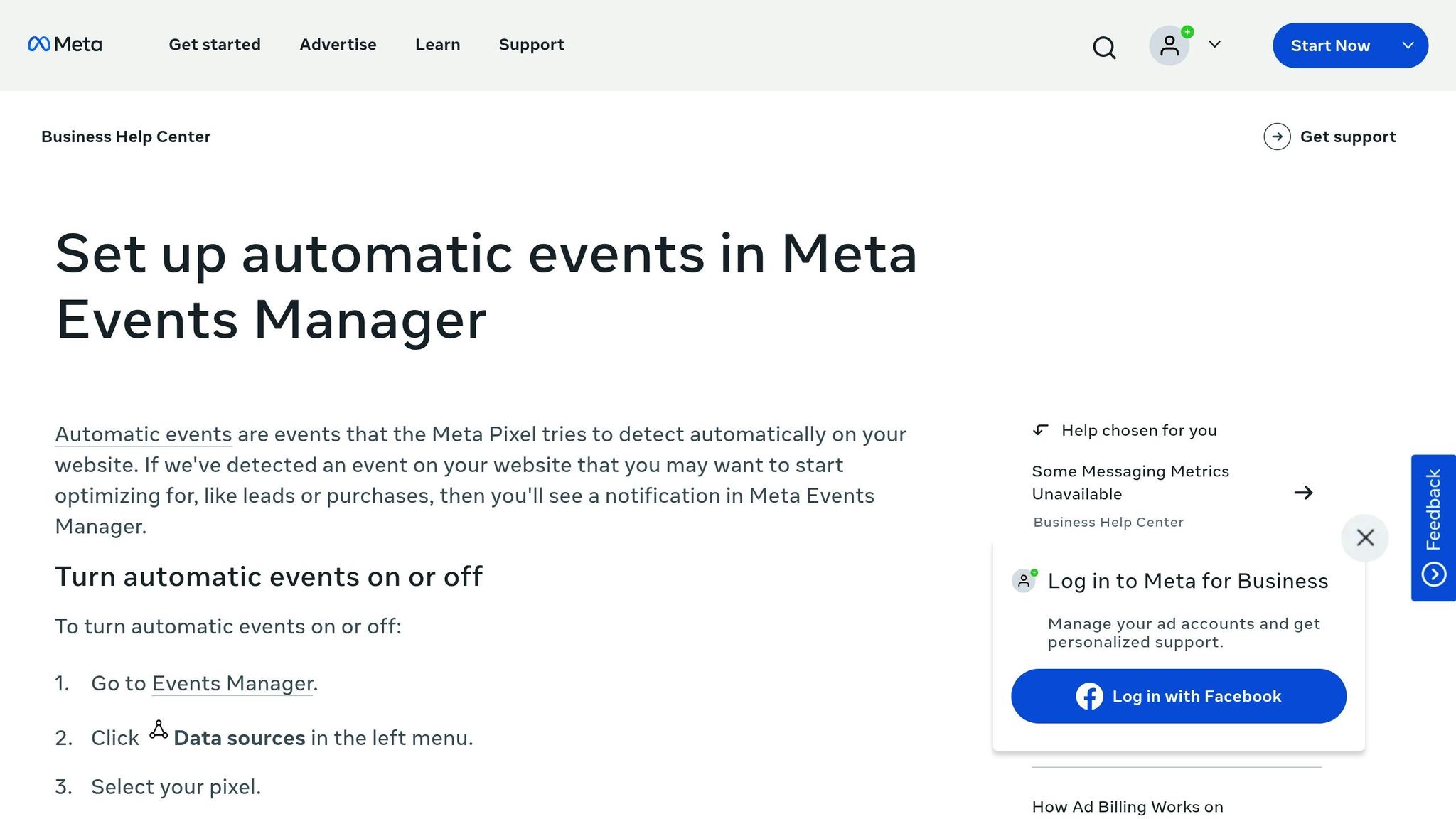
Meta Events Manager acts as your control hub for evaluating the health of your integration. A key feature to monitor here is the Event Match Quality (EMQ) score, which runs on a scale of 1 to 10. Scores between 8 and 10 indicate strong alignment between customer data and Meta user accounts, while anything lower suggests misalignment issues that may need attention. For offline campaigns, the Offline Data Quality (ODQ) score uses the same scale, and hitting 8 or above is crucial for omnichannel efforts.
Another handy tool is the Test Events feature, which lets you confirm that events are being processed in real time and deduplicated correctly. Keep an eye on data freshness as well - events delayed by more than two hours can hurt performance, and delays beyond 24 hours can lead to major attribution problems.
"The Conversions API allows you to share website events that the Pixel may lose due to network connectivity issues or page loading errors." - Meta
If you're running Dynamic Ads or Advantage+ campaigns, check your catalog match rate and app event mapping. An optimal match rate exceeds 90%, and anything lower could point to issues with dataset ID connections or mismatched product content IDs. Additionally, watch for sudden drops in event volume. These could signal server-side tracking problems or breakages in your integration. Staying vigilant in these areas helps maintain data accuracy, and if you encounter issues, a Meta conversion data sync debugging guide can help resolve them.
While real-time tracking is crucial, regular audits and version updates are equally important for long-term success.
Regular Audits and Version Updates
Set a routine to audit your EMQ and ODQ scores weekly. This proactive approach helps you catch and address quality issues early. For offline data uploads, aim to upload at least 12 times over a 14-day period to remain eligible for omnichannel features. Ideally, offline events should be pushed hourly or daily to keep data fresh and ensure the algorithm stays responsive.
Meta frequently updates its API versions, so staying current is critical. Schedule regular version reviews and take advantage of the 90-day change window Meta provides for most updates. Subscribe to Meta's developer changelog and test new versions in Sandbox mode before rolling them out in live campaigns. Pay close attention to deprecation notices - such as the planned retirement of legacy Advantage Shopping and App Campaign APIs in Q1 2026.
Don't forget to update your fbp and fbc cookie parameters regularly. These first-party values can become outdated over time, potentially reducing match accuracy. Use tools like the Payload Helper to validate JSON structures before implementing updates, and maintain detailed logs of all API activities to quickly trace and resolve any issues that arise.
Tools to Simplify Meta API Integration
Integrating the Meta API manually can be a daunting task. With multiple campaigns, tracking parameters, and constant version updates to manage, the process can quickly become overwhelming. Thankfully, a mix of Meta's native tools and third-party automation platforms can make this process much more manageable.
Meta offers several tools to help developers streamline their work. For example, the Graph API Explorer, Payload Helper, and Test Events Tool assist with testing, structuring JSON data, debugging conversion tracking, and standardizing conversion data for real-time verification. For custom integrations, the Meta Business SDKs - available in Python, Java, Ruby, PHP, and Node.js - help automate repetitive tasks like hashing user parameters and managing asynchronous requests.
Beyond Meta's own tools, platforms like LeadsBridge simplify lead tracking by connecting Meta to over 380 platforms, including HubSpot and Salesforce. As LeadsBridge explains:
"Using a lead ads integration makes keeping track of your leads simple. No more messy spreadsheets".
Other options, like Zapier and Google Tag Manager, provide pre-built Conversions API connectors that reduce the need for custom coding. These third-party tools complement Meta's native solutions, making campaign management smoother and more efficient.
No-Code Automation Platforms as Meta API Bridges
No-code automation platforms like Make.com, Zapier, and n8n give advertisers a practical bridge between Meta's APIs and the rest of their tech stack — without writing custom code. Instead of building and maintaining SDK integrations, you can visually wire Meta's Marketing API and Conversions API into your CRM, spreadsheets, Slack notifications, email workflows, and hundreds of other tools.
Make.com (Formerly Integromat)
Make.com is the platform most searchers land on when they type "Meta API bridge integration." It offers two key pathways for connecting to Meta:
Native Facebook Conversions API connector. Make's CAPI integration includes two modules: Get Quality Score, which retrieves your EMQ rating directly inside a scenario, and Send Event(s), which transmits server-side events to Meta. This means you can build a Make scenario that pulls conversions from your CRM or ecommerce platform and forwards them to Meta's CAPI in minutes — no Graph API calls required.
HTTP module for direct Graph API access. For ad management tasks beyond CAPI, Make's HTTP module lets you call the Facebook Marketing API directly. The Make community forum has real, documented examples of users building complete campaign-creation workflows — uploading ad images, creating ad sets, and launching campaigns — entirely through Make's HTTP module pointed at the Graph API endpoints.
With over 3,000 app integrations and 350,000+ customers, Make.com is the most mature no-code bridge for Meta API workflows.
Zapier
Zapier offers a pre-built Facebook Conversions integration that connects to thousands of apps. Zapier's documentation covers five high-value workflow patterns: sending new orders as purchase events, forwarding CRM events to Meta Conversions, pushing form submissions, syncing lead events, and using webhooks to report conversion events from custom sources. If your stack already runs on Zapier, the CAPI connector is a straightforward way to close the server-side tracking loop without touching code.
n8n
n8n takes a more technical, flexible approach. Its HTTP Request node can call any Meta Graph API endpoint — the same bridge pattern Make.com users rely on — with the added benefit of self-hosting for teams that need full control over their data pipeline. n8n's Facebook Graph API integration node provides a solid starting point, and the platform's code-node capability means you can drop in custom logic when a no-code connector falls short.
Bridge Platform vs. Direct SDK: When to Use Which
Scenario | Best Approach | Why |
|---|---|---|
Lead syncing, event forwarding, CRM → CAPI | No-code bridge (Make, Zapier) | Pre-built connectors handle the heavy lifting; you configure triggers and mappings, not OAuth flows |
Simple multi-step workflows (e.g., form submission → CAPI event → Slack alert) | No-code bridge | Visual scenario builder; deploy in hours, not weeks |
Bulk ad management, real-time bid optimization, high-volume reporting | Direct SDK (Python, Node.js, PHP) | Lower latency, full control over batching and error handling, no platform usage limits |
Custom internal tooling with strict data-residency requirements | n8n (self-hosted) or Direct SDK | Self-hosted n8n keeps data in your infrastructure; SDK gives maximum control |
For most advertisers, a no-code bridge handles the common integration tasks — lead syncing, event forwarding, report generation — faster and cheaper than building from scratch. When you need bulk ad operations at scale or real-time optimization, the SDK or a specialized platform like AdAmigo.ai becomes the better fit.
AdAmigo.ai: Autonomous Meta Ads Optimization
For those looking to go beyond basic tools, advanced platforms like AdAmigo.ai take automation to the next level. While traditional tools focus on setup and testing, AdAmigo.ai provides Meta ads automation for the entire lifecycle of campaigns, acting as a hands-free media buyer that continuously optimizes performance in real time.
AdAmigo.ai offers several standout features:
The AI Ads Agent evaluates your brand identity, analyzes top-performing ads, and generates tailored creatives with just one click.
AI Actions delivers a daily to-do list of prioritized optimizations across creatives, audiences, budgets, and bids.
The AI Chat Agent answers performance-related questions and enables bulk campaign launches directly through chat.
For managing large-scale campaigns, the Bulk Ad Launch feature can spin up dozens or even hundreds of Meta ads directly from your Google Drive.
One of the platform's key strengths is its learning-based architecture. It adapts its strategies based on actual campaign results, ensuring that every budget, pacing rule, geographic target, and placement guideline is respected while optimizing targeting, creatives, bids, and budgets as a unified system. This approach addresses what Cedric Yarish of AdManage refers to as the "throughput problem":
"The Meta Ads API is the difference between launching 50 ads manually over a week and launching 1,000 ads in an afternoon".
To put this into perspective, automated systems like AdAmigo.ai can launch nearly 494,000 ads in a 30-day window, saving an estimated 37,087 hours of manual work.
For agencies, this kind of automation allows a single media buyer to manage 4–8× more clients, freeing senior strategists to focus on broader planning. In-house teams can use AdAmigo.ai to supplement or even replace expensive hires, gaining the benefits of an AI media buyer that improves its expertise over time. Setup is quick and straightforward: connect your Meta ad account, set your KPIs, and brief AdAmigo on your goals (e.g., "Increase spend by 30% while maintaining at least 3× ROAS"). From there, the platform provides a daily feed of AI-recommended changes. Plans start at $99/month for ad accounts spending under $5,000/month, with advanced options offering unlimited actions, bulk launching, and onboarding support.
Conclusion
Integrating the Meta API successfully hinges on three key factors: a solid setup, continuous monitoring, and strategic automation. For reliable server-to-server connections, System User tokens are your best bet, providing stability and ease of renewal. To ensure accurate event tracking, implement a redundant system by sending identical events via both the Meta Pixel and Conversions API, using matching event_name and event_id. This approach helps maintain accuracy, even when browser blockers or connectivity hiccups come into play.
Data quality is the backbone of performance. To improve Event Match Quality (EMQ), send hashed customer data - such as email, phone numbers, and IP addresses - and aim for a score of 8 or higher. Timing is equally critical: share events in real time or within an hour. Delays exceeding two hours can severely impact ad optimization. Strong data management practices are essential to keep your setup running smoothly.
Ongoing oversight is just as important as the initial setup. Conduct quarterly audits to stay aligned with Meta API updates. Utilize tools like Meta Events Manager to monitor EMQ scores and ensure catalog match rates exceed 90%, which is critical for performance. As Cedric Yarish of AdManage wisely notes:
"The API is a tool, not a strategy".
Finally, automation platforms like AdAmigo.ai can handle time-consuming tasks such as bid adjustments, dynamic creative optimization, and budget reallocation. With subscriptions starting at $99/month for accounts spending under $5,000/month, these platforms can save an estimated 37,087 hours of manual work while launching up to 494,000 ads in just 30 days. By automating these processes, your team can shift its focus to strategy and drive better results over time.
FAQs
Why should I use both the Meta Pixel and Conversions API for tracking?
Using both the Meta Pixel (client-side) and the Conversions API (server-side) is a smart way to ensure your Meta ads are tracked with greater precision. Here's how it works: the Pixel captures real-time events directly from a user's browser, while the Conversions API sends the same data straight from your server. Together, they help recover data that might otherwise be lost due to browser restrictions, like cookie blocking or iOS privacy updates. This means you'll get higher-quality conversion signals, which can lead to better ad delivery and optimization.
When you use these tools together, they also prevent double-counting by matching and de-duplicating events. This ensures your measurement is accurate. On top of that, this combination provides Meta's algorithms with more detailed data, helping them identify the right audiences and allocate your ad budget more effectively. The result? Less data loss, sharper tracking, and stronger ad performance.
How can I improve my Event Match Quality (EMQ) score for better ad performance?
To boost your Event Match Quality (EMQ) score, it's crucial to provide complete and precise customer data for every server-side event. Meta scores EMQ on a scale from 0 to 10, evaluating how well identifiers like email addresses, phone numbers, external IDs, and click IDs match actual user accounts. To improve this score, include multiple identifiers, ensure they're properly hashed using SHA-256, and keep the data free of errors like typos or unnecessary spaces.
Using the Meta Pixel alongside the Conversions API is another effective strategy. This combination increases event coverage by capturing browser events that might otherwise be missed, helping to enhance your score. Enable advanced matching, focus on key identifiers such as email and phone numbers, and aim for at least 75% consistency between pixel and API events. Additionally, make sure to deduplicate events and minimize delays in server-side calls to maintain high-quality data.
If managing this process feels overwhelming, tools like AdAmigo.ai can be a game-changer. They automate tasks like data cleaning, hashing, and monitoring your EMQ, saving you time while ensuring your campaigns maintain strong and reliable signals.
What are System User tokens, and why should you use them for Meta API integration?
System User tokens are specialized access tokens designed for server-to-server integrations within Meta Business Manager. Unlike personal user tokens, these are linked to a system user account rather than an individual, adding an extra layer of security and reliability for automated processes. They can be tailored with specific permissions - such as ads_read or ads_management - and configured for long-term expiration, providing consistent and stable access.
Meta strongly encourages using System User tokens for API integrations. Why? They minimize the risk of unexpected token expirations, offer dedicated credentials that won't interfere with user accounts, and make it easier to rotate or revoke tokens without impacting real users. Whether you're managing campaigns, handling budgets, or generating reports, these tokens ensure secure and uninterrupted access to Meta's Marketing and Conversions APIs.