
Meta Conversion Data Sync: Debugging Guide
Troubleshoot conversion sync with Pixel + Conversions API: verify EMQ, deduplication, event freshness, and use Events Manager, Test Events, and Payload Helper.
Meta Conversion Data Sync helps improve your ad performance by sending accurate marketing events like purchases or leads to Meta's platform. This process combines browser-based Pixel tracking and server-side Conversions API (CAPI) to ensure reliable data, even when ad blockers or privacy settings interfere. Here's what you need to know:
Why It Matters: Accurate data lets Meta optimize your ads, cut costs, and measure cross-device conversions effectively. Events should be sent in real time or within an hour to ensure proper attribution.
Core Setup: Use both Pixel and CAPI for redundancy. Include mandatory fields like
event_name,event_time, anduser_datato improve match quality.Common Problems: Delayed events, missing parameters, or low Event Match Quality (EMQ) scores can hurt performance. Standardizing conversion data helps resolve deduplication issues that lead to inaccurate reporting.
Debugging Tips: Use Meta Events Manager to check connection status, EMQ scores, and event freshness. Tools like Test Events and Payload Helper can identify and fix errors.
Best Practices: Regularly monitor event delivery, validate deduplication using attribution reporting best practices, and aim for an EMQ score of 6.0 or higher by including hashed customer data like email or phone. Ensure your setup follows conversion data compliance best practices to protect user privacy.
Core Components of Meta Conversion Data Sync
How the Meta Conversions API Works
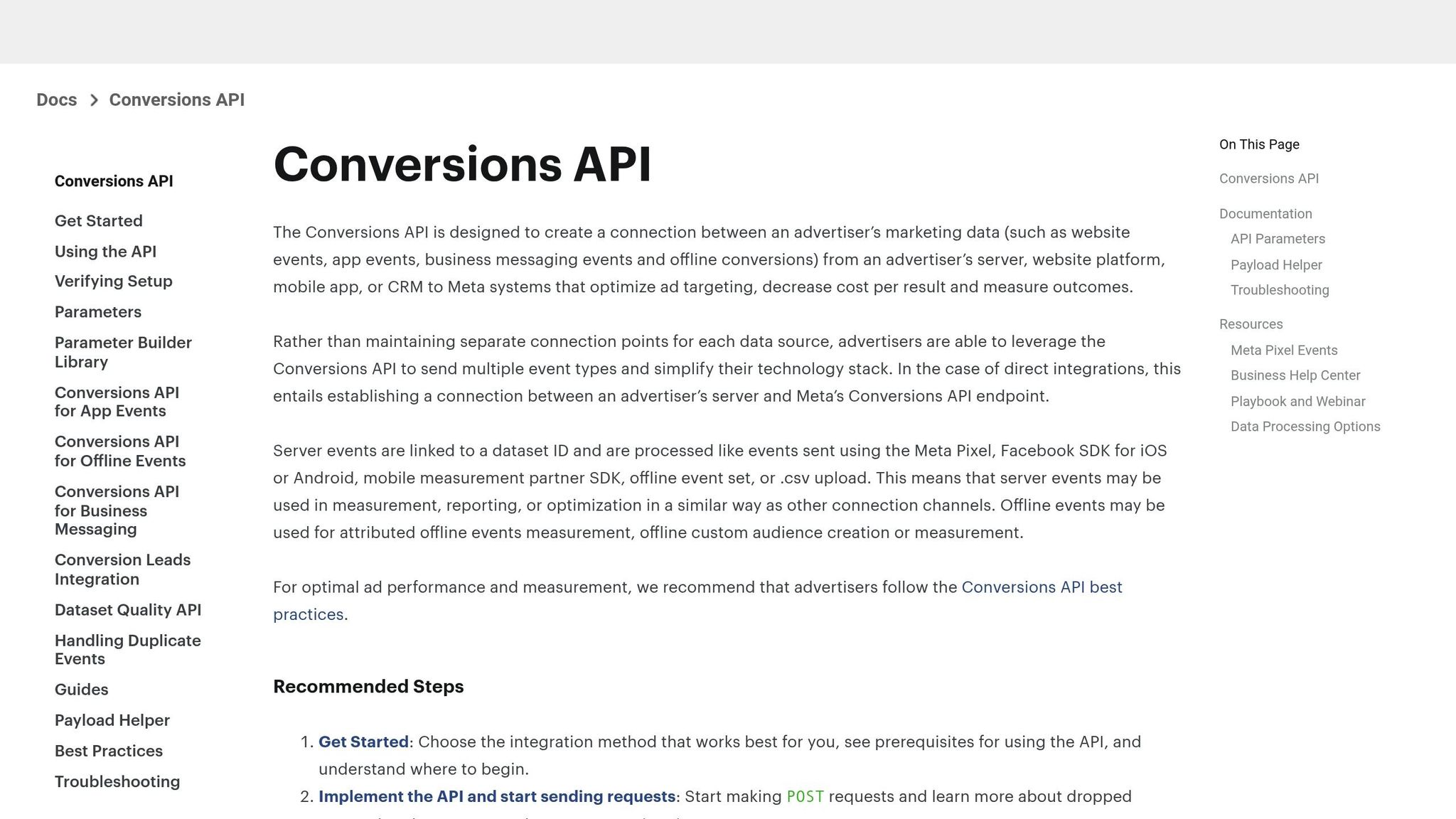
The Conversions API (CAPI) establishes a direct server-to-server link between your web server, CRM, or marketing platform and Meta's servers. This setup bypasses browser-based limitations, such as ad blockers and cookie restrictions, which can disrupt the Meta Pixel's functionality. To ensure reliability, Meta suggests following Meta API integration best practices by sending the same events from both your browser (via the Pixel) and your server (via CAPI).
For instance, when a customer completes a purchase, the browser sends a Purchase event through the Pixel while your server simultaneously sends the same event using CAPI. If the browser-side event is blocked - whether due to ad blockers or browser crashes - the server-side event still reaches Meta. This redundancy ensures event data is captured consistently.
Required Event Fields and Parameters
To send events through CAPI, three key fields are mandatory:
event_name: The type of event, such as Purchase or Lead.event_time: A Unix timestamp indicating when the event occurred.user_data: Customer details for matching purposes.
For website events, additional fields are required:
action_source: Should be set to "website."event_source_url: The URL where the event took place.client_user_agent: Information about the user's browser or device.
Providing detailed customer data significantly improves Meta's ability to match events to user accounts. Data points like a hashed email (em), phone number (ph), IP address (client_ip_address), and first/last name (fn, ln) enhance this process. Meta recommends aiming for an Event Match Quality (EMQ) score of at least 6.0 for accurate attribution. Sending only generalized data - like city and country - is discouraged, as Meta considers such inputs too vague and may reject them.
Data Deduplication and Event Accuracy
When using both Pixel and CAPI, deduplication is crucial to prevent double-counting events. Meta uses the combination of event_id and event_name to identify duplicates. If the same event is received from both the server and browser within 48 hours, the second instance is discarded.
If you don’t provide an event_id, Meta may rely on other identifiers, such as external_id (your CRM ID) and fbp (Meta's first-party cookie), to automatically deduplicate events. To ensure accuracy, generate a unique event_id on your server and include it in both the Pixel and CAPI events. This step helps maintain precise event counts and reliable attribution compared to third-party tools.
Facebook Conversion API Full Setup with GTM Client + Server-Side (+ Consent Mode & Deduplication)
How to Debug Meta Conversion Data Sync Issues
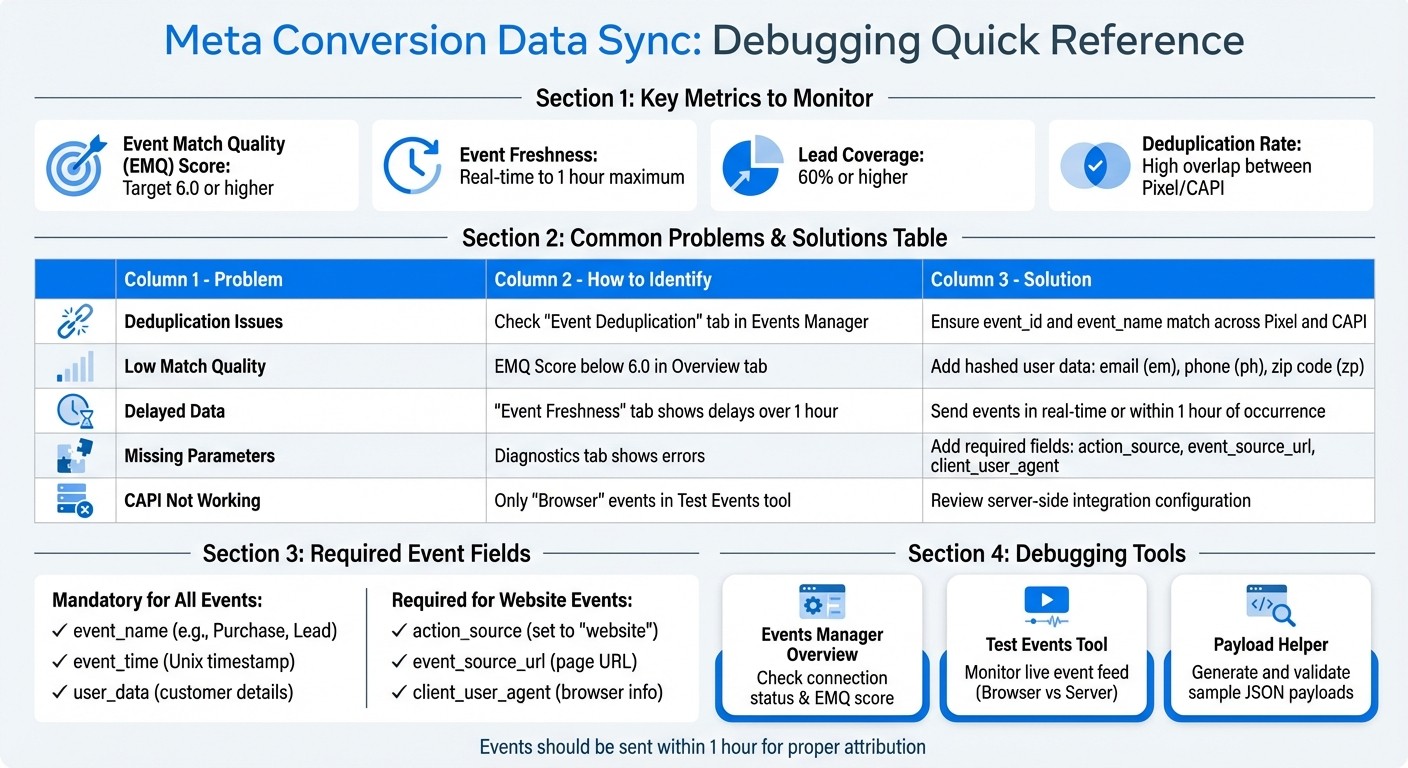
Meta Conversion Data Sync Debugging Guide: Common Problems and Solutions
Checking Connection and Integration Status
Start by opening the Meta Events Manager and navigating to your pixel or dataset. On the Overview tab, check the connection status. If there's a red warning, it indicates an error - click on it to view the details.
Next, review the Event Match Quality (EMQ) score in the same tab. Meta advises maintaining an EMQ of 6.0 or higher for dependable attribution. If your score is below this benchmark, consider adding standardized data formats like hashed email (em), phone (ph), and zip code (zp) to your Conversions API (CAPI) payloads to improve match rates.
Once you've verified both the connection and match quality, move on to troubleshooting event delivery issues.
Fixing Event Delivery Failures
Use the Diagnostics and Event Freshness tabs in Events Manager to identify and address issues. Look for missing parameters such as action_source, event_source_url, or client_user_agent. Events should be sent within one hour of the occurrence to ensure attribution accuracy. Also, confirm that deduplication is functioning properly by verifying the consistency of the event_id across both Pixel and CAPI payloads.
If events are delayed or missing, adjust your setup to send them immediately as they happen for real-time tracking. Extended delays, especially those lasting days, can disrupt attribution and reporting.
Using Test Events and Debugging Tools
The Test Events tool in Events Manager is invaluable for debugging. It provides a live feed of incoming events, categorized as either "Browser" or "Server." To test, trigger actions like "purchase" or "add-to-cart" while monitoring the feed. If only "Browser" events appear, it may indicate a misconfigured CAPI integration. Missing parameters in "Server" events, such as value or currency, suggest issues with your payload structure.
"The Conversions API allows you to share website events that the Pixel may lose due to network connectivity issues or page loading errors." - Meta Developer Documentation
For further validation, use Meta's Payload Helper. This tool generates sample JSON payloads that can be sent to Test Events before full implementation. Keep in mind that CAPI events may take a few minutes longer to display compared to Pixel events, which are logged almost instantly.
Problem | Identification Method | Primary Fix |
|---|---|---|
Deduplication Issues | Events Manager "Event Deduplication" tab | Ensure |
Low Match Quality | EMQ Score in Overview tab | Add more hashed user data (email, phone, etc.) |
Delayed Data | "Event Freshness" tab in Events Manager | Send events in real-time or within 1 hour of occurrence |
Best Practices for Monitoring and Validating Sync
Setting Up a Monitoring Routine
Make it a habit to check the Events Manager weekly. Pay close attention to the Overview tab for any sudden spikes or drops in event counts. Also, ensure that Event Freshness stays within two hours - this indicates your events are being processed in near real-time.
Compare event volumes week over week. If your website traffic has remained steady but your conversion events show unusual fluctuations, dig deeper to identify potential issues.
Validating Lifecycle Events
Real-time dashboard monitoring is just the beginning. You also need to test your Meta conversion events to validate that your integrations are functioning correctly throughout the customer journey.
For example, review lead coverage within your CRM dataset. Aim for at least 60% coverage to maintain reliable attribution. Use the Event Deduplication tab to confirm that both Pixel and CAPI events are using identical event identifiers, ensuring they merge properly.
A high overlap rate between browser and server events signals effective deduplication, which depends on consistent event_id values. If overlap is low, revisit your implementation to confirm that both sources are aligned on event identifiers and names.
Using Automated Tools for Sync Health
In addition to manual checks, automation can help you stay ahead of potential sync issues. Set up alerts to detect anomalies in event delivery or match quality. For example, you can use custom scripts to query the Events Manager API daily and flag any significant drops in key metrics.
Tools like AdAmigo.ai (https://adamigo.ai) can take this a step further by continuously monitoring sync health. The platform identifies data quality problems, such as deduplication errors, before they hurt your campaign performance. Its AI Chat Agent also provides insights into conversion tracking gaps and suggests actionable fixes.
Monitoring Metric | Target/Benchmark | Tool for Validation |
|---|---|---|
Lead Coverage | 60% or higher | Events Manager (CRM Dataset) |
Deduplication Rate | High overlap between Pixel/CAPI | Events Manager Deduplication Tab |
Event Freshness | Real-time to 1 hour | Event Freshness tab in Events Manager |
Conclusion
Key Takeaways for Debugging and Maintenance
Effective conversion syncing hinges on three critical elements: strong customer identifiers, real-time event delivery, and precise deduplication. To achieve an Event Match Quality score of 6.0 or higher, make sure to include hashed email addresses or phone numbers in every event submission. Submitting events in real time is equally important to maintain proper attribution.
For a stable data flow, use both Meta Pixel and Conversions API. If you encounter syncing issues, start by checking the Event Freshness tab in Events Manager. This tool helps you verify whether events are arriving within the essential one-to-two-hour window.
By following these steps, you create a solid foundation for consistent and reliable conversion syncing.
Future-Proofing Your Conversion Data Sync
To keep your conversion sync dependable as data requirements change, make sure to refresh your fbp and fbc cookie values regularly to maintain high match rates. Additionally, consider backfilling data for up to seven days when adding new sources like Conversion Leads. You can also sync offline data from your CRM to ensure full attribution across the entire customer journey.
Platforms like AdAmigo.ai (https://adamigo.ai) simplify sync monitoring by identifying missing parameters, expired credentials, and deduplication errors. Its AI Chat Agent highlights gaps in conversion tracking and offers prioritized solutions, while the AI Actions feature provides a daily checklist of impactful updates across creatives, audiences, budgets, and bids. With these automated tools, you can focus on driving strategic growth while letting the platform handle the execution - helping you scale successful campaigns more efficiently than manual approaches.
FAQs
How can I boost my Event Match Quality score on Meta Ads?
To get a better Event Match Quality score, prioritize keeping your conversion data clean, consistent, and in line with Meta's guidelines. Use standardized event IDs, ensure user identifiers are SHA256-hashed, and eliminate duplicate events sent through both the Pixel and the Conversions API (CAPI).
Sticking to these practices helps improve data accuracy and makes it easier for Meta to match events to users - leading to better ad performance.
Why are my events delayed or not showing up in Meta Ads?
If you're experiencing delayed or missing events, the first step is to review your setup for common problems. These could include incorrect configurations, permission issues, or delays in data transmission. Tools like Meta Pixel Helper, Events Manager, and the Conversions API Tester are invaluable for spotting potential issues.
Double-check that your Facebook App IDs are accurate, permissions are correctly configured, and accounts are authenticated. You can also try increasing the sync frequency and verifying all connections to minimize delays and avoid missing events. These proactive measures can help ensure your data integrates seamlessly with Meta Ads.
How does Meta handle duplicate conversion data when using both Pixel and CAPI?
Meta uses data deduplication to maintain accurate conversion tracking when both the Pixel and Conversions API (CAPI) are in place. This process works by matching events through shared identifiers, such as event IDs, and hashed user data like emails or phone numbers. By cross-referencing this information, Meta ensures that each conversion is counted only once, even if it’s reported via both methods.
This method avoids overcounting and delivers more trustworthy performance data, giving you the insights needed to optimize your ads effectively.