
Meta Ads Integration: Ensuring Data Accuracy
Set up Pixel, CAPI, or hybrid tracking to improve Meta conversion accuracy, prevent duplicate events, and reconcile with CRM.
If your Meta tracking setup is weak, your ROAS and CPA can look wrong fast. In most cases, I’d treat Hybrid Pixel + CAPI as the default choice, use native integrations for smaller stores that need simple setup, and use third-party ETL or AI layers when I need CRM feedback, drift checks, and cross-system QA.
Here’s the short version:
Pixel only is the simplest setup, but it misses a lot of signal from iOS privacy limits, ad blockers, and browser rules
CAPI only cuts browser loss, but setup takes more work and event mapping has to be clean
Hybrid Pixel + CAPI often reports 10% to 20% more conversions than Pixel-only when deduplication is set correctly
Native Shopify or WooCommerce connectors are easy to launch, but they give you less control and fewer warning signs when data drifts
Third-party stacks help when you need to match Meta + CRM + warehouse data and send sales outcomes back into Meta
A few numbers matter right away:
ATT opt-in rates sit around 25% to 35%
That means 65% to 75% of iOS traffic may not be trackable at the browser level
Meta conversion reporting can take 72 hours to 7 days to settle
A direct CAPI build often takes 2 to 6 weeks
If I wanted the plain answer, it would be this: more data coverage usually means more setup work. The right choice depends on how much control, validation, and CRM feedback you need.
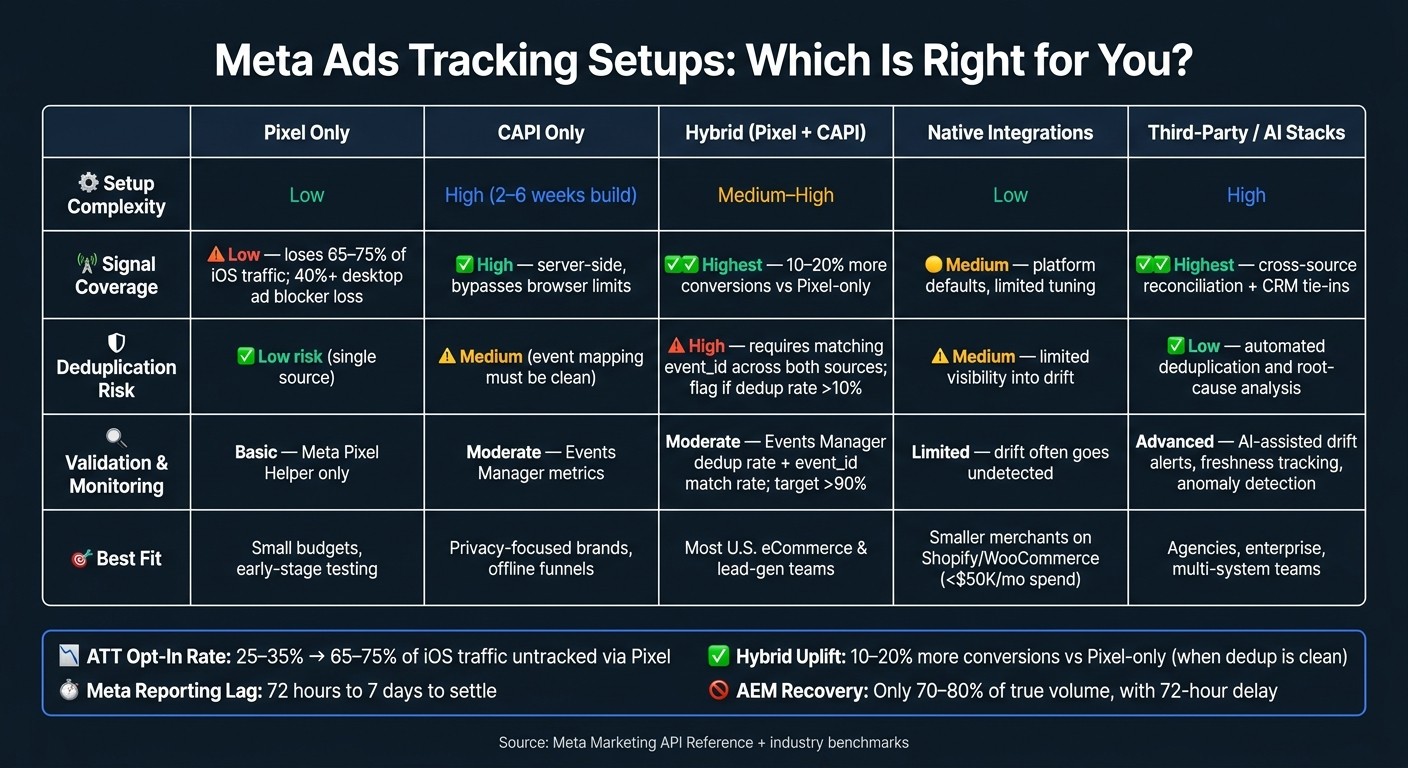
Meta Ads Tracking Setups Compared: Signal, Control & Best Fit
How to Set Up Conversion API for Facebook Ads (2026) Meta Pixel + Event ID + Deduplication Explained
Quick Comparison
Setup | What I’d expect | Main issue | Best fit |
|---|---|---|---|
Pixel Only | Fast setup | Browser-side data loss | Small budgets, early tests |
CAPI Only | Better server-side event delivery | More build work | Privacy-heavy or offline funnels |
Hybrid | More complete event flow | Most U.S. eCommerce and lead-gen teams | |
Native Integrations | Easy launch on major platforms | Low visibility into drift | Smaller merchants |
Third-Party Stacks | Reconciliation across systems | Higher cost and vendor reliance | Agencies, larger teams, multi-system setups |
I’d use this framework to pick the setup that matches your budget, tech resources, and reporting needs. For more advanced setups, see our guide on how to integrate Meta Ads with analytics tools.
1. Client-Side Meta Pixel Only
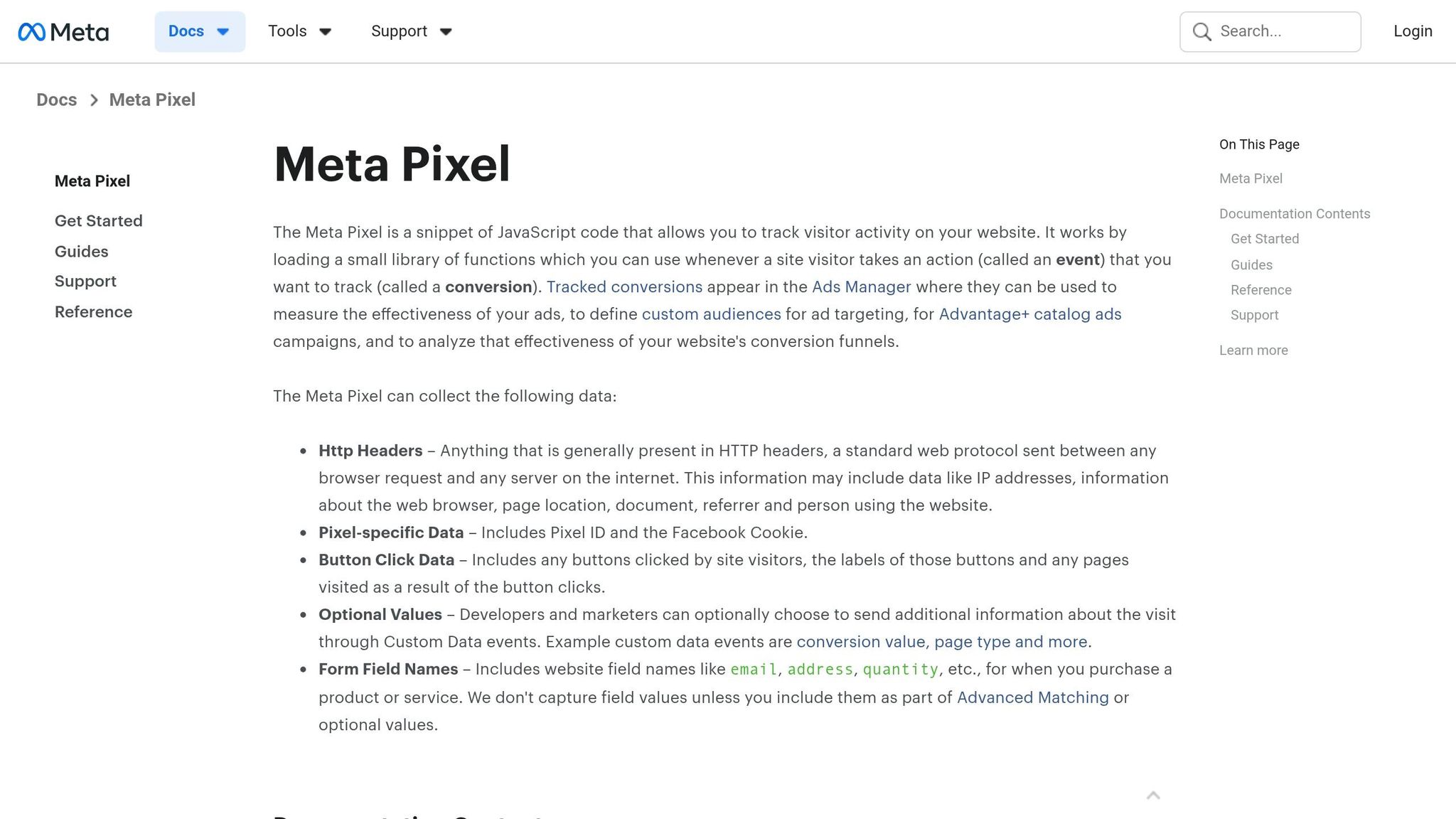
The Meta Pixel sends conversion events from the user's browser. That browser reliance is the big weak spot.
As a starting setup, Pixel-only tracking vs. CAPI shows exactly where browser-side measurement starts to fall apart first.
Signal Completeness
Browser-only tracking loses signal because of ATT opt-outs, ITP, cookie limits, and ad blockers. On iOS, low ATT opt-in rates mean most traffic can't be tracked at the browser level. Global opt-in rates have settled around 25–35%, which leaves 65–75% of iOS traffic untracked on an individual basis through the Pixel.
Ad blockers add another layer of loss. Usage is now above 40% among desktop users in North America. So before Meta even gets the event, part of the data is already gone.
"A pixel-only setup in iOS-heavy verticals (fashion, fitness, DTC consumer) is recovering 40–60% of the conversion signal Meta needs to optimize." - Murat Bock, Founder, adlibrary.com
Schema Standardization and Validation
Even when the Pixel does fire, the payload is often missing key fields. A common example is a Purchase event without value or currency, or a Lead event without email or phone. That breaks ROAS reporting and lowers match quality.
There’s another problem too: duplicate fires. If the same event is sent through both hardcoded tags and Google Tag Manager, conversions can be counted twice. That can inflate ROAS numbers and skew Meta’s optimization logic.
The Meta Pixel Helper Chrome extension can spot these issues in real time.
Server-side collection fixes a lot of these missing-field and duplicate-fire issues.
Monitoring and Optimization Readiness
When the input data is incomplete, Meta's AI optimization has less to work with. And when the signal is distorted, profitable ad sets can look weak. That can lead teams to pause campaigns or cut budget based on the wrong read.
AEM helps, but only up to a point. When signal loss happens, AEM recovers just 70–80% of true volume and reports it with a 72-hour delay. That makes same-day optimization shaky at best. Modeled data is still an estimate, not a direct count.
That shortfall is why many advertisers switch to server-side or hybrid tracking.
2. Server-Side Meta Conversions API (CAPI)
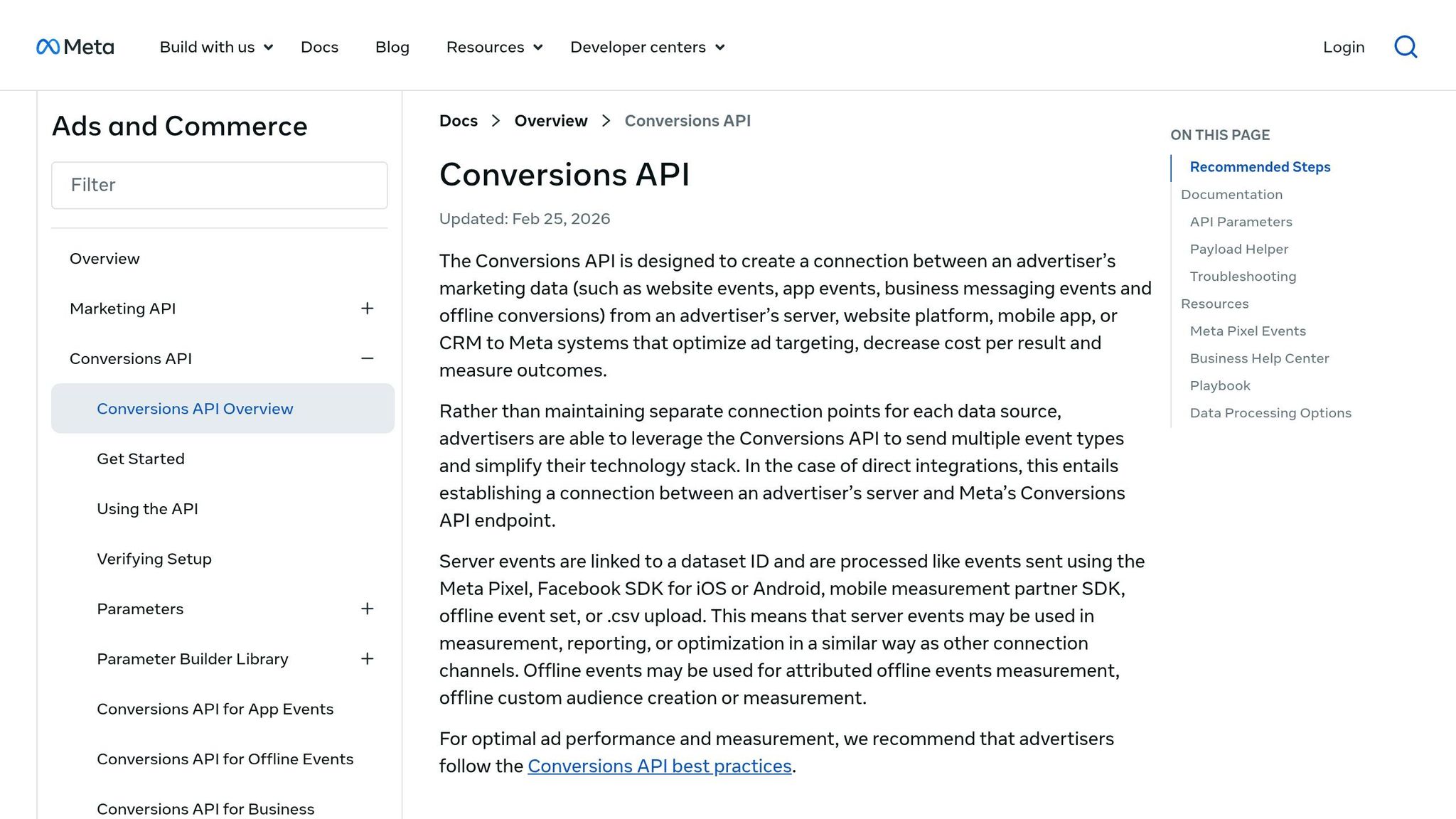
The Conversions API sends events from your server, which cuts browser-side data loss caused by blockers and privacy limits. That usually means better signal capture. But there’s a catch: results still depend on the data you send and whether deduplication is set up the right way.
Signal Completeness
CAPI can also send hashed email, phone, and external IDs. That gives Meta more to work with than cookies alone. When you run CAPI alongside the Pixel, matched event volume often goes up within 30 days.
Schema Standardization and Validation
CAPI gives you direct control over the event payload. In plain English, that means you can avoid more missing fields than with browser-side firing alone.
But when CAPI and the Pixel run at the same time, both can fire the same event. If you don’t handle that cleanly, your numbers can get messy fast. To avoid double-counting, each event needs a consistent event_id that matches across both sources.
A simple place to check this is the Deduplicated Events metric in Events Manager. If that rate is above 10%, the IDs usually aren’t lining up the way they should.
Monitoring and Optimization Readiness
CAPI doesn’t solve reporting delay. Meta conversion counts can still take up to 72 hours to settle. So if you’re checking performance too early, you might react to numbers that haven’t finished coming in.
A safer rhythm is to review counts at 1, 3, and 7 days before changing budgets or bidding.
"Differences between the reach count shown in the API and those displayed in the UI are expected since these counts are calculated through separate systems." - Meta Marketing API Reference
If your team isn’t ready for a direct API build, that’s common. A full build usually takes 2–6 weeks. CAPI Gateway on AWS or Azure gives you a lower-code middle option.
When teams want both browser context and server-side reliability, the next move is a hybrid Pixel + CAPI setup.
3. Hybrid Pixel + Conversions API
Hybrid combines browser data with server-side delivery. That gives Meta a fuller conversion signal than a Pixel-only or CAPI-only setup. The catch is pretty simple: you only get that extra coverage when both pipelines deduplicate the same event cleanly.
Signal Completeness
Teams that set up both sources the right way can see 10–20% higher reported conversion volume than Pixel-only accounts. That sounds great, but there’s a condition attached. More signal helps only when Meta can match each browser event to its server-side twin.
Schema Standardization and Validation
Hybrid setups break when the same event_id doesn’t pass through both sources. Since the Pixel and CAPI can both fire the same event, you need a matching event_id on each side so Meta counts one conversion instead of two.
There’s another piece here too. Set Purchase as the top-priority event in AEM. For opted-out iOS traffic, AEM records only the highest-priority event per session.
Monitoring and Optimization Readiness
Use Events Manager to watch your deduplication rate and event_id match rate. If something is off, fix it before you scale spend. A rate below 90% means your event_id values aren’t matching across sources.
If accuracy leans on prebuilt connectors instead of custom deduplication logic, then native platform and partner integrations become the next thing to compare.
4. Native Platform and Partner Integrations
Native integrations - Shopify's built-in Meta channel or WooCommerce's official Facebook plugin - are one of the fastest ways to get CAPI live. You don't need custom code, and event routing happens on its own. Compared with hybrid Pixel and CAPI setups, these connectors give up flexibility in exchange for speed and fewer setup mistakes.
Signal Completeness
Native tools are quick to roll out and lower implementation risk, but they tend to work best for smaller accounts - those under $50,000 in monthly ad spend. They stay close to platform defaults, so you have less room to fine-tune match quality or adjust custom parameters.
Schema Standardization and Validation
Native and partner integrations use Meta's preset event names - Purchase, Lead, and AddToCart - and map those events to Meta's required formats on their own, following best practices for mapping events. That cuts out a whole class of formatting mistakes that often show up in custom builds. In plain English: native connectors reduce formatting and deduplication work, but you lose some control over parameters.
Monitoring and Optimization Readiness
Basic connectors don't tell you when API data starts drifting from what appears in Ads Manager. That's where partner tools such as AdAmigo.ai and Improvado come in. They add a governance layer that surfaces gaps between API reporting and UI reporting before those gaps skew optimization decisions. That mismatch shows up often with native integrations.
When native connectors don't go far enough on governance, third-party ETL and validation stacks step in to handle reconciliation and drift alerts.
5. Third-Party Tracking, ETL, and AI-Assisted Validation Stacks
Where native connectors stop at routing, third-party stacks add reconciliation and drift detection. In plain English, native connectors mostly move events from one place to another. Third-party stacks go a step further: they validate those events, reconcile them across systems, and backfill missing data when needed.
Signal Completeness
The big edge here is cross-source reconciliation. Tools like Improvado combine data from the Meta Pixel, Conversions API, and your first-party CRM or data warehouse into one unified event record. That single view helps recover events that browser-based tracking often misses, including events lost to blockers and broken or split tracking paths.
There’s also one thing native tools don’t do nearly as well: sending verified downstream outcomes back to Meta. Say a lead becomes "Closed Won" in your CRM. That status can be synced back to Meta’s algorithm, which gives Meta a cleaner signal tied to actual revenue instead of softer actions like form fills.
Once those events are in place, the next challenge is getting every system to describe them the same way.
Schema Standardization
ETL stacks normalize API event keys into standard conversion names. They also keep version-controlled mappings. So if a marketer renames a custom conversion or changes AEM priorities, downstream reports don’t quietly lose a column. That helps cut mismatches tied to renamed events and version shifts.
Validation and Error Recovery
AI-assisted layers go past rule-based QA. Instead of only flagging a gap between API data and Ads Manager, they use automated root-cause analysis to show why the mismatch happened, not just that it happened. That matters when a team needs to fix the issue fast instead of spending hours digging through logs and dashboards.
Monitoring and Optimization Readiness
Freshness matters too. Meta’s modeled reporting can lag, so freshness becomes part of the accuracy problem. AI-assisted stacks treat freshness as a tracked metric and alert you when the delay between an event firing and its appearance in the warehouse passes a set threshold.
Tools like AdAmigo.ai push this one step further by tying monitoring to optimization, so cleaner data can feed faster decision-making.
These stacks help most when the main issue is drift across systems, not just event collection.
Pros and Cons by Data Accuracy Architecture
Accuracy tradeoffs make the most sense when you line up each setup by what it tracks, what it misses, and how well it checks the data. The table below puts those tradeoffs into one view: signal loss, control, validation, and day-to-day fit.
Architecture | Pros | Cons | Best Fit |
|---|---|---|---|
Pixel Only | Fastest to deploy | Browser-only loss from ATT, ITP, and ad blockers | Small budgets, early-stage testing |
CAPI Only | Less browser loss; higher payload control | Requires server implementation and careful event mapping | Privacy-focused brands, offline-heavy funnels |
Hybrid (Pixel + CAPI) | Combines browser context and server-side coverage | Depends on clean deduplication | U.S. eCommerce brands, lead-gen advertisers |
Native Partner Integrations | Fast native rollout for Shopify and WooCommerce | Failures can be hard to spot | Smaller merchants on major platforms |
Third-Party/AI-Assisted Stacks | Cross-source reconciliation and CRM tie-ins | Higher cost and vendor dependence | Agencies, enterprise, multi-system teams |
From here, the choice comes down to speed, control, and how deep you need reconciliation to go.
For most U.S. eCommerce and lead-gen teams, Hybrid is the strongest default. It gives you browser context from the Pixel and server-side coverage from CAPI. That mix helps balance data coverage with enough context to make Meta optimization more dependable.
CAPI matters most when lead quality has to flow back from the CRM. If Meta only sees a form fill, it may optimize for volume. If it also gets CRM outcomes, it can optimize around which leads turn into sales or qualified pipeline. For lead-gen teams, that difference is a big deal.
Third-party stacks make more sense when a team works across several systems and needs reconciliation, automated deduplication, and CRM tie-ins. In those cases, basic event routing usually isn't enough. Teams often need to aggregate multi-channel conversion data to ensure deduplication across the entire stack. Tools like AdAmigo.ai fit this setup by auditing Meta data through the official API and flagging drift before it starts shaping bad decisions.
Conclusion
Across the setups above, the tradeoff is pretty straightforward: more signal coverage usually means more integration complexity.
For most U.S. performance marketers, Hybrid Pixel + CAPI is the best default. When deduplication is set up the right way, it can recover browser events that would otherwise get lost and give Meta a cleaner signal. It also helps to watch Meta Diagnostics and anomaly alerts so you can spot low Event Match Quality and deduplication issues early, before they start distorting performance data.
Native integrations like Shopify and WooCommerce can work well for smaller merchants. The catch is that when something breaks, it may be harder to figure out where the problem started.
If your reporting needs to line up ad platform data with CRM outcomes, it usually makes sense to move to a third-party stack. Third-party ETL stacks are a good fit when you need CRM reconciliation, multi-brand reporting, or cross-system validation.
Automation makes bad data more expensive. AI tools act on the signal they get, plain and simple. If an AI media buyer like AdAmigo.ai is optimizing on degraded data, it can make the wrong call - not because the AI itself is the problem, but because the input signal is off. Accurate synchronization is what keeps automation dependable.
FAQs
How do I know if Pixel-only tracking is underreporting conversions?
Compare Meta Ads conversion counts with your own numbers, like CRM leads, Shopify orders, or Stripe transactions. If there’s a big gap, Meta may be missing part of the picture.
It also helps to check Meta Events Manager for a few common trouble spots:
Low Event Match Quality
Odd 7-day event volume
Missing parameters
Unverified domains
If your audience skews heavily toward iOS, some undercounting is just part of the setup. A structural 15%–30% gap is common.
When should I choose Hybrid Pixel + CAPI over a native integration?
Choose a hybrid Pixel + Conversions API (CAPI) setup when you need the highest level of data accuracy and backup. A native integration can handle basic tracking, but a hybrid setup helps recover events that get lost because of ad blockers, cookie limits, and ITP.
Using both gives you a more reliable stream of data. The key detail: use event deduplication with a unique event_id so Meta doesn’t count the same conversion twice.
What are the main signs that my Meta event deduplication is broken?
The clearest sign is inflated conversion counts. That can make your cost per result look lower than it is and push you toward bad optimization choices.
If you use both the Meta Pixel and Conversions API, check the Deduplicated Events column in Meta Events Manager. If the overlap rate is above 10%, event IDs usually aren’t lining up the way they should. You can also use Meta Pixel Helper to spot duplicate event fires on the same page.