
Meta API Configuration: Best Practices 2026
Securely configure Meta's Conversions and Ads APIs: token management, event mapping, hashing, performance tuning, and automation.
Meta's APIs, especially the Conversions API and Ads API, are now essential for running advanced advertising campaigns. Misconfigurations can lead to data errors, security risks, and lost revenue. Here's what you need to know:
Conversions API: Sends server-side event data to bypass browser limitations, ensuring accurate tracking. You can further refine this by setting up custom conversion rules to measure specific user actions.
Ads API: Automates campaign management, enabling bulk operations and real-time adjustments.
Token Management: Use system user tokens for automation, store them securely, and avoid hard-coding.
Event Mapping: Include key parameters (
event_name,event_time,action_source) and aim for high Event Match Quality (EMQ) scores.Security: Hash personal data with SHA256 to maintain conversion data compliance, use HTTPS, and limit API key permissions.
Performance: Batch events, use asynchronous requests, and implement exponential backoff for rate limits and throttling.
Automation tools like AdAmigo.ai can simplify API management, optimize campaigns, and save time by handling tasks like token refreshes and performance syncing. Proper configuration and security are critical for scaling campaigns efficiently in 2026.
How to Setup the Facebook/Meta Conversion API 2024
Understanding Meta's Primary APIs: Conversions API and Ads API
Meta’s advertising tools rely on two main APIs: the Conversions API (CAPI) and the Ads API (also called the Marketing API). Each serves a unique purpose - CAPI handles event tracking directly from your server, while the Ads API manages campaigns programmatically. Knowing how these APIs work and how they fit into your strategy is key to setting up a successful integration. Let’s break them down.
What is the Conversions API?
The Conversions API allows you to send conversion data directly from your server to Meta’s platform. This approach bypasses browser-based limitations, which can result in over 50% of conversions being missed due to ad blockers, iOS privacy updates, and cookie restrictions. For example, if you use a CRM like HubSpot or Salesforce, you can send critical funnel events - like “qualified lead” or “closed-won” - to Meta, helping you optimize campaigns for revenue-driving actions rather than just clicks.
As of May 2025, Meta has streamlined all offline and CRM event tracking into the Conversions API. This means every event - whether it happens on your website, in your app, or within your CRM - goes through the same infrastructure. You can implement CAPI through various methods, including no-code tools, server-side Google Tag Manager hosting, or custom development.
What is the Ads API?
The Ads API provides a programmatic way to manage Meta ad campaigns. Instead of manually setting up campaigns in Ads Manager, the Ads API lets you automate tasks like launching hundreds of ad variations, adjusting budgets across accounts, and accessing real-time performance metrics.
When combined with the Conversions API, the Ads API allows Meta’s AI to optimize ad delivery. It can scale high-performing variations or pause underperforming ones automatically, based on real-time data. To make the most of this, it’s crucial to standardize naming conventions across your campaigns. This ensures Meta’s AI can correctly interpret and optimize different audience segments.
How to Configure Meta APIs Securely and Efficiently
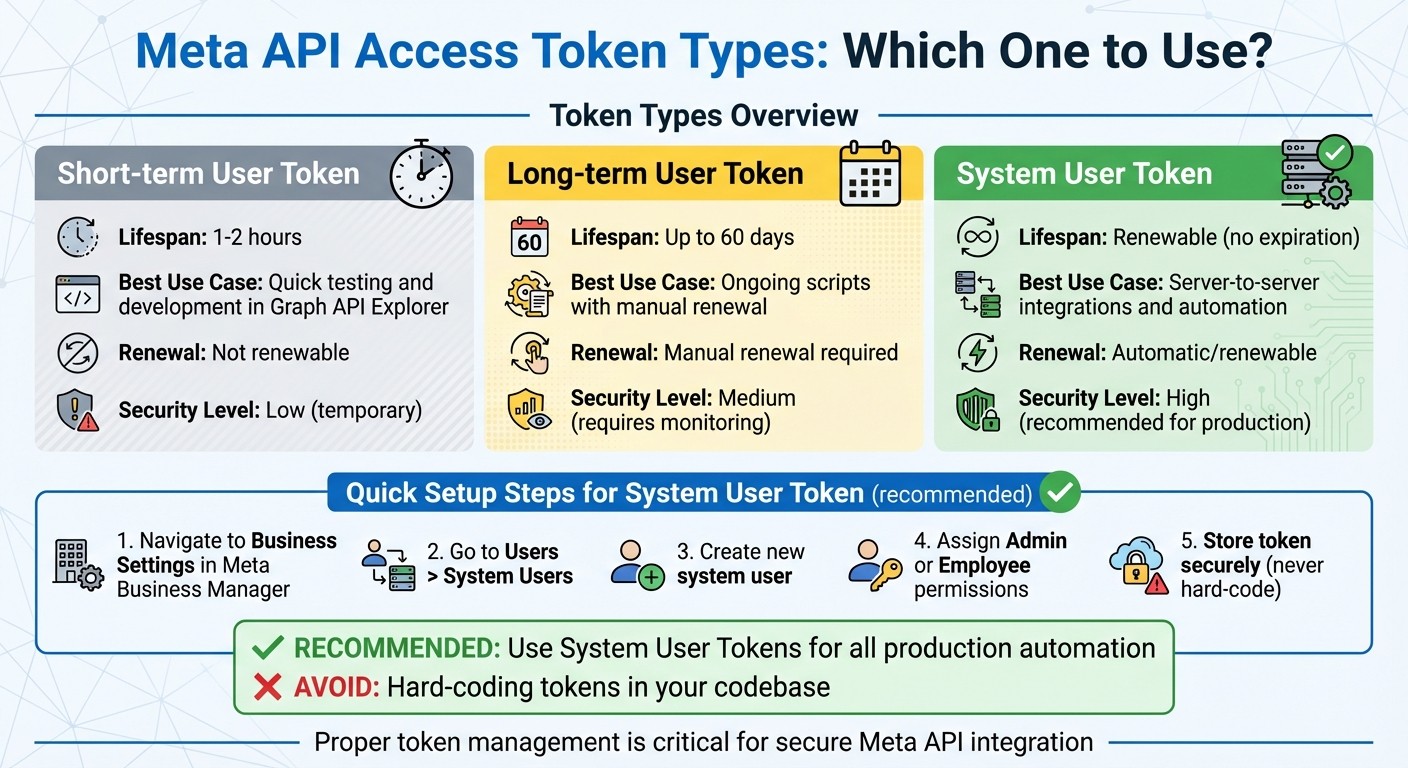
Meta API Access Token Types Comparison Guide
Setting up Meta APIs correctly is crucial to avoid tracking gaps and ensure security. Here’s a step-by-step guide: generate secure tokens, map events accurately using hybrid event mapping, and thoroughly test your setup before going live.
Generating and Managing Access Tokens
Meta offers three types of tokens: short-term user tokens, long-term user tokens, and system user tokens. Each serves a specific purpose:
Short-term user tokens last about 1–2 hours and are ideal for quick testing in the Graph API Explorer.
Long-term user tokens can last up to 60 days but require manual renewal, making them suitable for ongoing scripts.
System user tokens are designed for server-to-server integrations and long-term automation. These are renewable and should always be stored securely.
To create a system user token:
Navigate to Business Settings in Meta Business Manager.
Go to Users > System Users and create a new system user.
Assign the appropriate Admin or Employee permissions based on your needs.
It’s critical to avoid hard-coding tokens. Instead, store them in a secure environment, like a .env file or a secrets manager.
Token Type | Lifespan | Best Use Case |
|---|---|---|
Short-term User Token | ~1–2 hours | Quick testing and development in Graph API Explorer |
Long-term User Token | Up to 60 days | Ongoing scripts with manual renewal |
System User Token | Renewable | Server-to-server integrations and automation |
Mapping Events in Conversions API
When sending events through the Conversions API, make sure to include these three key parameters:
event_name: Examples include "Purchase" or "AddToCart."event_time: A Unix timestamp indicating when the event occurred.action_source: Set this to "website", "physical_store", or "system_generated."
Meta uses Event Match Quality (EMQ) to measure how effectively conversions are attributed. Aim for an EMQ score of 8.8–9.3 for purchase events and at least 8.0 for AddToCart events.
For deduplication, map session identifiers like fbp and fbc in plain text. If you’re working with offline CRM-based events that happen days after the initial click, capture the fbclid from your landing page URL. Later, send this value as the fbc parameter when reporting the conversion.
Testing and Verifying Your API Setup
Before moving to live traffic, use Meta’s Events Manager to validate your configuration and test deduplication. The Test Events tool helps you see the data Meta is receiving, including parameter formatting and EMQ scores.
Here’s how to test effectively:
Send test events with known values, like a test purchase using a specific email address.
Check that the events appear correctly in the dashboard.
Confirm that parameters, such as Unix timestamps (in seconds) and user data, are formatted properly.
Once your test events are validated and the EMQ scores meet the target, you’re ready to transition to live production traffic.
Up next, we’ll dive into performance and security practices to further refine your API integration. Following best practices for Meta API integration ensures your data remains accurate and secure.
Performance and Security Best Practices
To protect your data and ensure fast, reliable delivery, it's essential to combine proper token management, event mapping, and these best practices. Once your API setup is validated, focus on securing your data and fine-tuning performance to avoid breaches and tracking issues.
Security Measures for Data Protection
Standardize and hash personal data (e.g., email, phone) using SHA256. Meta mandates that fields like email addresses, phone numbers, and street addresses be hashed with SHA256. Before hashing, standardize the data: convert it to lowercase and strip any whitespace. For example, transform "John@Example.com" into "john@example.com" before applying the hash function.
If you use system user tokens for automation, act quickly if a token is exposed - revoke it immediately and rotate tokens regularly. Limit token permissions to only what’s necessary. For instance, a token intended for reading campaign insights should not have write access to ad creatives or billing.
Always use HTTPS endpoints for server-to-server event transmissions. This encrypts the data in transit, reducing the risk of interception. For campaigns in sensitive categories like housing, employment, or credit, add the [special ad categories](https://www.adamigo.ai/blog/adapt-meta-ads-education-policies) parameter to every API call to stay compliant with Meta's rules.
With these security measures in place, focus on optimizing your API for real-time performance.
Optimizing API Performance for Real-Time Event Sync
Send events as close to real time as possible. Delayed event reporting can disrupt Meta's ad optimization process and lower your Event Match Quality score. To improve efficiency, batch events together to minimize round-trip times and avoid exceeding rate limits.
Use asynchronous requests to handle high volumes of events without blocking execution. For tasks like frequent polling (e.g., checking campaign status), implement ETags to fetch data only when updates occur, saving bandwidth. When querying reports or insights, apply field filtering to request only the metrics you need, reducing payload size and speeding up responses.
If you hit a rate limit, avoid retrying immediately. Instead, use exponential backoff, which gradually increases the wait time between retries to prevent persistent throttling.
Optimization Method | Key Benefit | Best Use Case |
|---|---|---|
Batching | Reduces round-trip time | Bulk updates to ad sets or audiences |
Asynchronous Requests | Non-blocking execution | High-volume event logging |
ETags | Saves bandwidth | Frequent polling for status changes |
Field Filtering | Reduces payload size | Performance reporting and insights |
Exponential Backoff | Prevents throttling | Handling rate limit errors |
These techniques ensure smooth synchronization while avoiding common pitfalls.
Common Mistakes to Avoid
Mismatched event_id values can lead to duplicate tracking. If you're using both the Meta Pixel and the Conversions API, ensure the event_id is identical for the same event across both sources. If not, Meta may count the event twice, inflating your conversion metrics.
Incorrect hashing is another frequent issue. For example, hashing "user@example.com" and "User@Example.com" without normalizing them first will produce different SHA256 outputs, making it harder for Meta to match the data accurately. Non-personal fields like event_name or action_source should always be sent as plain text.
Delays in sending events can hurt attribution. For instance, if you're reporting a CRM conversion days after a click, include parameters like the fbclid from the landing page URL as the fbc parameter. Without this, Meta may struggle to link the conversion to the original ad, leading to incomplete ROAS reporting and attribution.
Using AdAmigo.ai for API Automation
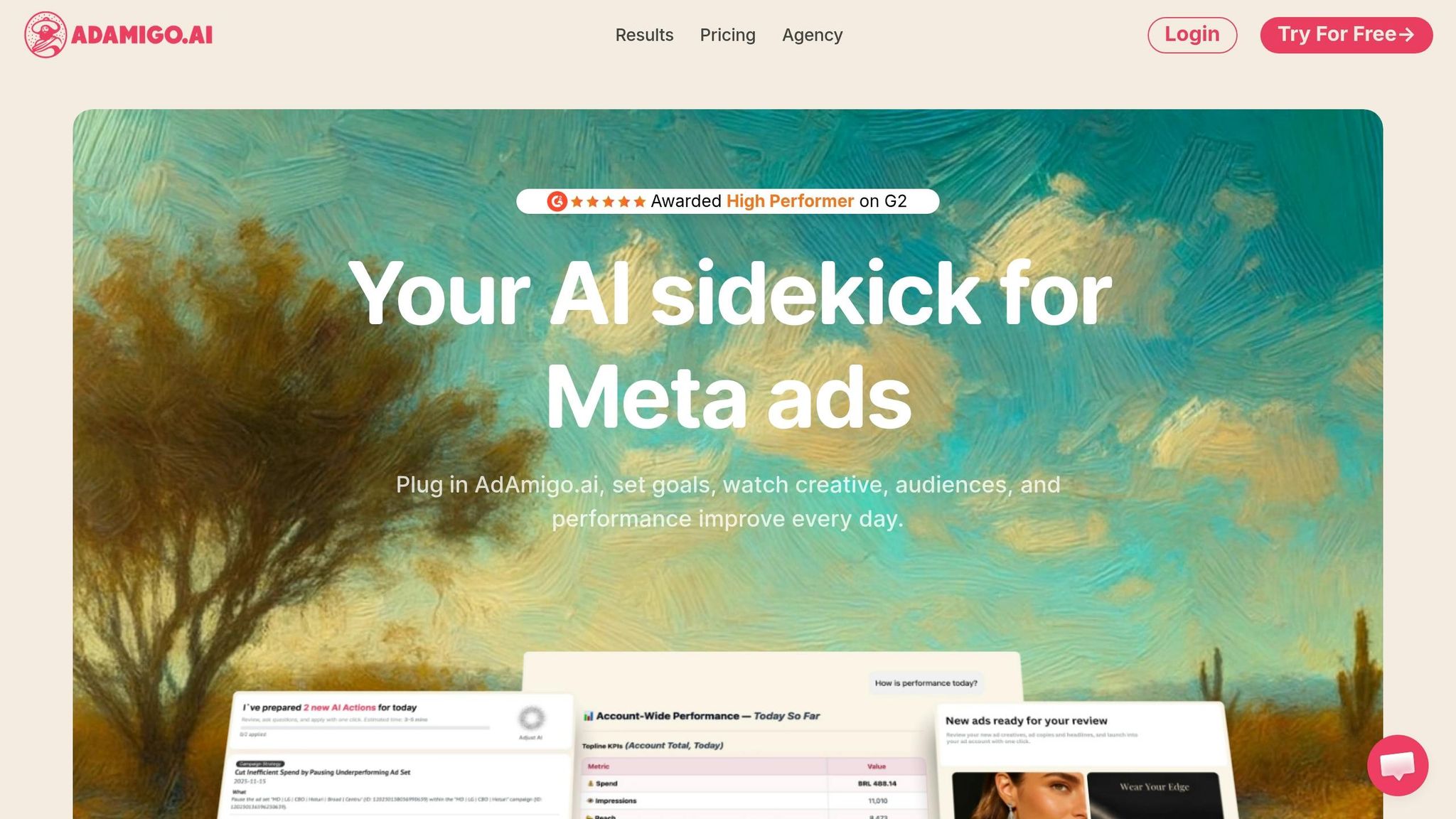
Automated platforms like AdAmigo.ai take API configuration and campaign management to the next level, streamlining processes and driving better results.
How AdAmigo.ai Works with Meta APIs
AdAmigo.ai integrates directly with Meta's official APIs to handle everything from configuration to campaign optimization. It operates around the clock, auditing your account, spotting opportunities, and making improvements - all while respecting your rules for budget, pacing, geography, and placements.
By removing manual bottlenecks in data processing and performance tracking, the platform simplifies campaign management automation. Instead of relying on static rules, AdAmigo.ai uses machine learning to adjust strategies dynamically. The more it runs, the better it gets at identifying what works for your specific campaigns.
Key Features of AdAmigo.ai
AI Ads Agent: This tool studies your brand identity, analyzes your top-performing ads, and even reviews competitor creatives. It then generates fully designed and configured ad creatives that can be launched into your account with a single click. This cuts down creative production time and helps combat creative fatigue.
AI Actions: Each day, you'll get a prioritized list of actionable tweaks for creatives, audiences, budgets, and bids. These recommendations are written in plain language, so you can decide whether to approve them manually or let the system handle them automatically.
Bulk Ad Launch: By connecting with Google Drive, this feature lets you launch hundreds of Meta ads in minutes, complete with the correct copy, creative, and targeting. It significantly speeds up testing compared to manual input.
AI Chat Agent: Managing campaigns gets easier with this conversational tool. It explains performance changes, suggests next steps, and can even implement updates directly from the chat interface.
Getting Started with AdAmigo.ai
Setting up AdAmigo.ai is quick and straightforward. In just five minutes, you can connect your Meta ad account, define your KPIs, and brief the system with instructions like, "Increase spend by 30% while maintaining at least 3× ROAS." From there, the platform begins analyzing your real-time performance data and offering tailored recommendations. You'll receive daily updates with suggestions for campaigns, audience adjustments, budget optimizations, and fresh creative ideas. For agencies, this automation allows a single media buyer to manage three to five times more clients, freeing up senior strategists to focus on growth initiatives.
Conclusion and Key Takeaways
This guide highlights the essential steps for optimizing Meta APIs in 2026: secure configuration, precise data management, and effective automation. These elements form the backbone of successful API integration. Start by nailing the basics - ensure Business Verification and Admin access are in place. A surprising 90% of integration failures stem from weak foundation setup rather than technical hurdles. For server-to-server connections, rely on System User tokens. These tokens provide consistent, renewable access without depending on individual user logins.
To enhance tracking reliability, use both the Meta Pixel and the Conversions API. This dual approach helps mitigate issues caused by browser blockers or connectivity disruptions. Regularly check your Event Match Quality (EMQ) scores in Meta Events Manager - anything below 8 signals misaligned parameters that need immediate fixing. For rate-limit errors, implement exponential backoff strategies. Once your data practices are solid, automation becomes the next game-changer.
With a secure foundation and high-quality data, automation can significantly speed up campaign execution. Automation platforms allow you to scale at a level manual processes simply can't match. For example, instead of launching 50 ads over a week, API-driven automation can help you deploy 1,000 ads in just one afternoon. Tools like AdAmigo.ai handle complex tasks like token refreshes, PII hashing with SHA-256, and real-time performance syncing, allowing you to focus on strategy and growth.
Keeping up with changes to Meta's API is equally important. Stay informed about the deprecation timeline, as older APIs like Legacy Advantage Shopping and App Campaign APIs will be phased out by Q1 2026 (Marketing API v25). Migration to newer Advantage+ structures is mandatory. Additionally, since mid-2025, Meta has enforced unified attribution logic, ensuring API reporting aligns seamlessly with Ads Manager. Staying proactive with these updates is key to maintaining API efficiency.
FAQs
Do I need both Meta Pixel and Conversions API?
Using both Meta Pixel and Conversions API together helps achieve more precise data tracking. By combining browser-based tracking (Meta Pixel) with server-to-server tracking (Conversions API), you create a backup system that ensures no interaction goes unnoticed. This redundancy provides a more complete view of user behavior, which can lead to better ad performance and more informed decision-making.
How do I prevent duplicate events with CAPI?
To prevent duplicate events when using the Conversions API (CAPI), it's crucial to implement effective event deduplication methods. Start by assigning a unique event ID to each event. This ID allows you to match data from both the Pixel and CAPI, ensuring events aren't counted twice.
Using CAPI alongside Pixel tracking provides an added layer of redundancy. By leveraging both systems, you can accurately match events based on their unique identifiers. Setting up proper event IDs and employing dual tracking are key steps to maintaining clean, unduplicated data.
What’s the safest way to store Meta access tokens?
The best approach to storing Meta access tokens securely involves a few key practices:
Use encrypted environments: Always store tokens in encrypted storage solutions or environment variables. This safeguards them from unauthorized access.
Monitor usage and validity: Regularly check token usage and expiration dates to detect any anomalies or potential misuse.
Leverage system user tokens for automation: For long-term automation, system user tokens are a safer choice as they are designed for such use cases.
These steps help protect your tokens while ensuring your systems run smoothly.