
Meta Conversion Data Compliance Best Practices
Practical guide to Meta conversion compliance: explicit consent, CAPI and Pixel setup, SHA-256 hashing, CMPs, domain verification, and EMQ.
When running Meta ad campaigns, compliance with data privacy laws like GDPR and CCPA is non-negotiable. Non-compliance can lead to fines, reduced campaign performance, and even account suspension. Here's what you need to know:
Privacy Challenges: Ad blockers and iOS privacy changes and opt-outs disrupt tracking for 30-85% of users. Without server-side tools like the Conversions API, your data is incomplete.
Meta Requirements: Explicit user consent is mandatory for tracking and uploading customer data. Sensitive data like health or financial info is strictly prohibited.
Compliance Tools: Use Consent Management Platforms (CMPs) to manage user permissions and server-side tracking to recover lost conversions.
Key Practices: Verify your domain, prioritize conversion events, hash user data securely, and maintain high Event Match Quality (EMQ) scores.
Meta Conversion API & GDPR Consent Setup
Meta Custom Conversion Data Requirements
Meta has established strict guidelines for how businesses should handle conversion data. These rules are designed to safeguard user privacy and ensure compliance with global regulations such as GDPR and CCPA. Failing to meet these standards could result in restricted ad delivery or flagged custom conversions.
Meta's Data Policies Explained
To comply with Meta’s policies, you must secure a legal basis for collecting customer data through tools like the Pixel, Conversions API configuration, and custom audience uploads. This involves obtaining proper consent and being transparent about how the data will be used. Your privacy policy should clearly outline data-sharing practices with Meta, retention periods, and opt-out options.
Starting September 2, 2025, Meta will block custom conversions containing sensitive information, such as health or financial data. For example, you might encounter this message in Events Manager: "This custom conversion is blocked because it may contain information (e.g., health, financial) not allowed under Meta's terms." – Meta Developer Documentation. Regularly check your Account Quality dashboard for flagged events by monitoring the is_unavailable field.
Additionally, from January 1, 2025, Meta will require explicit user consent before uploading any contact information for custom audience targeting. This includes customer lists, lookalike audiences, and any personally identifiable information (PII) shared via the Conversions API. If a user opts out on your website, you must exclude them from Meta tracking entirely, including the Pixel and custom audiences.
In a notable case from August 2025, Swedish regulators fined pharmacy chains €15 million for sharing sensitive health data through the Meta Pixel without securing explicit consent. This case highlighted that website owners bear the primary responsibility for ensuring compliance. Moreover, European data protection authorities issued over €2.92 billion in GDPR fines during 2024, with many penalties linked to improper Meta Pixel usage.
User Consent and Opt-Out Options
To meet Meta and local legal requirements, you need robust consent mechanisms. For GDPR, secure explicit opt-in consent, and for CCPA, provide opt-out options using the Limited Data Use (LDU) flag.
Meta Consent Mode offers a solution for managing user consent. This framework allows websites to request consent before initiating tracking. If a user denies consent, Meta uses privacy-focused statistical modeling to estimate conversions rather than collecting raw data. When implemented correctly, this approach achieves conversion modeling accuracy exceeding 80%. To set this up, initialize the Meta Pixel with fbq('consent', 'revoke'); by default, and switch to fbq('consent', 'grant'); only after explicit user consent is obtained.
Your consent request should address four critical areas:
Advertising and marketing: Covers behavioral tracking and custom audiences.
Analytics and performance: Focuses on conversion tracking.
Cross-border transfer: Addresses data transmission to U.S. servers.
Third-party sharing: Specifically mentions Meta.
Each area may require different handling depending on the regulation. For example, GDPR mandates explicit opt-in for advertising consent, while analytics may rely on statistical modeling if direct consent is not given.
To demonstrate compliance, maintain audit logs of consent timestamps, categories, and methods. These records should be tamper-proof and readily available for regulatory audits. Automating consent re-requests every 12 to 13 months can help you stay updated with evolving legal standards. Following these practices ensures your third-party analytics integrations remain compliant.
Compliance Practices for Third-Party Analytics Integration
integrating Meta conversion data with third-party analytics while adhering to privacy regulations requires precise tracking and secure consent management. With the rise of privacy-focused browsers and ad blockers, many tracking scripts fail to load, making it essential to adopt a strategy that combines consent management, server-side tracking, and careful data handling.
Using Consent Management Platforms
A Consent Management Platform (CMP) acts as a mediator between your website and Meta's tracking systems. When a user lands on your site, the CMP displays a consent banner, holding off on activating tracking scripts until the user explicitly opts in or out. Once consent is granted, the CMP enables the Meta Pixel and allows data to flow into your analytics tools.
It's crucial to ensure that consent status is consistently applied across all tracking systems. If a user opts out, the CMP should immediately deactivate the Pixel, exclude them from custom audiences, and flag their data in your analytics system. This alignment helps eliminate compliance and tracking issues. Additionally, your CMP should log every consent decision, including the timestamp, method, and category, creating a reliable audit trail for regulatory purposes.
For industries like healthcare or financial services, avoid using descriptive event names that could reveal sensitive user intentions. Instead, opt for neutral labels like "event_T4B9" instead of "appointment_booked".
"While Meta's systems are designed to help ensure prohibited information is not shared via these custom events, you are responsible for the data you share and your compliance with our terms".
Beyond consent management, ensuring data accuracy and security requires implementing server-side tracking.
Server-Side Tracking with Meta Conversions API
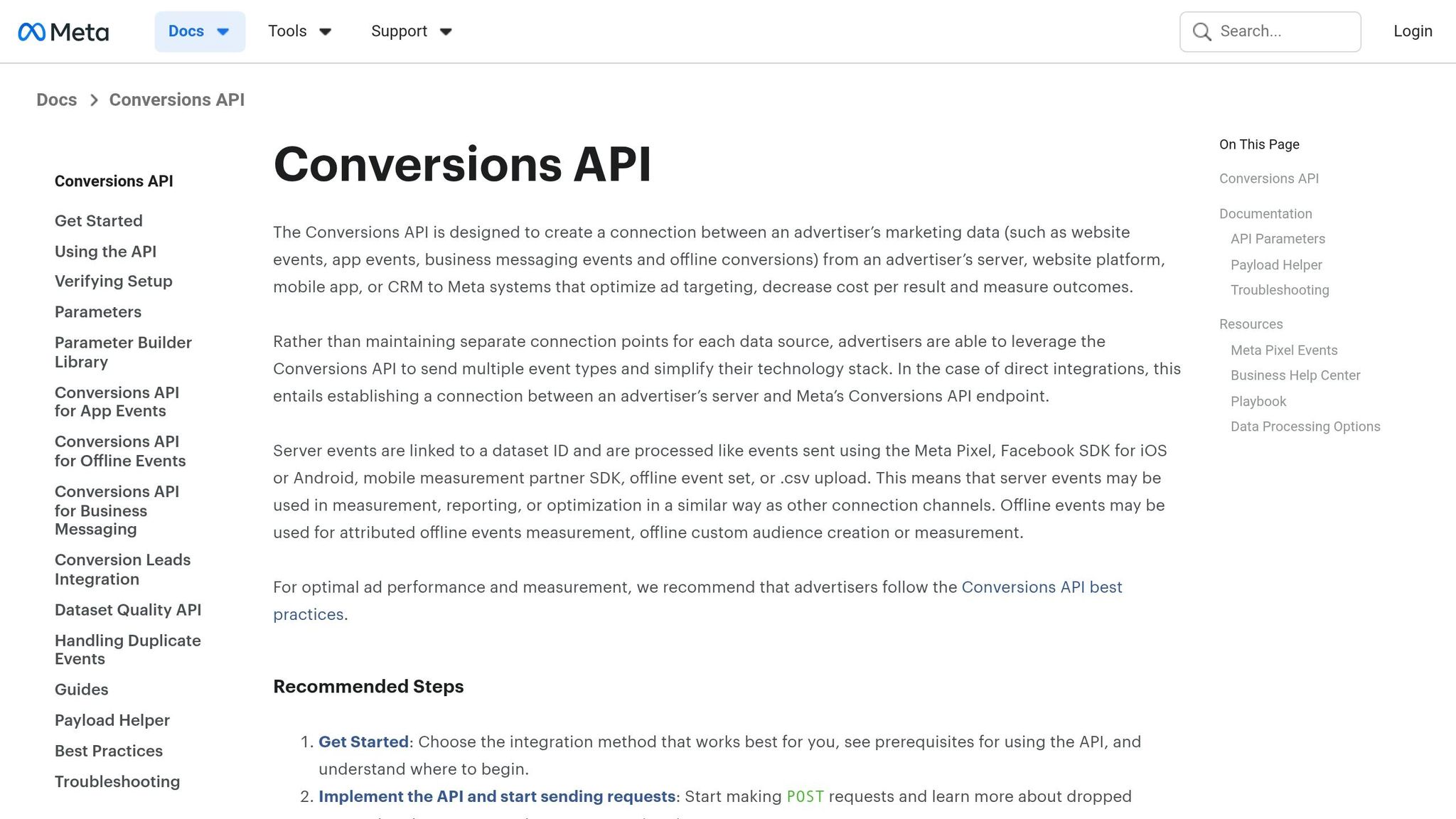
The Conversions API (CAPI) allows you to send conversion data directly from your server to Meta, bypassing browser-based tracking. This approach can recover 15-25% of conversions typically lost due to ad blockers and iOS privacy updates. It also gives you full control over the data you transmit.
To avoid double-counting, assign a unique event_id (like an order ID) to each conversion and send it through both the Pixel and CAPI. Complete domain verification in Meta Business Settings to enable Aggregated Event Measurement (AEM), which is essential for tracking users on iOS 14.5 and later. Once verified, configure your 8 prioritized conversion events in Events Manager, ranking the most critical event (e.g., Purchase) at the top.
Regularly monitor your Event Match Quality (EMQ) score in Meta Events Manager. A score of 6 or higher is acceptable, but aiming for 8 or more ensures better attribution accuracy. If your score is low, it means you're not passing enough customer data through CAPI. To improve this, send hashed customer identifiers like email addresses and phone numbers with every server-side event, and frequently update fbp and fbc cookie values.
Issue | Symptom | Solution |
|---|---|---|
Duplicate Event IDs | Inflated conversion counts | Use the same |
Low Match Quality | Conversions not attributed | Send hashed customer data (email, phone) |
Invalid Timestamp | Events rejected or delayed | Use Unix timestamp in seconds, within 7 days |
To add another layer of security, focus on anonymization and hashing methods.
Data Anonymization and Hashing Methods
Before transmitting any personally identifiable information (PII) to Meta or third-party analytics tools, it must be hashed using SHA-256. This applies to customer identifiers like email addresses, phone numbers, and names. Hashing converts readable data into a secure, unique string of characters, protecting user identities during transmission.
To ensure consistency, convert all PII to lowercase before applying the SHA-256 hash. For example, "John.Doe@Email.com" should first be converted to "john.doe@email.com" before hashing. Meta's Business SDK can automate this process, or you can implement manual hashing if sending data directly via CAPI. This minimizes errors and ensures all PII is properly secured before leaving your server.
For users in California, use the Limited Data Use (LDU) flag to comply with CCPA requirements. This flag limits how Meta processes data for users who opt out, while still allowing basic conversion tracking through statistical modeling. When combined with secure hashing and effective consent management, this multi-layered approach protects user privacy without sacrificing campaign performance.
Auditing and Monitoring Data Flows
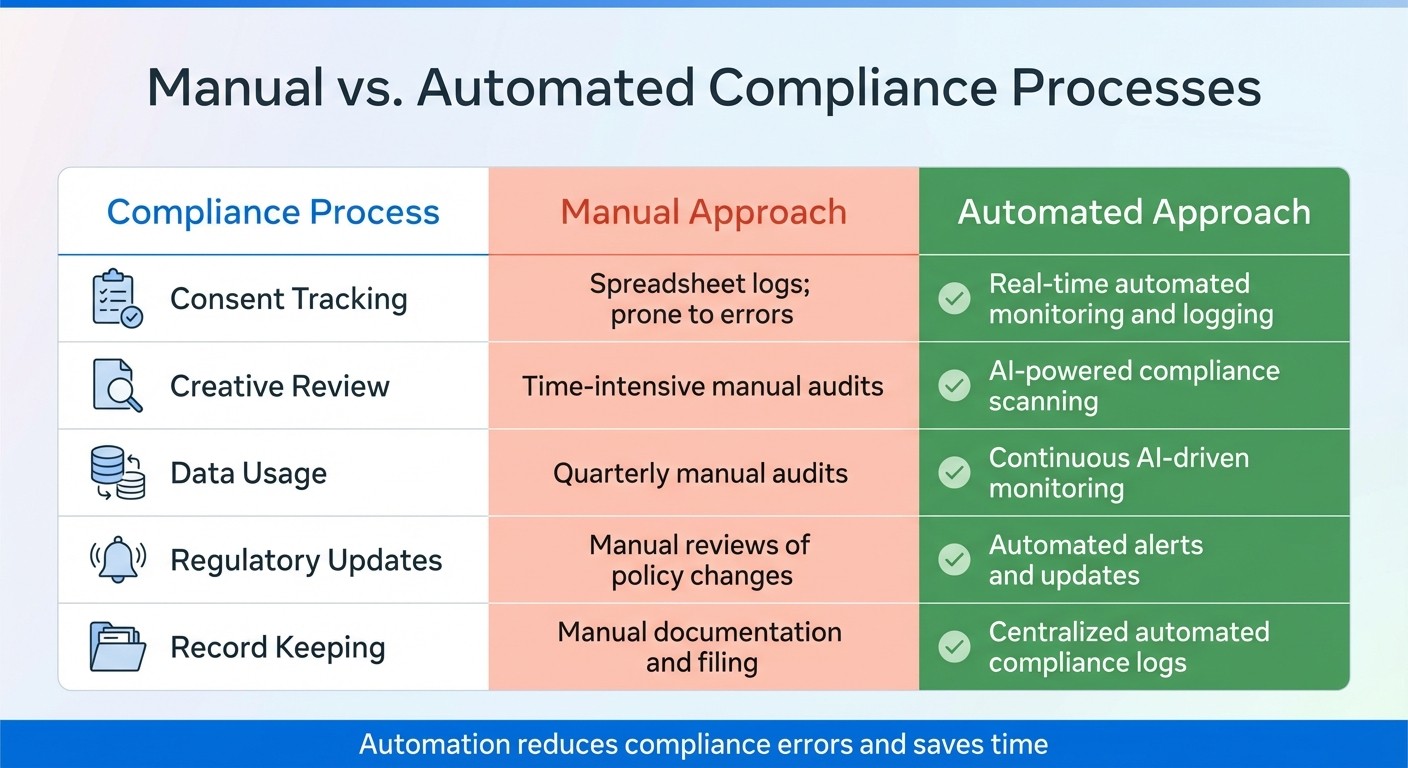
Manual vs Automated Meta Ad Compliance: Process Comparison
Building on earlier discussions about tracking practices, it's crucial to ensure your data remains accurate and aligned with compliance standards. Regular audits are essential to catch misconfigurations that might lead to policy violations or attribution errors.
Conducting Regular Data Audits
Start by monitoring your Event Match Quality (EMQ) score in Meta Events Manager at least weekly. Aiming for a score of 6 or higher is recommended, with 8+ being optimal for precise attribution. A score below 6 indicates that Meta struggles to match conversions to user profiles, which can weaken your campaign's targeting and reporting. To address this, double-check that your identifier hashing protocols are correctly implemented.
Next, review your event_id and event_name parameters to avoid double-counting. Meta automatically deduplicates events with the same name and ID if they occur within a 48-hour window. If you notice unusually high conversion counts, it may signal duplicate events. Compare the event_id values from your server logs against those in Meta Events Manager to ensure alignment.
You should also verify your Aggregated Event Measurement (AEM) setup. Make sure your domain is verified in Business Settings and that your 8 prioritized conversion events are properly ranked in Events Manager. Place your most important event, like "Purchase", at the top of the list. Keep in mind that changes to AEM settings can take up to 72 hours to take effect, so plan your audits accordingly.
Expect a 10-20% reporting discrepancy as normal; however, larger gaps need further investigation. If discrepancies exceed this range, check whether ad blockers or iOS privacy updates are affecting your Pixel or Conversions API setup. Implementing the Conversions API can help recover around 15-25% of lost conversions caused by these obstacles.
While these manual checks are essential, automated tools can streamline and enhance ongoing monitoring.
Automated Monitoring Tools and Techniques
Automation can complement manual audits by identifying issues in real time. Meta's Account Quality dashboard provides a quick overview of policy violations, while Events Manager Diagnostics sends alerts for drops in event volume, parameter quality issues, or low EMQ scores.
You can set up automated rules in Ads Manager to flag or pause ads if their status changes to "Rejected" or "Limited" due to compliance problems. Additionally, configure Meta Business Manager alerts for real-time notifications via email, in-app messages, or mobile push whenever ad rejections, account restrictions, or policy updates occur. For teams using tools like Slack or Microsoft Teams, integrate these alerts through the Meta Marketing API to route notifications directly to your communication channels.
Regularly use the Test Events tool in Events Manager to simulate conversions and confirm that events fire with the correct parameters. Pair this with the Meta Pixel Helper browser extension for instant validation of browser-side events. Together, these tools help you identify missing parameters or duplicate events before they impact your campaigns.
For more advanced oversight, platforms like AdAmigo.ai offer 24/7 scanning of ad creatives, copy, and targeting to flag potential violations, such as misleading claims or sensitive category risks. This approach saves time by eliminating the need for manual creative reviews and ensures compliance issues are caught immediately, rather than during a quarterly audit.
Compliance Process | Manual Approach | Automated Approach |
|---|---|---|
Consent Tracking | Spreadsheet logs; prone to errors | Real-time automated monitoring and logging |
Creative Review | Time-intensive manual audits | AI-powered compliance scanning |
Data Usage | Quarterly manual audits | Continuous AI-driven monitoring |
Regulatory Updates | Manual reviews of policy changes | Automated alerts and updates |
Record Keeping | Manual documentation and filing | Centralized automated compliance logs |
Automation not only saves time but also reinforces the compliance strategies and tracking practices discussed earlier, ensuring your campaigns stay on track with minimal disruptions.
Using AdAmigo.ai for Compliant Meta Ad Optimization
AdAmigo.ai helps you optimize Meta campaigns while staying aligned with compliance and privacy standards. By working within Meta's official API framework, it safeguards user data and boosts campaign effectiveness.
How AdAmigo.ai Handles Data Privacy and Compliance
As an official Meta Business Technology Partner, AdAmigo.ai ensures secure and up-to-date integrations that adhere to Meta's platform requirements. It integrates with CMPs (Consent Management Platforms) to enable real-time consent tracking. This ensures that tools like Meta Pixel and Conversions API only activate after users explicitly opt in.
The platform employs AI-driven data minimization, processing only the data necessary for ad targeting, complying with GDPR principles. For users in California, it automatically applies LDU (Limited Data Use) flags and cross-border safeguards based on geolocation. If a user submits a rights request - such as data deletion under GDPR or CCPA - AdAmigo.ai automates the process by hashing and excluding data from Meta Custom Audiences.
To simplify compliance audits, all consent actions are logged automatically. This eliminates the need for error-prone manual spreadsheets, streamlining regulatory adherence and setting the stage for best practices for Meta ad data privacy.
AdAmigo.ai Features That Support Compliance
AdAmigo.ai goes beyond basic compliance, offering tools that make campaign monitoring faster and more effective. Its AI Actions dashboard creates a daily task list that prioritizes potential compliance risks. For example, it flags ads with misleading claims or problematic targeting, allowing you to fix issues manually or activate Autopilot for automatic corrections.
The AI Chat Agent acts as an on-demand compliance assistant. You can ask questions like, "Are any of my active ads flagged for compliance issues?" or "How is consent data being tracked?" The AI immediately provides relevant information, giving you full visibility into your campaigns.
AdAmigo Protect adds another layer of security by continuously scanning ad creatives, copy, and targeting for potential policy violations. Instead of relying on periodic audits, this feature identifies issues in real time, such as ads that breach Meta's health claims policy or targeting that uses restricted categories. By catching these problems early, AdAmigo.ai helps avoid wasted ad spend and account restrictions. If you are already facing issues, follow these steps to recover disabled Meta ad accounts.
Here’s how AdAmigo.ai automation compares to manual compliance processes:
Compliance Process | Manual Approach | AdAmigo.ai Automation |
|---|---|---|
Consent Tracking | Spreadsheet logs, prone to error | Real-time automated monitoring |
Creative Review | Manual audits (hours per campaign) | Instant AI-powered compliance scanning |
Data Usage | Quarterly manual audits | Continuous AI-driven data minimization |
Regulatory Updates | Manual policy reviews | Automated alerts and adjustments |
Record Keeping | Manual documentation | Centralized automated compliance logs |
Conclusion
Compliance goes beyond just avoiding penalties - it's about creating a strong, reliable advertising framework that can improve campaign performance over time. By using server-side tracking with the Conversions API, properly hashing user data, and ensuring transparent consent practices, you're not just meeting GDPR and legal obligations. You're also establishing dependable data streams that allow Meta's algorithms to perform better, even as 75–85% of iOS users continue to opt out of tracking.
The results speak for themselves. For example, in 2024, YOOX NET-A-PORTER paired the Meta Pixel with the Conversions API and achieved a 30% boost in Facebook ad sales, along with a 25% drop in cost per purchase. On the flip side, Swedish pharmacy chains faced fines totaling $16.2 million for failing to implement proper consent protocols. These examples make it clear: treating compliance as a priority can directly influence your campaign outcomes.
Compliance Checklist
Domain Verification: Verify your domain in Meta Business Settings to preserve iOS attribution.
Aggregated Event Measurement: Rank your top 8 conversion events, with "Purchase" as the highest priority.
Dual Tracking: Follow Meta API integration best practices by using both the Meta Pixel and the Conversions API, ensuring
event_idparameters match to avoid duplicate data.Data Hashing: Hash all customer data (like emails and phone numbers) using SHA-256 after converting it to lowercase.
Consent Management: Implement a consent management platform that blocks tracking until users explicitly opt in.
Event Match Quality: Aim for an Event Match Quality (EMQ) score of 6.0 or higher in Meta’s Events Manager.
Privacy Disclosures: Update your privacy policy to clearly name Meta, and detail data usage, retention periods, and opt-out options.
Scaling Campaigns While Maintaining Compliance
Strong compliance practices don’t just protect your business - they also enhance your ability to scale campaigns. The Conversions API can recover 15–25% of lost conversions, providing more accurate data to fuel growth. However, scaling brings its own challenges, especially when managing multiple campaigns, creative assets, and audience segments.
This is where automation becomes critical. Once you’ve established secure tracking practices, tools like AdAmigo.ai can take over repetitive compliance tasks. AdAmigo.ai automates consent tracking, creative reviews, and data minimization, freeing up your time for strategic planning. Instead of manually auditing spreadsheets or checking ads for violations, you’ll get real-time alerts and automatic corrections to keep everything running smoothly. With compliance on autopilot, you can confidently scale your campaigns without worrying about regulatory gaps or wasted ad spend.
FAQs
How do I prove user consent for Meta tracking?
To ensure compliance with privacy laws like GDPR and CCPA when using Meta ads, it's crucial to establish clear and effective consent practices. Start by implementing opt-in consent management systems, such as Consent Management Platforms (CMPs). These tools help you manage and document user permissions efficiently.
Make sure consent is explicit, specific, and transparent. Update your privacy policies to clearly explain how user data will be collected, used, and shared. By taking these steps, you not only align with legal requirements but also build trust with your users by respecting their choices.
What conversion data is prohibited in Meta events?
Meta prohibits the use of conversion data that hints at sensitive or restricted categories, such as health conditions or political beliefs. This restriction is particularly strict if user consent has not been explicitly obtained. Meta's policies enforce limitations on custom conversions to ensure they do not involve personal data classified as sensitive, which is not permitted under their terms.
How can I raise my Event Match Quality score fast?
To boost your Event Match Quality score on Meta, start by ensuring your Meta Pixel and Conversion API (CAPI) are correctly configured. Use the Meta Pixel Helper to validate your Pixel setup and rely on CAPI to fill in gaps caused by privacy settings or ad blockers.
Make sure your event names are clear and consistent, which helps with better data interpretation. Test your signals using the Test Events tool to confirm everything is working as expected. Lastly, managing user consent effectively can improve signal accuracy and match rates, giving you better results overall.