
How to Choose Meta Ad Campaign Objectives
Choose a Meta Ads objective by the result you want—reach, visits, interactions, leads, app installs or purchases—then match the destination and performance goal to that outcome.
Choose a Meta campaign objective for the result you want Meta to optimize—not simply for where someone sits in a funnel. Awareness is for reach and recall; Traffic for visits to a destination; Engagement for interactions; Leads for contact details; App Promotion for installs or in-app actions; and Sales for purchases or other conversion events.
Match your business goals to Meta's six objective categories:
Awareness: Build brand visibility.
Traffic: Drive users to your site or app.
Engagement: Boost social interactions.
Leads: Collect information from prospects.
App Promotion: Increase app installs.
Sales: Drive purchases or conversions.
Align objectives with benchmarks for your audience's journey:
Top-of-funnel: Awareness fits when reach or ad recall is your intended outcome.
Middle-of-funnel: Traffic optimizes for destination visits; Engagement for selected on-platform actions. Choose by result, not stage label.
Bottom-of-funnel: Leads, App Promotion and Sales address different actions; choose based on the action and where it happens.
Avoid common mistakes:
Ensure tracking tools (like Meta Pixel) are properly set up.
Use suitable creatives for each objective - videos for Awareness, clear CTAs for Sales. Following dynamic creative optimization best practices can further enhance these assets.
Leverage tools like AdAmigo.ai to simplify objective selection and optimize campaigns with automation.
Make the choice in three parts: name the action you want (such as a purchase or a landing-page visit), select the destination where it should happen, then choose the available performance goal that matches it. Meta defines the campaign objective as the overall result, the conversion location as where the action happens, and the performance goal as the specific result ad delivery optimizes for; see its guide to choosing an ad objective and performance-goal definitions. For example, if an online store wants purchases, use a Sales setup aimed at the purchase event—not Traffic just because it is easier to measure. If purchase tracking needs attention, fix and test the event rather than using a different objective as a substitute.
What Are Meta Campaign Objectives
Definition and Purpose of Meta Campaign Objectives
Meta campaign objectives are the backbone of your advertising strategy on Meta Ads Manager. These objectives are specific goals that guide how your ads are delivered, who sees them, and how their performance is measured. Essentially, they ensure your ads are set up to achieve the results that align with your business goals.
The campaign objective sets the broad outcome. At the ad set level, the conversion location specifies where people should act—such as a website, app or messaging destination—and the performance goal tells Meta’s delivery system which result to seek. The available goals depend on the objective and location, so check the actual options in Ads Manager. Meta explains these settings in its objective-selection guide.
The delivery system uses the selected objective and performance goal to seek the corresponding result; for example, Traffic can optimize for link clicks or landing-page views, while App Promotion can optimize for installs or app events. The available choice depends on the setup. See this guide to aligning campaign setup with a business goal.
The objective and conversion location affect which performance goals and setup options appear. Audience selection is a separate decision; see this guide to using audience data for that part of campaign planning.
Next, let’s explore the six main objective categories and how they fit into a full-funnel customer journey.
The 6 Main Objective Categories
Meta currently groups campaign objectives into six categories. The objective sets the broad result; the specific performance goals available depend on the conversion location and campaign setup. Use this comparison to start with the action you want, then confirm the exact option in Ads Manager:
Objective | What it can optimize for | Choose it when | Example result to measure |
|---|---|---|---|
Awareness | Reach, impressions, ad recall or video views | You want people to notice or remember a business, product or message | Reach or ad recall |
Traffic | Link clicks, landing-page views, calls or other destination visits | You want people to visit a selected website, app or other destination | Landing-page views or link clicks |
Engagement | Post interactions, video views, messages or other available actions | You want a specific interaction or conversation | Post engagement, video views or conversations |
Leads | Lead forms, website conversions, calls or messaging leads | You want contact details or a qualified inquiry | Form submissions or qualified leads |
App Promotion | App installs or selected in-app events | You want people to install or take an action in your mobile app | Installs or app events |
Sales | Website, app or messaging conversions; purchase value may be available | You want purchases or another measurable conversion |
These categories are not a fixed funnel sequence. A new audience does not automatically mean Awareness, and a warm audience does not automatically mean Sales: choose the objective for the action you want, then decide separately whom to reach. Some actions—such as messages, video views and website conversions—can appear under more than one objective, with different settings. Compare the conversion location and performance goal available in your account before launch.
For a practical example, an online shop seeking completed purchases would choose Sales, select its website or app as the conversion location, and use the purchase event or value goal available to it. A campaign whose actual goal is a website visit would use Traffic and a visit-oriented performance goal. Compare the selected optimization event with the KPI you report; cheap clicks do not demonstrate purchase performance.
Meta Ads Campaign Objectives: Video Walkthrough
How to Match Business Goals to Meta Objectives
To make the most of Meta's campaign categories, it's essential to align your business goals with the right objective to drive meaningful results.
Define Your Business Goals First
Start by clearly defining what you want to achieve. Be specific and measurable. Instead of saying, "I want more customers", try something like, "Increase online sales by 20% in Q4" or "Gain 500 new email subscribers this month." This clarity not only helps you select the right Meta objective but also ensures you can track your campaign's success effectively.
Every business goal should include three parts: a clear outcome, a target number, and a timeframe. For instance, a SaaS company might aim to "Generate 200 qualified demo requests within 30 days", while an e-commerce brand might set a goal to "Achieve a 3x return on ad spend (ROAS) during holiday promotions."
Also, think about your audience's current relationship with your brand. Are they completely new to your company? Are you trying to reconnect with past customers? Or are you encouraging warm leads to take action? Each of these scenarios calls for a different Meta objective.
Your company’s stage plays a role too. A startup launching its first product will likely focus on building awareness and acquiring initial customers. Using AI audience profiling can help these brands identify high-value segments early on. Meanwhile, an established brand might prioritize increasing customer lifetime value or promoting a new product line.
Step-by-Step Goal-to-Objective Matching
Here’s how to connect your business goals to the right Meta objectives:
Step 1: Name the action you want
Decide whether the campaign should drive reach or recall, a destination visit, an interaction or message, a lead, an app action, or a purchase. A marketing funnel can add audience context, but the intended action—not the funnel label—should guide the objective.
Step 2: Map Your Goal to the Right Objective
Use this table to align your business goals with the most suitable Meta objective:
Result you want | Objective to consider | Check in Ads Manager | Measure against |
|---|---|---|---|
People notice or remember your brand | Awareness | Reach, impressions or ad recall goal | Reach or recall—not sales |
People visit a chosen destination | Traffic | Link clicks or landing-page views | Visits or completed page loads |
People interact or start a conversation | Engagement | Interaction, video-view or messaging option | The selected interaction |
People share contact details or inquire | Leads | Form, website, call or messaging location | Leads and, when measured, lead quality |
People install or use your app | App Promotion | Install or app-event goal | Installs or the chosen app event |
People buy or complete another conversion | Sales | Website, app or messaging location and conversion goal | Purchases, value or the chosen conversion |
Use funnel stage to plan audience context, not as a rule for objective selection. Confirm the conversion location and available performance goal in Ads Manager, then measure against the action you selected.
Step 3: Consider Your Audience Type
Your audience segment matters when choosing objectives.
Treat audience and objective as separate choices. Audience selection describes whom you want to reach; the objective and performance goal describe the result Meta should seek. Choose the audience to fit your campaign plan—including, where appropriate, interest-based targeting—then judge results against the action you selected.
Step 4: Match Your Budget and Timeline
Budget and timeline affect what you can learn, but they do not determine the objective. Estimate spend against the expected cost and volume of the result you chose, and allow enough time to assess that result without substituting cheaper clicks for the intended action.
For example, an online retailer whose goal is completed purchases would choose Sales, select the website or app where checkout happens, and confirm that the purchase event is available and being recorded. It would judge performance by purchases and revenue—not by the lowest link-click cost. Retargeting is a separate audience decision; see the guide to custom audiences.
Step 5: Set Up Proper Tracking
Ensure you can track the right metrics for your chosen objective.
Use the Meta Pixel for website conversions.
Set up app events for mobile campaigns.
Configure lead forms for lead generation.
Before launch, check that the conversion location and event match the action you plan to report. Meta says some performance goals need a Pixel or app SDK to pass event data; requirements vary by goal. If purchase tracking is incomplete, repair and test it rather than choosing Traffic as a stand-in for a purchase objective. See Meta’s performance-goal guidance and this site’s conversion-tracking checklist.
After launch, compare results with the selected goal. A campaign optimized for clicks should be evaluated on visits or clicks; judge it against purchases only if purchase events are measured and that is the business outcome you need.
Complete Guide to Each Meta Objective
Let’s dive deeper into each Meta objective to understand how they work, when to use them, and which performance benchmarks matter most. This knowledge will help you fine-tune your campaigns for better results.
Awareness Objectives
Awareness campaigns are all about getting your brand in front of as many relevant people as possible. These campaigns aim to maximize reach and impressions, making them perfect for introducing new products, growing brand recognition, or entering untapped markets. They also set the stage for future retargeting efforts.
When to Use Awareness Objectives:
Launching a new product or service
Expanding into new markets
Building an audience for retargeting later
Establishing your brand before focusing on conversions
Analyze Key Metrics
Metrics to check:
Impressions: The total number of times your ad is displayed
Reach: The number of unique users who see your ad
Brand Recall Lift: How well people remember your brand after seeing your ad
Choose a measurement that fits the Awareness goal: reach, impressions, ad recall or an available video-view goal. Engagement rate is not a substitute for the reach or recall outcome you selected.
Traffic and Engagement Objectives
Traffic is for sending people to a selected destination when the goal is the visit itself. Choose a link-click or landing-page-view goal to match what you need to count; Meta defines a landing-page view as a click followed by a successful page load. Do not treat Traffic as a shortcut for missing conversion tracking. For tracking context, see conversion tracking guidance and where to find the Meta Pixel.
Optimization Options for Traffic:
Landing Page Views: Focus on users likely to explore your site
Link Clicks: Drive direct traffic to your website
Impressions: Maximize your ad's visibility
Daily Unique Reach: Ensure your ad is shown to a broad audience daily
Engagement Objectives focus on increasing social interactions such as likes, comments, shares, video views, or messages. These campaigns can be optimized for specific actions like post engagement, event responses, or video views. For instance, you might optimize for video views to showcase a product demo or for event responses to boost webinar attendance.
Choose among these objectives by the action you need, not by the label “upper” or “lower” funnel.
Leads, App Promotion, and Sales Objectives
Leads Objectives are tailored to capture information from users who show interest in your offerings. This is especially useful for B2B companies, service-based businesses, or those with longer sales cycles. Leads can be collected through website forms, Instant Forms, or even phone calls.
App Promotion is for app installs or selected in-app actions. Choose the install or app-event goal that matches the outcome you want to measure; value optimization may be available for eligible conversion events. Audience choices, such as lookalike audiences, are separate from the objective and do not guarantee a particular return.
Sales Objectives are all about driving direct actions like purchases, subscriptions, or bookings. These campaigns use advanced algorithms to target users most likely to complete your desired action.
Key Success Metrics by Objective
Here’s a quick reference table to match objectives with their best use cases, optimization options, and success metrics:
Objective | Typical result | Possible performance goal | Measure against |
|---|---|---|---|
Awareness | Reach or recall | Reach, impressions, ad recall or video views | Reach, impressions or recall |
Traffic | A destination visit | Link clicks or landing-page views | Clicks or loaded pages |
Engagement | Interaction or conversation | Post engagement, video views, messages or other available actions | The selected action |
Leads | Contact details or inquiry | Leads, qualified leads, calls or forms | Leads and, if tracked, lead quality |
App Promotion | Install or in-app action | App installs, events or eligible value goals | Installs or the chosen app event |
Sales | Purchase or other conversion | Conversions, conversion value or messaging purchases | Purchases, value or the selected conversion |
Available performance goals depend on the objective and conversion location, so confirm your account’s options before launch. Meta lists the current combinations in its performance-goal guidance. For campaign-level analysis, see the site’s guide to ad account analysis.
Important Factors When Choosing Objectives
Choosing objectives that align with your business goals is essential, but there are other key factors to consider to ensure your campaigns deliver results. Picking the wrong objective can drain your budget and yield disappointing outcomes, while the right choice can drive measurable progress.
Match Objectives to Your Marketing Funnel Stage
A funnel can help you think about audience readiness, but it does not determine the campaign objective. Choose the objective for the result you want, then select an audience that fits your plan. A target audience finder can help with that separate audience decision.
Awareness: Choose it when reach, impressions or ad recall is the intended result.
Traffic or Engagement: Choose Traffic for destination visits; choose Engagement for the specific available interaction, message or video-view outcome.
Leads, App Promotion or Sales: Choose among them based on whether the desired action is sharing contact details, installing or using an app, or completing a purchase or other conversion.
You can use a funnel to plan what happens before or after a campaign, but do not assume that a particular audience stage automatically determines the right objective. Compare each campaign with the result selected in Ads Manager.
Budget, Measurement, and Creative Requirements
Budget should be considered against the cost and volume of the result you chose; there is no universal rule that a small budget means Leads or Sales, or a large one means Awareness. Estimate whether your planned spend can support the result you intend to measure, and use a return-on-investment framework that fits your business. For campaign-budget settings, see Meta Advantage+ Budget.
Measurement matters when you select a website or app conversion goal. Confirm the event is configured and recording before relying on it; some goals require event data from a Pixel or app SDK. If tracking is incomplete, fix and test it rather than switching to Traffic when your actual goal is a lead or purchase. Start with this conversion-tracking checklist.
Creative assets are a separate setup choice from the campaign objective. Choose a format that communicates the offer and works in the placements you plan to use; the objective should match the action you want Meta to optimize for. For a format-specific example, see the guide to in-stream video ads on Meta.
Common Mistakes to Avoid
Avoid these pitfalls to make the most of your campaigns:
Using broad objectives for specific goals: For instance, choosing Awareness when you need qualified leads can result in high reach but low conversions. Be clear about the action you want users to take and choose an objective that supports that outcome.
Skipping tracking setup: Launching conversion campaigns without proper tracking leaves you in the dark about performance.
Treating funnel stage as a rule: A cold or warm audience alone does not determine the objective. Choose the campaign outcome first, then make a separate audience plan and assess performance against the event you selected.
Mismatching creative assets and objectives: Attention-grabbing visuals work best for Awareness, while conversion campaigns require clear value propositions and calls-to-action.
Using AdAmigo.ai to Optimize Campaign Objectives
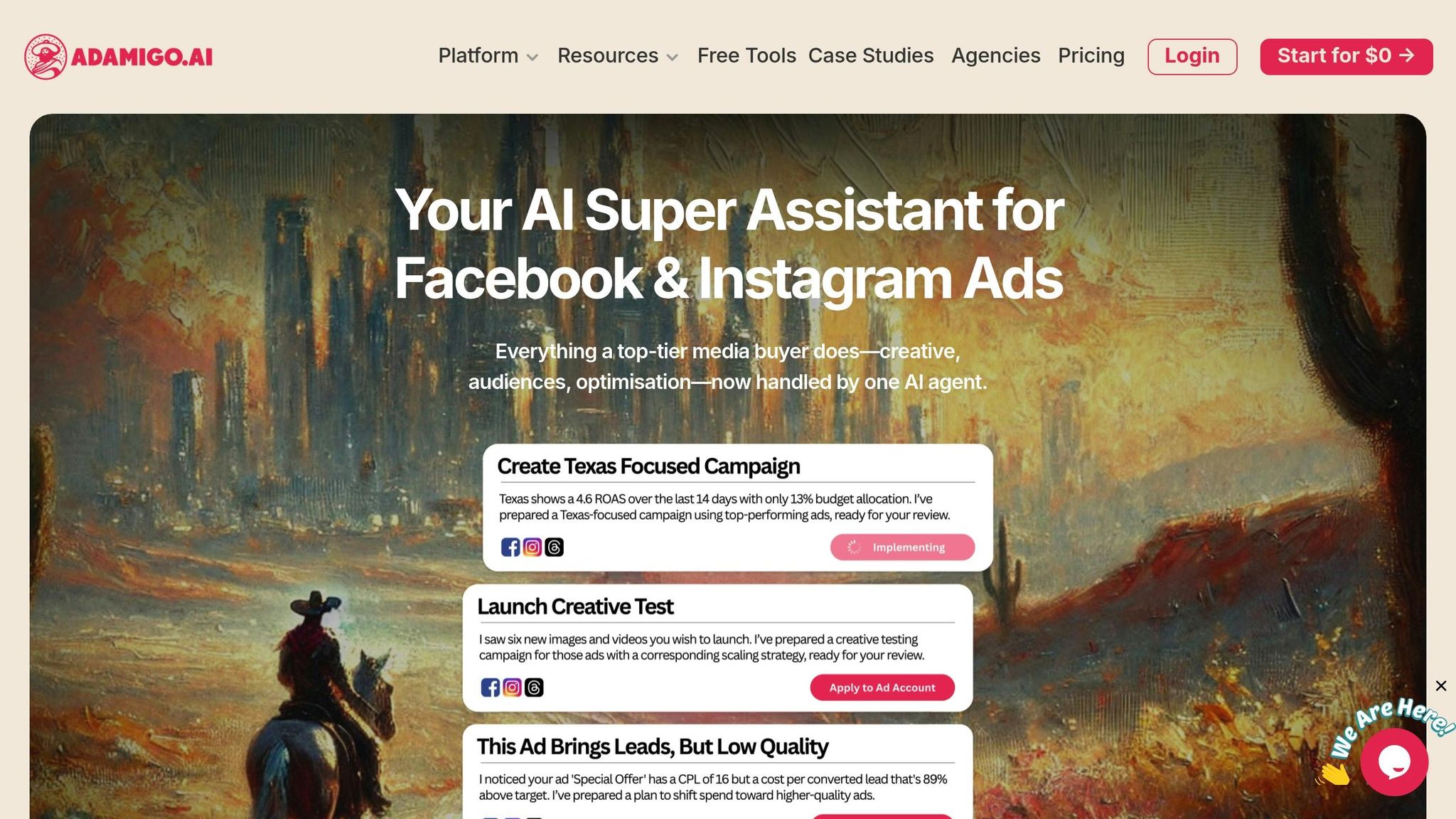
Objective selection still starts with the advertiser’s goal and measurement plan. AdAmigo.ai is an AI media-buying platform for Meta and Google Ads that helps businesses and agencies create ads, build and launch campaigns, monitor accounts and optimize paid media, with options for approval or autopilot. Its automation tools support campaign management; they do not replace choosing the business outcome and KPI.
How AdAmigo.ai Simplifies Objective Selection
Before using any campaign-management software, state the outcome and KPI you want to protect. If revenue is your focus, review the site’s ROAS guidance and set a target that fits your own business; a benchmark is context, not a guaranteed result.
Creative development and audience planning are separate from objective choice. For related reading, see the guide to creative scaling.
Audience planning is a separate task from choosing an objective. This comparison of AI and manual audience creation covers that distinct decision.
Scaling Performance with AI Optimization
For live campaigns, AdAmigo.ai supports account monitoring and paid-media optimization. Keep the selected business KPI in view when considering changes to bid rules or budgets; no optimization method guarantees a specific return.
G2 hosts user reviews of AdAmigo.ai. Individual customer accounts on the AdAmigo.ai reviews page are anecdotes, not general performance benchmarks.
The platform offers options for user approval or autopilot. Set account limits and evaluate changes against the campaign’s chosen conversion event and KPI.
If you use AdAmigo.ai, set your campaign KPIs and guardrails before launch; this guide to setting Meta ad guardrails explains the related planning step.
Conclusion: Key Takeaways for Choosing Meta Ad Campaign Objectives
Before launch, confirm that the campaign objective, destination, performance goal and reporting KPI all refer to the same business result.
Use the funnel as planning context, not as a fixed objective map. If you build a follow-up audience from engagement, treat that as a separate campaign decision; this guide to audience segmentation covers that next step.
Report the metric that matches the selected result. For guidance on interpreting campaign data, see Meta ads audience metrics, benchmarks by objective and placement, and the guide to measuring ad return.
If the business outcome has not changed, inspect tracking, destination, audience and creative before assuming a different objective is the answer.
Campaign-management software does not determine the right objective: choose it for your desired outcome, then measure the matching event. See this comparison of AI and human campaign management.
Automation does not remove the need to check that the selected objective still matches the result you are measuring; see the Meta ads automation guide for related workflow considerations.
An objective is an optimization choice, not a performance guarantee. Judge it against the business result you selected and the event data your account can reliably measure.
Use the same check when reviewing a live campaign: is Meta optimizing for the action you want, and does your reporting measure that action?
FAQs
How do I select the right Meta ad campaign objective to match my business goals and audience?
Name the result first: Awareness for reach or recall, Traffic for destination visits, Engagement for an interaction, Leads for contact details, App Promotion for installs or app actions, and Sales for purchases or another conversion. Then check the destination and specific performance goal available in Ads Manager. “Conversions” is not one of the six current objective names; choose Sales or Leads according to the result you need.
What mistakes should I avoid when choosing objectives for a Meta ad campaign, and how can I make better decisions?
Avoid choosing an objective that measures a different action from the one your business needs. For example, Traffic is for destination visits; if you want purchases or leads, choose the objective and performance goal that match that conversion, then confirm its event is recorded.
If results are weak, first check whether the selected event is recording, the destination loads, and the reporting metric matches the objective. Consider changing an objective only when the business outcome itself has changed; compare tests against the same primary KPI.
How can AI tools like AdAmigo.ai improve the performance of my Meta ad campaigns?
AdAmigo.ai is an AI media-buying platform for Meta and Google Ads. It helps businesses and agencies create ads, build and launch campaigns, monitor accounts and optimize paid media, with options for user approval or autopilot. These capabilities can support execution, but the campaign objective should still be selected for the advertiser’s business outcome and measured event.