Meta's Brand Rights Protection: What You Need to Know
Meta's Brand Rights Protection detects counterfeit ads and stops impersonation on Facebook and Instagram — but it has real-world pitfalls you need to know.
Meta's Brand Rights Protection tool helps businesses safeguard their trademarks and intellectual property across Facebook and Instagram. Here's what you need to know:
Purpose: Designed to detect and report intellectual property violations like counterfeit products, fake accounts, and scam ads.
Eligibility: Requires a registered trademark, a Meta Business Suite account, and a clean compliance record.
Key Features:
AI-powered automation for cross-platform searches for violations in Ads, Commerce, Accounts, and Posts.
A Reference Library for uploading up to 200 brand images to improve detection.
Expanded reporting options for scams and impersonation.
How It Works: Upload trademarks, logos, or packaging images. Use the dashboard to monitor, report, and track violations efficiently through the Meta copyright review process.
Compliance: Only verified brand representatives can apply and manage reports.
This tool is a centralized way to protect your brand identity, reduce fraud, and maintain customer trust on Meta's platforms. For long-term protection, businesses should follow a comprehensive copyright compliance guide to avoid accidental violations.
The stakes are real: social media scams cost Americans $2.1 billion in 2025 — a nearly eightfold increase since 2020, with nearly 30% of scam victims saying it started on social media, according to the FTC. Brand Rights Protection exists to close that door on Meta's platforms.
How to Stop Your Competitors from Copying Your Facebook Ads!
Competitors cloning your Facebook ads isn't just frustrating — it diverts your audience, dilutes your brand, and wastes the ad spend you invested in testing winning creatives. Brand Rights Protection gives you a direct line of defense.
Here's how it works against ad copycats:
1. Upload your creatives to the Reference Library. The Reference Library acts as a digital fingerprint for your brand assets. Upload your logos, product shots, packaging designs, and even high-performing ad creatives — up to 200 images. Meta's AI scans ads across Facebook and Instagram for visual matches, flagging copycat ads that use your protected imagery.
2. Search by screenshot for visual matches. Spotted a competitor ad that looks like yours? Take a screenshot and upload it directly into the Brand Rights Protection search tool. Meta's AI cross-references the image against its ad library and surfaces any ads with matching visual elements — no keyword guessing required.
3. File a takedown under the right violation type. Once a copycat ad is identified, report it under the appropriate category: Trademark (if they're using your brand name or logo), Copyright (if they've lifted your original images or video), or Counterfeit (if they're selling knockoffs of your products). The more precise your report, the faster Meta processes it.
4. Save your searches for ongoing monitoring. If a competitor has a pattern of copying your ads, save your brand-name and product-name searches. With one click, you can re-run them weekly and catch new infringements early — before they steal meaningful impressions.
The key takeaway: Brand Rights Protection isn't just for Fortune 500 trademark enforcement. It's your frontline tool when a competitor screenshots your winning ad, tweaks the logo, and runs it as their own. The Reference Library is what makes that detection possible at scale.
Who Can Use Brand Rights Protection
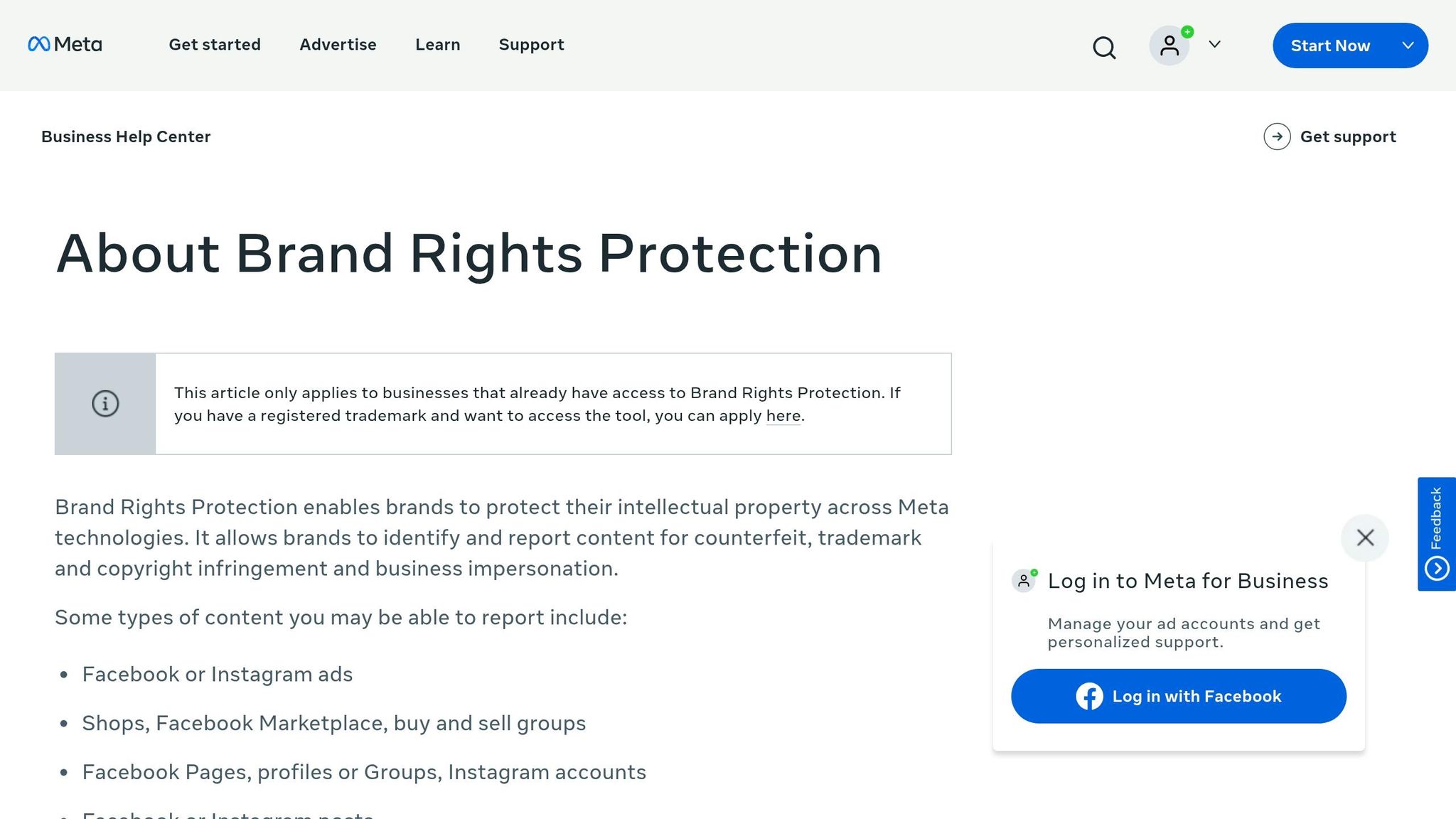
Meta doesn't open the doors of its Brand Rights Protection to just anyone — though third-party services like blockchain-based content verification platform ScoreDetect offer alternative paths for digital asset protection. To use Meta's tool, your business must meet specific eligibility requirements. It's tailored for established brands that have secured formal intellectual property protections.
Business Manager Account and Trademark Registration
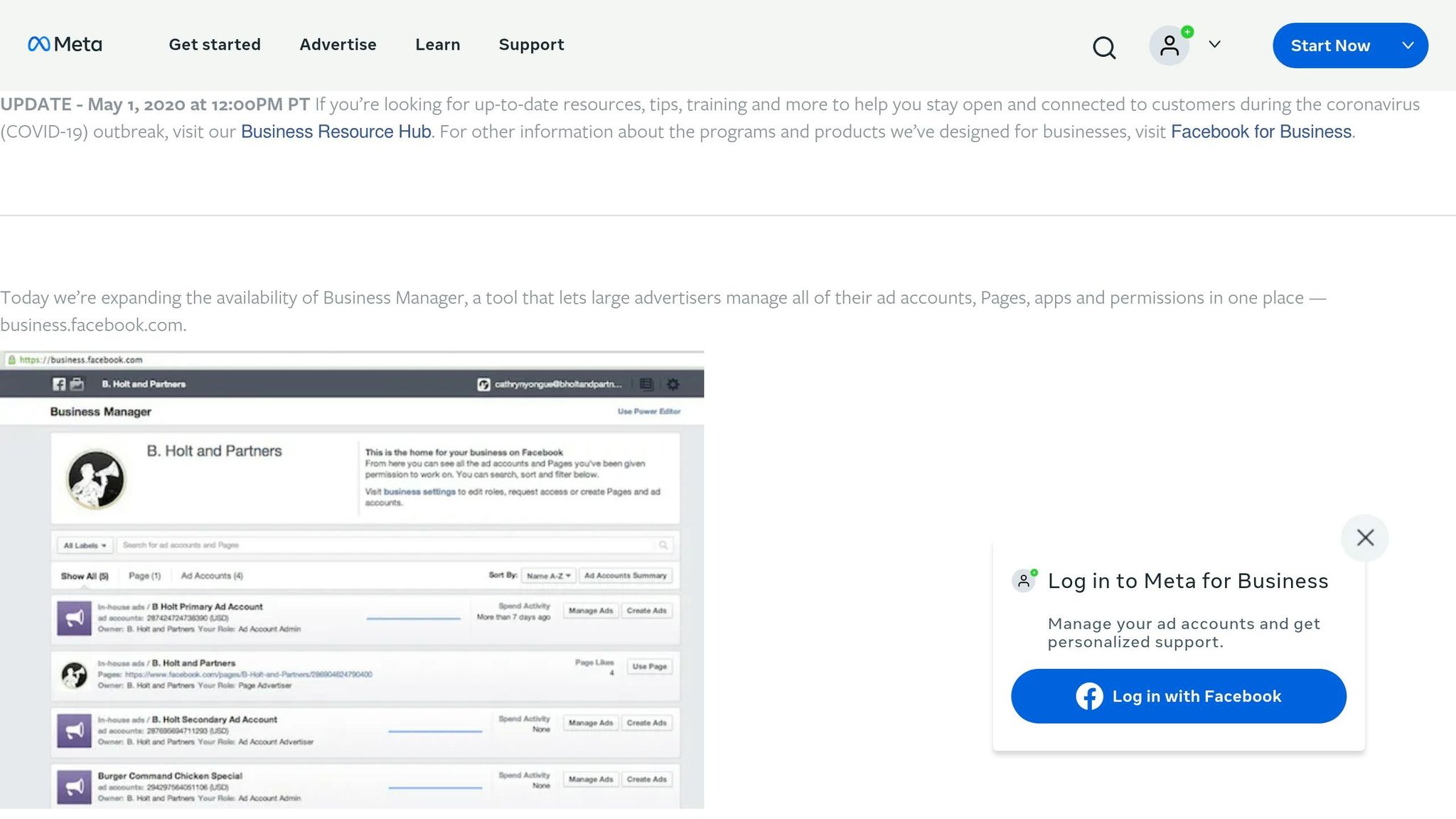
To start, your business must have an active Meta Business Suite account, which can be audited using AI tools for Meta ad account analysis. This is where the Brand Rights Protection tool lives, so without it, you won't even be able to begin the application process.
A registered trademark is mandatory. This can be a text-based trademark (like your brand name) or an image-based one (such as your logo). However, the trademark must be officially registered with the appropriate national or regional office — it cannot simply be pending or under review.
"Your business must own an active trademark. ... If you run a smaller business, or your business has never bothered to register a trademark for your name, you are out of luck." - Sue Serna, Social Media Expert, Serna Social
If your business doesn't have a registered trademark, you'll be unable to access the automated Brand Rights Protection tool. Instead, you'll have to rely on Meta's standard, manual intellectual property reporting forms. Beyond this, your business must also maintain clean compliance records on Meta's platforms.
Compliance with Meta Policies

Meta requires businesses to have a spotless compliance record to qualify. If your business has violated Meta's intellectual property policies in the past, your application will be denied. Meta enforces these rules strictly, as evidenced by its removal of millions of infringing items in 2024. Businesses granted access to the tool are expected to uphold these standards and respect intellectual property rights. Brands can further protect their presence by using AI agents to test creatives within established brand guardrails. Setting these guardrails for Meta ads ensures that automated tools don't overstep while protecting your intellectual property.
Authorized Representative Status
Only verified employees of the brand or business can apply for access. Once granted, you can assign specific team members as "IP Reviewers" through your Business Manager settings. These reviewers are the only ones authorized to file takedown requests, ensuring accountability and preventing misuse of the tool.
Main Features of Brand Rights Protection
The Brand Rights Protection tool in Meta's ecosystem offers a centralized way to monitor, report, and track intellectual property violations across Facebook and Instagram. Through the Meta Business Suite dashboard, brands can address safety concerns efficiently by following a compliance checklist. Here's a closer look at some of the standout features, including cross-platform searching and advanced tools for detecting violations.
Cross-Platform Search and Matching
With this tool, you can search multiple areas of Meta's platforms — like Ads, Commerce (Shops and Marketplace), Accounts (Pages and Profiles), and Posts — without the hassle of re-entering search terms. Searches can be conducted manually using keywords, trademarks, or even by uploading screenshots to locate visual matches.
Meta's AI takes things further by analyzing your reporting history and reference assets. It learns from your activity, helping flag potential violations more accurately. You can also save commonly used search terms and filters, making it easier to stay on top of monitoring. These saved searches are tailored to individual users within your Business Manager account, adding a layer of personalization and account security.
Reference Library (Up to 200 Images)
The Reference Library acts as a digital fingerprint for your brand. You can upload up to 200 images, such as logos, product shots, or packaging designs, to create a searchable database. Meta's system then scans its platforms for content that matches these images.
For the best results, upload high-quality, full-size images. Including variations — like different color schemes, packaging updates, or seasonal designs — can widen the scope of detection. Any flagged matches will appear in a dedicated "Matches" tab, making it easy to review and take action.
Additional Violation Reporting Options
In addition to automated matching, Meta provides expanded reporting capabilities. A new "Other" violation category allows you to address scam ads that exploit your brand's reputation, even if they don't directly use your trademarks or copyrighted materials. This feature is particularly useful for tackling misleading promotions at scale.
The tool also includes an Intellectual Property Reporting Center, where multiple users within your Business Manager can access the full reporting history and track takedown requests in one place.
Rights Manager: How It Differs from Brand Rights Protection
Brand Rights Protection and Rights Manager are often mentioned together, but they serve different purposes — and knowing which one to use can save you hours of misdirected effort.
Feature | Brand Rights Protection | Rights Manager |
|---|---|---|
Primary use case | Trademark and IP violations across Ads, Commerce, Accounts, and Posts | Copyrighted video and image content across Facebook and Instagram |
Who it's for | Brands with registered trademarks | Creators, publishers, media companies, and brands with original video/IP |
Key capabilities | Cross-platform search, Reference Library matching, takedown requests for counterfeit/impersonation/scam ads | Bulk action tools, automatic content blocking, content-level usage tracking, image attribution (adds ownership links to flagged content) |
Detection method | Manual search + AI matching against reference images | Automated content fingerprinting and matching at upload time |
Best for | Stopping counterfeit product listings, impersonation accounts, and scam ads that misuse your brand | Protecting original video content from unauthorized reuploads and claiming ad revenue on matched content |
When to use Rights Manager instead: If your primary concern is other Pages re-uploading your original video ads, product demos, or branded content, Rights Manager is the better fit. Its automatic blocking and bulk-action tools are built for content-level enforcement at scale — you upload a reference video once, and Rights Manager catches new uploads of that content across Facebook and Instagram automatically.
When to use both: Larger brands and agencies often run both tools in parallel. Brand Rights Protection handles trademark infringement and counterfeit goods; Rights Manager protects original video and image content from unauthorized use. They complement each other — and both live inside your Meta Business Suite.
Violation Type | What It Covers |
|---|---|
Trademark | Unauthorized use of brand names, logos, or slogans that may confuse consumers |
Copyright | Unauthorized use of original works such as images, videos, or text |
Counterfeit | Promotion or sale of goods using trademarks without authorization |
Impersonation | Fake accounts or Pages posing as official business representatives |
Scams (New) | Deceptive ads exploiting brand names to steal money or information |
How to Use the Brand Rights Protection Tool
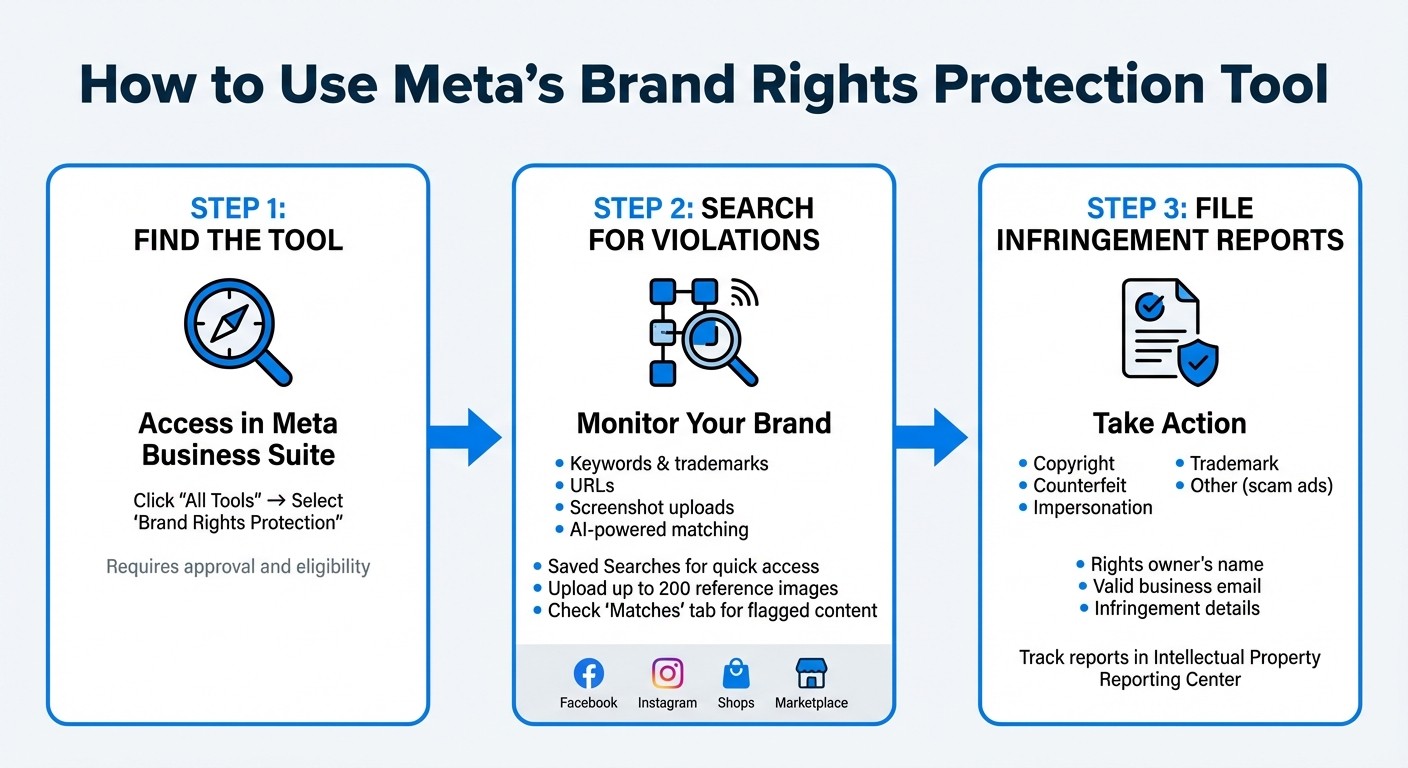
How to Use Meta's Brand Rights Protection Tool: 3-Step Process
Finding the Tool in Business Manager
To locate the Brand Rights Protection tool in Meta Business Suite, click on the "All Tools" icon in the side rail menu and choose "Brand Rights Protection" from the list. Keep in mind, access to this tool requires an application and approval, and you'll need to meet the eligibility criteria outlined earlier.
Once approved, you'll have the ability to search for violations across Facebook, Instagram, Shops, and Marketplace — all from a single dashboard. This centralized control is similar to how AI-powered ad strategies manage campaign performance. After gaining access, follow the steps below to search for violations and file infringement reports.
Searching for Violations
You can search for violations using a variety of methods, including keywords, trademarks, URLs, or by uploading screenshots to find visual matches. To make daily monitoring easier, use the Saved Searches feature. This allows you to set up your most frequently used brand terms and trademark variations, which can then be reused with a single click. Keep in mind, saved searches are specific to each user and won't sync across your team.
For more automated detection, upload high-quality reference images to your library. Meta's AI uses these images, along with your reporting history, to identify potential violations. Any flagged matches will appear in a dedicated "Matches" tab. Once you've identified potential violations, you can move forward with filing a detailed infringement report.
Filing Infringement Reports
After identifying a violation, carefully inspect it and submit a takedown request. The tool organizes violation types into sub-tabs such as Copyright, Counterfeit, Impersonation, Trademark, or "Other" (for scam ads that misuse your brand's name without directly infringing on intellectual property).
Each report must include the rights owner's name, a valid business email address, and specific details about the infringement. If you're filing on behalf of a client, make sure to include the client's organization name. Since Meta shares your name and email with the individual who posted the content, it's best to use a professional email address for all reports.
You can monitor your submitted reports through the Intellectual Property Reporting Center. This dashboard lets you check status updates and view your reporting history. Meta provides detailed status notes to keep you informed about how each case is being handled.
"These updates further empower businesses to take control of how their brand is used and help protect people from harmful or misleading experiences." – Meta
How to Protect Your Brand on Meta
Keeping your brand safe on Meta goes beyond automated systems. It demands a hands-on approach with robust security measures and constant oversight.
Securing Your Account
Start by safeguarding the personal profiles tied to your Meta account. Since tools like Business Manager and Brand Rights Protection are accessed through individual Facebook profiles, your brand's security hinges on how well your employees protect their accounts.
"Companies are only as safe as their employees' personal Facebook passwords" - Sue Serna, Social Media Expert, Serna Social
Here's how to strengthen that security:
Enable two-factor authentication on every personal profile linked to your Business Manager.
Use strong, unique passwords that aren't reused across other platforms.
Add multiple administrators to ensure you maintain access and control during transitions.
Assign IP Reviewers in Business Manager to handle takedown requests efficiently.
Regular Monitoring and Reporting
Frequent monitoring with Meta's tools is key to spotting and addressing potential threats quickly. To make the most of these tools, ensure you've completed the setup process:
Accept the Terms of Use.
Assign IP Reviewers.
Add your registered trademarks to the Reference Library.
Upload up to 200 high-resolution reference images (a big upgrade from the previous limit of 50).
Create an "allow list" for trusted partners to prevent legitimate content from being flagged.
For even more control, use features like Saved Searches and the Intellectual Property Reporting Center to identify and resolve violations swiftly.
Using AI Tools for Brand Consistency
Consistency is essential for maintaining your brand's identity, especially in advertising. AI tools like AdAmigo.ai can help by analyzing your top-performing ads and generating new creatives that align with your established visual and verbal style.
Instead of manually reviewing every ad, AdAmigo's AI Chat Agent allows you to set brand guidelines once. From there, the system automatically applies these rules to all new creatives. It also optimizes targeting, budgets, and bids, ensuring your campaigns remain consistent as they grow. For agencies juggling multiple clients, this tool lets media buyers manage more accounts while keeping brand standards intact.
Real-World Pitfalls & What to Watch For
Brand Rights Protection is powerful, but it's not a set-it-and-forget-it system. Practitioners who've used the tool — and those who've been burned by it — point to several pitfalls that don't appear in Meta's official documentation.
The Personal-Profile Security Problem
Brand Rights Protection lives inside Business Manager, which lives inside a personal Facebook profile. That means your brand's entire IP enforcement apparatus is only as secure as your employees' personal Facebook passwords. If an employee's personal account is compromised, an attacker can potentially access your Business Manager — including your Brand Rights Protection settings, reference assets, and reporting history.
The fix is non-negotiable: require two-factor authentication on every personal profile with Business Manager access, enforce strong unique passwords, and audit linked profiles quarterly. If an employee leaves, remove their access immediately — not just from Business Manager, but confirm their personal profile is no longer an admin.
Admin Succession: Don't Let One Person Own Everything
Here's a scenario that plays out more often than it should: the marketing director who set up Brand Rights Protection leaves the company, and nobody else has admin access. The takedown requests stall, the Reference Library goes unmanaged, and if that person's profile is deactivated, the brand may need to reapply from scratch.
Prevent this by:
Adding at least two admins to your Business Manager — never a single point of failure.
Using a shared business email (like
brand-protection@yourcompany.com) as the primary contact, not an individual's work address.Documenting your Brand Rights Protection setup: which trademarks are registered, which reference images are uploaded, and which saved searches are running.
Reviewing admin access quarterly — people change roles, and stale permissions are a liability.
Multi-Brand Complexity for Agencies and Holding Companies
If you manage multiple brands — whether as an agency, a holding company, or a DTC operator with several storefronts — Brand Rights Protection doesn't consolidate across Business Managers. Each brand with a separate Business Manager needs its own application, its own trademark verification, and its own Reference Library.
This gets cumbersome fast. An agency managing 15 e-commerce brands may need to file 15 separate Brand Rights Protection applications, maintain 15 Reference Libraries, and train 15 sets of IP Reviewers. There's no agency-level dashboard that unifies them. Plan for this overhead: designate a point person per brand, build a shared playbook for filing takedowns, and set recurring calendar reminders to audit each account's Match tab.
Takedown Requests Aren't Instant
Meta's Brand Rights Protection marketing can create the impression that reporting a violation means swift removal. The reality: some takedown requests take days or weeks to process, and not all are approved. Meta reviews each report individually, and reports with vague descriptions or weak evidence are more likely to be rejected.
Set expectations internally: Brand Rights Protection is a monitoring and enforcement tool, not an emergency kill switch. If a counterfeit ad is actively burning your brand reputation during a product launch, the takedown timeline may not match the urgency. In those cases, supplement with direct outreach to Meta's advertiser support channels and consider legal escalation for high-stakes infringements.
Keep Your Own Records
Meta's Intellectual Property Reporting Center provides a dashboard of your takedown history, but it shouldn't be your sole record. Meta can change its UI, archive older reports, or — in rare cases — suspend Business Manager access during disputes.
Export or screenshot every successful takedown confirmation. Keep a simple log: date reported, violation type, the infringing URL or ad ID, and the outcome. This becomes invaluable if you need to demonstrate a pattern of infringement for legal action, or if a repeat infringer disputes a takedown and you need to show history.
What to Do When a Takedown Request Fails
Not every takedown request gets approved. Meta reviews each report individually, and rejections happen — sometimes for valid reasons (insufficient evidence, unclear rights ownership), and sometimes with little explanation. Here's the escalation path when a request comes back denied.
Step 1: Re-Submit with Stronger Evidence
A denial doesn't mean the case is closed. Re-file the takedown request with more detail:
Include the exact trademark registration number and jurisdiction, not just the brand name.
Upload a side-by-side comparison showing your original asset and the infringing content.
Add a written explanation of how the violation confuses consumers or damages your brand — don't assume the reviewer will infer it.
If the violation is a counterfeit product, include photos showing differences between your genuine product and the knockoff.
Step 2: Use Alternative Reporting Channels
If Brand Rights Protection's automated takedown path isn't working, try these alternatives:
The standalone IP Reporting Form (accessible without Brand Rights Protection access) — sometimes reports filed through this channel get different reviewer attention.
Ad reporting — if the infringement is a paid ad, use the in-ad reporting menu ("Report Ad") and select the IP violation option.
Meta's Commerce & Ads IP Reporting tool — separate from Brand Rights Protection, this tool is specifically designed for reporting IP violations in Shops and Marketplace listings.
Step 3: Escalate Through Meta Support
If you have a Meta account representative or access to direct support (typically available to higher-spend accounts), escalate the denied takedown through that channel. A support contact can sometimes flag reports for re-review by a senior team. Provide your original report reference number so they can locate the case.
Step 4: Know When to Involve Legal Counsel
If the infringement is causing measurable financial damage — lost sales from counterfeit products, customer confusion impacting your brand reputation, or a competitor systematically cloning your ad creative — and Meta's takedown process isn't resolving it, involve legal counsel. An attorney can:
Send a formal cease-and-desist letter directly to the infringing party.
File a DMCA takedown notice (for copyright violations) through channels outside Meta's reporting system.
Pursue legal remedies including damages if the infringement constitutes willful trademark counterfeiting.
The threshold question: is the cost of inaction higher than the cost of legal involvement? For a one-off impersonation account, probably not. For a counterfeit ring systematically selling knockoffs of your best-selling product under your brand name and running ads against your audience — the math changes fast.
Conclusion
Meta's Brand Rights Protection program uses advanced AI detection and streamlined tools to help safeguard your brand's identity across Facebook and Instagram. By centralizing brand monitoring, it allows businesses to quickly identify and address violations in Ads, Commerce, and Posts. With AI capable of processing up to 200 reference images, Meta successfully removed over 157 million infringing ad pieces in 2024 alone.
To get the most out of this program, follow the Protect, Monitor, Resolve approach. Start by uploading high-quality reference images, assigning dedicated IP reviewers, and creating an "allow list" for trusted partners. Regularly review your Matches tab to identify potential violations. The more you engage with the system — through takedown requests and image uploads — the better it becomes at identifying and addressing infringements.
Brand protection isn't just about legal safeguards; it's also about maintaining performance. Counterfeit ads and impersonation accounts steal impressions, erode customer trust, and drag down your ROAS. Every dollar a scammer spends on a counterfeit ad targeting your audience is a dollar that could have gone to your legitimate campaigns. Pairing Meta's tools with AI tools for Meta ads like AdAmigo.ai ensures your campaigns stay on-brand, consistent, and optimized. AdAmigo.ai automates brand compliance monitoring and conversion optimization, while its 24/7 AI monitoring catches spend anomalies that can signal brand abuse — giving you more time to focus on strategy.
Finally, make sure your ad accounts are built on a solid foundation. Staying current with Meta ad policy compliance strategies helps prevent the kind of account disruptions that leave your brand exposed. Take action today to secure your brand and stay ahead of the competition.
FAQs
How do I apply for Meta Brand Rights Protection?
To apply for Meta's Brand Rights Protection, navigate to your Meta Business Suite, click "All Tools" in the side rail, and select "Brand Rights Protection." From there, you'll go through an application process that verifies your registered trademark, Business Manager account standing, and compliance history. Approval is not automatic — Meta reviews each application, and businesses with prior IP policy violations are typically denied. Once approved, you can assign IP Reviewers and begin uploading reference assets.
What if I don't have a registered trademark yet?
Brand Rights Protection requires a registered trademark — there's no way around it. If your trademark is still pending or you haven't registered one, you won't qualify for the automated tool. That said, you're not completely without options:
Use Meta's manual IP reporting forms to report individual trademark or copyright violations as you find them.
Report scam ads and impersonation accounts through the standard reporting menus on Facebook and Instagram — these don't require a trademark.
Prioritize getting your trademark registered. The sooner you file, the sooner you can apply for full Brand Rights Protection access.
Will Meta share my contact info when I report an infringement?
When you file a takedown request through Brand Rights Protection, Meta shares your name and the business email you provide with the person or Page you're reporting. This is standard across Meta's IP reporting systems and is designed for transparency — the reported party has a right to know who filed the claim. For this reason, always use a professional or shared business email address (not your personal email) when submitting reports.