
Meta Ads CLI vs AdAmigo Bulk Launcher
Compare developer-focused CLI automation with a marketer-friendly no-code bulk ad launcher to choose the right workflow for your team.
When choosing between Meta Ads CLI and AdAmigo Bulk Launcher for launching Meta ads, the decision hinges on your team's technical skills and workflow preferences. Here's a quick breakdown:
Meta Ads CLI: A command-line tool released on April 29, 2026, designed for developers and technical teams. It uses YAML/JSON configurations and automates ad management via scripts. Ideal for teams treating ads like code, it offers high control but requires technical expertise, API setup, and troubleshooting.
AdAmigo Bulk Launcher: A visual tool for marketers and agencies. It simplifies ad creation with a browser-based interface, Google Drive integration, and AI-powered variations. Perfect for non-technical users, it focuses on speed and ease of use without requiring coding, making it an essential tool for scaling Meta ads with bulk launching.
Quick Comparison
Feature | Meta Ads CLI | AdAmigo Bulk Launcher |
|---|---|---|
User | Developers, growth engineers | Marketers, agencies |
Interface | Command-line (YAML/JSON) | Visual, browser-based |
Setup | Requires API and coding | No technical setup |
Technical, script-based | Built-in, fast | |
Lead Forms/WhatsApp/Messenger | Limited support | Fully integrated |
Creative Adjustments | Manual setup | Automated adjustments |
Best For | Code-driven teams | Non-technical teams |
If your team includes developers and prioritizes automation, Meta Ads CLI is a strong fit. For marketers needing a fast, no-code solution, AdAmigo Bulk Launcher is the better option.
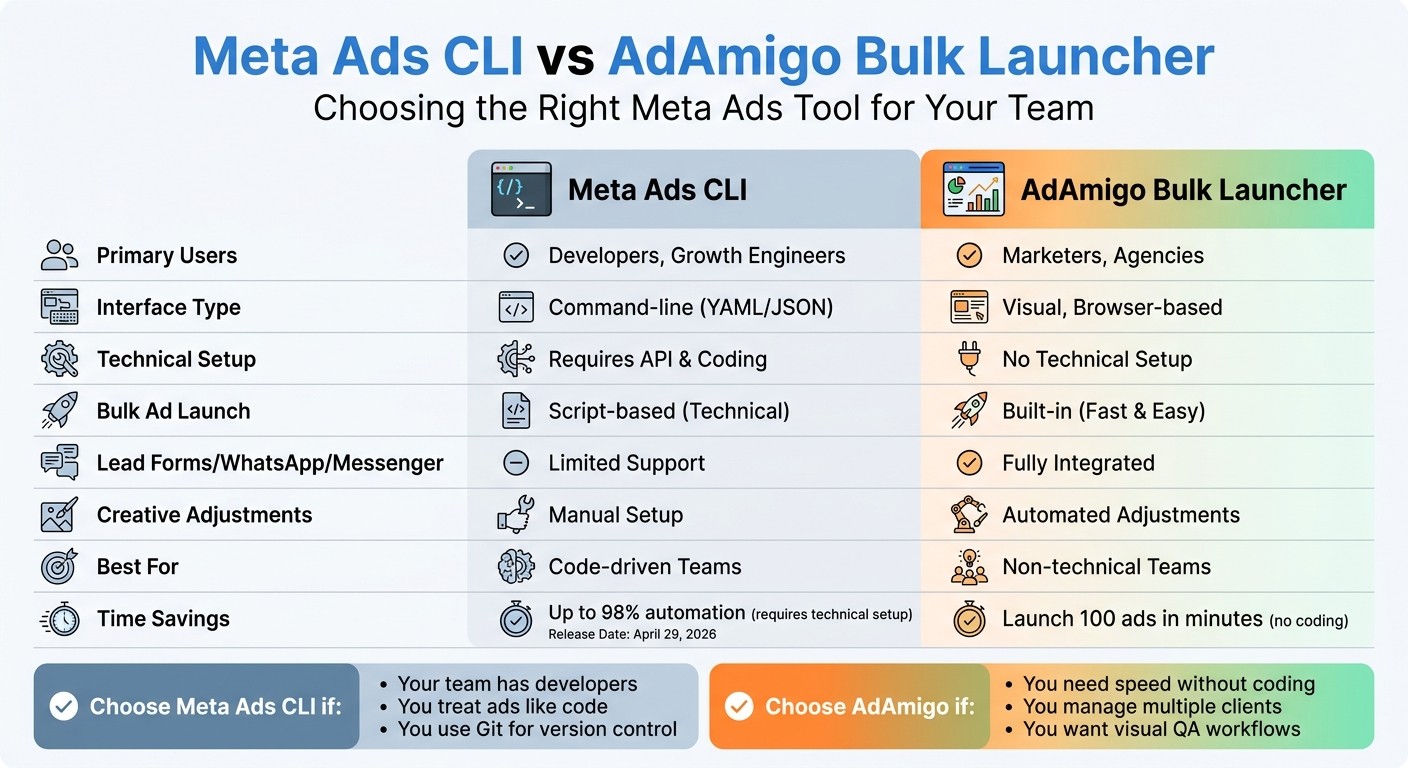
Meta Ads CLI vs AdAmigo Bulk Launcher: Feature Comparison Chart
How To 100% Automate Your Meta Ad Builds Using N8N (free template)
What Is Meta Ads CLI?
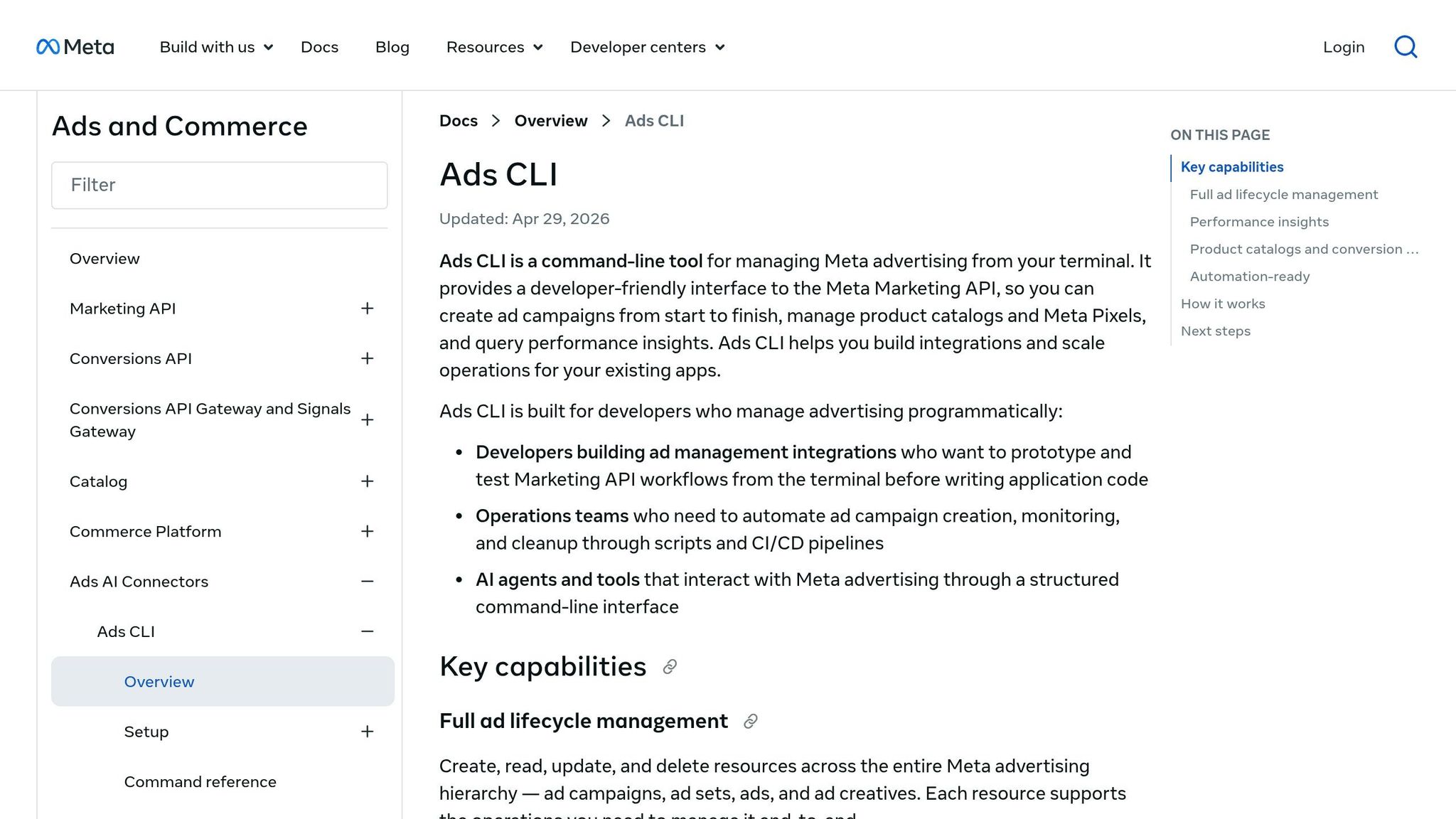
Meta Ads CLI is a command-line tool designed to help developers manage Facebook and Instagram ad campaigns directly from a terminal. Instead of relying on a graphical user interface (GUI), users interact with the tool through YAML or JSON files.
Powered by the Meta Marketing API, the CLI automates the entire campaign setup process. This includes uploading images, creating campaigns, configuring ad sets with targeting and budgets, and generating ad creatives. It's based on the concept of "Advertising as Code" (AaC), where campaigns are treated like software infrastructure. For tech-savvy teams, this approach simplifies automation for complex campaigns.
Meta officially launched the CLI on April 29, 2026. It's optimized for integration with AI tools like Claude Code and Cursor. The tool supports workflows such as validating configurations, running dry runs to preview changes, and deploying campaigns in a "PAUSED" state for final manual review.
However, using Meta Ads CLI requires some technical setup. You’ll need Python or Node.js installed, a Meta Developer App created, and API tokens that must be renewed every 60 days. As Attainment Labs puts it:
"Meta Ads Manager is slow. Clicking through 15 screens to launch a campaign is a waste of time when you already know what you want to run".
The CLI addresses this inefficiency by offering precise, code-driven control.
Who Should Use Meta Ads CLI?
Meta Ads CLI is tailored for technical teams who are comfortable working with terminal commands and code-based workflows. This includes developers, growth engineers, technical media buyers, and teams building custom tools for campaign management.
If you’re familiar with command-line tools, configuring environments (like Node.js or Python), and working with JSON or YAML files, the CLI can be a powerful tool. It’s especially useful for teams that store campaign configurations in Git repositories, enabling peer reviews through pull requests and quick rollbacks if needed. Automating bulk operations with the CLI and API can reduce time spent on repetitive tasks by up to 98%. For teams already immersed in code-driven processes, the precision and efficiency of the CLI are game-changing.
That said, this tool isn't for everyone, as it does come with some limitations.
What Meta Ads CLI Doesn't Do Well
While Meta Ads CLI offers precise control, its technical nature can be a barrier for non-developers.
The setup process is not straightforward. Users must create a Meta Business App, configure system users, and handle authentication using OAuth or long-lived access tokens. Setting up the official CLI involves navigating a multi-step process, including assigning scopes to system users. Additionally, campaigns, targeting, and ad details must be defined in YAML or JSON formats. For those unfamiliar with coding, syntax errors can be a common frustration. Errors like API rate limits ("Error 17") may also require advanced troubleshooting techniques, such as exponential backoff.
As Clare Digital notes:
"The cumulative friction of a click‐based workflow creates a ceiling on how many campaigns you can manage well".
While the CLI eliminates the inefficiency of a GUI, it shifts the challenge to coding. For marketers, creative teams, or agencies that rely on visual QA and client-friendly workflows, the steep learning curve can be a dealbreaker.
What Is AdAmigo Bulk Launcher?
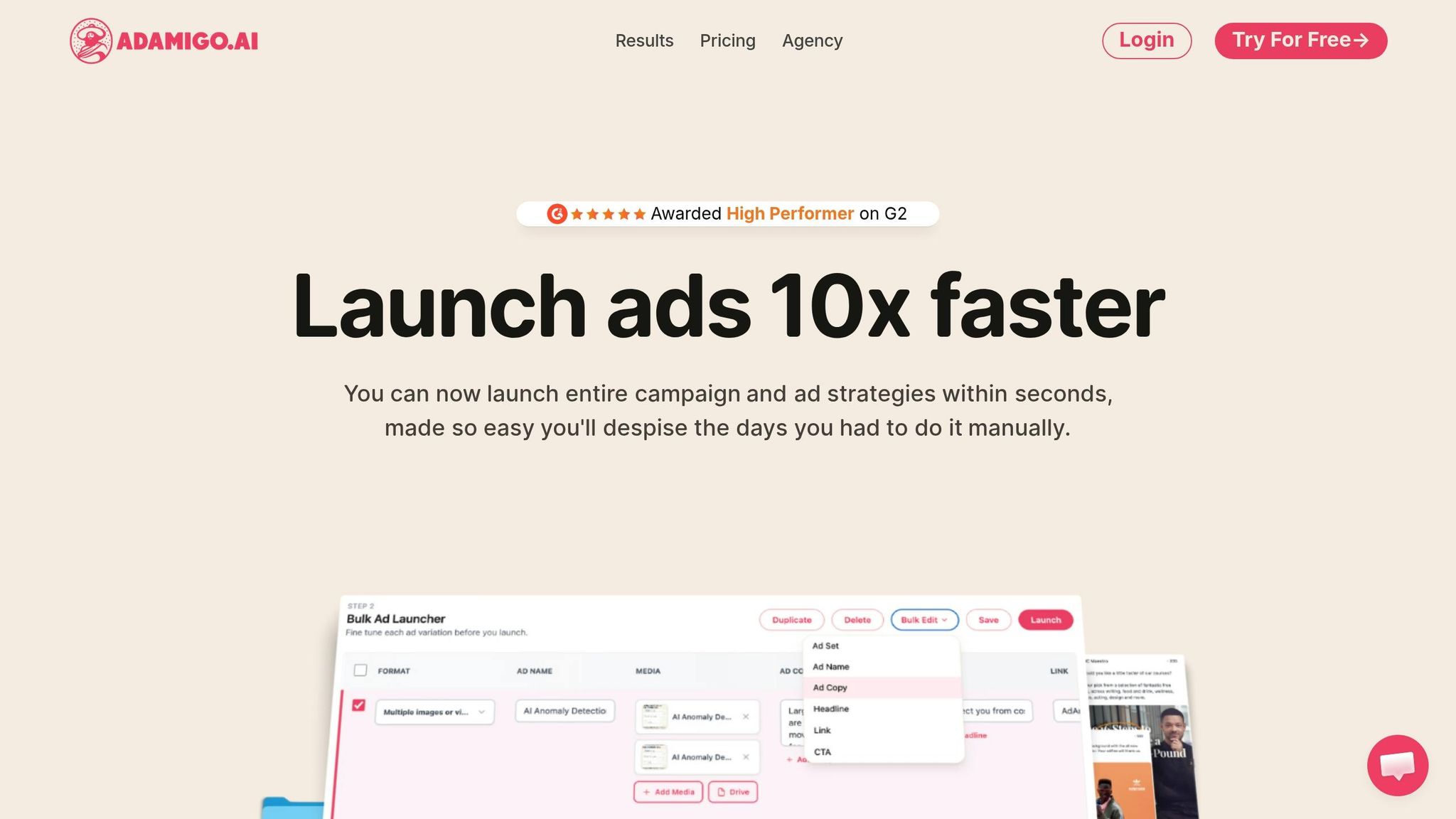
AdAmigo Bulk Launcher is a user-friendly tool that helps marketers launch hundreds of Meta ads in just a few minutes. By uploading creatives from Google Drive and entering campaign details, the platform takes care of the rest - creating ad copy, structuring campaigns, and deploying them directly to your Meta account.
This tool is all about speed and simplicity. You don’t have to worry about setting up environments, managing API tokens, or dealing with syntax errors. Everything happens through an easy-to-use browser interface. Let’s break down what it offers.
What AdAmigo Bulk Launcher Does
AdAmigo Bulk Launcher streamlines the entire ad creation process, from uploading creatives to launching campaigns. It allows you to configure ad copy and headlines in bulk across multiple creatives, saving you from the tedious task of manual input. The tool supports various destinations, including URLs, lead forms, WhatsApp numbers, and Messenger, all without requiring custom scripts.
You can use this platform to add ads to existing campaigns and ad sets or create new ones instantly. It automatically formats and adjusts your assets for different placements, so your ads are ready for various formats without extra effort.
One standout feature is its AI-powered tool, which generates creative variations that align with your brand and even take cues from competitors. This means you can produce multiple headline and copy options without the hassle of writing them manually, all while maintaining consistent messaging.
Who Should Use AdAmigo Bulk Launcher?
AdAmigo Bulk Launcher is perfect for agencies managing multiple clients, small business owners, and in-house marketing teams that need a quick, coding-free way to launch ads. It’s especially useful for creative strategists, media buyers, or account managers who prefer focusing on strategy rather than technical setup.
Agencies will appreciate how easy it is to share workflows with clients before ads go live. For eCommerce and lead generation teams, this tool’s ability to launch dozens of ad variations in minutes accelerates creative testing, helping you find the best-performing ads faster.
Meta Ads CLI vs AdAmigo Bulk Launcher: Feature Comparison
When it comes to Meta Ads CLI and AdAmigo Bulk Launcher, the key differences boil down to the type of user and the workflow they need. Meta Ads CLI is designed for developers and growth engineers who thrive on technical control, while AdAmigo Bulk Launcher caters to marketers and agencies with a user-friendly, visual interface that eliminates the need for coding.
Chris Pollard, the Founder of Ads Uploader, sums it up well:
"Ads Manager is a GUI. Our CLI is a workflow. The difference is that a GUI optimizes for ease of initial use, while a workflow optimizes for consistency, safety, and speed at scale."
This quote highlights the fundamental distinction: Meta Ads CLI suits technical teams who treat ad campaigns like code, whereas AdAmigo is tailored for marketers who want to launch campaigns without touching a single line of code.
While the CLI offers impressive automation, cutting down repetitive tasks by up to 98%, it comes with a significant upfront investment. Teams must handle script development, API token rotation (Meta's long-lived tokens expire every 60 days), and error management, like dealing with "Error 17" rate limits. For non-technical marketers, this setup is often more trouble than it’s worth.
Here’s a side-by-side comparison of their features:
Comparison Table
Use Case | Meta Ads CLI | AdAmigo Bulk Launcher |
|---|---|---|
Technical scripting | Strong | Not the main use case |
Marketer-friendly UI | Weak | Strong |
Bulk launch many creatives | Possible, but technical | Built for it |
Lead forms/WhatsApp/Messenger | Not productized for marketers | Productized |
Depends on setup | Built into workflow | |
Agency workflow | Requires custom process | Built for agencies/media buyers |
If your team includes developers who prefer managing campaigns as code with tools like Git for version control, Meta Ads CLI might be a good fit. On the other hand, if your team consists of media buyers, creative strategists, and account managers, AdAmigo Bulk Launcher is the more practical choice. It is particularly effective for teams focused on scaling Meta ads ROAS without the technical overhead of a CLI.
Which Tool Should You Use?
Choosing the right tool depends heavily on your team's makeup and workflow needs. If your team includes engineers who prefer treating campaigns like structured data and using Git for version control, then Meta Ads CLI could be a solid fit. On the other hand, if your team is made up of media buyers, account managers, and creative strategists who need to work quickly without diving into code, AdAmigo Bulk Launcher is the way to go.
Let’s break down how these tools cater to the specific needs of agencies and eCommerce/lead generation teams.
For Agencies
Agencies will find AdAmigo Bulk Launcher a better match for their needs. It’s designed with client-facing workflows in mind, making it ideal for managing multiple accounts without requiring a team of developers. A single media buyer can handle 3–5 times more clients by automating repetitive tasks, freeing strategists to focus on growth and creative planning.
In contrast, Meta Ads CLI demands custom scripts and technical expertise for each client. While some tech-savvy agencies might manage this, the majority don’t have the resources to handle the added complexity. AdAmigo eliminates this hurdle with features like built-in visual QA, bulk launching, and support for lead forms, WhatsApp, and Messenger workflows - allowing agencies to scale without extra technical overhead.
For eCommerce and Lead Generation Teams
For eCommerce and lead generation teams, AdAmigo Bulk Launcher is the more practical option. Testing dozens of ads quickly is a necessity, but manually creating 100 ads in Meta Ads Manager can take 3–4 hours. Meanwhile, Meta Ads CLI requires a complex technical setup. AdAmigo simplifies this process, offering a no-code solution that streamlines creative uploads from Google Drive, inputting briefs, and launching campaigns quickly.
Lead generation teams, in particular, will appreciate AdAmigo’s tailored workflows for lead forms and messaging integrations. These features aren’t packaged for non-technical marketers in Meta Ads CLI. If your team prioritizes testing multiple creative variations, iterating quickly, and avoiding the technical challenges of command-line tools, AdAmigo Bulk Launcher is a clear choice.
Conclusion
Based on the detailed comparison above, the right choice comes down to your team’s technical skills and workflow needs. Meta Ads CLI is tailored for developers, growth engineers, and technical teams who prefer treating advertising like software. If your team is comfortable using Git for version control and working with YAML or JSON files in a terminal, this tool offers a high level of control. But keep in mind - it requires a more complex technical setup.
On the other hand, AdAmigo Bulk Launcher caters to marketers, agencies, and creative teams who want to launch multiple ads quickly without writing any code. Its visual interface, Google Drive integration, lead form workflows, and built-in messaging support simplify the process, allowing you to focus on strategy and creative experimentation.
For teams with developers ready to tackle custom automation and technical challenges, Meta Ads CLI could be a strong fit. However, if you’re a media buyer, account manager, or creative strategist who values speed and simplicity, AdAmigo Bulk Launcher is the more practical option. The best choice ultimately depends on your team’s technical expertise and how you prefer to work day-to-day.
FAQs
Do I need a developer to use Meta Ads CLI?
Meta Ads CLI isn't strictly reserved for developers, but it does cater to those with a technical background, especially those comfortable with command-line tools and Python scripting. For marketers or creative teams without technical expertise, this tool might feel a bit daunting. If you're looking for a simpler, more visual way to handle bulk ad launches and management without diving into scripts, platforms like AdAmigo Bulk Launcher can be a much better fit for agencies and marketing teams.
How hard is Meta Ads CLI setup and token management?
Setting up Meta Ads CLI and managing tokens is a breeze if you're comfortable with tech tools. To install, all you need is a quick npm command: npm install -g ads-uploader. Authentication is equally simple - just run ads login, and it’ll guide you through a browser-based OAuth process. Once set up, token management happens behind the scenes, so there’s no need to handle them manually.
That said, this process does assume you’re familiar with npm, environment variables, and using command-line tools. If those terms sound like second nature, you’ll find the setup intuitive and hassle-free.
Can AdAmigo launch lead form, WhatsApp, and Messenger ads in bulk?
AdAmigo Bulk Launcher makes it easy to launch lead form, WhatsApp, and Messenger ads in bulk. Built with marketers and agencies in mind, it allows you to set up key ad elements - like lead forms, WhatsApp numbers, and Messenger destinations - and deploy multiple ads at once. The tool features a visual, intuitive workflow, so there's no need for coding or complex technical setups.