
Dynamic Audience Updates with Meta API Integration
Automate real-time Meta audience updates using hashed customer data, Conversions API events, and secure API authentication for better targeting.
Dynamic audience updates help advertisers adjust ad targeting in real time based on user behavior, eliminating outdated static lists. Using Meta's Marketing API, you can automate audience creation and updates, boosting ad relevance and efficiency. Key steps include integrating hashed customer data, syncing real-time events via the Conversions API, and leveraging automation tools like AdAmigo.ai for scaling and monitoring. This approach reduces wasted ad spend, improves targeting precision, and simplifies campaign management. Platforms like AdAmigo.ai offer added benefits, including automation, detecting ad anomalies, and budget optimization, starting at $99/month. Stay compliant with data regulations and ensure proper API authentication for seamless operations.
Core Components of Meta API for Dynamic Audience Updates
Custom Audience Types and Use Cases
The Meta Marketing API supports four main types of custom audiences.
Customer File Audiences: These are built using existing customer data, like emails or phone numbers. They’re ideal for retargeting loyal buyers or creating lookalike audiences to expand your reach.
Website Audiences: Powered by the Meta Pixel, these audiences are based on site visitor behavior. You can retarget users who visited specific pages or took certain actions.
App Activity Audiences: These focus on in-app behaviors, such as completing a purchase or reaching a milestone in a game.
Offline Events Audiences: These link offline activities, like in-store purchases or event attendance, to your online campaigns, offering a broader view of the customer journey.
"AI audience segmentation is transforming how businesses target ads on Meta." - AdAmigo.ai Blog
Each type serves a unique purpose. Website and app audiences work well for mid-funnel retargeting efforts, while customer file audiences excel in retention and upselling. Offline events audiences are particularly useful for businesses with physical locations, helping bridge the gap between digital campaigns and offline conversions.
Authentication and API Permissions
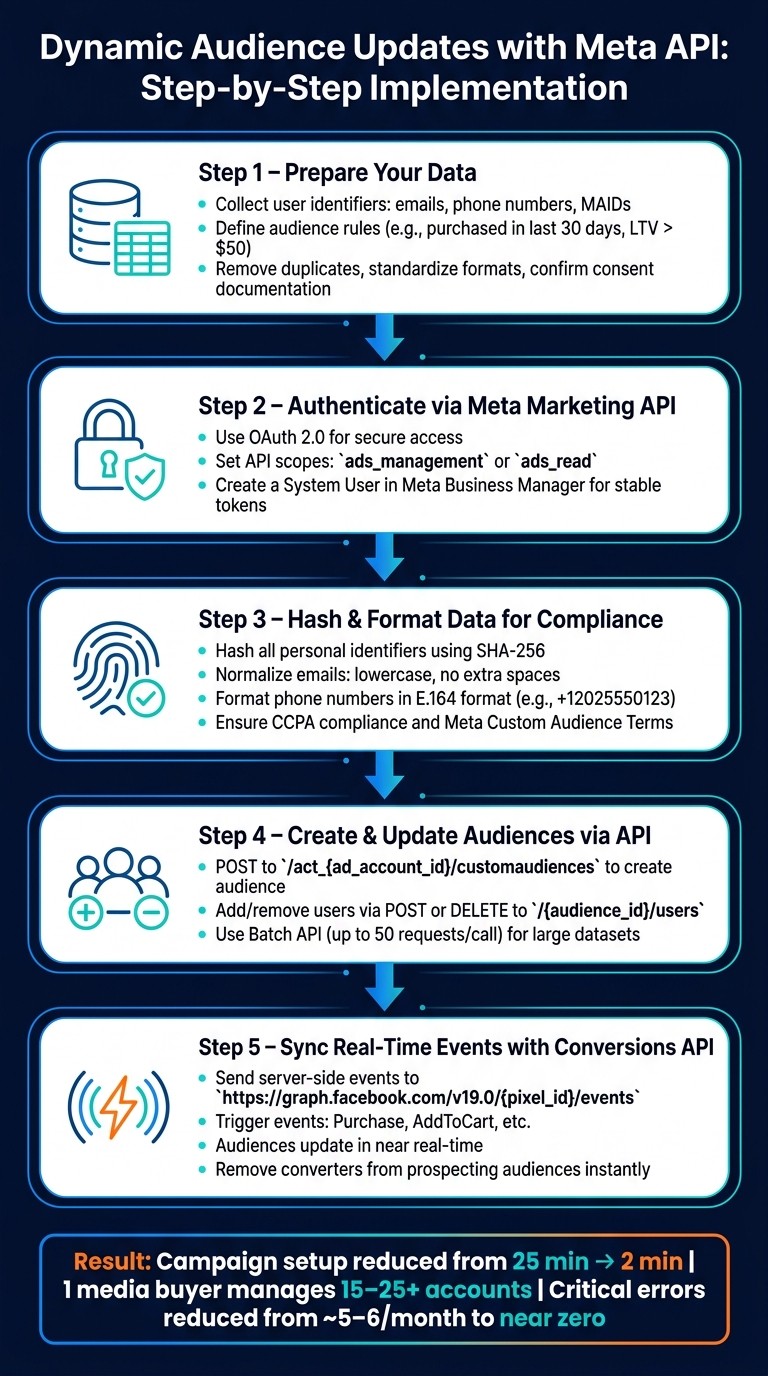
Accessing these audience types through the Meta Marketing API requires proper authentication and permissions. The API uses OAuth 2.0, which allows your app to securely request access to a Meta account without directly handling user passwords. During setup in the Meta Developer portal, you’ll need to specify the exact API scopes your app requires, such as ads_management or ads_read, ensuring your app has only the permissions it needs.
For added stability, create a System User in Meta Business Manager. Unlike individual user tokens, which can expire or be revoked, system users provide a more reliable and secure way to access the API. Regularly reviewing and auditing your system user permissions ensures they align with your current practices and Meta’s platform policies.
A well-structured authentication process is crucial for maintaining security and enabling seamless functionality.
Data Formatting and Compliance
Once authentication is set, the next step is ensuring your data meets Meta’s formatting and compliance standards. Personal identifiers like emails, phone numbers, and names must be hashed using SHA-256 before being uploaded. Additionally, Meta enforces strict normalization rules:
Emails should be converted to lowercase and stripped of extra spaces.
Phone numbers must include the country code in E.164 format (e.g.,
+12025550123).
Failure to follow these guidelines often leads to failed uploads or low match rates.
For U.S. advertisers, CCPA compliance adds another layer of responsibility. It’s essential to ensure the data collected has proper user consent and that users can opt out of data sharing. Meta’s Custom Audience Terms of Service also require you to confirm that you have the legal right to use the data you upload. Staying compliant not only protects your ad account but also keeps you aligned with evolving privacy regulations.
How to Create 54 Custom Audiences for FB Ads in 1 Click | Make com Workflow
How to Implement Dynamic Audience Updates Step by Step
How to Implement Dynamic Audience Updates with Meta API: Step-by-Step
If you're looking to keep your targeting sharp and relevant, dynamic audience updates are the way to go. Here's a step-by-step guide to help you implement them effectively.
Preparing Your Data for Integration
Start by organizing your data. You’ll need user identifiers like email addresses, phone numbers, or mobile advertising IDs (MAIDs). Including multiple identifiers per user increases your chances of matching them with Meta's user base.
Next, set clear rules for who belongs in your audience. For instance, you might include users who made a purchase in the last 30 days but exclude those with a lifetime value (LTV) under $50. These rules should align closely with your business goals and logic before you start writing any code. Then, clean your dataset - remove duplicates, standardize formats, and ensure you have consent documentation for all records.
Once your data is cleaned and rules are defined, you’re ready to build and update your audiences through the API.
Creating and Updating Audiences via API
After preparing your data, create a custom audience by sending a POST request to /act_{ad_account_id}/customaudiences. In the payload, include the audience name, description, and subtype (e.g., "CUSTOM"). Meta will return an audience ID, which you’ll use for future updates.
To add or remove users, send a POST or DELETE request to /{audience_id}/users with hashed (SHA-256) user identifiers. For larger datasets, Meta's Batch API lets you combine up to 50 requests in one call, reducing delays and helping you stay within Meta API rate limits. If you’re managing multiple client accounts, tools that connect with external storage solutions like Google Drive can push hundreds of audience updates in just minutes.
For campaigns requiring real-time changes, the Conversions API is your next step.
Event-Based Updates with Conversions API
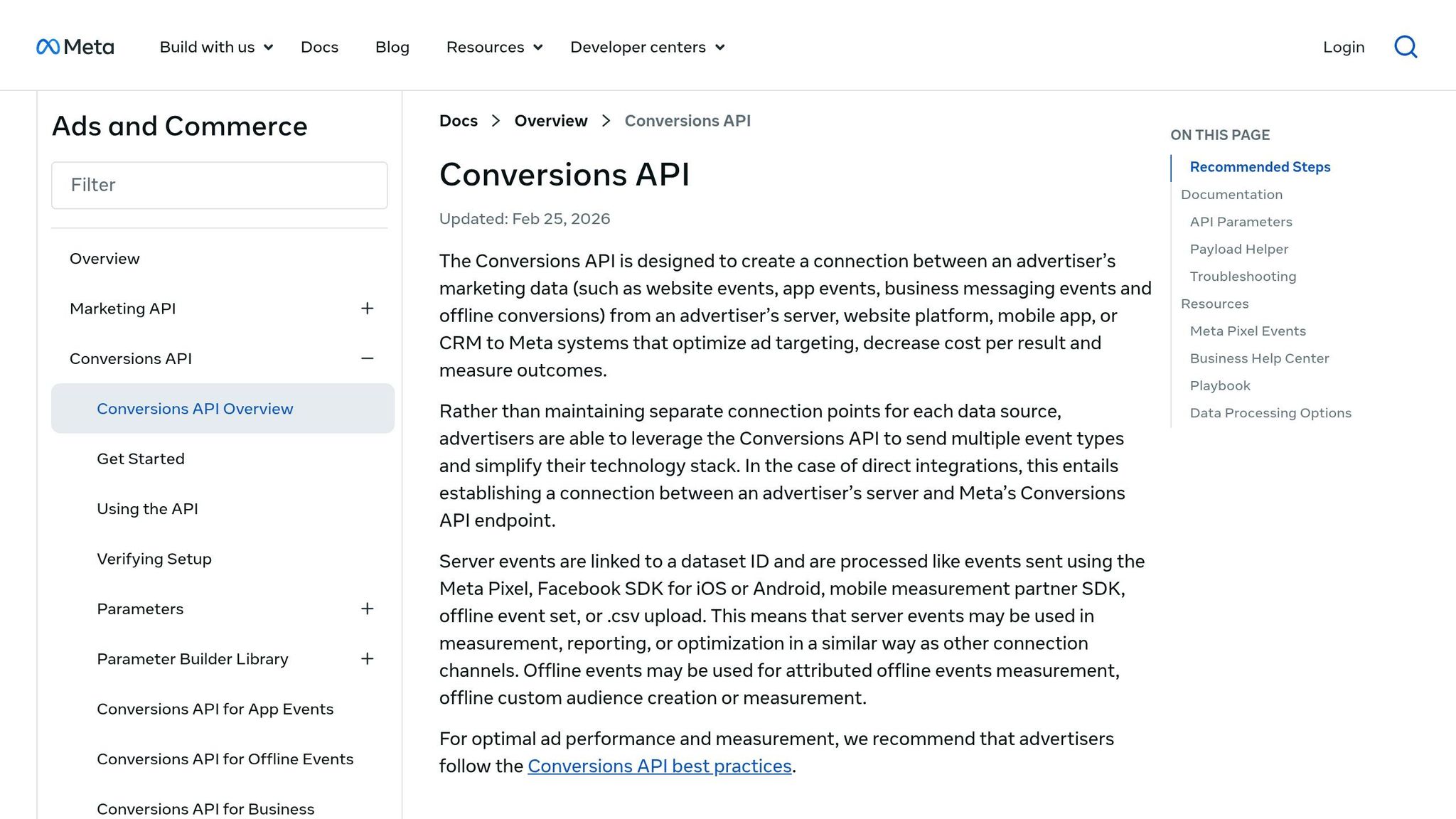
The Meta Conversions API (CAPI) allows you to trigger server-side updates based on user actions, keeping your audience data fresh in near real-time. For example, when a purchase is made, a "Purchase" signal is sent, or when someone adds an item to their cart, an "AddToCart" event is triggered.
When these events occur, send them to https://graph.facebook.com/v19.0/{pixel_id}/events with the event name, timestamp, and hashed user data. Meta uses this information to update audience segments almost instantly. This is especially useful for time-sensitive campaigns, like removing a user from a prospecting audience right after they convert, ensuring they don’t see unnecessary acquisition ads. Pairing the Conversions API with 24/7 anomaly detection tools can help you spot and fix issues with your match rate quickly.
For a hands-off solution, platforms like AdAmigo.ai offer automation tools built around Meta's API. These platforms can manage everything from data preparation to real-time audience updates, auditing your ad account and identifying optimization opportunities along the way.
Scaling and Managing Dynamic Audiences
Once dynamic audience updates are in place, scaling them efficiently becomes essential to maintain strong campaign performance.
Automation Platforms for Audience Management
Managing audiences manually just isn’t practical in the long run. Automation platforms built on Meta’s API take over tasks like audience creation, budget adjustments, and performance tracking. This allows your team to focus on broader strategy rather than repetitive tasks.
The real difference between these platforms lies in how they make decisions:
Tool | Core Logic | Best For |
|---|---|---|
AdAmigo.ai | Agentic active learning | SMBs & agencies |
Reactive static rules | Experienced optimizers | |
Meta Advantage+ | Native automation | All advertisers |
Take AdAmigo.ai as an example. It offers a comprehensive solution through its AI Autopilot, which continually audits accounts, adjusts budgets, and optimizes audiences. It can scale winners automatically or let you approve changes first. Its AI Chat Agent feature simplifies audience management by enabling commands like "Launch a retargeting campaign for cart abandoners from the last 7 days" - no need to dive into Ads Manager. Users of such AI platforms often see an average performance boost of 34% in the first 30 days.
To get started, it’s smart to use manual approval mode during the initial week. This gives you a chance to compare the AI’s suggestions with your own judgment.
Batching and Scheduling Updates
When dealing with large-scale audience updates, hitting Meta’s API rate limits can be a problem. Batching - combining multiple requests into one API call - helps you stay within those limits.
Meta’s Batch API allows up to 50 requests per call. For even bigger operations, tools like AdAmigo integrate with Google Drive, enabling you to push hundreds of audience and creative variations in just minutes. This eliminates the need for manual uploads, which are prone to errors.
Timing is also critical. Scheduling updates during low-traffic hours ensures minimal disruption. For instance, refreshing data at 2:00 AM ET accommodates different U.S. time zones and avoids gaps in audience relevance.
Monitoring and Troubleshooting
Even with automation, keeping an eye on performance is crucial to avoid potential pitfalls. Issues like hashing mismatches, expired tokens, or drops in match rates can occur without triggering obvious errors. That’s why proactive monitoring is so important.
The audience match rate is a key metric to watch. A sudden drop often signals data quality problems, such as inconsistent formatting, missing identifiers, or consent-related gaps. Start by checking your hashed data pipeline before assuming the issue lies with the API.
Automated anomaly detection is another valuable tool. It monitors spend patterns and delivery issues, helping you catch problems like broken audience segments or disapproved ads - especially outside business hours. With AI-driven monitoring, a single media buyer can handle 15–25+ accounts with almost no critical errors each month. Compare that to the 5–6 errors typical of manual oversight, and the efficiency gains are clear.
Since Meta's Andromeda update in late 2025, creative signals have taken precedence over manual micro-targeting. This shift makes it just as important to monitor for creative fatigue as it is to ensure your audience data stays fresh. Even a perfectly maintained audience won’t deliver results if your creatives are outdated.
Conclusion and Key Takeaways
Benefits at a Glance
Meta's API for dynamic audience updates offers a game-changer for efficiency. It allows a single media buyer to manage 15–25+ accounts, slashes campaign setup time from 25 minutes to just 2 minutes, and significantly reduces critical errors. As Meta shifts its focus toward creative quality rather than manual segmentation, syncing your audience pipeline with your creative pipeline becomes essential to maintain strong performance.
What to Do Next
To make the most of these benefits, here’s how to get started:
Connect your CRM or data source to Meta's Marketing API.
Run a small test to check match rates and ensure everything aligns.
Integrate event-based signals through the Conversions API so your audiences update automatically as users interact with your brand.
If you're ready to take automation to the next level, consider exploring AdAmigo.ai. Their plans start at $99/month for accounts spending up to $2,500/month, with a more advanced Autopilot mode available at $249/month. Rated 4.9/5 on G2, users appreciate features like Bulk Launch and Protect, which save time and flag spending issues even during off-hours. For those new to AI-driven audience management, the entry plan's manual approval mode offers a safe way to ease into automation before fully committing.
FAQs
What’s the simplest way to start dynamic audience updates with Meta’s API?
The simplest way to kick off dynamic audience updates with Meta’s API is by leveraging an AI-driven platform like AdAmigo.ai. All you need to do is connect your Meta ad account, define your performance goals, set budgets, and outline your KPIs. From there, the AI takes over, automatically managing audience adjustments. It fine-tunes targeting by building lookalike audiences and retargeting lists, all while closely tracking metrics like ROAS (Return on Ad Spend) and CPA (Cost Per Acquisition). This ensures ongoing optimization without requiring hands-on management.
How can I improve Custom Audience match rates?
To get better results with Custom Audiences, make sure the Meta Pixel is installed on every relevant page of your site. Also, enable advanced matching to capture more detailed data about your audience.
Double-check that your event tracking is working correctly and that your Business Manager account is properly linked to your campaigns.
When creating audiences, use high-quality source data with audience sizes between 1,000 and 5,000 for optimal performance. Including value-based signals like purchase history or app engagement can also make a big difference.
For ongoing accuracy and efficiency, consider tools like AdAmigo.ai, which can automate audience optimizations to keep your targeting sharp and effective.
How do I keep Conversions API audience updates compliant in the U.S.?
To ensure compliance with Conversions API audience updates in the U.S., it's essential to integrate using Meta's official API. This approach ensures adherence to platform permissions, rate limits, and guidelines. Start by installing the Meta Pixel on the appropriate pages of your website. Then, enable advanced matching, verify your event data, and connect your Business Manager account. Tools such as AdAmigo.ai leverage this integration to handle dynamic audience updates while staying aligned with Meta’s compliance requirements.