
Best Practices for Meta API Audience Sync
Treat audience sync like a data pipeline: clean identifiers, assign one writer, set clear rules, and monitor match rates.
Most Meta audience sync problems come down to three things: bad identifiers, bad timing, or too many systems writing to the same audience.
If I had to boil this down into a short fix list, it would be this:
Clean customer data before sync so Meta can match more users
Set clear add/remove rules so audiences stay current
Use one system as the writer to stop overlap and list conflicts
Watch match rate, invalid entries, and audience size so problems show up early
Test small batches first instead of pushing 50,000 rows and hoping it works
A weak sync can waste ad spend, shrink reach, and keep showing ads to people who already bought. A small issue - like mixed-case emails, missing country codes, or an expired token - can cut match rates fast.
Here’s the short version: I’d treat audience sync like a data pipeline, not a one-time upload. Clean inputs, fixed rules, one owner, and simple alerts usually solve most of the mess.
This article explains how to do that with the Marketing API, Conversions API, Pixel, and CDP connectors - without overloading the API or letting sync errors sit for days.
Fix Low Match Rates by Cleaning and Enriching Customer Data
Low match rates usually come from one simple problem: messy data before upload.
Problem: Inconsistent Identifiers Produce Small Audiences
Meta matches users based on fields like email, phone, and location. If those fields aren't formatted the same way every time, match quality drops. A few common issues do a lot of damage:
Emails with mixed casing or extra spaces
Phone numbers missing a country code
Full state names instead of 2-letter abbreviations
Empty fields passed in the payload
That last one matters more than people think. Null values can trigger schema errors, so it's better to leave them out of the payload instead of sending them through.
Format fixes are the fastest win if you want to recover match rate.
Solution: Normalize Every Field Before the API Call
Before you upload anything, clean each field into the format Meta expects.
Data Field | Common Issue | API-Side Best Practice |
|---|---|---|
Mixed casing, extra spaces | Lowercase, trim whitespace, SHA-256 hash | |
Phone | Missing country code, dashes, parentheses | E.164 format (e.g., +12061234567), digits only, SHA-256 hash |
First/Last Name | Punctuation, special characters | Lowercase, remove punctuation, UTF-8 encoding |
ZIP Code | 9-digit ZIP, extra spaces | 5-digit only for U.S., SHA-256 hash |
State | Full name (e.g., "New York") | 2-character ANSI abbreviation |
Country | Full name (e.g., "United States") | 2-letter ISO 3166-1 alpha-2 code |
Gender | Full words ("Male", "Female") | Single character lowercase ("m" or "f") |
External ID | Leading/trailing whitespace | Trim all whitespace; do not hash this field |
Once you've normalized the data, run a small test first. Try testing conversion events with 10–100 records in Events Manager before you push a full upload. It's a simple gut check that can save you from loading a bad file at scale.
Solution: Use Conversions API to Improve Event-Based Matching
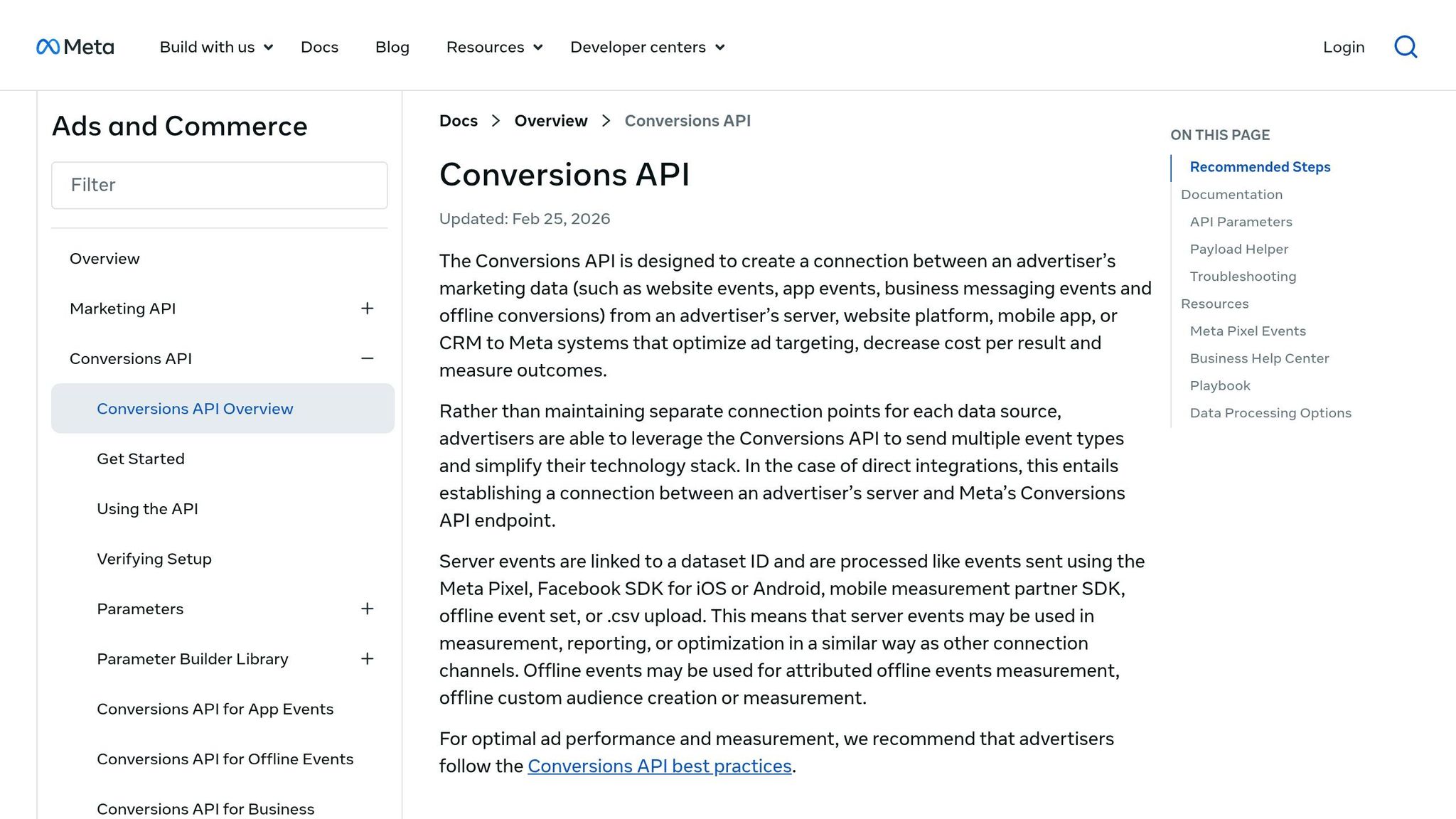
Sometimes the issue isn't just formatting. Sometimes the list itself is thin, old, or missing key fields.
That's where Conversions API helps. If your customer list doesn't have enough usable identifiers, event data can fill in the blanks with newer signals and improve match quality. This is particularly effective for AI-powered retargeting where high-intent signals are critical.
In plain English: clean and combine as many identifiers as you can before upload, then use Conversions API when the list data isn't enough on its own.
Build Sync Workflows That Keep Audiences Current Without Overloading the API
Clean, well-formatted data is only half the job. If your audiences are out of date, performance slips fast. Clean data helps match rate. Sync design keeps the audience in line with what’s happening right now. In Meta audience management, stale membership is one of the most common places things go wrong. After you clean identifiers, sync timing is usually the next issue.
Problem: Audience Membership Is Stale or Inconsistent Across Platforms
This shows up in familiar ways. Recent buyers still get prospecting ads. People who unsubscribed are still stuck in an active retargeting list. Most of the time, the issue comes back to one thing: no clear rule for when someone gets added or removed.
If that trigger isn’t defined, updates happen at random. One system adds a user. Another forgets to remove them. Bit by bit, the audience stops matching reality.
Start by fixing the add/remove rules. Then set sync frequency based on how fast that audience changes.
Solution: Define a Source of Truth, Triggers, and Sync Frequency
Give each audience one owner. Other systems can send data into it, but only one system should write to Meta. Then set exact add and remove rules. For example: "Add on first purchase. Remove 90 days after the last order."
Once ownership is settled, sync frequency becomes a simple tradeoff based on data speed. In practice, most teams use one of these two patterns:
Sync Pattern | Typical Use Case | Pros | Cons |
|---|---|---|---|
Real-Time Event Sync | Cart abandoners, new leads, immediate purchase suppression | Maximum relevance; prevents wasted spend on converted users instantly | Higher API load; more complex to set up; sensitive to rate limits |
Batch List Sync (Hourly/Daily) | General newsletters, high-LTV segments, seasonal shoppers | Efficient API usage; easier to manage for large datasets; more stable | Data can be stale for several hours; recent buyers may see irrelevant ads |
Use Mirror for suppression lists because it removes users as soon as they convert. Use Upsert for cumulative lists because it adds new users without wiping the list.
Solution: Add Retry Logic, Alerts, and Row-Count Checks
API calls fail. Tokens expire. Rate limits happen. And the annoying part? These failures are often silent. The audience just stops updating, and you may not spot it until results start sliding.
Log error_subcode, not just the top-level error code. Subcode 33, for example, points to an invalid ad account ID, which tells you a lot more than a generic 400. For temporary failures and rate limits, use exponential backoff with random jitter added to each retry interval. That helps prevent multiple workers from retrying at the same moment and hitting the same limit again.
For tokens, refresh long-lived OAuth tokens every 30 days, before the 60-day expiration window.
It also helps to run a recurring row-count check. Compare the number of rows pulled from your warehouse with the rows added, removed, or updated in Meta. If those counts suddenly stop lining up, that’s often the first clue that something broke. Also flag audiences that stay below 100 matched users.
If more than one system can write to Meta, fix ownership first. Tuning sync frequency before that is like fixing traffic lights while two people are steering the same car.
Reduce Conflicts Across CRMs, CDPs, and Partner Integrations
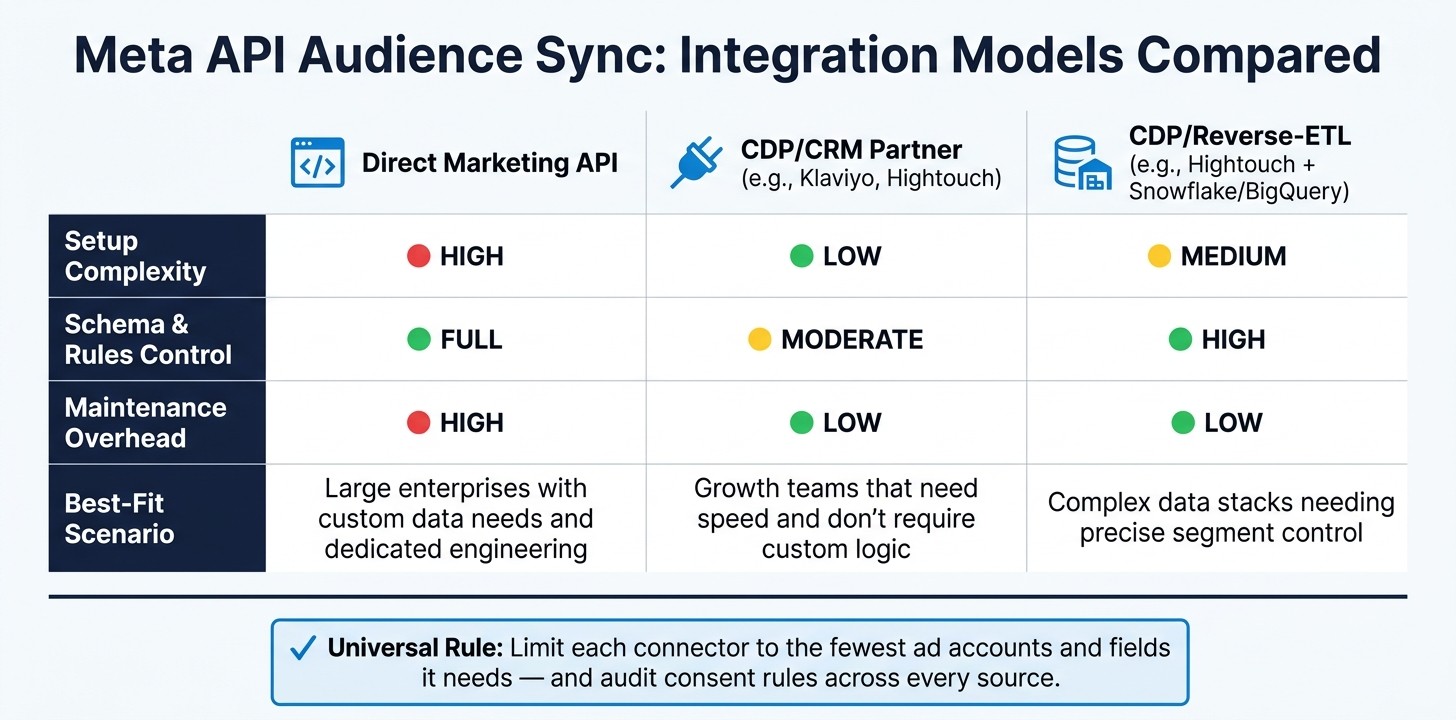
Meta API Audience Sync: Integration Models Compared
Once your sync workflow is stable, the next issue is usually internal. When several tools can write audiences into Meta, things get messy fast. The way out is simple: one owner, one naming system, and one write path.
Problem: Multiple Systems Create Overlapping or Contradictory Audiences
If your email platform, CRM, and CDP each sync their own version of the same audience, you can end up with overlapping lists and no clear source of truth for suppression. That creates confusion almost overnight.
Vague audience names make it worse. If no one can tell who owns a segment, cleanup slows down and mistakes stick around longer than they should.
Solution: Centralize Taxonomy, Ownership, and Write Access
Standardize audience names and assign one writer per segment. Use one CDP or warehouse as the master segment layer before pushing to Meta. Other tools can feed data into that layer, but segment logic and write ownership should live in one place - not scattered across every connected system.
Think of it like air traffic control. Plenty of systems can send signals in, but only one tower should direct movement out. That keeps suppression logic clear and cuts down on duplicate or conflicting audiences.
Once ownership is fixed, the next step is checking whether each writer is syncing audiences in real time and maintaining data health.
Solution: Choose the Right Integration Model and Keep Compliance Tight
Not every setup gives you the same level of control. Some are built for speed. Others give you tighter control over schema, rules, and sync logic.
Integration Type | Setup Complexity | Control over schema and rules | Maintenance Overhead | Best-Fit Scenario |
|---|---|---|---|---|
Direct Marketing API | High - requires custom engineering and app review | Full control over payload, batching, and schema | High - you manage API versioning and rate limits | Large enterprises with custom data needs and dedicated engineering |
Low - pre-built connectors via OAuth or System User Tokens | Moderate - limited to the partner's supported fields and sync modes | Low - the partner handles updates and hashing | Growth teams that need speed and don't require custom logic | |
Medium | High - SQL-based logic | Low - managed infrastructure | Complex data stacks needing precise segment control |
No matter which model you use, keep permissions tight. Limit each connector to the fewest ad accounts and fields it needs. Then audit consent and retention rules across every source. That makes sync health simpler to track and helps prevent quiet drift across tools.
Monitor Sync Health and Improve Audience Performance Over Time
Even after you fix ownership and sync rules, audience health can still drift over time. When updates stop flowing, the first sign usually shows up in campaign performance: a smaller remarketing pool, weaker delivery, or a higher CPA.
Problem: Sync Failures Often Go Undetected Until Performance Drops
Most of the time, the first warning isn't a system alert. It's a campaign metric moving in the wrong direction.
Audience data decays over time as people change email addresses, switch phone numbers, or stop using certain platforms. This decay often leads to audience saturation, where your remaining active pool sees the same ads too frequently. That slow leak can sit in the background for a while, and it's easy to miss if you're only checking once in a while.
The answer is steady monitoring, not the occasional manual spot check.
Solution: Track Health Metrics and Test Audience Definitions
Track a small set of sync metrics on a consistent basis so problems show up early. In API responses, compare num_received with num_invalid_entries to catch formatting issues or schema changes before they turn into bigger problems. It also helps to compare warehouse rows, sync logs, Events Manager, and Ads Manager in one view.
Inside Ads Manager, keep a close eye on Matched User Count. If you upload a list of 50,000 contacts and only 8,000 turn into matched users, the problem is almost certainly field mapping or PII quality, not creative.
Metric | How to Monitor | What it means |
|---|---|---|
Matched User Count | Meta Ads Manager > Audiences | Weak identifiers or poor field mapping |
Match Rate |
| Schema changes or PII quality issues |
Error Rate | API response ( | Malformed data, such as non-E.164 phone format |
Audience Size Trend | Meta Ads Manager | Audience decay or suppression failures |
Before doing a full upload, test with a small sample of 10 to 100 members to confirm you create custom audiences correctly in Meta Ads Manager. It's a simple gut check, and it can save you from pushing bad data at scale.
After that, set up alerts in Slack or email so sync failures show up right away instead of days later.
Conclusion: Better Audience Sync Comes From Data Quality, Workflow Design, and Regular Checks
Refresh audiences weekly. Test new definitions with a 10–100 member sample. Monitor invalid entries, matched counts, and audience size trends so issues surface before performance drops.
AdAmigo.ai can automatically flag audience sync anomalies, which means monitoring doesn't have to rely on manual checks.
FAQs
Why is my Meta audience match rate so low?
Low Meta audience match rates usually come down to data quality or setup issues.
A low Event Match Quality (EMQ) score often points to missing customer data, bad formatting, or hashing errors, especially with email addresses and phone numbers.
To improve match rates:
Send complete and accurate customer data in real time
Use both the Meta Pixel and Conversions API
Include multiple identifiers
Keep an eye on EMQ and match rates in Meta Events Manager
If your data is messy or incomplete, Meta has a harder time matching people correctly. Clean inputs make a big difference.
Should I use real-time sync or batch sync?
Real-time sync works best for time-sensitive campaigns because it updates audiences almost right away based on actions like visits, sign-ups, or purchases. That means you can target people with more precision at the moment their intent is still strong. The tradeoff is simple: it needs a stronger technical setup.
Batch sync updates audiences on a set schedule, like every few hours or once per day. It puts less strain on your systems and is a good fit when instant audience updates don't matter as much.
How do I stop multiple tools from conflicting?
Use both the Meta Pixel and Conversions API, and deduplicate events by matching event_name and event_id. That keeps your data in sync and helps avoid duplicate reporting.
When you sync audiences across tools, follow Meta’s hashing rules and token refresh guidance too. A platform like AdAmigo.ai, which operates within Meta’s official API permissions and rate limits, can help cut down on manual mistakes and tool conflicts.