
10 Features to Look For in a Bulk Ad Launcher (That Actually Saves You Time)
Compare the 10 must-have features of a bulk ad launcher—from multi-format support and auto-resizing to AI strategy, QA checks, and post-launch optimization.
If you're tired of spending hours setting up ad campaigns and fixing errors, a bulk ad launcher could be your solution. But not all tools are made equal. The best ones don’t just help you launch ads - they save you time across the entire advertising process, from creative prep to post-launch optimization. Here's what to look for:
Multi-Format Support: Launch image, video, carousel, and lead form ads all at once.
Automatic Creative Resizing: Adjust aspect ratios for placements (Feed, Reels, Stories) in seconds.
Dynamic Copy Variations: Generate multiple ad copy and headline combinations automatically.
Control Over Meta's Enhancements: Avoid unwanted changes to your carefully designed ads.
Bulk Campaign & Audience Creation: Set up campaigns and audiences in one step, not separately.
AI Strategy Assistance: Let AI suggest the best campaign structure and audience targeting methods.
Post-Launch Optimization: Automated creative tests, budget tweaks, and scaling suggestions.
Setup Quality Assurance: Built-in checks for UTMs, placements, and audience overlaps.
Beginner-Friendly Interface: Chat-based workflows simplify complex ad setups.
Preview & Approval Tools: Share previews and get stakeholder feedback effortlessly.
Why It Matters: Basic tools only speed up execution, leaving you stuck with manual tasks. Platforms like AdAmigo.ai go further by automating strategy, setup, and optimization, cutting setup time by up to 85% and improving campaign performance. If you're still managing ads the hard way, it's time to rethink your approach.
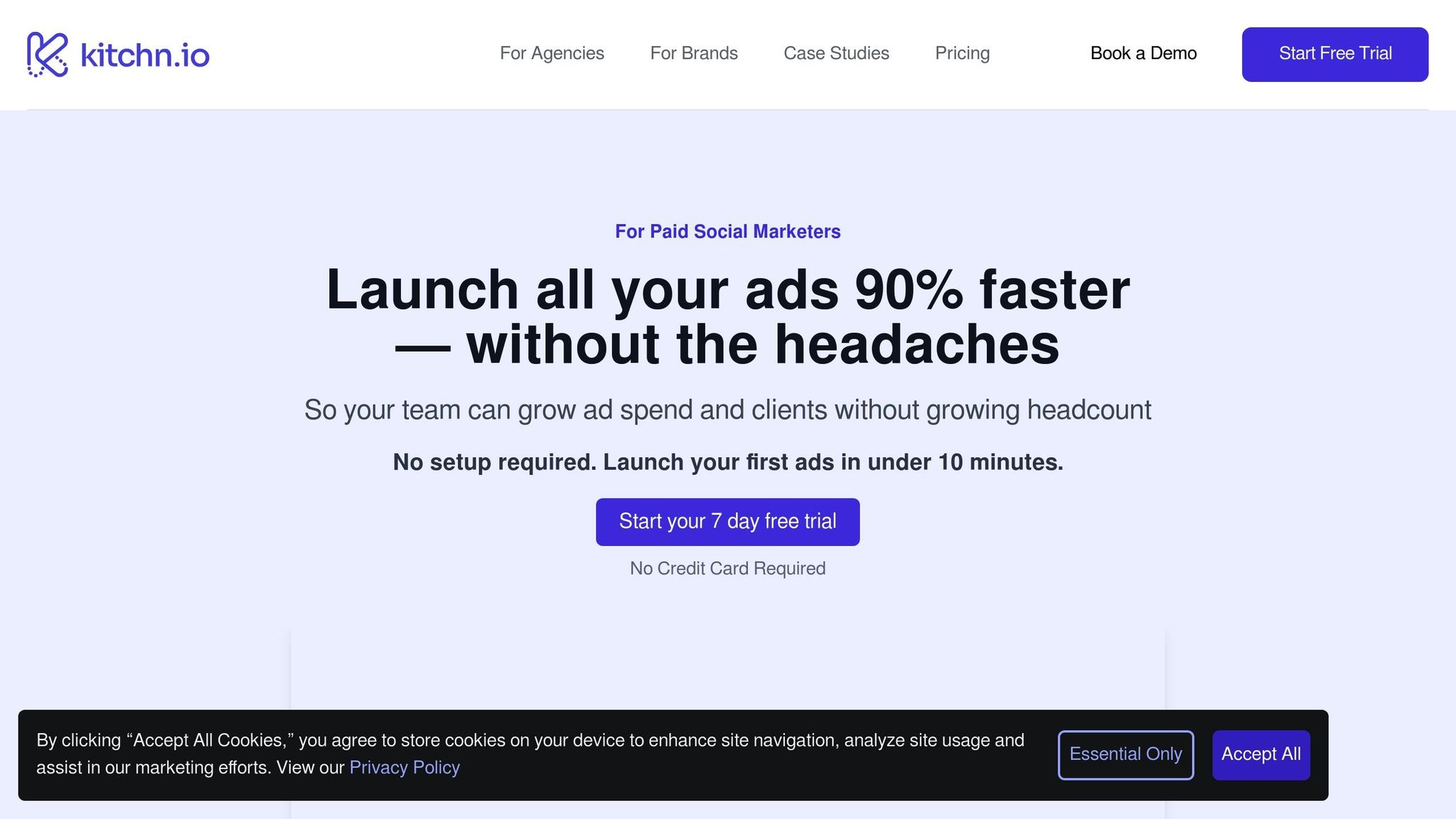
How to Launch 50 Ad Creatives In 5 Minutes (Kitchn.io tutorial)
1. Bulk Ad Support Across Multiple Formats
Many "bulk" ad tools fall short by only supporting one ad format at a time. Sure, you can quickly duplicate 50 image ads, but when it comes time to launch video ads, carousels, or lead forms, you're back to square one. This means rebuilding campaigns manually, re-entering targeting details, and double-checking for consistency —often requiring a conversion optimization checklist to ensure nothing is missed— - a process that's not only time-consuming but prone to errors.
True bulk ad support allows you to launch image, video, carousel, and lead form ads simultaneously - all within a single workflow. This isn't just a minor convenience; it's a game-changer. Instead of spending 15–30 minutes manually setting up campaigns, a proper bulk launcher can cut that time down to just 2–5 minutes. For teams managing 50+ ads weekly, this can save 10–15 hours every month, slashing setup time by 70–85%.
By consolidating repetitive tasks into one streamlined process, a true bulk ad launcher eliminates inconsistencies that often arise when formats are launched separately. Things like mismatched targeting parameters, incorrect UTM codes, and uneven budget allocations can lead to messy data, making it nearly impossible to compare the performance of different formats accurately.
This is where AdAmigo.ai steps in, offering a unified workflow that lets you plan and launch entire campaigns - spanning image, video, carousel, and lead form ads - in just seconds. With its AI Ads Agent, the platform generates photo-realistic, brand-aligned creatives for every format from a single prompt. Then, it configures and launches everything at once, eliminating the need for tool switching or campaign rebuilding.
Traditional tools like Google Ads Editor were designed with single-format workflows in mind, forcing marketers into fragmented processes. Each format - whether it's images, videos, or carousels - requires separate handling, leading to constant context-switching and making it harder to analyze overall performance.
Launching all formats simultaneously also speeds up performance stabilization by 15–25%. Meta's algorithm identifies top-performing creatives 3–5 days faster, giving you 20–30% more reliable results in a shorter time frame.
2. Automatic Creative Ratio Handling for Every Placement
Resizing a single image to fit Feed, Reels, Stories, and Carousel placements can be a huge time sink. When managing 50+ ads at a time, manually adjusting aspect ratios can easily eat up 2–4 hours of your workflow. Whether you're hiring designers to create multiple versions or using AI tools to generate ad creatives, the process often leads to delays, inconsistencies, and errors. That's why automated aspect ratio adjustments are a game changer.
When creatives are improperly sized, they may be rejected by platforms or display poorly - causing campaign delays and wasted resources. Imagine a product photo that looks great in a square Feed ad but loses key details in a 9:16 Reels format. These missteps not only cost time but also impact your budget.
Modern ad launch platforms should simplify this process. Ideally, they can take a single image upload and automatically generate the correct aspect ratios for all selected placements. For instance, if you're running ads across Feed, Reels, and Stories, the platform should instantly produce 1:1, 9:16, and 4:5 versions, optimized for each format. Advanced tools even use AI to adjust images intelligently, ensuring focal points and critical elements remain intact.
Unlike basic resizing tools that may stretch or crop images awkwardly, advanced AI solutions leverage computer vision and machine learning. These technologies analyze the image to identify key subjects and details, then reframe or pad the image to maintain its visual appeal across different formats.
Take AdAmigo.ai as an example. Its AI Ads Agent can create optimized, on-brand creatives for multiple placements from a single prompt. By providing campaign details, you get ads tailored for Feed, Reels, Stories, and Carousel - each with the right aspect ratio and intelligent framing. The platform even offers preview thumbnails, so you can review and tweak each version before launching. This automation is central to AdAmigo.ai's mission of simplifying ad creation.
A robust workflow should also include built-in quality checks. The best platforms flag issues like text being cut off, critical visuals being cropped, or excessive padding that disrupts the design. They either suggest fixes or let you make adjustments before the ads go live.
Collaboration tools, like preview links, make it easy for teams to review all variations and ensure brand consistency. The time savings are dramatic. Instead of spending hours resizing creatives or waiting on designers, you can upload once and have all versions ready in seconds. This speed is crucial when testing multiple creative ideas, allowing you to launch dozens of variations instantly and start refining your campaigns right away.
3. Dynamic Copy and Headline Variation Generation
Writing ad copy manually can be a major time sink, especially when you're trying to test multiple messaging angles to maximize ROI. Imagine spending an entire day creating 20 different versions of the same ad. The faster you can test variations - whether it's value propositions, pain points, or calls-to-action - the quicker you'll figure out what truly connects with your audience.
Even a relatively simple test setup - like pairing 5 headlines with 4 body copy options - can take up to 2–3 hours. Now, scale that across multiple campaigns or clients, and the workload becomes overwhelming fast.
This is where modern bulk ad launchers come in. These tools automate the process of generating copy variations, saving you hours. They can create primary headlines, secondary details, body copy in different tones, and a variety of CTAs - all from a single input. This not only speeds up the process but also allows you to test more during those critical launch windows using creative testing benchmarks to guide your strategy.
Some advanced tools even let you dynamically insert variables like product names, prices, or audience-specific details. For instance, if a DTC brand is testing messages around "free shipping", "48-hour delivery", and "eco-friendly packaging", the right tool can generate 24–36 unique ad combinations by mixing and matching headlines, body copy, and CTAs. This method tests how different messaging elements work together, rather than in isolation.
Take AdAmigo.ai’s AI Ads Agent, for example. With just one prompt describing your campaign goals, target audience, and key selling points, the AI can generate multiple copy variations that align with your brand's tone. Its integrated AI Chat Agent makes the process even simpler, letting you brainstorm and create variations with basic text commands - no need to wrestle with complex interfaces. Plus, AdAmigo.ai integrates directly with Meta's Advantage+ Creative, making it easy to test both visuals and copy together. This automated approach not only saves time but also sets the stage for deeper performance analysis in future campaigns.
But here's the catch: launching too many variations without a large enough budget can dilute your results, making it harder to scale Meta ad budgets without losing ROAS. For example, if your monthly budget is $5,000 and you launch 20 variations, each one gets just $250 - often too little to generate statistically meaningful data. A smarter approach is to start with 5–8 variations if you're spending under $10,000 per month. This ensures each variation can gather enough conversions (50–100 is a good benchmark) for reliable insights. For larger budgets, say over $50,000 per month, you can afford to test 15–25 variations without spreading your resources too thin.
To make the most of these tests, you need detailed metrics. It’s not enough to just see aggregate ad set data - you need to analyze dynamic creative ad results for insights like Meta Ads benchmarks like CTR by headline, conversion rate by body copy, CPC by CTA, and ROAS by copy combination. Without this granularity, running multiple variations can create data noise instead of actionable insights. AdAmigo.ai addresses this by tagging each variation for detailed reporting, flagging underperformers, and offering one-click pausing to reallocate budgets effectively. This level of control is a cornerstone of full-funnel AI optimization, ensuring every dollar works toward your ultimate conversion goals.
Here’s what one agency owner had to say on G2:
"We are getting INSANE RESULTS! Our budgets are controlled, our spend is being smartly allocated and our ROAS is up massively. Agencies charging 7 times the cost of AdAmigo have been put to shame quite frankly!" - Rochelle D., G2 Review
4. Creative Enhancements Control
Meta's Advantage+ Creative feature sounds like a helpful tool - it automatically tweaks your ads by adding templates, adjusting colors, and testing formats across placements. But here’s the catch: these automatic changes can interfere with your carefully crafted brand identity. Imagine spending hours perfecting your brand’s visuals, only to have the platform alter them in ways that might confuse your audience or even violate compliance rules.
For instance, automatic enhancements like misaligned text overlays, awkward cropping, or unexpected color changes can throw off your brand’s consistency. This becomes a major headache when you’re launching dozens - or even hundreds - of ads at once through bulk launching. Luxury brands, in particular, can’t afford to have their precise color palettes or typography standards tampered with. And in industries like finance, healthcare, or law, a seemingly small change, like an automatic text overlay, could lead to compliance violations or even legal trouble.
So, how do you avoid these risks? Your bulk ad launcher needs to give you full control over these enhancements. The ideal tool offers both granular and batch-level controls. At the granular level, you should be able to toggle enhancements on or off for individual ads. At the batch level, you should have the option to set default preferences that apply across multiple campaigns, saving you from repetitive adjustments.
Some key areas to control include:
Text overlays: Meta’s algorithm might add promotional text that clashes with your design, so many brands disable this feature.
Aspect ratio adjustments: Automatic cropping can ruin your visuals by cutting out key elements or distorting images.
Color modifications: For industries like fashion, cosmetics, or home décor, accurate color representation is non-negotiable. Automatic changes here can misrepresent your products.
Platforms like AdAmigo.ai address this issue by integrating creative enhancement controls directly into the bulk ad launch workflow. This means you can set your enhancement preferences before your ads go live. Whether you’re managing one campaign or hundreds, you can define rules at the start, apply them across all your ads, and avoid last-minute surprises. Plus, the platform gives you a clear view of which enhancements are enabled or disabled for each ad, so you’re not left guessing.
Contrast this with other tools that require manual adjustments for every ad or campaign - a process that quickly becomes overwhelming when you’re managing 50+ ads. AdAmigo’s approach eliminates this hassle, ensuring consistency and reducing the risk of errors.
Set clear brand guidelines within your ad management tool from the outset. For example, you might decide that brand awareness campaigns always have text overlays turned off to maintain visual integrity, while performance campaigns use dynamic creative optimization (DCO) best practices to boost conversions. Documenting these rules ensures everyone on your team is on the same page, minimizing the chance of accidental violations.
If you’re managing multiple client accounts, your platform should also support client-specific enhancement profiles. This way, each client’s brand guidelines are automatically applied to their campaigns, saving you time and ensuring consistency. For agencies juggling multiple accounts, this feature is a game-changer, streamlining workflows and reinforcing the promise of efficient, error-free bulk ad management.
5. Bulk Campaign and Audience Creation
Many bulk ad launch tools focus solely on automating ad duplication, leaving the tedious tasks of campaign and audience creation to manual effort. But here's the thing: setting up campaigns and building audiences often takes longer than creating the ads themselves, causing unnecessary delays.
Take this example: a performance marketer launching 50 ad variations across 10 campaigns might spend 30–45 minutes configuring campaigns and audiences. On top of that, they could spend another 20–30 minutes uploading customer lists, building lookalike audiences, and building interest-based audiences. All in all, manual setup can tack on an extra hour before automation even kicks in.
Modern platforms should address this bottleneck by automating campaign and audience creation within a single workflow. Instead of bouncing between tools like Meta Ads Manager to set up campaigns and a bulk launcher for ads, the ideal solution lets you define everything upfront - campaign structure, audience logic, and more - so it all runs smoothly in one go.
This is where chat- or prompt-based creation comes in. Rather than navigating through dropdown menus or multi-step wizards, you simply describe your needs in plain language. For instance, you could type: "Create 5 campaigns for our summer sale targeting US audiences aged 25–45 interested in fitness." The AI would then guide you with clarifying questions, suggest best practices tailored to your goals, and generate everything automatically - complete with naming conventions, budget allocation, and audience expansion segments. This approach not only reduces the mental effort but also integrates seamlessly with automated ad launches, creating a fully unified workflow.
This method proves especially helpful for teams managing multiple client accounts or running continuous testing programs. For example, creating 15 lookalike audiences from different source segments - like website visitors, email subscribers, and past customers - would normally require 15 separate manual steps in Meta’s interface. A bulk tool simplifies this entire process, saving considerable time.
Platforms like AdAmigo.ai are leading the charge in this space. With AdAmigo.ai, you can bulk-create campaigns and audiences directly through chat. Simply upload a spreadsheet detailing your campaign structure, audience parameters, and targeting rules, and the platform takes care of the rest. It automatically generates everything and launches your campaigns to Meta in just minutes. The AI Chat Agent handles the entire workflow - from setting up campaign hierarchies to creating lookalike audiences - compressing what might otherwise take 2–3 hours in Meta Ads Manager into a streamlined 20–30 minutes. By automating these steps, the platform not only saves time but also reduces the likelihood of errors.
Agencies using Facebook ads automation platforms report efficiency gains of 15–30%. By eliminating manual setup and consolidating campaign and audience creation into a single interface, you avoid the hassle of switching between tools and free up time to focus on strategy.
When choosing a bulk ad tool, make sure it automates these critical setup tasks to maximize your efficiency.
6. AI-Driven Strategy Orchestration (Not Just Execution)
Most ad management tools are great for speeding up execution - they help you launch ads quickly. But here's the catch: they don’t guide you on which ads to launch, how to structure your campaigns, or which audiences to test. You’re still stuck doing the heavy lifting - defining targeting, setting budgets, brainstorming creative angles, and designing testing frameworks. In short, the burden of planning still falls squarely on you.
Strategy orchestration platforms flip the script. Instead of asking you to configure every tiny detail, these platforms start with your goal. For example, you might say, "Scale to $10,000 daily spend while maintaining a 3× ROAS", or "Launch a new product to cold audiences and identify profitable segments within two weeks." The AI then takes over, building the entire campaign architecture for you. From audience targeting and creative variations to bulk ad testing and AI bid strategies, it condenses hours of planning into just minutes.
This approach isn’t about shaving time off execution - it’s about rethinking the entire process. Traditional tools assume you already know what works and just help you implement it. Orchestration platforms, on the other hand, help you figure out the answers. Take audience creation, for instance. Instead of manually building multiple lookalike audiences (e.g., website visitors, email subscribers, past purchasers) and deciding how to allocate your budget, orchestration tools generate these audiences automatically. They even recommend the best budget distribution based on historical data and your specific goals.
The difference becomes clear in everyday workflows. Manual vs AI-powered automation platforms might boost efficiency by 15–30%, but those gains are limited to faster execution. AI orchestration goes further by improving strategic planning from the start. For example, Meta’s Advantage+ suite automates not just execution but also strategic decisions like targeting, creative choices, placements, and budget allocation. This integration bridges the gap between strategy and execution, delivering smarter campaigns right from the beginning.
AdAmigo.ai takes this orchestration concept a step further with its AI Action Agent, which acts like a dedicated media buyer. Instead of flooding your account with ads and hoping for the best, the platform carefully orchestrates your campaign and audience strategy first. You set performance goals, targeting rules, budget limits, and naming conventions, and the AI adapts to manage your account as if it were you. It even provides daily optimization suggestions, complete with explanations - breaking down what to tweak, why it matters, and how it will impact your results.
"These AI actions go beyond simply suggesting actions; they provide valuable insights and justifications. This not only improves my results but also deepens my understanding of campaign optimization." - Verified User, G2 Review
AdAmigo.ai also offers an AI Chat Agent, which makes campaign management even simpler. You can brainstorm ideas, audit your account, or bulk-create campaigns and audiences just by typing what you need. Forget dropdown menus or complex setup wizards - just describe your requirements in plain language, and the AI translates your request into actionable strategies. For example, you could say, "I need to test three creative angles against five audience segments", and the platform will have those campaigns ready to launch in minutes.
What truly sets orchestration apart from execution is ongoing optimization. Platforms like AdAmigo.ai don’t stop once the campaign is live. They continuously monitor performance, flag issues, and suggest strategic adjustments - whether it’s reallocating budgets, refining targeting, or swapping out creatives - based on real-time data. You can approve changes manually or let the AI handle everything in autopilot mode.
"The AI actions are spot-on, so I can make adjustments fast and see results right away. It's like having an extra set of super-smart hands helping me hit my KPIs." - Sherwin S., G2 Review
The impact? Huge time savings. AdAmigo.ai users report optimizing their accounts in under 5 minutes a week, compared to the 2–4 hours typically needed for comprehensive campaign setup and ongoing management. By automating audience creation, campaign structure, creative testing, and optimization logic, the platform eliminates the bottleneck of strategic planning. This frees you up to focus on bigger-picture growth decisions.
So, ask yourself: does your tool just launch campaigns faster, or does it actually cut down your planning effort? If you’re still spending hours mapping out campaign structures, defining audience segments, and planning ad testing frameworks before the tool even steps in, then you’re likely using an execution tool - not an orchestration platform. True orchestration means the AI shoulders the planning load, allowing you to go from concept to live campaigns in a fraction of the time.
7. Post-Launch Optimization and AI Actions
Once your ads are live, the real work begins. Launching campaigns is just the starting point; the real game-changer lies in how you optimize and improve them post-launch. Unfortunately, many bulk ad launch tools treat launch day as the finish line, leaving you to handle manual monitoring, manual vs AI budget testing, and creative testing on your own.
The most effective platforms go beyond just launching ads - they continue optimizing them autonomously. This includes automatic creative testing, daily recommendations for improvement, smart budget adjustments, and scaling strategies that identify high-performing campaigns and adjust budgets without requiring constant manual input.
Automatic Creative Testing (and lowering creative testing costs)
Gone are the days of setting up A/B tests manually. Advanced platforms now handle creative testing on their own. They analyze which ad creatives are delivering results and automatically refine them. Instead of spending hours monitoring performance and tweaking settings, you let the platform iterate for you. Platforms with this feature report efficiency gains of 15–30% through continuous creative optimization workflows.
Daily Improvement Suggestions
Imagine starting each day with a prioritized list of actionable recommendations. Instead of vague advice, these platforms provide clear insights, like:
"Pause Ad Set B; its CPA is 40% higher than your target."
"Increase Ad Set C’s budget by 20% - it’s maintaining a 4× ROAS and has room to grow."
These insights help you make informed decisions quickly, saving time and improving performance.
"These AI actions go beyond simply suggesting actions; they provide valuable insights and justifications. This not only improves my results but also deepens my understanding of campaign optimization."
Verified User, G2 Review
Scaling Logic That Works Smarter
Scaling successful campaigns can be tricky. Push too hard, and you risk driving up costs or exhausting your audience. Intelligent scaling logic solves this by setting rules like:
"If an ad set achieves a ROAS above 3.0 for three consecutive days, increase its daily budget by 20%, up to a maximum of $500 per day."
This measured approach ensures you maximize returns without overspending or burning out high-performing campaigns.
Platforms like AdAmigo.ai take post-launch optimization to the next level with their AI Action Agent. This tool works around the clock, monitoring campaigns, identifying opportunities, and delivering daily recommendations. You can approve changes with one click or enable autopilot mode to let the AI handle everything - from budget adjustments to launching new creatives and refining target audiences. It even flags potential issues before they impact your results.
The time savings are incredible. Users of AdAmigo.ai report managing optimizations in under 5 minutes per week, compared to the 2–4 hours typically needed for manual campaign management. The platform takes care of creative iterations, audience adjustments, budget reallocations, and performance monitoring, freeing you to focus on strategy - or simply approve the AI’s suggestions.
Protecting Your Budget
Effective post-launch tools don’t just tweak campaigns; they actively protect your budget. They identify opportunities to improve ROAS, prevent overspending, and shift budgets from underperforming ads to those delivering results. This proactive approach ensures your campaigns are always working at their best.
Post-launch optimization is the natural extension of a well-orchestrated strategy. If your ad platform stops working after launch day, you're not saving time - you’re just shifting the workload. Look for tools that offer autonomous creative testing, actionable daily insights, intelligent scaling, and the option to automate tasks entirely. These features ensure every dollar you spend delivers maximum impact.
8. Built-In Setup Quality Assurance Before Spend
Imagine launching 100 ads with just one small configuration error - it could cost you thousands before you even realize something's wrong. The good news? These mistakes are often avoidable if your bulk ad launcher has a system to catch them before you spend a single dollar.
The Hidden Cost of Setup Errors
Setup errors aren’t just annoying - they’re expensive. For instance, suspicious activity like click fraud and invalid traffic already waste 15-30% of ad spend in many campaigns. Add preventable configuration mistakes, and you’re looking at another 10-20% of your budget going down the drain. Missing UTM parameters? You lose the ability to track which ads are driving conversions. Misaligned placements? Your cost-per-result metrics take a hit. Overlapping or inconsistent targeting? Your budget gets fragmented, and Meta’s algorithm struggles to optimize effectively.
Having a solid quality assurance system in place before launching can save you from these budget leaks. Agencies using rule-based automation tools with built-in validation report 15-30% efficiency improvements just by avoiding these errors. That’s why automated QA isn’t just a nice-to-have - it’s a must-have.
Key Features of a Reliable QA System
The best bulk ad launchers don’t just help you create campaigns - they actively validate your setup before any money is spent. Here’s what they should check:
UTM Parameter Validation: Ensures all tracking codes are present, correctly formatted, and unique. Duplicate UTMs across ads? The system should flag them to protect your performance analysis.
Placement-Format Compatibility: Prevents wasted spend by checking if your ad formats match the placements. For example, carousel ads don’t work on Stories. If your historical data shows Reels underperform for your product category (e.g., 40% lower conversion rates than Feed), the system should warn you about budget distribution.
Audience Size Validation: Targets should align with your campaign goals and budget. For conversion campaigns under $1,000 per day, audiences should generally range between 100,000 and 500,000 people. The system should flag overlapping audiences or those that fall outside this range.
Conversion Tracking Verification: Ensures your Meta pixel is firing correctly, conversion events are mapped, and landing pages have the proper tracking code—essential steps to debug Meta Ads conversion tracking before spending. This avoids the nightmare of launching a campaign, spending heavily, and realizing too late that your tracking wasn’t working.
How AdAmigo.ai Protects Your Budget
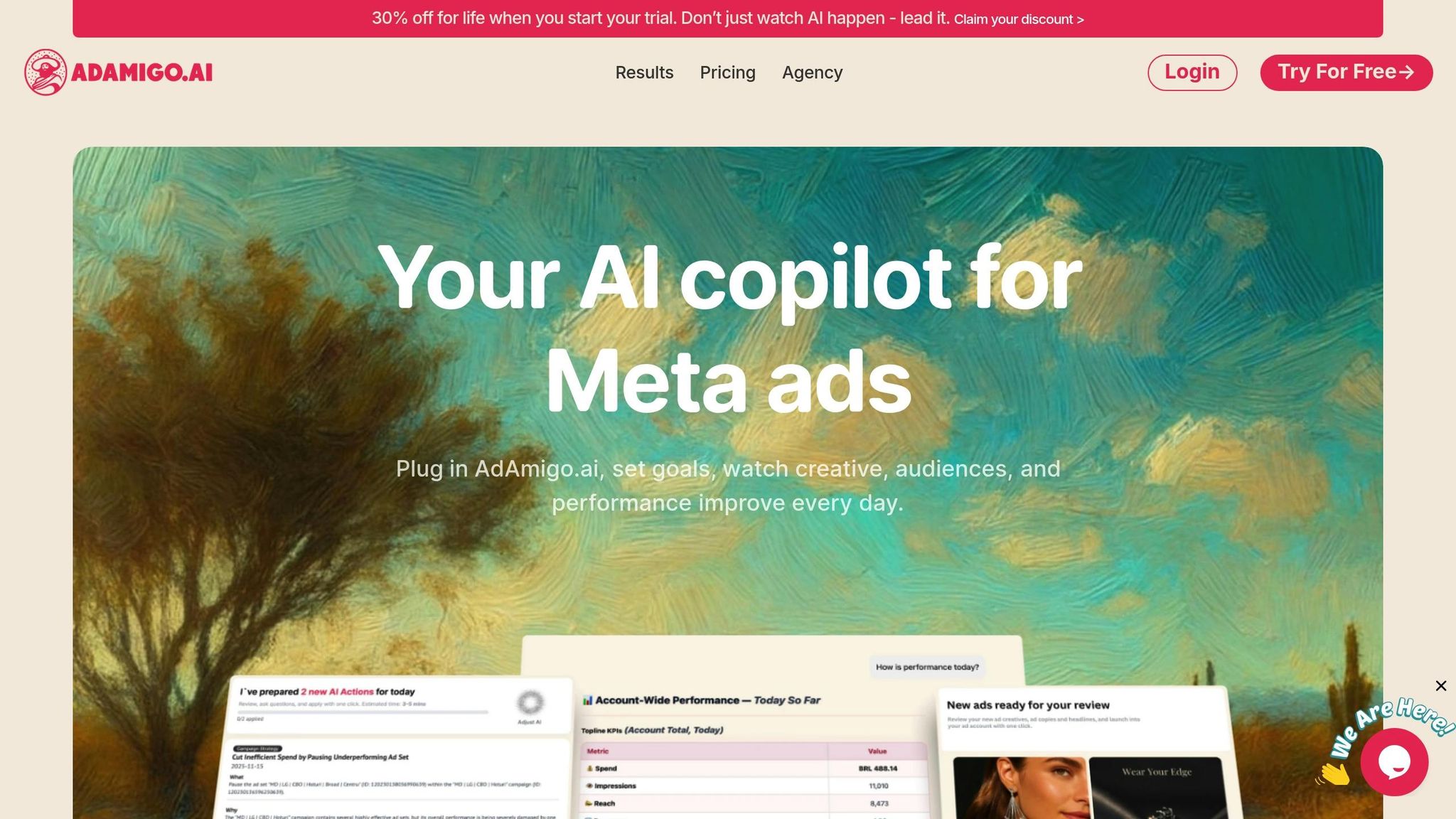
AdAmigo.ai takes QA seriously. Its integrated system reviews every aspect of your ad setup before launch. Whether you’re using the AI Media Buyer, the bulk launch feature, or the AI Chat Agent, the platform automatically checks for issues like missing UTMs, placement mismatches, and audience size problems. The system flags errors instantly, ensuring your campaigns are set up for success from the start.
But it doesn’t stop there. AdAmigo.ai’s AI Action Agent continues monitoring your campaigns post-launch, offering daily recommendations to catch potential issues, improve performance, and protect your budget. This proactive approach means you’re always a step ahead - avoiding unnecessary spend while maximizing results.
The Risk of Manual QA
If you’re relying on manual checks, you’re taking a big gamble. Reviewing 100+ ads manually can take 4-8 hours, and even then, the error rate is often 15-25%. Compare that to automated QA tools, which complete the same validation in minutes with an error rate of under 2%. Basic bulk tools might help you launch at scale, but without proper pre-flight validation, errors can slip through. Spreadsheet-based workflows, for example, often skip validation entirely, importing mistakes directly into your ad account.
9. Beginner-Friendly Workflow and Guided Flows
Here’s the thing: most bulk ad launchers are designed by experts for experts. They assume you already know the ins and outs of terms like Advantage+ Campaign Budget versus manual allocation or when to choose broad targeting over interest-based audiences. For first-time advertisers, this can feel like trying to read a foreign language, making the whole process unnecessarily intimidating.
The best bulk ad launchers don’t just speed things up - they make the process easier to understand. They simplify complex tasks by breaking them into manageable steps and using chat-based interfaces where you can describe what you want in plain English instead of wrestling with endless dropdown menus. Let’s explore how guided workflows can transform a daunting process into one that’s clear and approachable.
Why Traditional Tools Overwhelm Beginners
Traditional ad platforms often bury users in layers of menus, technical jargon, and manual configurations. For beginners, this means spending hours trying to figure out basic setups - or risking costly mistakes with misaligned targeting or incorrect placements. Even advanced tools like Sprinklr Ad Manager, while powerful, come with steep learning curves and interfaces that can overwhelm small businesses and startups.
How Guided Workflows Simplify the Process
Guided workflows tackle these challenges head-on by asking straightforward questions like, “What’s your goal?” or “Who do you want to reach?” From there, the tool fills in the rest using best practices, reducing the chances of errors and making it easier to get started. Instead of presenting a wall of options, advanced settings are only revealed as needed.
For example, a first-time user might follow a simple three-step process: define your goal, choose between AI vs manual audience creation, and set a budget. As they gain confidence, they can explore more advanced features like custom audience creation, detailed placement controls, or performance-based optimization rules. This step-by-step approach caters to both beginners launching their first campaign and experienced advertisers managing complex strategies - all on the same platform.
The Power of Chat-Based Interfaces
Chat-based interfaces take simplicity to the next level. Instead of navigating multiple screens, you can just type something like, “Launch 50 carousel ads targeting e-commerce audiences aged 25-45 in the US with a $5,000 budget.” The platform interprets your request, sets up the campaign, and presents it for your approval.
This conversational approach can cut setup time by up to 60% compared to traditional form-based builders. Plus, if you accidentally create conflicting parameters, the AI flags the issue and suggests fixes before launching your ads. It’s like having a personal assistant who knows the rules inside and out.
How AdAmigo.ai Makes Bulk Launching Accessible
AdAmigo.ai is built for everyone - from seasoned media buyers to complete beginners. Its AI Chat Agent lets you manage your entire Meta ad account through simple text commands, making it as intuitive as texting a friend. You can brainstorm ideas, run account audits, launch campaigns in bulk, or even design new creatives without getting lost in complicated menus.
Getting started takes just 5 minutes. For beginners, the AI Media Buyer offers daily optimization tips, explaining what changes to make, why they matter, and what impact to expect. You can either approve these changes manually or let the system handle them automatically. For experienced users, the platform allows fine-tuning to match specific goals, targeting preferences, budget limits, and naming conventions. The result? Faster, more accurate bulk launches.
Learning While You Work
The best tools don’t just simplify - they teach. AdAmigo.ai provides contextual help right when you need it. Hover over “Advantage+ Creative,” and you’ll see an explanation of how it enhances visuals by adding templates and adjusting colors for different placements. Embedded video walkthroughs show you how to set up a carousel ad or configure audience targeting, making it easy to learn as you go.
The platform also offers templates for common scenarios, like launching a retargeting campaign or testing creative variations. These templates give beginners a solid starting point, and as they gain experience, the system suggests next steps, like exploring A/B testing or creating lookalike audiences.
Balancing Automation with Transparency
Beginner-friendly doesn’t mean turning the platform into a “black box.” The best tools strike a balance between automation and transparency. For instance, when AdAmigo.ai generates creative variations (like 1:1 for Feed, 9:16 for Reels, and 4:5 for Stories), it shows you previews before launching. You can approve, edit, or reject them as needed.
Similarly, when the AI suggests audience segments or adjusts budgets, it explains the reasoning based on past performance data. This transparency helps users build trust in the system while learning how to manage their campaigns more effectively. Tools that keep users in the dark about their processes often create frustration and hinder growth.
The Bottom Line
A truly beginner-friendly bulk ad launcher doesn’t just make things faster - it makes them easier to understand and execute. It guides without limiting your options, automates routine tasks without hiding key details, and educates you along the way. Whether you’re launching your first campaign or managing a complex strategy, tools like AdAmigo.ai adapt to your needs, helping you achieve better results with less hassle.
10. Preview, Collaboration, and Approval Tools
When you're rolling out 50+ ads simultaneously, the chances of mistakes go up. A single typo, an off-brand image, or a misaligned message can drain your budget before anyone even notices, making it essential to set guardrails for Meta ads. For teams and agencies, getting quick stakeholder approval is critical to keep the launch process moving smoothly.
To avoid delays and errors, having solid preview and approval tools is a must. Relying on external tools often means taking screenshots, writing explanations, and going back and forth, which can stretch approval timelines from hours to days.
Why Preview and Approval Workflows Matter
Good preview tools let everyone involved see exactly how ads will look in dynamic and manual placements before any money is spent. For example, a carousel ad might look flawless on an Instagram Feed but get its text cropped on Stories or stretched on Reels. Without integrated previews, stakeholders are essentially signing off on campaigns based on incomplete or inaccurate visuals, which can lead to expensive mistakes.
What Effective Collaboration Tools Include
AdAmigo.ai simplifies the entire approval process by embedding preview, collaboration, and approval tools directly into the platform. The most efficient bulk ad launchers incorporate approval workflows into their core features, offering auto-generated campaign summaries. These summaries include critical details like audience size, budget splits, creative variations, placement strategies, and targeting parameters. Understanding Meta ad permissions vs. admin roles ensures stakeholders only see what’s relevant, while unique preview links eliminate the hassle of juggling multiple files or tools.
How AdAmigo.ai Streamlines Approvals
The AI Media Buyer from AdAmigo.ai takes things further by providing daily optimization suggestions, such as creating multi-format creatives, scaling creatives with AI, adjusting how AI balances budgets across Facebook and Instagram, or tweaking audience settings. Each recommendation comes with a clear explanation of the change and its potential impact. You can either approve these updates manually or let the system take over with autopilot mode.
"Your AI Media Buyer handles daily optimizations, flags issues instantly, designs new ads on demand, and launches everything in seconds. You approve - or switch to autopilot." - AdAmigo.ai
This level of transparency ensures issues like mismatched creative ratios or truncated text on mobile devices are caught early. By integrating these tools, teams can launch campaigns without errors and save valuable time.
Integration with Your Existing Workflow
The best collaboration tools integrate seamlessly with the platforms your team already uses. For example, AdAmigo.ai connects with Slack and Microsoft Teams, so approval requests and preview links can be sent directly to your communication channels. For those who prefer email, that’s covered too, ensuring everyone gets timely and clear requests without needing to log into yet another platform.
Preventing Approval Bottlenecks
Just like automation speeds up setup and optimization, integrated collaboration tools help maintain accuracy throughout the process. Automated updates, version control, and mandatory approval steps reduce confusion and ensure campaigns don’t launch until every stakeholder has signed off.
The Bottom Line
Preview and collaboration tools aren’t just a nice extra - they’re essential for teams that need to move quickly while maintaining high-quality standards. By automating previews, streamlining approvals, and integrating with your existing workflows, platforms like AdAmigo.ai help you avoid costly mistakes and keep your campaigns running smoothly.
Comparison Table
Below is a breakdown of how basic bulk tools, advanced options, and time-saving platforms stack up across 10 key features. These features determine whether a tool truly simplifies your workflow or just shifts the workload.
Feature | Basic Bulk Tools | Advanced Bulk Tools | Time-Saving Platforms (AdAmigo.ai) |
|---|---|---|---|
Bulk Ad Support Across Formats | Single format duplication (image or video only) | Multi-format support with separate workflows for each | Unified workflow for image, video, carousel, and lead form ads - all launched simultaneously |
Automatic Creative Ratio Handling | Manual ratio adjustment required for each placement | Semi-automated ratio generation with manual review | Automatic generation of correct ratios (1:1, 9:16, etc.) for Feed, Reels, Stories, and all placements |
Dynamic Copy and Headline Variations | Limited or manual creation of variations | Template-based copy variations with manual input | Dynamic copy + headline combinations generating 20+ variations per ad automatically |
Creative Enhancements Control | No control over Meta's enhancements or universal application | Enable/disable enhancements per campaign | Granular control per ad with brand consistency rules, plus AI recommendations for when enhancements improve performance |
Bulk Campaign and Audience Creation | Ad launch only - campaigns and audiences must be created separately | Basic campaign creation with manual audience setup | Bulk campaign and audience creation via AI chat or prompt - builds the entire structure from your goal input |
AI-Driven Strategy Orchestration | Execution-focused - requires manual strategy planning | Guided strategy builder with templates | AI generates a full strategy from goal input, including audience segments, creative combinations, and optimization logic |
Post-Launch Optimization and AI Actions | None - manual monitoring and adjustments required | Basic performance alerts with manual action needed | Autonomous creative testing, daily improvement suggestions, scaling logic, and budget reallocation - achieves 15-30% efficiency improvements |
Built-In Setup Quality Assurance | Minimal or absent - errors discovered after spend | Basic error flagging for common issues | Comprehensive pre-flight checks: UTM validation, placement verification, audience consistency, and budget anomaly detection with detailed error reports |
Beginner-Friendly Workflow | Complex interfaces with steep learning curve | Guided workflows with templates | Chat-based builder for beginners plus an advanced rule engine for experts - serving both skill levels |
Preview, Collaboration, and Approval Tools | Limited or no collaboration features | Basic commenting and approval workflows | Auto-generated previews, approval workflows with audit trails, role-based access, stakeholder summaries, and integration with Slack/Teams |
What This Comparison Tells Us
The evolution from manual processes to full automation is clear. Basic bulk tools may let you launch multiple ads, but they leave you juggling tasks like adjusting creative ratios, crafting copy variations, and manually tracking performance across different placements. Essentially, they shift the burden rather than eliminating it.
Advanced bulk tools improve on this with guided workflows and partial automation. However, they still demand significant manual effort for strategic planning, troubleshooting, and optimization after launch.
Platforms like AdAmigo.ai take automation to the next level. They handle everything from strategy creation to ongoing optimization. The platform analyzes your brand, identifies top-performing ads, and generates ready-to-use creatives. Plus, it provides daily to-do lists with prioritized tasks for creatives, audiences, budgets, and bids, ensuring you focus on what matters most.
Why AdAmigo.ai Stands Out
AdAmigo.ai is the only tool that delivers all 10 features seamlessly. It builds campaigns, creates audiences, generates creatives in multiple languages, and continuously optimizes performance using AI. The AI Chat Agent simplifies the process further - allowing you to launch and analyze campaigns through simple conversations, without the need for complex interfaces or spreadsheets. Whether you're new to marketing or a seasoned pro, AdAmigo.ai adjusts to your expertise while maintaining powerful functionality.
The Hidden Costs of Inadequate Tools
While basic tools might seem cheaper upfront, the time spent on manual adjustments, creative revisions, and constant monitoring quickly adds up. For agencies, this inefficiency limits the number of clients a media buyer can handle. Compare that to the four to eight accounts they can manage with true automation.
Studies show that AI-driven vs rule-based automation platforms improve efficiency by 15-30% through smarter cross-platform optimization. AdAmigo.ai users report similar gains, with some achieving up to 30% better performance in the first month and even seeing ROAS increases as high as 83%. All this while saving hours each week on repetitive tasks.
So, when choosing a bulk ad tool, ask yourself: does it truly eliminate repetitive tasks, or just make them slightly faster? The answer could save you both time and money.
Conclusion
Launching ads quickly loses its appeal when you're bogged down with manual setup and endless post-launch adjustments. Most bulk ad launchers only tackle the execution phase - they speed up campaign duplication but leave you grappling with time-consuming tasks before and after launch. Instead of solving the problem, they shift the burden.
Think about all the hours spent on pre-launch prep: briefing designers for various aspect ratios, creating multiple lookalike audiences, crafting endless copy variations, and then, post-launch, combing through performance dashboards to analyze Meta ad metrics and catch underperforming ads. For agencies managing multiple clients or large-scale campaigns, this inefficiency piles up fast. It’s work that doesn’t have to be done manually.
That’s where a solution like AdAmigo.ai steps in. This platform doesn’t just streamline one part of the process - it simplifies the entire workflow. It automates on-brand creative generation for all placements, adjusts aspect ratios automatically, builds campaigns and audiences using simple chat prompts, and even optimizes performance long after launch. Its standout feature, AI Actions, delivers a daily prioritized to-do list, highlighting the most impactful tweaks across creatives, audiences, budgets, and automated bids. No more guesswork. No more hours wasted monitoring dashboards.
"The AI actions are spot-on, so I can make adjustments fast and see results right away. It's like having an extra set of super-smart hands helping me hit my KPIs." - Sherwin S., G2 Review
The results speak for themselves. Users report performance boosts of up to 30% in just one month, with some achieving an 83% increase in ROAS. For agencies, this means a single media buyer can handle 4–8× more client accounts compared to traditional workflows.
If your current bulk ad tool still demands heavy manual input or hours of post-launch optimization, it’s not true automation - it’s just faster manual labor. The real difference with AdAmigo.ai lies in reclaiming your time. By letting AI manage strategy, execution, and continuous optimization, what used to take hours can now be done in minutes.
So, the real question isn’t whether you need a bulk ad launcher. It’s whether you’re ready to stop managing ads the old way and start focusing on strategy and growth while AI takes care of the heavy lifting.
FAQs
How does AdAmigo.ai enhance ad campaign performance compared to traditional tools?
AdAmigo.ai takes campaign performance to the next level with AI-powered optimization that does more than just manage ads. Its standout features include autonomous creative testing, smart daily improvement tips, and intelligent scaling strategies - all designed to keep your campaigns getting better day by day.
What sets AdAmigo.ai apart from standard tools is its ability to simplify decision-making. You can set up an AI Action Agent that delivers custom daily recommendations to fine-tune your ads. The result? Less time spent on manual adjustments and more time to focus on scaling your strategy and driving growth.
What are the advantages of AI-driven strategy orchestration in ad campaigns compared to basic automation?
AI-powered strategy orchestration takes automation to the next level by managing the entire planning process for your ad campaigns. Rather than simply running ads, it enables you to define a goal, and the system crafts a customized strategy to help you reach it.
This method streamlines workflows and minimizes manual work by automating tasks such as campaign setup, audience targeting, and creative testing. It also continuously refines performance. In contrast, basic automation tools are typically limited to executing pre-set actions without providing strategic direction or flexibility.
Why is setup quality assurance essential in a bulk ad launcher, and how does it help prevent costly mistakes?
Setup quality assurance plays a key role in ensuring your ad campaigns are free of errors before they go live. It helps pinpoint problems like missing UTMs, wrong placements, or inconsistent targeting - issues that can drain your budget or cause your ads to perform poorly.
By addressing these mistakes upfront, you can save time, prevent wasted spending, and protect the effectiveness of your campaigns. Using a dependable tool with built-in quality checks ensures your strategy stays on track and allows you to launch with confidence.