How to Evaluate an AI Ad Platform Before You Buy: 14 Questions to Ask
Short answer: most tools that call themselves AI ad agents are not agents. Some are old automation rules with a new label. Some can only suggest changes and leave the work to you. The differences do not show up in a demo, they show up in week three. The fourteen questions below tell you which one you are looking at. Does it use real AI or just rules someone wrote years ago? Does it learn your business? Can it build everything you need inside the ad account? Can you choose how much it does on its own? Does it cover Meta and Google together? Does it tell you when something breaks? Does it care about your actual profit, not just the numbers the ad platform shows you? Is it an approved Meta and Google partner, or could connecting it get your ad account disabled? And can your whole team use it, or only one person at a time? There is a checklist at the end you can take into a sales call.
If you are still deciding whether to use an AI ad agent at all, start with who should run your ads or can AI replace your ads agency.
Three ways people put AI on their ad accounts
Before the questions, work out which of these three you are shopping for. They are very different things.
Option 1: build it yourself
You use a coding tool like Claude Code or Codex, apply to Meta and Google for access to their systems, and build your own setup.
This looks like the cheapest option. It is usually the most expensive. Three costs get missed.
Getting approved takes a long time. You apply to Meta and Google for permission to connect to their advertising systems, then you wait for review. That can take weeks or months before you have written anything useful.
The systems keep changing. Meta releases a new version of its advertising system roughly every three months, and each version stops working after a while. Their changelog is a long list of things that were removed or changed. In our experience something breaks every few weeks. Your campaign builder works on Friday. Meta changes something over the weekend. On Monday it stops working, and often it does not warn you. It just quietly starts doing the wrong thing, and you find out later when you look at the numbers.
You pay for every request. When you compare a $349 a month tool against building your own, people usually treat the build as free. It is not free. Tools like Claude Code and Codex charge you for every request the AI makes. Every time it looks at your data, writes an ad, or runs an optimization, that costs money. Those charges happen every day, forever, and almost nobody adds them up before starting.
The bigger problem is what happens to you. Six weeks in, you are fixing software instead of running your business. You run an online store, or a clinic, or a contracting company, and now you also run a small software project. This is the trap. If you want to test it yourself, go ahead. Just plan for the repair work, not only the build.
Option 2: general AI assistants with basic ad connections
Tools like Grokbot, Viktor or Manus sit in your Slack and come with simple connections to Meta and Google. Setup is easy. You sign up, connect your accounts, and start asking.
The limit is how much they can actually do. They will launch a simple ad. Then you ask for a carousel ad, or an ad that tests several headlines at once, or a campaign that pulls products straight from your shop, or a lead form that asks different questions depending on the answers, or a change to how long after a click a sale still counts. That is usually where they stop.
That limit hurts more than it looks. If a tool cannot do something, it will never suggest it either. You do not get a message saying "we could try a catalog campaign here but I cannot build one." You simply never hear the idea. So a tool with a small toolbox does not just work slower, it also gives you worse advice, and you never find out what you missed.
Option 3: specialist AI ad agents
Built for one job, with access to everything the ad platforms can do, and a memory of your business underneath. Higher ceiling, narrower focus. AdAmigo.ai is in this group: Meta and Google today, more channels coming, and no claim to do email, landing pages or PR.
The rest of this guide is how to tell a real one from a copy.
The 14 questions
1. Is it real AI, or old automation rules with a new label
Ask this first, because a lot of marketing tools were calling themselves AI long before modern AI existed.
What they usually mean is automation rules. You write an instruction like "if cost per purchase goes above $50, pause the ad set." The tool then follows that instruction. That is useful, and it is not AI. Someone still has to know the right rule, write it, and update it every time the business changes.
The difference matters. A rule cannot look at your ad and tell you the hook is weak. A rule cannot notice that your cost per sale went up because a competitor started a sale, not because your ad got worse. A rule will pause a good ad set because tracking broke for one day. And a rule will never come up with something nobody thought of, because it only does what it was told.
An AI ad agent reads the situation, weighs it against everything it knows about your account, decides what to do, does it, and explains why. It can also do things nobody wrote down in advance.
How to check: ask the vendor to show you a real recommendation from a real account, including the reasoning behind it. If the answer is a list of if-then rules you have to configure yourself, you are buying automation, not an agent. Ask when the product was first built and what it did before.
2. Does it learn your business, and does it keep learning
This is the most important question on the list. Ask what the agent knows about your business, where that knowledge comes from, and whether it grows over time.
Without that knowledge you get advice that sounds smart and is wrong. It will not know that you barely sell anything at weekends, so it starts a creative test on a Friday and the test fails for reasons that have nothing to do with the creative. It will not know that two of your numbers always move together. It will not know that a competitor has been running a message that works very well and that you should try something similar.
What good looks like: when you connect your accounts, the agent studies your history properly. When your busy and slow seasons are. Which numbers move together. How your account reacted the last time someone changed something. Which creative tests worked and which did not. Which messages sold best. It should also find the gaps: audiences you are not reaching, budget being wasted on the wrong days of the week, messages missing from your ads, and ideas worth borrowing from what competitors are doing.
Then it has to keep going. Every change recorded, with what was done, when, and why. The result measured afterwards, whether you made the change or the agent did. That record is why month six is better than month one.
Ask: what did you learn about my account in the first hour, and what will you know in six months that you do not know today?
3. Does it hold your rules and your priorities
Rules are the things it must never do. Countries you cannot sell to. Audiences you do not want to target. A budget it must not go over.
Priorities are what matters right now. Which products you are pushing this month. What cost per sale or cost per lead you need to hit.
If the agent does not store these, it will spend too much and advertise in places you did not want. Ask the vendor to show you the actual screen where you set them, not just tell you that you can mention it in a chat.
4. How much can it actually do inside the ad account
Vendors are vague here, so be specific. Ask whether it can build and change all of the following:
Carousel ads. Ads that test several headlines and captions at once. Campaigns that pull products straight from your shop catalog. Lead forms, including ones where the next question depends on the last answer. Settings for how long after a click or view a sale still counts. Every type of audience: interests, lookalikes, your own customer lists, exclusions, retargeting. All the campaign goals. Budget limits at campaign and ad set level. Where the ads appear.
Anything on that list it cannot do is two problems at once. It is work that stays on your plate, and it is advice you will never receive.
Something worth knowing about how people actually use these tools. Over a recent 30-day period across AdAmigo.ai accounts, about three quarters of all interactions were chat messages to the agent, roughly 15% were autopilot recommendations that customers reviewed and implemented, and roughly 10% were batches of new ads generated. Those are different units, so this is not a ranking of what matters most. What it shows is that people use all three: asking the agent to do things, approving what it suggests on its own, and making new creative. A tool that only covers one of the three covers a fraction of the real work.
5. Can you choose how much it does on its own
This question decides whether you are still using the tool in three months.
Some work you want it to handle completely. Some you want to approve before it happens. Some you want to do yourself. A tool that only offers one of those three will annoy you, whichever one it picked.
If it can only suggest things, you still do all the work and the time saving never arrives. If it only acts when you ask, nothing happens on the weeks you are busy, which are the weeks you needed it. If it only runs on full autopilot with no approvals, you should not connect it to a live budget on day one.
What good looks like: start with every change needing your approval. Move areas over to autopilot as you learn to trust it. Keep the ability to step in and do something yourself at any point.
There is real demand for both ends of that range. Of people signing up for AdAmigo.ai, 83% switch on auto-apply, which lets the agent make media buying changes without waiting for a human. The other 17% deliberately keep themselves in the loop and approve every change first. Both groups use the same product. That is the whole argument for a spectrum: one tool has to work for the person who wants to hand over the account and for the person who wants to sign off on everything.
6. Which AI models does it use, and who picks
Ask which AI models sit underneath, and who decides which one does which job.
New models come out constantly and they are good at different things. One writes better. One analyses data better. One makes better images. If a tool is locked to a single AI company, you are stuck with that company's weak spots.
What good looks like: the tool is not tied to one provider, and it sends each job to whichever model does that job best. Writing to the best writer, design to the best designer, analysis to the best analyst. And that mix updates as better models arrive.
7. Can it make good ads, on brand, in volume
Ads wear out. People see them too often, stop reacting, and your costs go up. The main defence is a steady supply of new ads, so volume matters as much as quality.
Ask two things.
Does it produce ads that already look like your brand, using your colours, fonts and logo, or do you have to fix every one? And is it designing based on what actually sells in your industry right now, or is it just an image generator responding to a prompt?
This comes back to question 2. A general image tool asked to "design an ad" gives you a generic ad. An agent that knows which ad formats and layouts are working in your market gives you something with a real chance.
Also ask whether it improves on winners. Taking your best performing ad and building better versions of it is a different skill from making something new from scratch.
This is measurable, and it is a fair test of whether generated creative is usable. When AdAmigo.ai finds an ad that performs well but is starting to wear out with its audience, it designs new versions of that ad with specific elements changed to try to do better. 76% of those designs get put live by the customer. If a vendor cannot tell you what share of their generated ads actually get used, that is worth noticing.
8. Does it cover all the channels you need, in one place
Meta means Facebook, Instagram and Threads. Google means Search, Shopping, YouTube and the Display Network.
One agent across both matters for two reasons.
Channels go in cycles. Meta can perform well for a month, then drop off while Google picks up. An agent sitting across both can move money to whichever is working, because it has no reason to favour one.
Learning travels. If a video works on Instagram, it can be tried on YouTube Shorts. If a headline wins on Google Search, it can go into your Meta ads.
Two separate vendors cannot do either of those. They also both claim credit for the same sale, which pushes your budget toward whoever counts most aggressively rather than whoever actually earns it.
9. Does it work on the account every day, without being asked
Not weekly. Not when you happen to open it.
Ask the vendor a simple question: what does it do on a day when nobody logs in?
10. Does it tell you when something goes wrong
If an agent runs your account, it has to interrupt you at the right moments.
An ad gets rejected or switched off. There is a typo in an ad you uploaded yourself. A campaign stops spending. Spend suddenly collapses. A policy warning arrives.
The agent may fix the problem itself. You still need to know it happened. Ask what sets off an alert, and how that alert reaches you.
11. Can it handle comments on your ads
Ad platforms are social platforms. Your ads collect questions, complaints and objections in public, right under the ad, where everyone who sees the ad next also sees them.
Questions nobody answers cost you sales. Complaints nobody answers cost you more. Ask whether managing comments is included, or whether that job comes back to you.
12. Does it optimize toward real profit, not just platform numbers
This one separates serious products from dashboards.
Return on ad spend is not the goal. A customer who comes back and buys again for years is worth more than a customer who looks better on the first sale. Cost per lead is not the goal either. What matters is the cost of a lead that turns into a paying customer.
Ask whether the agent can see past the numbers the ad platform reports. Can it factor in how much a customer is worth over time? Can it tell a brand new customer from someone who would have bought anyway? Can it take results back from your sales system and learn which leads actually closed?
An agent working only from platform numbers will confidently push you toward the wrong customers.
This depends on your own tracking too. Sending sales data from your server through Meta's Conversions API is worth setting up first, and our setup guide walks you through it.
13. Is it an approved partner, or could it get your ad account disabled
This is the question where getting it wrong costs you the most, so do not skip it.
Meta and Google let approved software connect to your ad account through an official, reviewed route. Getting approved takes time and the company has to meet their rules. Some AI tools skip that. They connect using unapproved connectors, borrowed credentials, or by controlling a browser and clicking around your account the way a person would.
That is where accounts get lost. We regularly hear from people whose ad account was restricted or disabled after connecting an unapproved tool, or a tool that was itself built on top of an unapproved connector. Once an account is disabled you lose more than access. You lose the campaign history, the learning your account has built up, and often the appeal takes weeks with no guarantee of getting it back.
The risk is easy to miss because these tools work perfectly at first. Nothing warns you. The account simply gets flagged at some point, and by then the tool is deep in your setup.
How to check, in order:
Look the vendor up in the Meta Business Partner directory and the Google Partners directory. Google explains what it takes to be listed in its help documentation. If a vendor tells you they are a partner, verify it yourself rather than taking their word for it. AdAmigo.ai is an official partner on both, which is why we tell people to check.
Ask directly how they connect to your ad account. You want to hear that they use the official approved route with reviewed permissions. If the answer involves an open-source connector someone built, an unofficial integration, or software that logs in and clicks for you, stop there.
Ask what they need from you. Proper access is granted through Business Manager partner permissions. If a tool asks for your username and password, that alone tells you it is not connecting the approved way.
Ask how they store and protect the keys to your accounts.
Then ask about checking. Is there a second pass over the agent's own plans before they go live, catching obvious mistakes? Or does whatever it decides go straight into your account with nothing in between?
14. Can your whole team use it, or only one person
Almost every tool in this category is built for a single user. That is fine if you are a founder running your own ads. It becomes a problem the moment more than one person touches the account.
Most marketing teams are not one person. There is someone who plans the creative, someone who designs it, a media buyer for Meta, a different one for Google, maybe a specialist for a third channel, and a CMO who wants to see what is happening without doing the work.
With a single-user tool, one person holds the login and becomes the bottleneck. Everyone else asks that person to run things for them, or worse, works around the tool entirely. Two people end up making the same ad because neither could see the other's work. Someone changes a budget and nobody else knows it happened.
What good looks like: everyone has their own access, with roles that decide who can do what. Creative gets designed, reviewed, approved and launched in one place, so the designer and the media buyer are looking at the same thing. Everyone can see what the others have done and what the agent has done, in one shared record rather than in one person's head.
Bigger teams and agencies need one more thing on top: approval chains. Some changes should not go live until two or three named people have signed off. If you work in a regulated industry, or you manage other people's money, this is not optional.
Ask directly: how many people can use this, what can each of them do, and can I require more than one approval before a change goes live? Ask before you buy, because it is very hard to add later.
The problems that only appear after week three
A trial rarely catches these, which is why the questions above matter more than a demo.
Ad text that is slightly off-brand every single time. Naming that never matches how you name things. Missing tracking tags on links, which quietly breaks your reporting until you notice a month of traffic you cannot trace. The wrong logo in a design.
And the one that tells you the most: an agent that contradicts itself. It raises a budget one day and cuts it the next on the same thing, with no connection between the two decisions. That is an agent with no memory of what it did yesterday, and nothing else it does well makes up for that.
All of these come back to questions 2 and 5.
The checklist
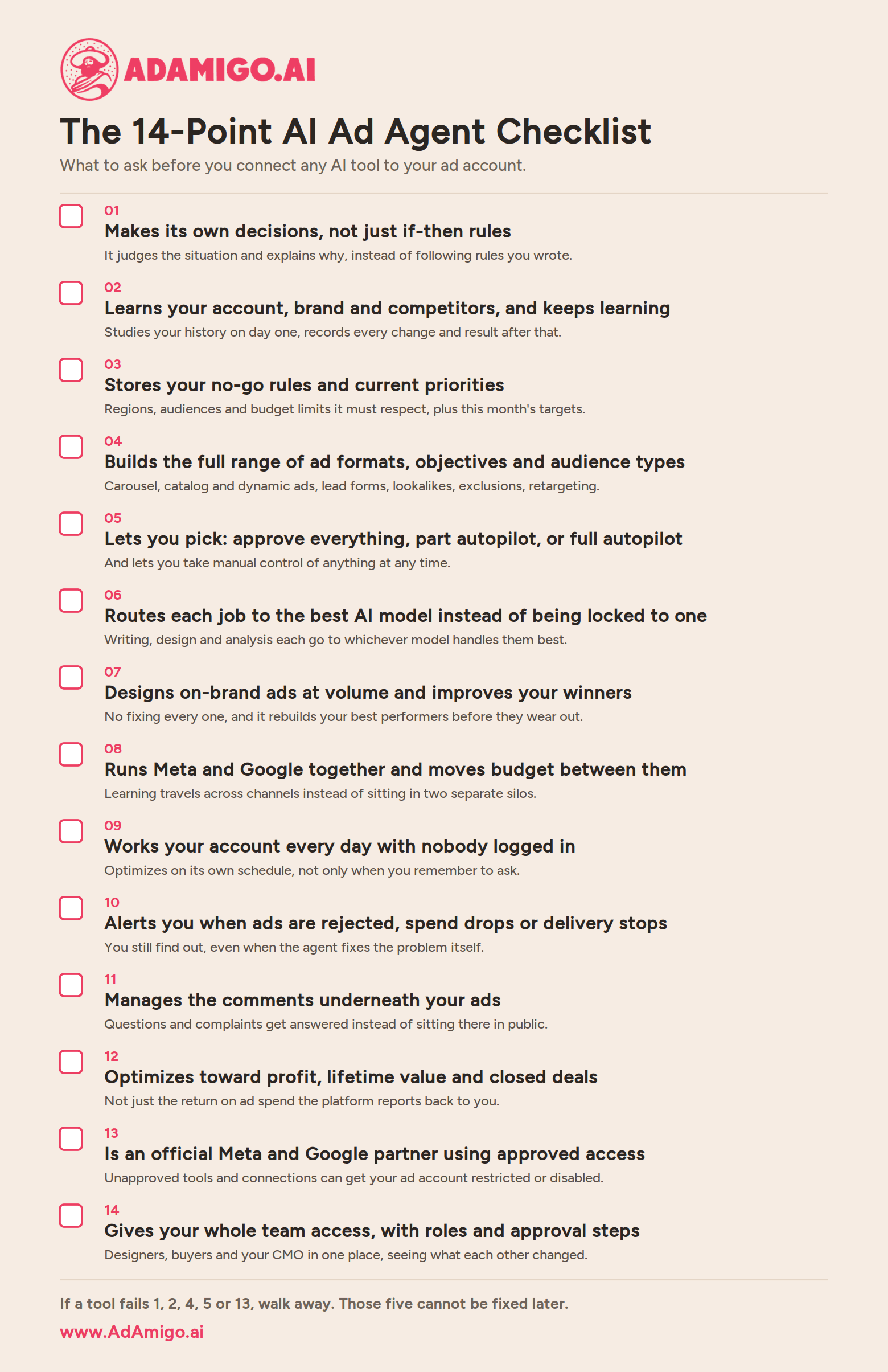
Take this into a call with each vendor. Mark each line yes, partly or no.
# | What to check | What this means | Signs it does this well |
|---|---|---|---|
1 | Real AI, not rules | Whether it decides for itself, or just follows if-then instructions you wrote | It shows you a real recommendation with the reasoning behind it, and it suggests things you never thought to ask for |
2 | Knowledge of your business | What it knows about your account, brand, customers and competitors | It studies your account history on day one, remembers every change and its result, and gets better over months |
3 | Your rules and priorities | Where it stores what it must not do and what matters this month | There is a real screen for countries, audiences, budget limits, priority products and targets |
4 | What it can build | How much of the ad platform it can actually use | Carousel, catalog and dynamic ads, lead forms with follow-up questions, all audience types, attribution settings |
5 | Control levels | How much you let it do on its own | Approve-everything mode, partial autopilot, full autopilot, and you can take over manually at any time |
6 | AI models | Which AI does the work | Not tied to one AI company, and it sends writing, design and analysis to whichever model is best at each |
7 | Creative | Whether it can supply enough good ads to stop them wearing out | On brand without you fixing it, designed around what sells in your market, and it improves your winning ads |
8 | Channels | Whether one agent covers everywhere you advertise | Meta and Google under one agent, moving budget between them and reusing what works across both |
9 | Daily work | Whether it runs the account when you are not looking | It optimizes every day with nobody logged in, not only when asked |
10 | Alerts | Whether it warns you when something breaks | Named triggers: rejected ads, campaigns not spending, sudden spend drops, policy warnings |
11 | Comments | Whether it handles the public replies under your ads | Comment management included, following rules you set |
12 | Real profit | Whether it optimizes toward money, not platform metrics | Uses customer lifetime value, new versus repeat customers, and results fed back from your sales system |
13 | Approved partner | Whether connecting it could get your ad account restricted or disabled | You can find them in the Meta and Google partner directories, they connect the official approved way, and they never ask for your login |
14 | Built for teams | Whether more than one person can work in it | Separate access for each person, roles and permissions, shared view of who changed what, and approval chains for bigger teams |
If a vendor scores no on 1, 2, 4, 5 or 13, walk away. Those five cannot be fixed later. If more than one person in your company touches the ad account, add 14 to that list.
How AdAmigo.ai answers these
Real AI, not rules. Every recommendation comes with the reasoning behind it, based on your account rather than a rule someone typed in.
Knowledge of your business. When you connect your accounts, AdAmigo.ai studies your history: busy and slow seasons, which numbers move together, how the account reacted to past changes, which creative tests and messages worked, plus gaps in your audiences, your budget allocation across the week, your messaging, and opportunities from what competitors are running. Every action after that is recorded with its reasoning, and the result is measured, so it keeps getting better.
Your rules and priorities. Countries, audiences, budget limits, priority products and performance targets are set during onboarding and held by the agent.
What it can build. Built to use what the ad platforms can actually do, rather than a small slice of it, which is what lets it recommend across the full range.
Control levels. Start with approval on everything, move areas to autopilot as trust builds, take over manually whenever you want.
AI models. Not tied to one AI company. Each job goes to whichever model handles it best.
Creative. On-brand images and video made from scratch and improved from your best performers, designed around what sells in your market.
Channels. Meta and Google under one agent, with budget and learning moving between them. More channels coming.
Real profit. Optimization aimed at business results rather than platform numbers alone.
Results. Customers who let Autopilot run see their main performance number improve by an average of 32% over 30 days, compared with the 30 days before. Most measure return on ad spend, then cost per lead, then cost per purchase. Two things to keep in mind when reading that: these are customers who chose to run on autopilot, so it is not a random sample, and a 30-day comparison does not account for seasonal swings. Treat it as a direction, not a promise.
Built for teams. Separate access for each person, so a creative designer, a media buyer and a CMO can work in the same account without one of them holding the login. Everyone sees what the others and the agent have changed. Approval steps are available for teams that need a change signed off before it goes live.
Pricing is $99 or $349 a month per ad account, or $899 fully managed with a dedicated account manager.
Frequently asked questions
What is the difference between an AI ad agent and an ad automation tool?
An automation tool follows rules you write, like "pause this ad set if cost per sale goes above $50." It cannot judge why something happened and it will never suggest anything new. An AI ad agent looks at the situation, decides what to do, does it in your account, and explains why. The quickest test is whether it can make changes in your ad account itself, or only tell you what to do.
How do I know if a tool is really AI or just old software with a new label?
Ask when the product was first built and what it did before. Ask to see a real recommendation from a real account with the reasoning included. If everything you see is a list of if-then rules you have to set up yourself, it is automation with a new name.
Can I just build my own AI ad agent with Claude Code or Codex?
You can. Plan for approval from Meta and Google taking weeks or months, for their systems changing every few weeks and breaking what you built, and for paying per request every time the AI does anything. The ongoing repair work costs more than the build. Most companies that try this end up running a software project they never wanted.
Are general AI assistants like Grokbot or Viktor good enough for ads?
For simple jobs, yes. They will launch a basic ad. They usually stop at carousel ads, shop catalog campaigns, ads testing several headlines at once, lead forms with follow-up questions, and attribution settings. And because a tool never suggests what it cannot build, a smaller toolbox also means weaker advice.
What does it mean for an AI ad agent to know my business?
It means the agent holds real knowledge about your account: your busy and slow seasons, how your numbers relate to each other, what has been tested before and how it went, your brand guidelines, who your best customers are, which messages work and who you compete against. Without that you get advice that sounds right and is not. With it, the advice is based on how your account actually behaves, and it improves as the record grows.
Should an AI ad agent run completely on its own?
Eventually, for parts of the account. Start with approval on every change, hand over areas as you build trust, and keep the option to take control yourself. A tool that only offers one setting will not suit you for long.
Can more than one person on my team use an AI ad agent?
That depends entirely on the product, and most are built for one user. If you have a creative designer, a media buyer and a CMO who all need visibility, look for separate access per person, roles that control who can change what, a shared record of who did what, and the option to require approval from more than one person before a change goes live. Check this before you buy, because it is difficult to add afterwards.
Can an AI tool get my ad account banned?
Yes. Meta and Google only allow approved software to connect through an official reviewed route. Tools that use unapproved connectors, borrowed credentials, or software that logs in and clicks around your account can get it flagged, restricted or disabled, and you lose your campaign history along with it. These tools usually work fine at first, so there is no warning. Before connecting anything, look the vendor up in the Meta Business Partner and Google Partners directories yourself, ask exactly how they connect, and never hand over your login details.
How do I know an AI ad platform is safe to connect to my ad account?
Check it is a listed Meta Business Partner and Google Partner, that it connects through the official approved route rather than by controlling a browser, and that you can grant access through Business Manager partner permissions instead of sharing your login. Ask how they store the keys to your accounts.
How long before I can tell whether an AI ad platform is working?
Two weeks only tells you whether something is broken. Sixty days gives you a real read, ninety days gives you certainty. Compare against the same period a year earlier so seasons do not confuse the picture, and remember that costs rise as you spend more, so a budget increase during the test will make results look worse than they are.