
Checklist: Setting Up AI Bid Strategies on Meta
AI-driven bidding transforms manual ad work into a scalable, data-driven system—align clear KPIs, set guardrails, and automate to stabilize ROAS.
AI-powered bidding on Meta simplifies ad management by using real-time data to adjust bids automatically. This saves time, improves efficiency, and helps you focus on scaling campaigns. Here's a quick summary of the steps to set up and optimize AI bidding strategies:
Define Clear Goals: Set specific KPIs like ROAS or CPA to guide AI optimization. Avoid vague goals like "increase sales."
Organize Your Account: Structure campaigns by objectives and audiences. Use a clean setup with 5–10 ad sets per campaign.
Choose a Bidding Strategy: Start with "Highest Volume" for testing. For profitability, use "Cost Cap" or "ROAS Goal." Use "Bid Cap" for precise control if you have solid LTV data.
Enable Budget Optimization: Activate Campaign Budget Optimization (CBO) and set realistic budgets—20–30% above average spend—and set guardrails to control costs.
Activate Advantage+ Features: Allow AI to optimize placements and budgets dynamically for better results.
Integrate Third-Party Tools: Use platforms like AdAmigo.ai to automate bid adjustments, budget changes, and creative updates.
Monitor and Adjust: Track metrics like ROAS, CPA, and CTR to prioritize ad sets. Refine strategies based on performance data.
Scale Winning Campaigns: Gradually increase budgets and expand audiences for successful campaigns.
AI bidding tools like Meta's Advantage+ and third-party platforms streamline ad management, reduce manual work, and improve outcomes. Focus on clear goals, structured campaigns, and consistent monitoring to make the most of these tools.
Step 1: Pre-Setup Requirements
Define Campaign Goals and KPIs
Start with a clear and specific objective for your campaign. Meta's AI thrives on precision - whether your aim is to boost revenue, hit a specific cost per purchase, or scale profitably, you need to define it upfront. Vague goals lead to mismatched optimization and wasted resources.
Choose one primary KPI that directly impacts profitability. For most e-commerce campaigns, this is either ROAS (Return on Ad Spend) or CPA (Cost Per Action). For instance, your goal might be something like "Increase ad spend by 30% while maintaining a ROAS of 3× or higher" or "Keep CPA under $20 for purchases." Use historical data to set realistic targets. If your average ROAS over the last 90 days is 2.5×, aiming for 3× is both achievable and ambitious.
Business Goal | Primary KPIs | Secondary KPIs |
|---|---|---|
E-commerce | ROAS, Cost per Purchase | AOV, Purchase Volume |
Lead Generation | Cost per Lead, Lead Quality | Form Completion Rate |
Brand Awareness | CPM, Reach | Frequency, Brand Lift |
Avoid generic objectives like "increase sales." For example, if you use Meta's Highest Volume strategy without setting a ROAS or CPA target, the algorithm might prioritize conversions regardless of cost, which can lead to skyrocketing CPAs. Clear goals ensure the AI focuses on outcomes that align with your profitability.
Once your goals are set, you’ll need to organize your account structure using a Meta ads conversion optimization checklist to guide the AI toward effective optimization.
Ensure Proper Account Structure
A well-organized account structure is essential for efficient budget allocation and data analysis. Arrange campaigns by objective and segment your ad sets into distinct audiences by building a full-funnel Meta ads setup that includes AI-powered retargeting and prospecting. Simplicity is key - limit each campaign to 5–10 ad sets to ensure each one gathers enough data without spreading your budget too thin.
Make sure your Meta Pixel is correctly configured to track key events like purchases and accurately pass purchase values. CBO vs. manual budgeting depends on this data to allocate spend effectively. If your setup is messy - mixing objectives, combining audience types, or missing event values - the AI won’t be able to distinguish between a $10 sale and a $500 sale, leading to inefficient ad spend.
If things feel disorganized, consider starting fresh. Begin by testing with Meta's Highest Volume bidding strategy to validate your setup. Once you’re confident in the structure, you can layer in Campaign Budget Optimization or specific ROAS targets. A clean, streamlined structure sets the stage for effective AI-driven bidding.
Connect Tools for Optimization
Integrating third-party tools can take your campaign monitoring and adjustments to the next level. AdAmigo.ai is one such tool that connects to your Meta ad account in just five minutes. After linking, you set your KPIs (e.g., "3× ROAS"), and the tool starts analyzing your brand, competitors, and top-performing ads to suggest daily AI-driven optimizations. These include prioritized recommendations for bids, budgets, creatives, and audience targeting.
AdAmigo.ai continuously refines its strategies based on real performance data. It works within the rules you set for budget, pacing, and placements. You can choose between semi-autonomous mode, where you approve changes, or full autopilot for hands-off management. This approach ensures 24/7 performance optimization without the need for constant manual intervention.
To get started, link your Meta account via API, provide AdAmigo with your campaign details, and review its daily recommendations for campaign and budget adjustments. With tools like this in place, your campaigns are ready to leverage AI for smarter bidding and better results.
Meta Ads Bidding Strategies Explained | How to Set Campaign Bids in Meta Ads Manager

Once your bidding is live, it's essential to analyze Meta ad metrics to ensure your strategy is hitting its targets. This often involves AI-driven resource prioritization to reallocate budgets effectively.
Step 2: Choose Your AI Bidding Strategy
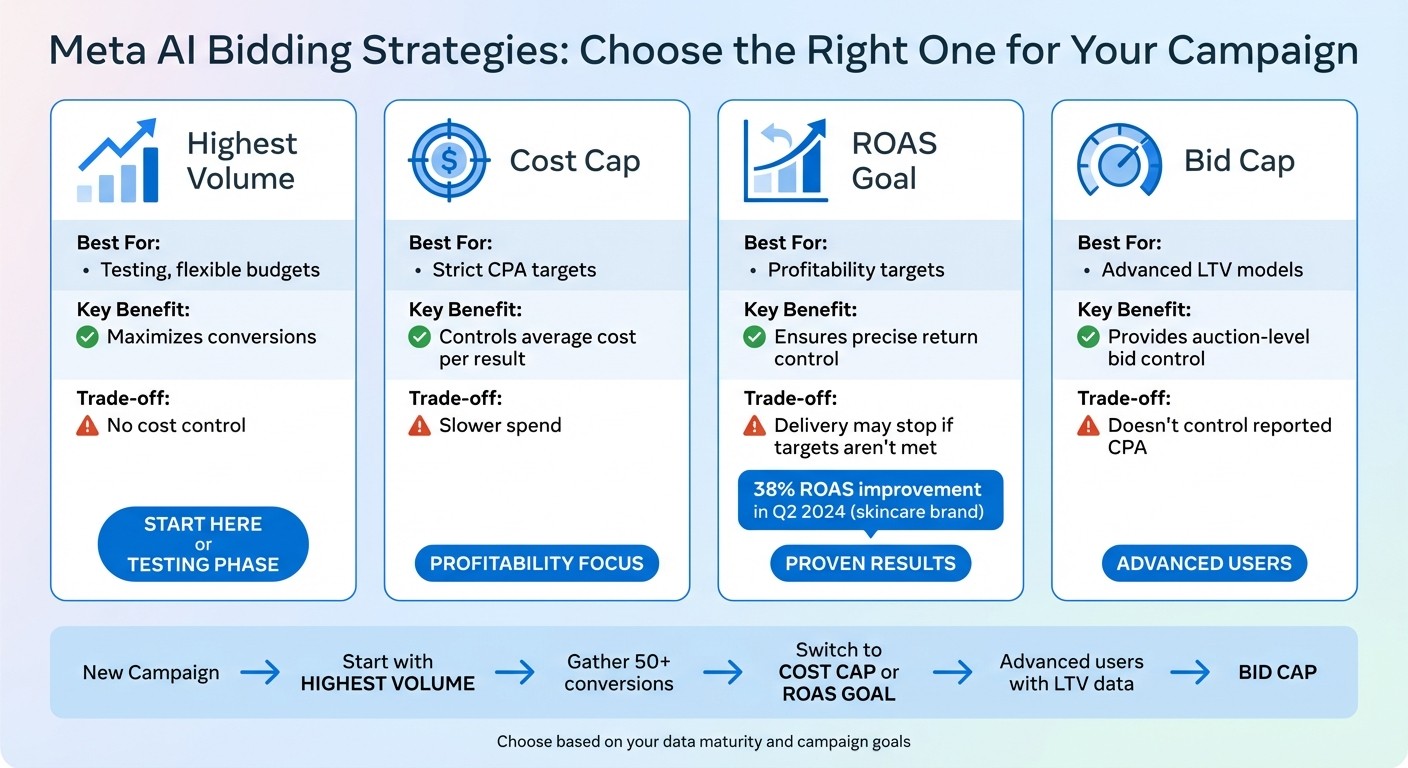
Meta AI Bidding Strategies Comparison: Which Strategy Fits Your Campaign Goals
Once your account is set up and your goals are clear, it’s time to pick a bidding strategy that aligns with your campaign objectives. Here’s a breakdown of the main options:
Highest Volume focuses on getting the most conversions possible without worrying about cost constraints. It’s a great choice for testing, but keep in mind that it can lead to higher expenses if your profit margins are tight.
For campaigns prioritizing profitability, consider Cost Cap or ROAS Goal. Cost Cap is one of the most effective strategies for scaling small Meta ad budgets because it ensures your average cost per result stays within a set limit, while ROAS Goal aims to maintain a minimum return on ad spend (ROAS). However, these strategies may slow delivery. For example, in Q2 2024, a direct-to-consumer skincare brand saw a 38% improvement in ROAS within four weeks by using ROAS Goal targeting.
If you have a solid understanding of your lifetime value (LTV) models, Bid Cap offers more precise control. This strategy limits the maximum bid for each auction, giving you granular oversight. That said, it doesn’t guarantee a specific cost per result, so if your LTV data isn’t reliable or your attribution model isn’t advanced, sticking with Cost Cap or ROAS Goal might be a safer bet.
Here’s a quick comparison of the bidding strategies:
Bid Strategy | Best For | Key Benefit | Trade-off |
|---|---|---|---|
Highest Volume | Testing, flexible budgets | Maximizes conversions | No cost control |
Cost Cap | Strict CPA targets | Controls average cost per result | Slower spend |
ROAS Goal | Profitability targets | Ensures precise return control | Delivery may stop if targets aren’t met |
Bid Cap | Advanced LTV models | Provides auction-level bid control | Doesn’t control reported CPA |
If you’re just starting out, begin with Highest Volume to test and gather insights. Once your campaign stabilizes, transition to Cost Cap or ROAS Goal to focus on profitability. This transition is a key step when learning how to scale Meta ad budgets effectively. Bid Cap should only be used when you have reliable LTV data and a strong attribution model.
Next, you’ll need to follow CBO best practices to align your campaign budget optimization with your chosen bidding strategy.
Step 3: Configure Campaign Budget Optimization
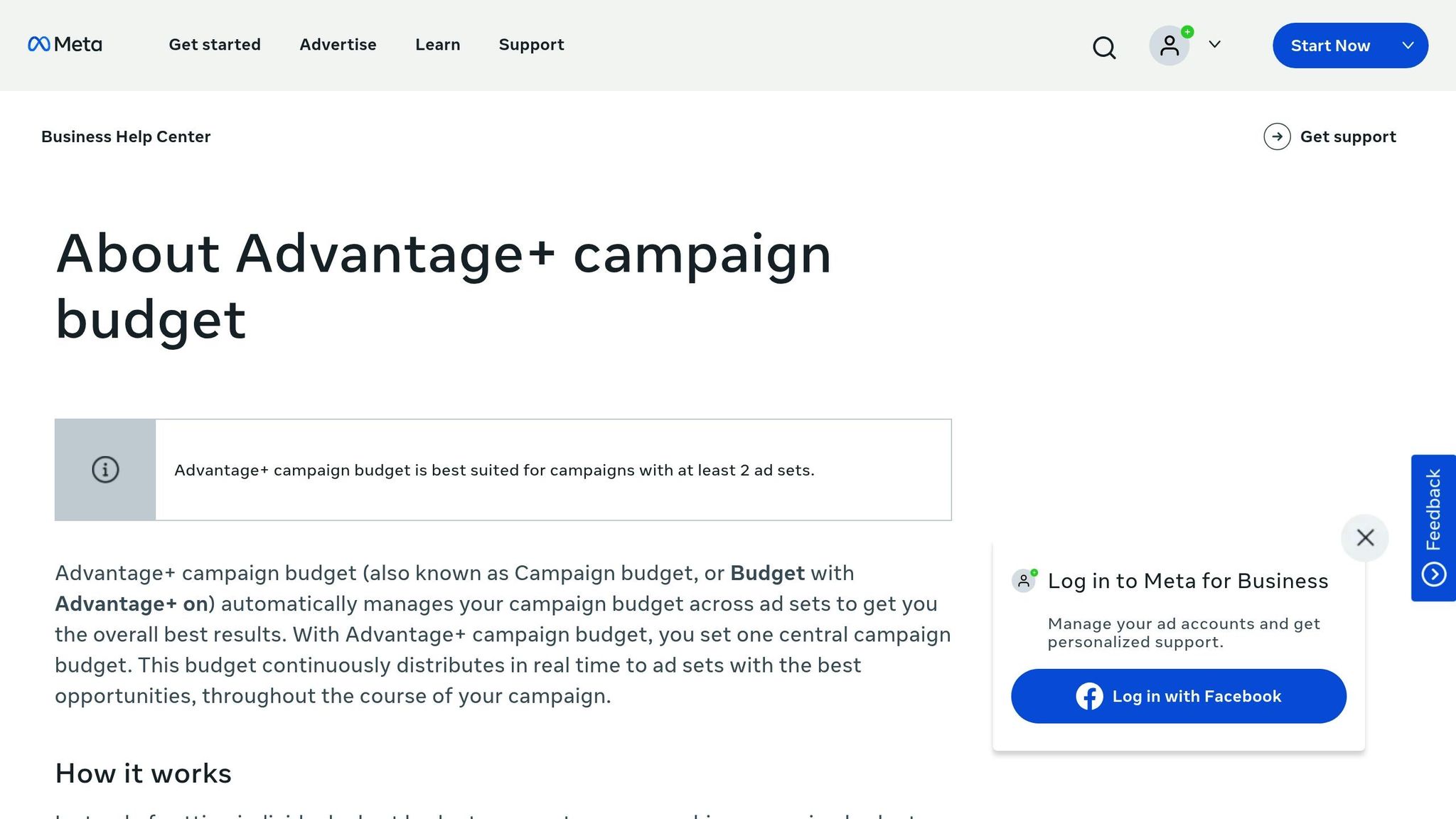
Once you've chosen a bidding strategy, the next step is to align your budget with your performance goals. This involves setting up budget controls to allow Meta's AI to fine-tune your campaign's performance. Advantage Campaign Budget (formerly Campaign Budget Optimization or CBO) is a tool that automatically allocates your budget to the best-performing ad sets.
Enable Campaign Budget Optimization
Start by opening Meta Ads Manager and enabling Campaign Budget Optimization. You'll need to decide between daily vs lifetime budgets to see which fits your strategy. You can also use a Meta Ads Budget Planner to help allocate your spend effectively.
A daily budget works well for ongoing campaigns, such as spending $100 per day to generate leads steadily.
A lifetime budget is better for short-term promotions, like allocating $1,000 over seven days for a product launch.
To allow Meta's AI to perform effectively, set your CBO budget slightly higher - about 20%-30% above your usual spending average. For instance, if your typical spend is $50 per day, increase it to $60-$65 to give the algorithm room to test and scale successful ad sets.
After setting your budget, focus on defining your performance goals at the ad set level.
Set ROAS or CPA Targets
At the ad set level, you can establish specific performance targets like ROAS (Return on Ad Spend) or CPA (Cost Per Acquisition). For e-commerce campaigns, a common starting point is a 3× ROAS target, meaning you aim to earn $3 for every $1 spent.
Before you launch your campaign, make sure your Meta Pixel is properly installed and tracking purchase events with transaction values. Once that's set, choose a 3× ROAS or a $20 CPA target and let the campaign run through a 3-7 day learning phase before making adjustments.
If you're new to setting performance targets, consider starting with the Highest Volume bidding option. This approach helps you gather baseline data. After achieving at least 50 conversions, you can refine your strategy by adding ROAS or CPA goals. However, setting overly ambitious targets - like a 5× ROAS from the start - can lead to underspending and poor delivery.
Once your targets are in place, you can broaden your campaign's reach by optimizing placements.
Activate Advantage+ Placements
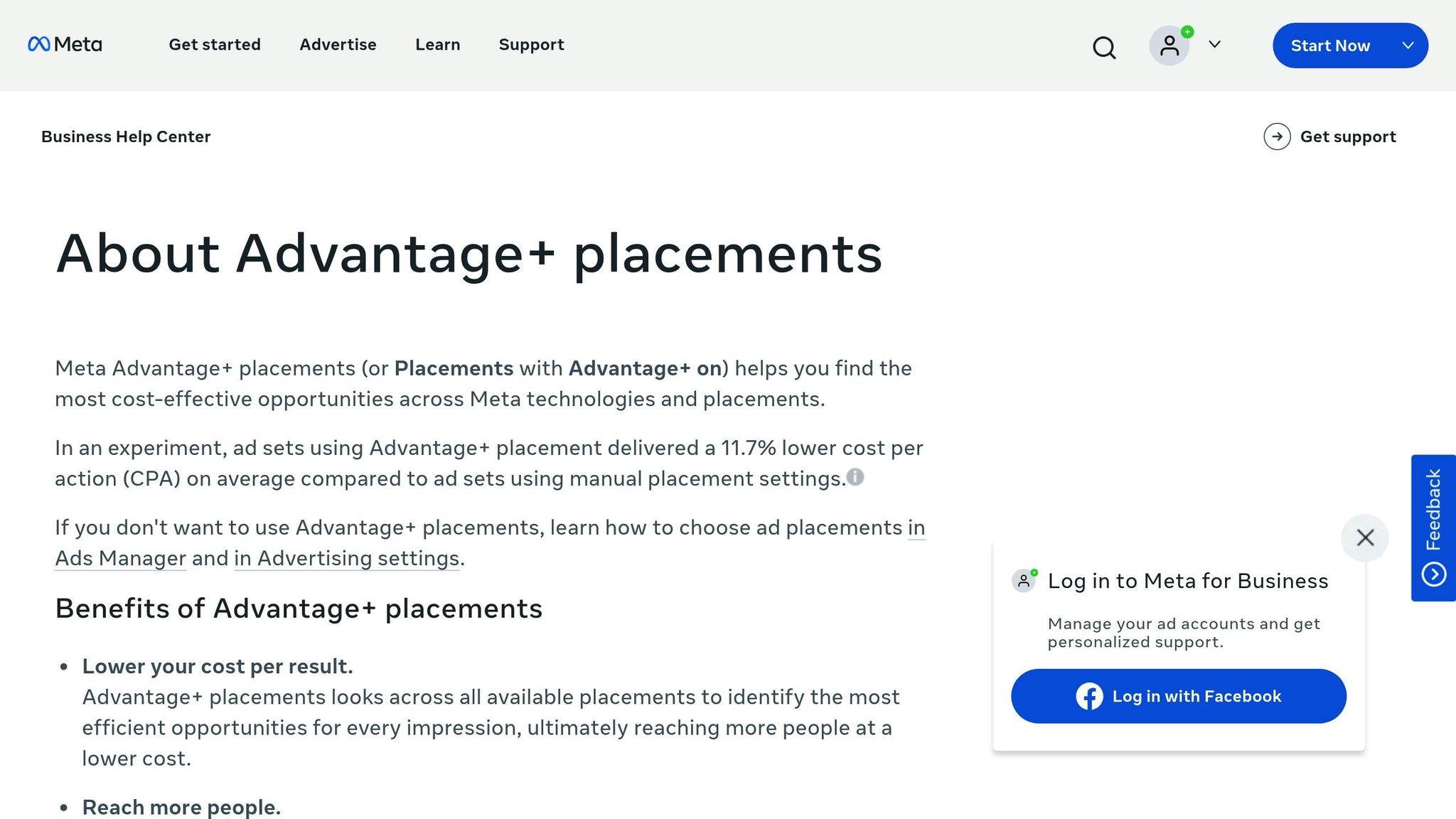
In the ad set settings, navigate to the Placements section and select Advantage+ Placements. This feature allows Meta's AI to test and allocate your budget across various placements, such as Facebook Feed, Instagram Stories, Reels, Audience Network, and others. The AI prioritizes placements where conversions are most likely to occur.
Campaigns using Advantage+ Placements often see a 15%-30% increase in reach and a 20% boost in conversion volume compared to manually selecting placements. The AI dynamically adjusts bids across more than 20 placement options based on performance data. Unless you have strict brand safety concerns, avoid limiting placements, as this can disrupt the AI's learning and waste your budget. If you're unsure, test Advantage+ with 20% of your budget to gauge its effectiveness before committing fully.
For an extra layer of optimization, consider integrating AdAmigo.ai. This tool automates daily bid and budget adjustments to complement your CBO strategy. By connecting your Meta ad account and setting KPIs like a ≥3× ROAS, AdAmigo uses performance data to suggest or automatically implement changes. You can review and approve these adjustments or let the system operate on autopilot for seamless optimization.
Step 4: Set Up Bid Guardrails and AI Features
Once your budget is configured, the next step is to establish safeguards that prevent overspending while allowing Meta’s AI to optimize your campaign’s performance.
Set Bid Caps and Spend Limits
The way you control bids and spending should align with your business model and your comfort level with risk. A bid cap is one option - it sets a ceiling on how much Meta can bid in each auction. This is particularly useful if you have a clear lifetime value (LTV) model and know the maximum you’re willing to spend for each conversion. For instance, if your LTV is $50, you might set a bid cap of $15 to ensure profitability. However, it’s important to note that bid caps don’t directly control your reported cost per acquisition (CPA); they only limit the bids Meta places in auctions. Setting the cap too low could slow down the learning phase and reduce cost efficiency.
Another option is to set a CPA goal, which tells Meta to aim for an average CPA at or below a specific amount. This approach is simpler to manage but may result in slower spending and a longer learning phase. For campaigns focused on return on ad spend (ROAS), you can set a ROAS goal - for example, a minimum of 3× ROAS - to guide Meta’s optimization efforts. Be cautious, though: if the platform struggles to meet your target, delivery could stall. Setting realistic benchmarks is key to maintaining consistent performance.
Once you’ve established these guardrails, you’re ready to incorporate Meta Ads AI features for additional automation.
Enable Advantage+ AI Features
With your bid guardrails in place, you can activate Meta’s Advantage+ tools to let AI handle much of the optimization process. These features are designed to improve efficiency and boost performance metrics.
"Advantage+ and manual placements automatically optimize ad delivery for engagement." – Syd Olivarez, SEO Content Specialist, Strike Social
To enable these features, go into your campaign settings within Ads Manager and toggle on Advantage+ Budget and other related AI tools. Following Meta ads structure best practices ensures these tools have the data they need to succeed. These options work well alongside your placement strategy, especially for scaling campaigns. If you’re testing new audiences or creatives, you might prefer manual ad set budgeting (ABO) for greater control. But for scaling established campaigns, Advantage+ Budget can deliver quicker results with less manual intervention.
Once you’ve activated these features, consider integrating AI automation platforms for Meta ads to simplify bid adjustments even further.
Step 5: Integrate AdAmigo.ai for Automated Optimization
Once you've activated Meta's built-in AI tools, you can take automation a step further by incorporating Meta ads automation to handle tasks that would otherwise need constant manual attention. AdAmigo.ai is a goal-oriented AI platform that works around the clock to optimize your campaigns. It adjusts bids and creatives in real time, learning from your account's performance data and updating its strategies as new results roll in. Here's how to set up and configure AdAmigo.ai for streamlined bid management.
Connect Your Meta Ad Account to AdAmigo.ai
Head over to AdAmigo.ai and link your Meta ad account using OAuth. Once connected, set your campaign objectives (e.g., "Increase spend by 30% while maintaining at least a 3× ROAS"). The platform will conduct an audit of your campaigns, pinpoint your top-performing ads, combat creative fatigue, and start analyzing your brand's tone and creative preferences. From there, AdAmigo can either auto-generate new ad variations and publish them directly to your account or save them for your review and approval.
Leverage AI Actions for Smarter Adjustments
AdAmigo provides a daily to-do list called AI Actions, which highlights impactful changes for your creatives, audiences, budgets, and bids based on live performance data. For example, if your CPA exceeds your target for three consecutive days, the system might suggest pausing low-performing ad sets or reallocating budget to better-performing ones. You can decide whether to approve these recommendations manually or let the platform implement them automatically, depending on how much control you want to maintain.
Decide Between AI vs Human Meta ad campaign management using Semi-Autonomous and Full Autopilot Modes
AdAmigo offers two modes of operation to suit different levels of oversight.
Full Autopilot: This mode prioritizes automation, similar to Meta's Advantage+ system. The AI takes charge of audience targeting, utilizing AI audience segmentation vs manual targeting to find the best prospects, creative rotation, and manual vs AI budget testing without waiting for your input. It's ideal for scaling campaigns that are already performing well and accelerating learning.
Semi-Autonomous Mode: This option provides a mix of manual and automated control. You can set automation rules for scaling (like "pause ads with a CPA above $80 for three days"), and the AI acts only when those conditions are met. This mode is particularly useful during unpredictable periods, such as holiday sales or product launches, when tighter control is needed to protect profit margins. Many agencies combine both modes - using full autopilot for testing and discovery, and semi-autonomous control for high-stakes campaigns.
Feature | Full Autopilot | Semi-Autonomous |
|---|---|---|
Primary Goal | Maximize scale and learning | Maintain control over CPA/ROAS |
Management Style | Hands-off, AI-driven | Manual oversight with conditional rules |
Best Use Case | Scaling proven campaigns | Navigating volatile or sensitive campaigns |
Risk Consideration | May prioritize short-term gains over long-term value | Requires more setup and monitoring |
Once you're set up, move on to Step 6 to track performance and fine-tune your bidding strategy as your campaigns evolve.
Step 6: Monitor and Refine AI Bidding Strategies
Monitor Campaign Performance
Once your AI tools are set up, keeping a close eye on performance metrics is essential for ensuring your campaigns hit their targets. Focus on key indicators like ROAS (Return on Ad Spend), CPA (Cost Per Acquisition), and CTR (Click-Through Rate). For campaigns that are new or prone to fluctuations, daily monitoring is crucial. For more stable campaigns, a weekly review should suffice.
In Meta Ads Manager, customize your dashboard to display critical metrics such as ROAS, CPA, CTR, conversion volume, and spend pacing. To stay ahead of any issues, set up automated alerts and rules - like notifications for ROAS dropping below 3× or sudden CPA spikes. Leverage the Breakdowns feature to analyze performance by audience segment, placement, or time of day. This helps uncover trends and pinpoint areas for improvement.
Tools like AdAmigo.ai can simplify this process. Its AI Actions feature ensures constant, impactful adjustments, while the AI Chat Agent can answer questions like, "What caused yesterday's CPA increase?" This eliminates the need to manually sift through reports, providing round-the-clock insights and oversight.
Use these findings to make timely adjustments to bids and budgets. Implementing AI-driven best practices can further stabilize performance during these shifts.
Refine Bidding Based on Data
When performance metrics shift - like a CPA climbing from $15 to $25 or ROAS dipping below 3× - it’s time to rethink your bidding strategy. For example, if you're using the Highest Volume strategy and costs start rising, consider switching to a Cost Per Result Goal aligned with your historical average CPA (e.g., $18).
If your campaign is underspending (less than 80% of its budget), try increasing or removing bid caps incrementally by 5–10%. Use the Delivery Insights column in Ads Manager to identify potential issues, such as auction overlap or high ad frequency, which could be inflating costs. Make small adjustments - again, 5–10% - and test these changes with A/B experiments before rolling them out across all ad sets.
Once your bids are optimized, focus on scaling the campaigns that show consistent success.
Scale Winning Campaigns
To identify winning campaigns, look for those that consistently deliver ROAS above 3×, CPA below your target (e.g., under $15), and CTR exceeding 1.5% over a 7–14 day period. Ensure these campaigns are spending their full budgets and are no longer flagged as "Learning Limited" in the Delivery column.
When scaling, increase budgets in increments of 20–25%. Broaden your audience by creating lookalike audiences based on your top converters, and enable Advantage+ vs AI Placements to let Meta's AI optimize ad placements for cost-effectiveness. After each scaling adjustment, monitor performance closely for 3–5 days to ensure metrics remain strong. If you're using Campaign Budget Optimization (CBO), Meta will automatically reallocate spend toward the best-performing ad sets, making the scaling process smoother and more efficient.
Conclusion
This checklist simplifies how you can approach AI-powered bidding on Meta. Start by double-checking your setup - make sure your campaign goals, KPIs, and account structure are aligned. Begin with Highest Volume bidding for testing, then transition to a Cost Per Result Goal or Target ROAS strategy once you’ve gathered enough reliable data. Set guardrails to keep things on track and tap into full-funnel AI optimization to balance control with the efficiency of automation.
Consistent tracking and data-driven tweaks are key to better performance. Monitor metrics like ROAS, CPA, and CTR daily for new campaigns, using those insights to adjust your bids. Scale successful campaigns by gradually increasing budgets and expanding audiences, such as with multiple lookalike segments. This continuous process of testing, learning, and refining is what turns stagnant campaigns into ones that deliver compounding returns.
Consider tools like AdAmigo.ai to automate bid adjustments, budget changes, and creative updates, allowing you to focus on the bigger picture. Agencies can empower one media buyer to handle 4–8× more clients without compromising results, while in-house teams gain a 24/7 AI media buyer that grows alongside your campaigns.
AI-driven bidding is central to Meta’s evolving auction system, which by 2026 will rely even more on automated strategies. These tools make real-time adjustments based on user behavior, reduce errors, and help stabilize ROAS. The result? Hours saved each week and outcomes that outperform manual management.
FAQs
How can I choose the best AI bidding strategy for my Meta ad campaign goals?
To pick the best AI bidding strategy for your Meta ad campaign, start by identifying your main objective. Are you aiming to boost conversions, hit a specific ROAS (Return on Ad Spend), or keep costs under control? Meta provides several bidding options to suit different goals. For example, Lowest Cost focuses on getting the most results within your budget, while Cost Cap and Bid Cap are designed to manage costs while targeting specific outcomes.
AI tools like AdAmigo.ai can take these strategies to the next level by optimizing bids in real-time based on your set KPIs. Let’s say your goal is to scale ad spend while maintaining a minimum ROAS - AI can adjust bids dynamically to stay aligned with your objectives. By setting clear KPIs, such as ROAS or CPA (Cost Per Acquisition), you ensure the AI works toward your campaign's specific targets, reducing the need for constant manual adjustments.
The best strategy ultimately hinges on your goals, but integrating AI into the process can streamline bid management and help deliver steady results over time.
How does the Meta Pixel help improve AI bidding strategies?
The Meta Pixel plays a key role in fine-tuning AI bidding strategies. It tracks user actions on your website - whether that's purchases, sign-ups, or lead submissions. This tracking provides crucial data that helps AI tools identify which campaigns are delivering results.
With this information, AI can make smarter decisions, like adjusting bids, reallocating budgets, or refining targeting. Essentially, conversion tracking allows AI to keep improving your campaigns, ensuring they perform better and align with your advertising goals.
How can tools like AdAmigo.ai improve AI bidding on Meta ads?
Tools like AdAmigo.ai elevate AI bidding on Meta ads by automating and fine-tuning essential tasks with remarkable precision. Unlike static rules-based systems, AdAmigo.ai employs a dynamic learning AI agent that evolves based on actual campaign performance. This means smarter, more effective adjustments to bids, budgets, and creatives as your campaigns progress.
Key features include AI Actions, which provide daily prioritized recommendations, and an AI Chat Agent that offers insights and enables bulk actions. These tools make campaign management simpler and more efficient. Tasks like budget allocation, bid adjustments, and campaign pacing are handled automatically, saving you from constant manual intervention. With 24/7 optimization, AdAmigo.ai helps drive better ROAS and scalable results, allowing you to focus on higher-level strategy and growth.